
Screen and audio uptime in your gym is not a technical nicety. It directly shapes whether members stay, spend more, and come back tomorrow. When displays go dark during a class or music cuts out mid-session, the damage is immediate: coaches lose control of pacing, members lose motivation, and your facility looks unprofessional. Aim for very high availability per screen, and start monitoring now if you are not already. Fitness2020 reported that 31% of McDonough members moved to premium after introducing a PLAE Performance Zone with LG videowalls, while 27% of new members joined premium immediately after seeing the facility. That is not a coincidence. Platforms like Kingdomsignage and commercial-grade hardware from LG Electronics exist precisely because gym operators need reliable, centrally managed screen and audio infrastructure, not consumer gear held together with hope.
- Target uptime: very high per screen, per location
- Start monitoring immediately if you have no dashboard today
- Treat screens and audio as mission-critical infrastructure, not decoration
Table of Contents
- How screen downtime shows up for your members
- Which KPIs actually tell you whether your screens are working?
- Why gym screens and audio fail: the usual suspects
- Practical fixes that actually reduce downtime
- Your operational checklist and SLA template
- What repairs and upgrades actually cost
- How a unified platform improved uptime for one facility
- Key Takeaways
- Screens are infrastructure, not decoration
- Kingdomsignage gives you one dashboard for all of it
- Useful sources and further reading
How screen downtime shows up for your members
Members notice a dead screen within seconds. What they feel next depends on where they are in your facility.
In the lobby, a blank display means missed promotions, class announcements, and the first impression of a facility that looks poorly run. On the cardio floor, screens running motivational content and live metrics are the difference between a member grinding through 30 minutes and one who bails at 18. In group fitness studios, the stakes are higher still. Coaches rely on visible timers, workout blocks, and interval cues to run structured classes without repeating instructions every 90 seconds. Visible workout timers and instructions reduce repetitive coaching, letting instructors focus on form correction and safety rather than narrating the clock.
When timers fail, injury risk goes up. Members push past safe rest intervals or cut sets short because they have no reference point. That is not a hypothetical. It is a predictable consequence of treating screen availability as optional.
- Lobby and arrival: missed promotions, poor first impression, lost upsell opportunities
- Cardio floor: reduced dwell time, lower perceived value, members leaving early
- Group fitness studios: disrupted class flow, coach overload, pacing errors
- Free-weight areas: missed demo videos, form guidance gaps, safety exposure
Which KPIs actually tell you whether your screens are working?
Gut feel is not a monitoring strategy. You need a short set of metrics that translate screen health into business language your managers and vendors can act on.
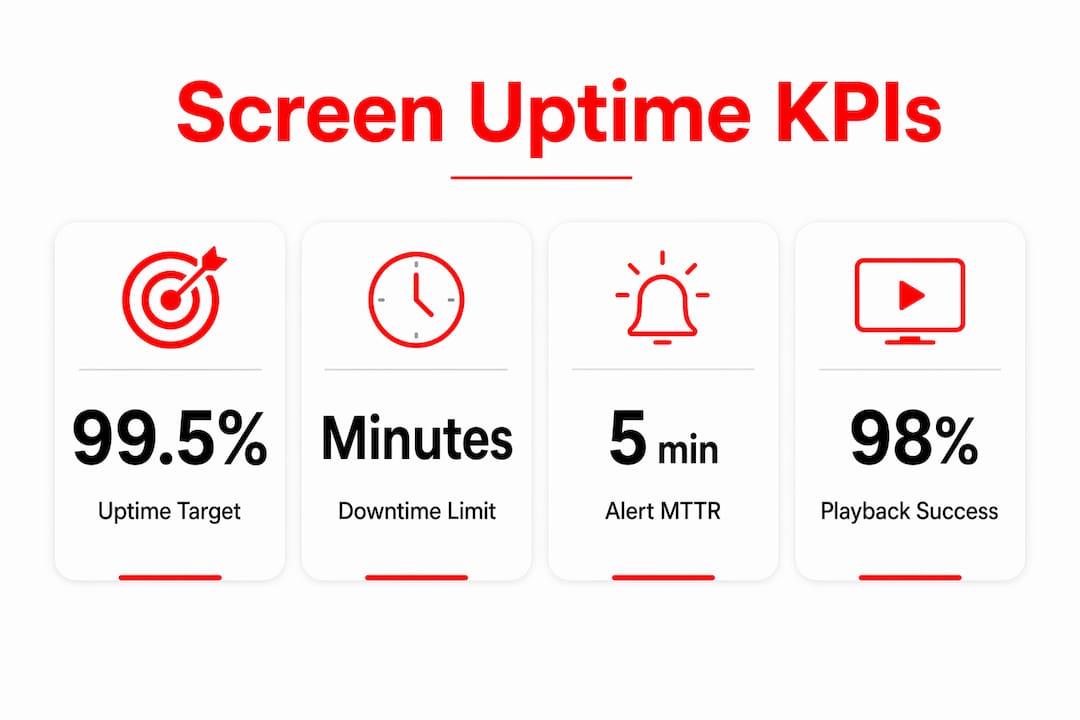
| Metric | What it measures | Target threshold |
|---|---|---|
| Uptime % (per screen) | Availability during operating hours | Very high |
| Mean Time to Detect (MTTD) | Minutes from failure to first alert | Under 5 minutes |
| Mean Time to Repair (MTTR) | Minutes from alert to restored playback | Under 30 minutes |
| Content playback success rate | % of scheduled content slots that played correctly | 98%+ |
| Screen dwell time | Average time members spend in view of a display | Baseline + trend |
A small downtime window across an operating day accumulates to several minutes of dead screens. Spread across multiple screens during peak hours, this results in lost class-time visibility, promotional impressions, and upsell exposure in a single day. Digital signage keeps members informed and engaged, supporting social proof and gamified challenges that reduce churn. When screens go dark, that retention engine stalls.
Pro Tip: Add a "content playback success rate" column to your weekly manager report. It catches scheduler misconfigurations before they become member-facing outages.
Why gym screens and audio fail: the usual suspects
Most gym screen failures trace back to one of five root causes. Knowing which one you are dealing with cuts diagnostic time in half.
- Network instability: Wi-Fi congestion during peak hours drops connections and freezes playback. Shared consumer routers serving both member devices and display players are a common culprit.
- Consumer-grade casting: Using a phone or tablet to cast content introduces Bluetooth dropouts, notification interruptions, and app crashes. Dedicated hardware per screen (such as an NVIDIA Shield) eliminates most of these failure modes.
- Power and mounting issues: Loose connections, shared circuits with HVAC, and vibration from heavy equipment cause intermittent reboots.
- Scheduler and content errors: Mismatched file formats, expired playlists, or manual scheduling mistakes create blank screens that look like hardware failures but are not.
- Firmware and OS conflicts: Unmanaged updates on mixed device fleets cause playback incompatibilities overnight.
Quick diagnostic checklist (run during a live outage):
- Check the physical connection first: HDMI, power, and network cable or Wi-Fi signal strength.
- Confirm the media player is powered on and not frozen (a reboot resolves roughly half of all field incidents).
- Log into your management dashboard and check whether the device is reporting online.
- Verify the scheduled playlist is active and the content files are not corrupted or expired.
- If the player is online but content is not playing, push a manual content refresh from the dashboard before escalating to a technician.
Practical fixes that actually reduce downtime
The single highest-impact move is replacing consumer casting with a dedicated media player per screen. It removes the most common failure mode and makes remote troubleshooting possible. After that, hardwire every display you can reach with Ethernet. Wi-Fi is fine for lobby screens; it is not reliable enough for studio displays running live class timers.
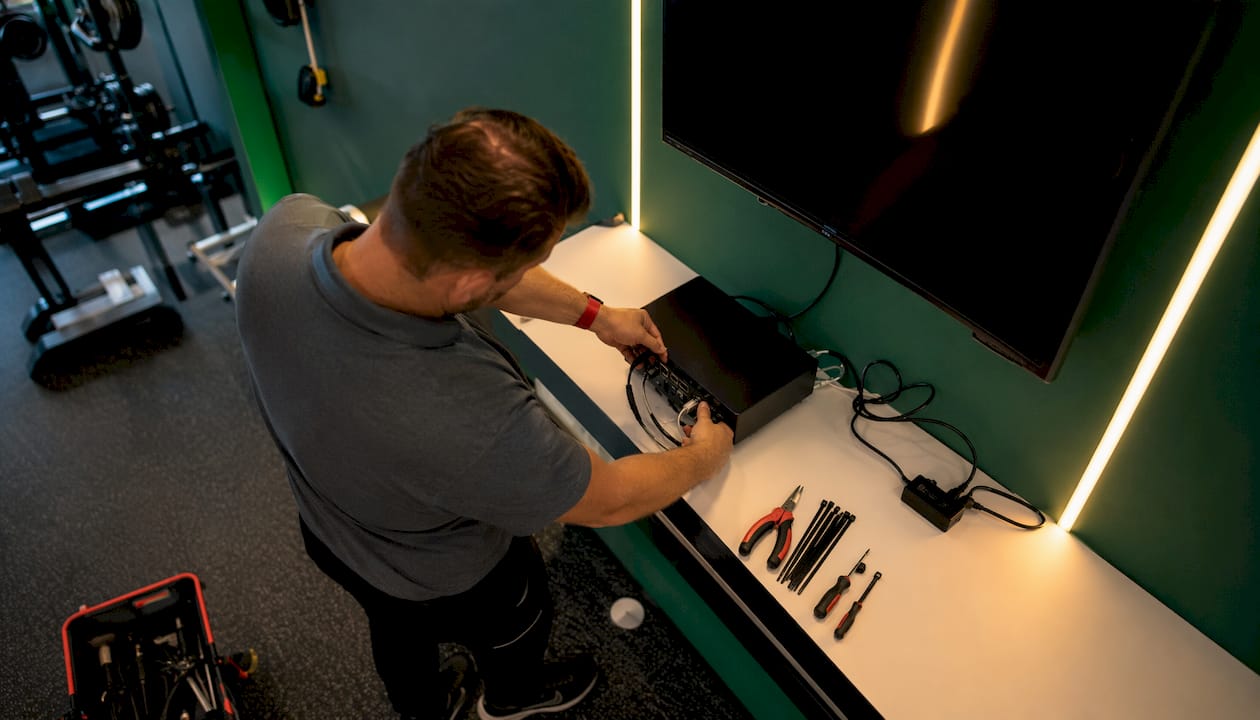
Enable content caching on every player so a network dropout does not blank the screen. The player should serve locally stored content until connectivity restores. Standardize your device models and OS versions across the facility so a single firmware update or swap procedure works everywhere.
On the operational side, schedule maintenance windows between midnight and 5 AM for firmware updates and playlist refreshes. Set automated alerts for any screen that goes offline. Automated scheduling tied to class bookings removes the human error layer entirely: the system knows when a spin class starts and pushes the right timer and music automatically.
For placement, mount screens at eye level and cluster them for 360-degree visibility in free-weight areas. A screen mounted too high or behind a column is functionally offline even when it is technically running.
Pro Tip: Keep one pre-configured "warm spare" player with your standard device image on a USB drive. A full device swap takes under 10 minutes when the replacement is already imaged. Without it, the same fix takes 45 minutes or more.
Your operational checklist and SLA template
Morning/shift checklist (takes under 5 minutes):
- Walk the floor and visually confirm every screen is displaying the correct content.
- Check audio levels in each zone: lobby, cardio floor, and studios.
- Open the management dashboard and confirm all devices show "online."
- Verify the day's class schedule is loaded and content slots match the booking system.
- Spot-check brightness on cardio floor displays (glare from morning sun is a common visibility killer).
SLA reference table:
| Element | Target |
|---|---|
| Uptime per screen | Very high during operating hours |
| MTTD (alert to operator) | Under 5 minutes |
| MTTR (alert to restored playback) | Under a moderate time threshold |
| Priority 1 (class in progress) | Immediate escalation, on-site response within 15 minutes |
| Priority 2 (non-class area) | Resolution within 2 hours |
| Incident log | Every outage logged with timestamp, cause, and resolution |
Escalation flow: Front desk staff flags the outage and attempts the 5-step diagnostic above. If unresolved in 5 minutes, they notify the facility manager. The manager logs into the remote dashboard and attempts a content refresh or device restart. If the device is offline and unresponsive, the vendor or platform support team is contacted with the incident log. All incidents feed a monthly review to identify repeat failure patterns.
Pro Tip: Log every outage, even the ones you fix in 2 minutes. After 90 days, patterns emerge: the same screen, the same time of day, the same cause. That data justifies a hardware upgrade far more convincingly than a gut feeling.
For multi-room gym setups, assign a named owner per zone so escalation never stalls because nobody knows whose problem it is.
What repairs and upgrades actually cost
Knowing the cost range before something breaks lets you budget for redundancy rather than scrambling after an outage.
| Fix type | Typical MTTR | Ballpark cost driver |
|---|---|---|
| Remote content refresh / restart | 5–15 minutes | Staff time only |
| Warm spare player swap | Takes minutes | Moderate cost per spare unit |
| Ethernet run (per screen) | Installation time varies | Moderate cost per drop (labor + materials) |
| Commercial mount replacement | Takes significant time | Moderate cost per mount |
| Monitoring SaaS subscription | Ongoing | Moderate subscription cost per location |
| Technician on-site call | Duration varies | Moderate cost per visit |
The fixes with the best uptime-per-dollar return are warm spare players and a monitoring subscription. Both are low cost and cut MTTR from hours to minutes. Ethernet runs are a medium-term investment with a long payback: once installed, they eliminate the most common network-related failures for years. Staff training via a structured enablement program reduces the frequency of human-error incidents, which is often the cheapest fix of all.
How a unified platform improved uptime for one facility
A mid-size fitness facility running six group fitness studios and a large cardio floor was managing screens through a mix of consumer Chromecast devices, a shared Wi-Fi network, and manual playlist updates. Outages averaged two to three per week, most discovered by coaches mid-class. MTTR averaged over 45 minutes because staff had no remote visibility and had to physically locate and reboot each device.
After migrating to a unified dashboard with dedicated media players and automated class-schedule-driven content:
- Screen outages dropped significantly, with most incidents resolved remotely before a class started
- MTTR fell significantly because the dashboard flagged offline devices instantly
- Coaches reported fewer class interruptions, and member feedback on class quality improved
- Promotional content for upsell offers played reliably during peak hours, recovering revenue that had been lost to blank screens during busy periods
The operational shift was not primarily a hardware upgrade. It was the move from reactive to proactive management, made possible by centralized visibility.
Key Takeaways
Gym screen uptime is a direct driver of member retention, class quality, and upsell revenue — operators who monitor it proactively protect all three simultaneously.
| Point | Details |
|---|---|
| Target 99.5% uptime | Monitor per-screen availability during operating hours and set alerts for any device that drops offline. |
| MTTR under a moderate time threshold | Keep a warm spare player imaged and ready; remote dashboards cut resolution time from hours to minutes. |
| Replace consumer casting | Dedicated media players eliminate the most common failure mode and make remote troubleshooting possible. |
| Tie screens to class schedules | Automated content scheduling removes human error and keeps timers and content accurate during live classes. |
| Kingdomsignage unifies control | A single dashboard manages signage, audio, and class content across all rooms, reducing MTTD and MTTR facility-wide. |
Screens are infrastructure, not decoration
The gym industry has spent years treating digital screens as a marketing add-on. That framing is wrong, and it costs operators real money. A broken HVAC unit gets fixed the same day because everyone understands it affects the member experience directly. A blank screen in a spin studio gets a work order for next week because it feels less urgent. It is not less urgent. It is the same category of problem.
The operators who get this right are the ones who put screens on the same maintenance schedule as lighting and audio, assign clear ownership, and measure MTTR the way they measure equipment downtime. They also recognize that the business case is not abstract. Facilities that invest in reliable, purpose-built display infrastructure see measurable lifts in premium conversions and member satisfaction. Fitness2020 reported a 31% premium upgrade rate among McDonough members after adding a PLAE Performance Zone with LG videowalls, and 27% of new members joined premium immediately after seeing the facility. The pattern holds across facility types.
Short term: get monitoring in place and standardize your hardware. Medium term: hardwire what you can and build a spare-player inventory. Long term: tie your screen management platform to your class booking system so content is always accurate and always on.
Kingdomsignage gives you one dashboard for all of it
Running screens and audio across multiple rooms without a unified platform means slower detection, slower fixes, and more class disruptions. Kingdomsignage puts every TV, speaker zone, and class schedule under a single dashboard, so your team sees a device go offline before a coach does.

The platform manages per-screen device health, pushes content automatically when a class starts, and gives you the remote restart and content-refresh tools that cut MTTR from 45 minutes to under 15. Spare-player swaps take minutes when your device image is standardized across the fleet. For multi-location operators, the same dashboard covers every facility without adding staff overhead. Kingdomsignage also handles gym membership offer displays so your upsell content runs reliably during peak hours instead of going dark when you need it most.
Book a demo at Kingdomsignage and see how the platform addresses your specific uptime gaps within the first session.
Useful sources and further reading
- Fitness2020 Member Conversion Boost from LG Electronics and PLAE — Athletech News report on how purpose-built display zones drove premium membership conversions; useful for building the business case internally.
- Gym Display Systems: How Screens Help Coaches Manage the Room — Covers the operational role of displays in class management and remote monitoring; good background for SLA conversations with vendors.
- Ultimate Guide to Gym Display Systems — Practical hardware and scheduling guidance including dedicated-player recommendations; useful when specifying equipment.
- Workout Screens: Placement and Visibility — Covers eye-level mounting, clustering, and brightness requirements; reference this when auditing your current installation.
- Gym Digital Signage: Motivating Members and Reducing Churn — Industry overview of how signage supports retention through engagement and gamification.
- Gym Signage Upgrade Checklist for Managers — Kingdomsignage's prebuilt checklist for operators planning a hardware or software upgrade.
- TV Screens and Gym Revenue: A Manager's Guide — Ties screen availability directly to revenue metrics; useful when presenting the ROI case to ownership.