
Gym multi-screen control is defined as the centralized management of all digital displays across a fitness facility using a cloud-based content management system, or CMS. Platforms like CastHub, ScreenCloud, and Yodeck give gym owners a single dashboard to push content, schedule updates, and sync displays in real time. Integrations with gym management software like Mindbody, ABC Fitness, and Mariana Tek take this further by automating class schedule changes across every screen the moment a booking is updated. Understanding how gym owners control multiple screens starts with knowing that hardware, software, and network infrastructure must work together. Get one wrong, and the whole system breaks down.
What hardware is essential for managing multiple gym screens?
Commercial-grade displays are the foundation of any reliable multi-screen setup. Consumer TVs are rated at around 250 nits of brightness, which appears washed out under the high-intensity lighting found in most gym floors. Commercial displays deliver 500–700 nits, making content legible even under direct overhead lighting. They also cost between $600 and $1,200 per unit and are built for 24/7 operation, which consumer TVs simply are not.
Consumer TVs overheat quickly when run for 18–24 hours a day because they lack internal cooling systems designed for continuous use. The result is black screens, failed hardware, and frustrated members. Commercial displays include thermal management built into the chassis, which prevents premature breakdowns. The upfront cost difference pays for itself within the first year of operation.
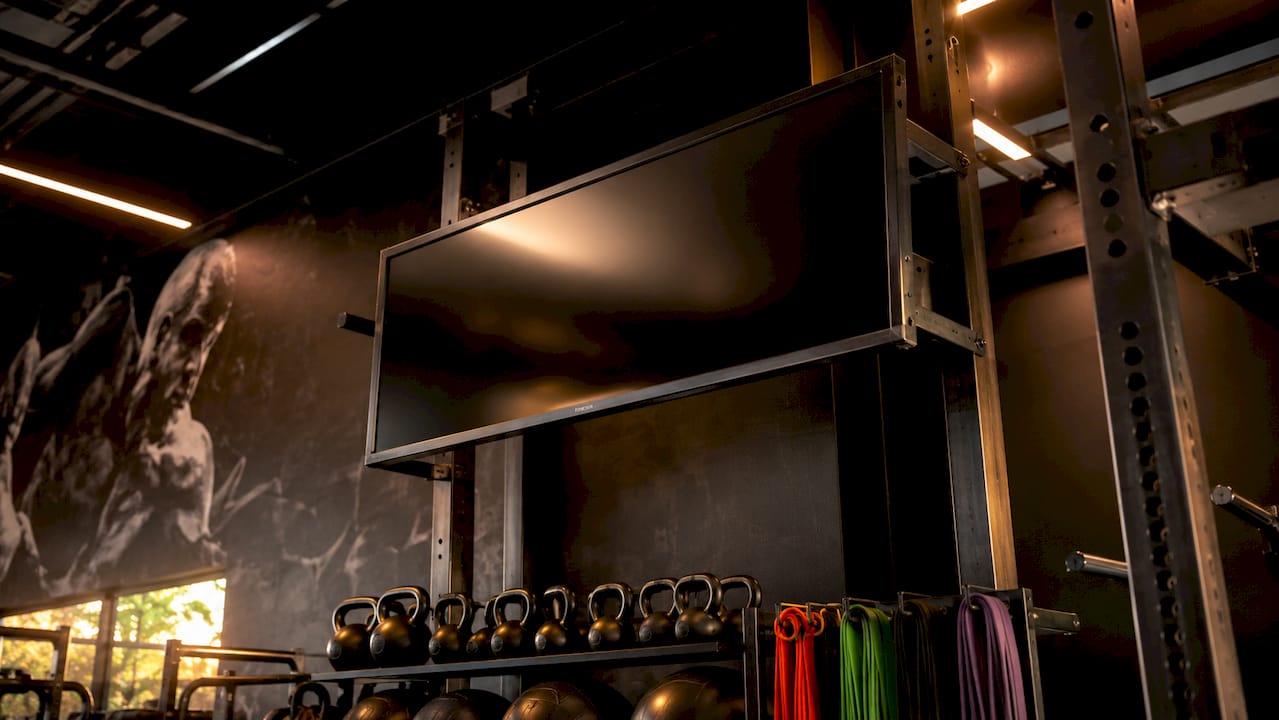
Screen placement by zone is just as critical as the hardware itself. Cardio floors need large, high-brightness displays showing motivational content and workout timers. Studio entrances benefit from smaller screens showing the next class, instructor name, and start time. The front desk screen should display promotions, membership offers, and announcements. Each zone has a different communication job, and the hardware should match that job.
Network infrastructure determines whether your screens stay online. Hardwired Cat6 Ethernet is the standard for reliable screen uptime. Shared gym Wi-Fi causes instability and what technicians call "black screen syndrome," where displays drop connection and go dark mid-session. Power over Ethernet, or PoE, runs both power and data through a single cable, which is ideal for screens mounted in locations far from power outlets.
- Use commercial displays rated for 24/7 operation, not consumer TVs
- Target 500–700 nits brightness for gym lighting conditions
- Run Cat6 Ethernet to every screen; avoid Wi-Fi dependencies
- Use PoE switches to simplify cable runs in remote mounting locations
- Plan screen placement by zone before purchasing hardware
Pro Tip: When budgeting for hardware, price out PoE switches alongside your displays. A single PoE switch can power and connect up to 24 screens, cutting installation costs significantly compared to running separate power and data lines.
How does a CMS unify control of all your gym displays?
A cloud-based CMS is the control center for every screen in your gym. It lets you push content, schedule playlists, and update displays across multiple rooms or locations from one browser tab. Updates propagate to all screens within 30–60 seconds after you publish a change. That speed matters when a class gets canceled 10 minutes before it starts.
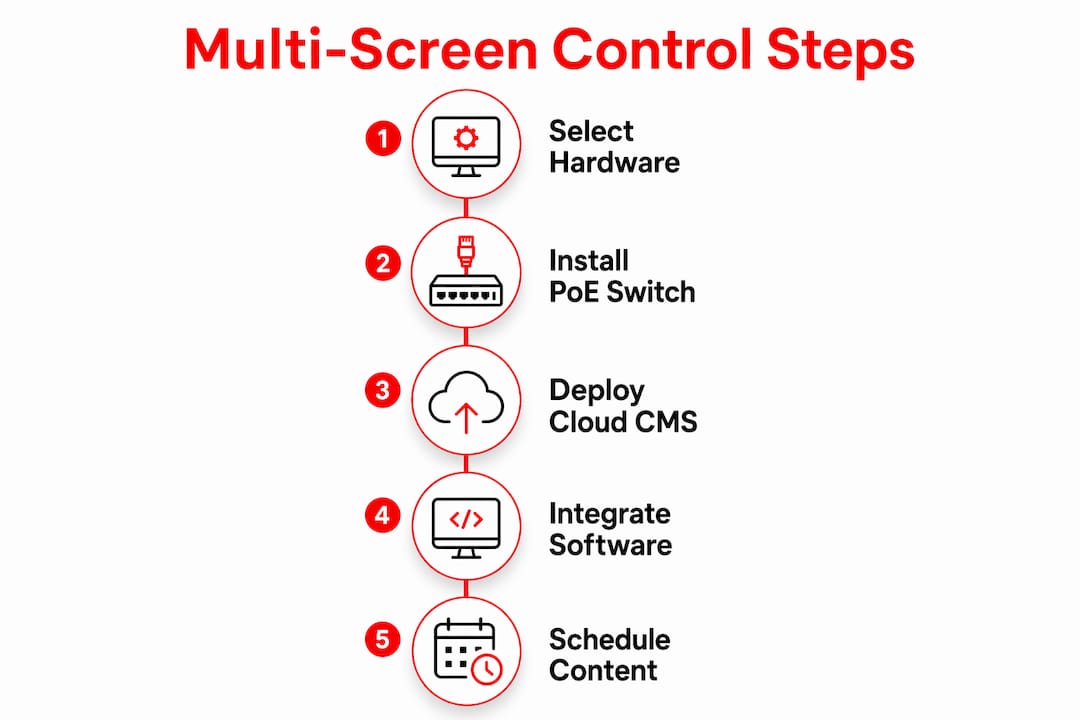
The real power comes from integrations. CMS platforms built for fitness connect directly with Mindbody, ABC Fitness, and Mariana Tek to pull live schedule data. When a class is added, moved, or canceled in your gym management software, the screen content updates automatically. Manual data entry drops to zero after the initial configuration. That alone eliminates one of the most common staff complaints in multi-location gym operations.
Role-based permissions prevent content conflicts across your team. Admins control global content and brand templates, while location managers handle local playlists. Marketing staff can upload promotional assets without touching workout content. This layered permission structure means no one accidentally overwrites a live class timer with a membership promotion. The system stays organized even when multiple people are managing content simultaneously.
Here is how a typical CMS workflow runs in a gym environment:
- Admin sets brand templates. Logo placement, color palette, and approved fonts are locked at the global level.
- Marketing uploads promotional content. New member offers, class spotlights, and event announcements go into a shared asset library.
- Location manager builds zone playlists. Cardio floor, studio entrance, and front desk each get their own playlist with relevant content.
- Scheduling integration pulls live class data. Mindbody or ABC Fitness feeds real-time class information directly into the studio screen playlist.
- Admin reviews and publishes. One click pushes all content live across every screen in every location.
Pro Tip: Use local overrides for location-specific content like a specific trainer's schedule or a local promotion, while keeping brand visuals locked at the global level. This gives location managers flexibility without risking brand consistency across your gym network.
How do you sync class schedules and promotions across gym screens?
Screens work best when assigned a specific communication role rather than trying to display everything at once. The most effective gym operators toggle between two distinct modes: Signage mode and Workout mode. Signage mode runs promotions, member milestones, and announcements. Workout mode displays timers, exercise demos, and class instructions. Switching between them based on time of day keeps content relevant and members focused.
Scheduling content by zone and time block is the practical way to execute this. A cardio floor screen might run high-energy music videos and motivational quotes during peak morning hours, then switch to membership promotions during the mid-afternoon lull. A studio entrance screen shows the current class details 15 minutes before start time, then switches to the next class as soon as the current one begins. This kind of automated scheduling replaces dry-erase boards and manual TV input changes entirely.
Automated schedule updates eliminate manual inputs and the errors that come with them. Staff no longer need to update screens before each class. The CMS handles it based on the schedule pulled from your gym management software. Members see accurate, current information every time they look at a screen.
| Zone | Content type | Best CMS feature |
|---|---|---|
| Entrance / front desk | Promotions, membership offers, announcements | Scheduled playlists, asset library |
| Cardio floor | Motivational content, workout timers, music | Time-based scheduling, Workout mode |
| Studio entrance | Live class schedule, instructor name, start time | Mindbody or ABC Fitness integration |
| Group fitness room | Exercise demos, rep counters, class instructions | Workout mode, real-time sync |
| Locker room / hallway | Community content, events, social media feeds | Signage mode, social media widgets |
- Assign each zone a primary content role before building playlists
- Use time-based scheduling to switch between Signage and Workout modes automatically
- Connect your CMS to Mindbody or ABC Fitness to eliminate manual schedule updates
- Keep promotional content out of Workout mode to avoid distracting members mid-class
Professional digital signage software costs between $8 and $35 per screen per month, with free tiers available for single screens and plans reaching up to $95 per month for unlimited screens. That pricing range covers most gym sizes, from a single-location boutique studio to a multi-site fitness chain.
What are the most common mistakes in gym screen management?
The biggest mistake gym owners make is treating screens as decoration. Screens are communication stations with a specific job in each zone. A screen showing a generic stock photo on the cardio floor is a missed opportunity to motivate members, promote a class, or display a workout timer. Every screen should have a defined purpose and a content plan to match it.
Consumer hardware is the second most common failure point. A 55-inch consumer TV from a big-box retailer will fail within months of continuous gym operation. The overheating issue is not a defect. It is a design limitation. Consumer TVs are built for 4–6 hours of daily use, not the 18–24 hours a gym requires. Replacing failed consumer TVs every 6–12 months costs far more than investing in commercial displays upfront.
Wi-Fi dependency is the third major pitfall. Gym environments are electrically noisy, with treadmills, HVAC systems, and dozens of member devices competing for bandwidth. A screen that drops its Wi-Fi connection during a peak class goes dark at exactly the wrong moment. Cat6 Ethernet removes that variable entirely.
A cloud-based CMS with local overrides solves the consistency problem for multi-location operators. The biggest risk in managing screens across multiple gyms is brand drift, where each location starts displaying different fonts, colors, or messaging. Central CMS control locks the brand elements while giving local managers the flexibility to adjust schedules and location-specific content. That balance is what keeps a gym network looking professional at every location.
Members respond positively to synchronized, dynamic screen content that replaces static whiteboards. The professional appearance of well-managed screens directly affects first impressions and member retention. A gym that looks organized and current signals to members that the operation is well run.
Key Takeaways
Gym owners who control multiple screens effectively combine commercial hardware, a cloud-based CMS, and direct integrations with gym management software to deliver accurate, zone-specific content across every display.
| Point | Details |
|---|---|
| Commercial hardware is non-negotiable | Use displays rated for 24/7 operation at 500–700 nits to prevent failures and ensure visibility. |
| CMS integration eliminates manual work | Connect to Mindbody or ABC Fitness so schedule changes update all screens automatically within 30–60 seconds. |
| Zone-based content drives engagement | Assign each screen a specific role: promotions at the entrance, timers on the cardio floor, class info at studio doors. |
| Role-based permissions prevent conflicts | Give admins global control and location managers local playlist access to keep content organized. |
| Wired networks prevent outages | Run Cat6 Ethernet or PoE to every screen to eliminate the instability caused by shared gym Wi-Fi. |
Why multi-screen control is the most underrated gym investment
Most gym owners I talk to think about screens as an afterthought. They buy a few consumer TVs, mount them on the wall, and call it done. Then six months later, they are replacing burned-out hardware and manually updating class schedules on a whiteboard because the TV input stopped responding. That cycle is expensive and completely avoidable.
What I have seen work consistently is treating the screen network as infrastructure, the same way you treat your HVAC or your locker room plumbing. You plan it before you build, you buy the right grade of equipment, and you connect it to the systems that already run your gym. When a CMS pulls live data from your scheduling software, your staff stops spending time on manual updates. That time goes back into coaching members and running the floor.
The engagement difference is real. Members notice when screens show accurate, current information. They notice when the studio entrance screen tells them exactly who is teaching the next class and how many spots are left. That level of detail signals that your gym is professionally run. It builds trust, and trust drives retention.
My honest advice: set up gym digital signage with the same rigor you apply to your equipment purchases. Budget for commercial displays, wire your network properly, and pick a CMS that integrates with your gym management software from day one. The operators who do this stop thinking about screens entirely because the system just runs. That is the goal.
— Kingdom
How Kingdomsignage helps you manage every gym screen from one place
Kingdomsignage is built specifically for gym operators who need to control multiple displays across one location or many. The platform unifies TV content, class schedules, promotional playlists, and audio through a single dashboard, removing the need for separate tools or manual screen-by-screen updates. You can push a content change to every screen in your facility in under a minute, with updates reaching displays within 30–60 seconds of publishing.

Kingdomsignage integrates directly with gym management platforms so your class schedule always reflects what is live in your booking system. Local managers can adjust playlists for their location without touching the brand templates set at the account level. For gym owners managing multiple gym TVs across a network of locations, that combination of central control and local flexibility is exactly what keeps every screen on-brand and up to date. Visit kingdomsignage.com to see how the platform works for your gym.
FAQ
What software do gym owners use to control multiple screens?
Gym owners use cloud-based CMS platforms like CastHub, ScreenCloud, and Yodeck to manage multiple displays from a single dashboard. These platforms integrate with gym management software like Mindbody and ABC Fitness to automate schedule updates across all screens.
How much does gym screen management software cost?
Digital signage software costs between $8 and $35 per screen per month, with free tiers for single screens and plans up to $95 per month for unlimited screens. Most multi-screen gym setups fall within the mid-range tier.
Why do consumer TVs fail in gym environments?
Consumer TVs are designed for 4–6 hours of daily use and lack the internal cooling needed for continuous gym operation. Running them 18–24 hours a day causes overheating and black screen failures, making commercial-grade displays the correct choice for any gym.
How do gym screens stay updated when class schedules change?
A CMS integrated with Mindbody, ABC Fitness, or Mariana Tek pulls live schedule data automatically. When a class is added or canceled, the change propagates to all connected screens within 30–60 seconds, with no manual input required.
What is the best network setup for managing gym screens reliably?
Cat6 Ethernet or PoE wiring is the standard for reliable gym screen networks. Shared Wi-Fi causes connection drops and screen outages, especially in electrically noisy gym environments with heavy equipment and high member device traffic.