
Gym digital signage is defined as a network of commercial screens displaying dynamic content, including class schedules, motivational messaging, and promotional offers, managed through a cloud-based content management system. When you set up gym digital signage correctly, it replaces static whiteboards and printed flyers with real-time communication that members actually notice. Done wrong, it becomes an expensive screen showing a frozen slide. This guide covers hardware selection, screen placement, software choices, content strategy, and engagement tracking so you can build a system that runs reliably and pays for itself.
How to set up gym digital signage: hardware first
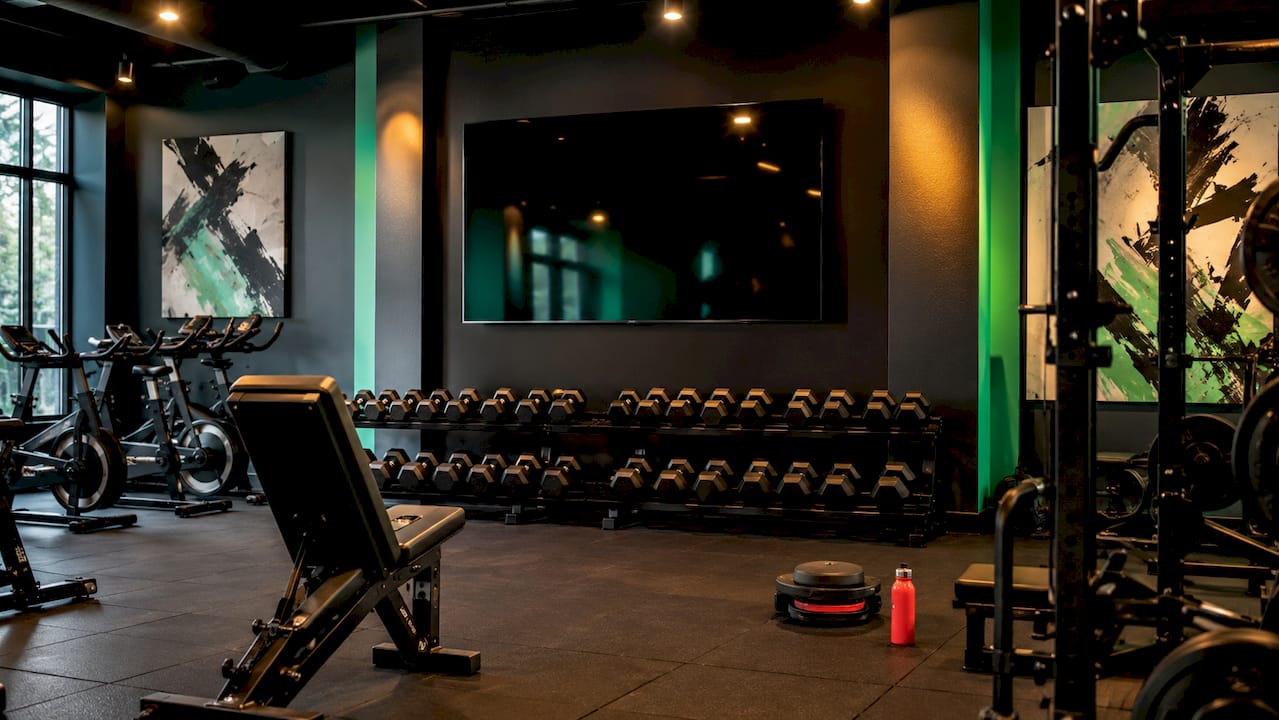
The foundation of any reliable gym signage system is commercial-grade display hardware. Consumer TVs are designed for four to six hours of daily use at low brightness levels, which makes them a poor fit for gym environments where screens run 12 to 16 hours a day under bright ambient light. Commercial displays like the Samsung QMC series and LG UH Series are rated for 24/7 operation and deliver 500 to 700 nits of brightness, which keeps content visible even near floor-to-ceiling windows. That brightness difference alone justifies the higher upfront cost.
Choosing between built-in and external media players
Your screen needs something to run the signage software. Built-in System-on-Chip (SoC) players, found in many commercial displays, reduce cabling and simplify installation. However, external players like Intel NUC or BrightSign deliver superior processing power and are easier to swap out if the player fails without replacing the entire screen. For a single-location gym with three to five screens, SoC players are often sufficient. For multi-location operations or high-demand content like live video feeds, external players are the better call.
Network connectivity: the detail most gyms get wrong
Hardwired Ethernet (Cat6) is the correct choice for gym signage installs. Shared gym Wi-Fi networks are congested by member devices, which causes black screens, buffering, and content loops that freeze mid-rotation. Running a Cat6 cable to each screen location during installation adds labor cost upfront but eliminates the most common source of signage failure. In locations where running cable is genuinely impractical, Power over Ethernet (PoE) injectors can simplify both power and data delivery through a single cable run.
Pro Tip: Choose a content management system (CMS) with remote reboot capability. When a screen freezes at 6 a.m. before your front desk staff arrives, you can restart it from your phone instead of driving to the gym.
Where should you place gym digital signage screens?
Screen placement determines whether members engage with your content or walk past it entirely. Recommended placement zones align with member attention moments: the lobby captures arrivals, studio entrances catch members transitioning between activities, and cardio floors hold attention during longer workouts.
| Placement zone | Recommended screen size | Typical content |
|---|---|---|
| Front desk / lobby | 55 inches | Class schedules, promotions, announcements |
| Studio entrances | 32 inches or tablet | Current and next class, instructor name |
| Cardio / training floor | 43 to 55 inches | Workout of the day, motivational content |
| Locker room hallway | 32 to 43 inches | Member spotlights, nutrition tips |
Orientation matters too. Landscape screens work well for schedules and multi-panel layouts. Portrait orientation suits narrow hallways and studio doorframes, but it requires a commercial-grade display because consumer TVs are not built with the internal cooling needed to run vertically for extended periods. A 55-inch screen in the lobby should be mounted at eye level, roughly 60 to 65 inches from the floor to the center of the screen, so members can read it without craning their necks.
What CMS software works best for gym digital signage?
A cloud-based CMS is what separates a manageable signage system from a daily maintenance headache. Cloud-based platforms let you manage every screen across multiple locations from one dashboard, push content updates instantly, and integrate with gym management software like Mindbody to sync live class schedules automatically.
The leading platforms each serve different gym sizes and budgets:
- ScreenCloud offers a strong app marketplace and Mindbody integration, making it a practical choice for mid-size gyms that want automated schedule syncing.
- Spectrio targets larger fitness chains with managed content services and analytics built in.
- Yodeck and SignPresenter are the go-to options for smaller studios on tighter budgets. SignPresenter and Yodeck subscriptions run between $7.99 and $10 per screen per month, which makes them accessible for a DIY digital signage setup in a small fitness studio.
- Raydiant focuses on member experience features, including loyalty program displays and interactive content.
Beyond scheduling, look for proof of play logging, which records exactly when and where each piece of content played. This matters for accountability and becomes critical if you ever sell ad space to local businesses or supplement brands. You also want widget support for weather, social media feeds, and countdown timers, since these dynamic elements keep content feeling current without manual updates every day.
Pro Tip: Rotate your content library every two to four weeks. Members who see the same promotional slide for three months stop reading it entirely. Fresh content keeps the screens worth looking at.
Step-by-step: executing your gym signage setup
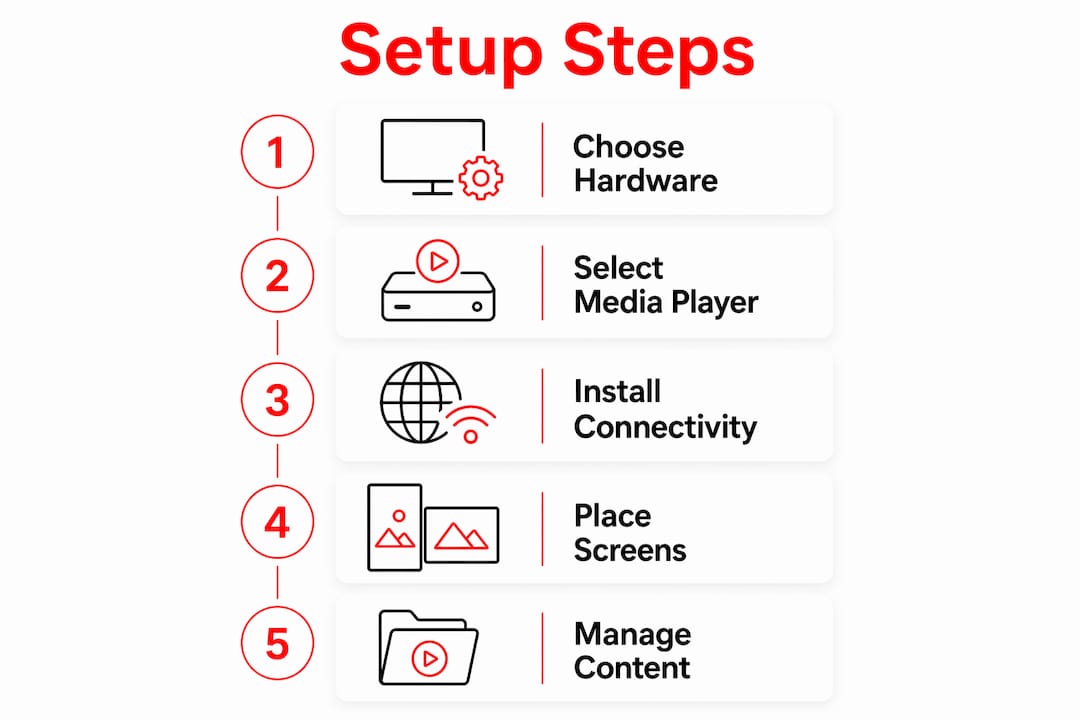
A successful install follows a clear sequence. Skipping steps, particularly the network planning phase, is where most DIY projects run into trouble.
- Audit your network. Confirm you have Cat6 drops or PoE infrastructure at each planned screen location before ordering hardware.
- Select and order hardware. Match screen size to placement zone using the table above. Order commercial displays, not consumer TVs, and decide on SoC versus external player based on your content complexity.
- Mount the screens. Use VESA-compatible mounts rated for the screen weight. Tilt mounts work well for high placements; fixed mounts suit eye-level installs.
- Connect and configure media players. Plug into hardwired Ethernet, power up, and follow the CMS onboarding process to register each device.
- Build your content library. Apply the 80/20 content rule: 80% member-value content like schedules, tips, and community updates, and 20% promotional content. Overloading screens with ads trains members to ignore them.
- Schedule and test. Set content loops, verify scheduling rules, and walk through each zone to confirm visibility and readability.
- Document and train staff. Create a one-page reference sheet so your front desk team knows how to flag a screen issue and who handles CMS updates.
DIY vs. professional installation: what to expect
| Factor | DIY installation | Professional installation |
|---|---|---|
| Upfront cost | Lower (labor savings) | Higher ($150 to $450 per screen) |
| Network setup | Owner-managed, risk of errors | Certified installer, cleaner runs |
| Time to complete | Days to weeks | One to two days |
| Ongoing support | Self-managed | Often included in service contract |
| Best for | Small studios, 1 to 3 screens | Multi-screen or multi-location gyms |
Single-screen hardware costs range from $480 to $1,400 depending on whether you choose consumer or commercial grade. Factor in mounting hardware, cabling, and your CMS subscription when building your budget.
How to track gym digital signage engagement and optimize ROI
Tracking whether your signage is actually working requires both quantitative and qualitative methods. Proof of play logging is the quantitative baseline: your CMS records every content item that played, when it played, and on which screen. This data matches the transparency standard of platforms like Facebook Ads or Google Ads, which means you can show local sponsors exactly what their ad exposure looked like.
Qualitative tracking is equally valuable and often overlooked:
- Survey members monthly with a single question: "Did you see the class schedule on our screens this week?"
- Track class attendance before and after promoting a specific session on your signage.
- Monitor personal training or retail sales tied to promotional content periods.
- Ask front desk staff which content generates the most member questions or comments.
A/B testing within your CMS is the fastest way to refine messaging. Run two versions of a class promotion, one with an instructor photo and one without, across different screen zones for two weeks. The version that drives more class sign-ups wins. Digital signage that consistently delivers valuable member information contributes directly to retention and satisfaction, which makes optimization an ongoing operational priority, not a one-time setup task.
Pro Tip: Use your CMS analytics to identify which content slots have the lowest dwell time. If members spend 30 seconds in front of your lobby screen, a 90-second content loop means they miss half of it. Shorten loops to match real traffic patterns.
Key takeaways
Reliable gym digital signage requires commercial hardware, hardwired connectivity, a cloud-based CMS, and a disciplined content strategy built around the 80/20 rule.
| Point | Details |
|---|---|
| Use commercial displays | Samsung QMC or LG UH Series handle 24/7 operation; consumer TVs fail under gym conditions. |
| Wire every screen | Cat6 Ethernet eliminates the black screen and buffering issues that plague Wi-Fi installs. |
| Match content to location | Lobby screens carry schedules; cardio floor screens carry motivation. Mismatched content gets ignored. |
| Apply the 80/20 rule | 80% member-value content and 20% promotions keeps members reading instead of tuning out. |
| Track with proof of play | CMS logging validates content exposure and supports ROI conversations with sponsors or management. |
What I've learned from watching gym signage succeed and fail
Most gym owners I've worked with make the same mistake: they treat digital signage as a one-time installation project rather than an ongoing communication channel. They spend carefully on the hardware, get everything mounted and connected, and then let the same four slides run for six months. The screens become wallpaper.
The gyms that get real value from their signage treat the CMS dashboard the same way they treat their social media accounts. Someone owns it. Content gets refreshed weekly. Class promotions go up 48 hours before the session, not the morning of. Member spotlights rotate monthly. The signage feels alive because it is.
I've also seen the opposite failure: gyms that invest in content strategy but cut corners on hardware and network infrastructure. A $200 consumer TV running on shared Wi-Fi will freeze, go black, or reboot at random. When a member walks past a black screen three times in a week, the signage loses credibility faster than it built it. Reliability is not a nice-to-have. It's the prerequisite for everything else.
The other thing worth saying plainly: placement decisions matter more than most gym owners realize. A 55-inch screen mounted eight feet high in a lobby is impressive to look at but nearly impossible to read while walking. Put the schedule information where people are already pausing, at the front desk, outside the studio door, or at the water fountain. Meet members where they naturally stop, and your content will actually land.
— Kingdom
How Kingdomsignage simplifies gym signage management
Managing digital signage across multiple screens, rooms, and content types is where most platforms start to feel clunky. Kingdomsignage was built specifically for gym environments, unifying control of TVs, class content, and audio through a single dashboard so you're not juggling three separate tools to run one facility.
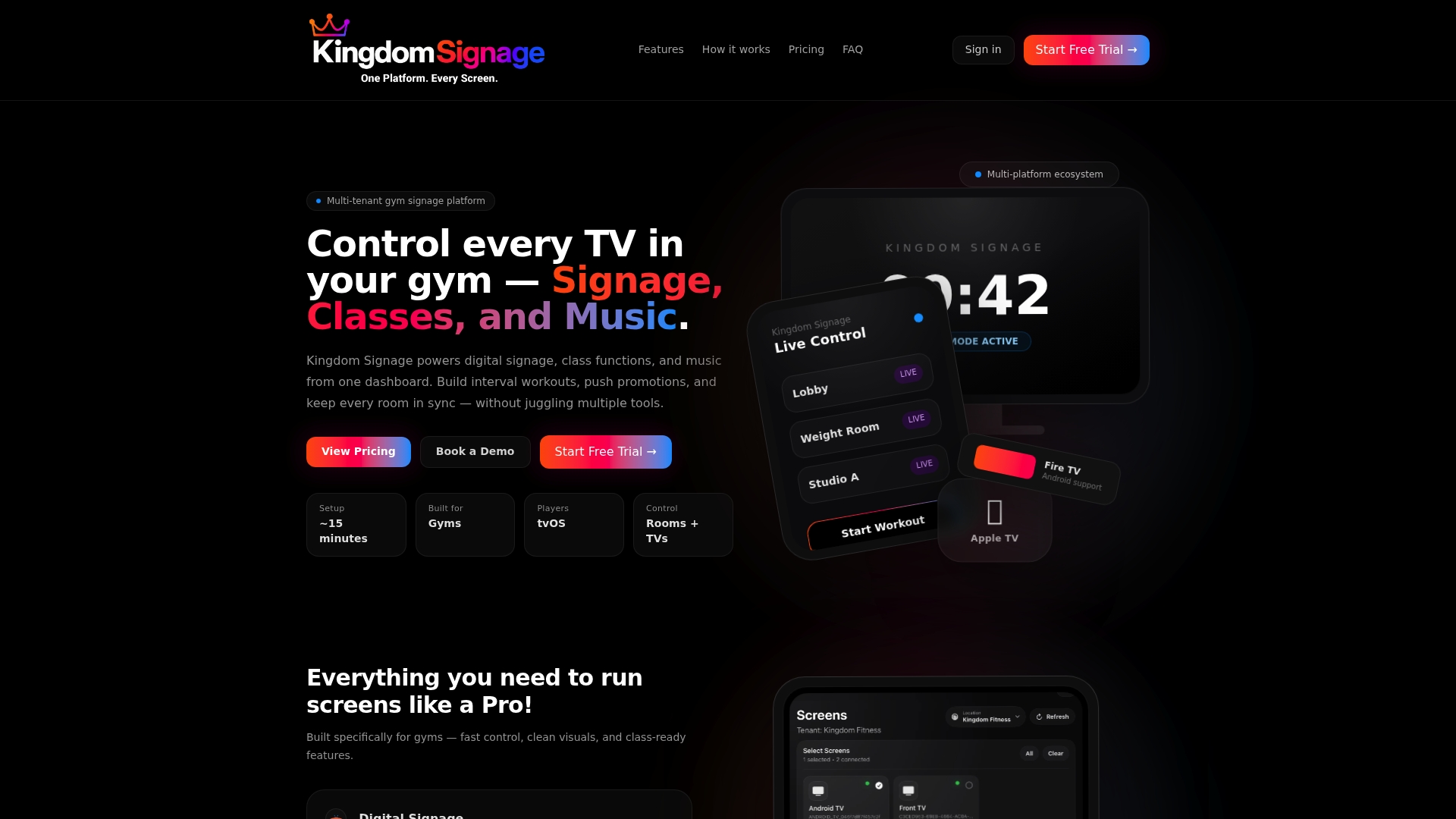
With Kingdomsignage, you can sync visuals and audio across different rooms, push real-time updates without touching a screen, and schedule content around your class timetable automatically. Whether you're running a single-location boutique studio or a multi-site fitness operation, Kingdomsignage for gyms gives you the control and flexibility to keep every screen current without adding to your daily workload. If you're ready to move beyond static slides and disconnected tools, it's worth seeing what a purpose-built gym signage platform can do.
FAQ
What is digital signage for a gym?
Gym digital signage is a system of commercial screens managed through a cloud-based CMS to display class schedules, motivational content, and promotions in real time. It replaces printed materials with dynamic, remotely updatable displays.
What hardware do I need to set up gym digital signage?
You need a commercial-grade display rated for 24/7 use, such as the Samsung QMC or LG UH Series, a media player (built-in SoC or external like BrightSign), and a hardwired Cat6 Ethernet connection for reliable performance.
How much does gym digital signage cost?
Hardware costs range from $480 to $1,400 per screen, plus $150 to $450 in installation labor per screen. CMS software subscriptions run $7.99 to $10 per screen per month for budget platforms like Yodeck or SignPresenter.
Can a small fitness studio set up digital signage without a professional installer?
Yes. A small studio with one to three screens can manage a DIY install using a consumer-friendly CMS like Yodeck and a commercial display with a built-in SoC player, provided the network is hardwired rather than relying on shared Wi-Fi.
How do I measure whether my gym's digital signage is working?
Use your CMS's proof of play logs to confirm content is displaying as scheduled, then track qualitative signals like class attendance changes, member feedback, and front desk observations tied to specific content campaigns.