
Multi-room gym displays are integrated systems combining commercial-grade screens, dedicated media players, and cloud-based content management software to deliver synchronized workout content across every zone of a fitness facility. Understanding how these systems function is the difference between a gym that feels professionally operated and one that feels patched together. This guide breaks down the hardware, software, synchronization logic, and real-world benefits for gym managers and technology coordinators who want to get this right the first time.
How multi-room gym display systems are built
A multi-room display system consists of three core layers: physical screens, media players, and a cloud-based content management system (CMS). Each layer has a specific job, and the system only performs as well as its weakest component. Getting the architecture right from the start prevents the most common operational headaches.
The industry term for this category is zone-based digital signage, and it covers everything from a two-screen CrossFit box to a 20-screen commercial health club. Kingdomsignage operates squarely in this space, unifying display control, audio, and scheduling through a single dashboard built for gym environments.
Key hardware components
- Commercial displays: Gym screens run 16+ hours daily at brightness levels between 450 and 700 nits, depending on ambient lighting. That sustained brightness requirement rules out most consumer televisions, which are rated for 4 to 6 hours of daily use. IPS panels handle wide viewing angles across open gym floors far better than VA alternatives.
- Dedicated media players: Devices like the NVIDIA Shield or commercial-grade PC sticks run continuous 4K output and require at least 4GB of RAM for smooth content transitions. Consumer smart TV operating systems are not built for continuous gym use and fail under the reliability standard that a live class environment demands.
- Cloud-based CMS: The software layer is where zone control, scheduling, and real-time updates happen. A well-configured CMS lets one staff member manage every screen in the building from a single browser tab.
- Network infrastructure: Gigabit Ethernet is the preferred connection for display stability. VLANs segment signage traffic from member Wi-Fi, preventing bandwidth conflicts during peak hours. VESA mount compatibility across screen sizes gives installers the flexibility to position displays at the angles each zone requires.
Pro Tip: Always spec your network before purchasing screens. A display running on a congested Wi-Fi network will drop content updates at exactly the wrong moment, mid-class.
How do gym displays sync content across different zones?
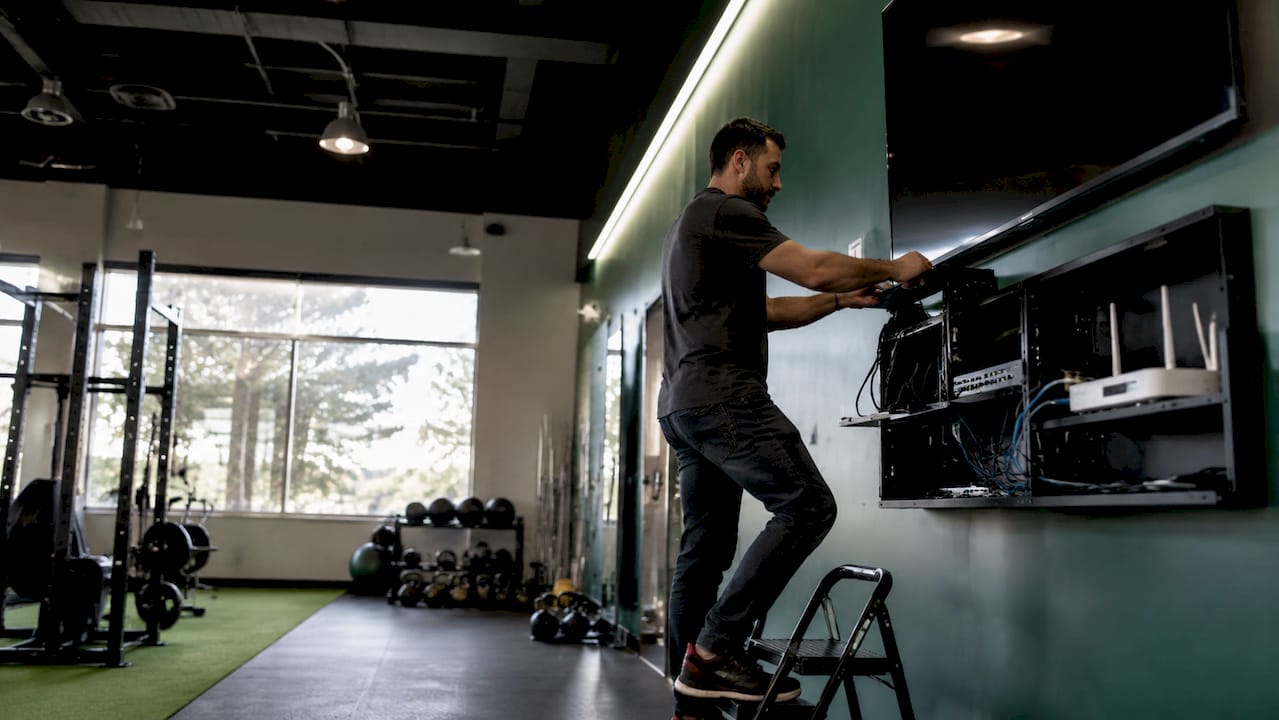
Real-time synchronization is the defining capability of a multi-room workout setup. The CMS pushes content updates to every connected media player simultaneously, so a class timer displayed in the spin room matches the one visible from the strength floor. Automation integrates directly with gym scheduling and booking software 95 to 99 percent of the time, which means the system updates itself when a class starts, transitions, or ends without any staff input.
Here is how a typical synchronization workflow operates:
- Class is scheduled in booking software. Platforms like Mindbody, Wodify, and TrainHeroic pass class data to the CMS via API or native integration. The display system reads the schedule and queues the correct content playlist for each zone.
- Content is assigned by zone. The cardio floor might show a treadmill interval timer while the group fitness room displays the instructor's workout of the day. Zone-specific playlists prevent irrelevant content from appearing in the wrong area.
- Playback triggers automatically at class start. When the scheduled time arrives, the CMS pushes the active playlist to the correct screens. Scheduling automation reduces manual staff workload by 95 to 99 percent. That figure translates directly to fewer errors and less reliance on a staff member remembering to press play.
- Real-time overrides remain available. Emergency messaging, last-minute class changes, or promotional announcements can be pushed to any screen or all screens instantly from the cloud dashboard.
- Content reverts to default after class. Post-class, the system automatically returns to ambient content such as class schedules, member promotions, or motivational messaging.
"The goal of a synchronized display system is to make the gym run itself. When the technology works correctly, staff stop managing screens and start managing members."
This level of automation is only achievable when the CMS integrates natively with your scheduling platform. A system that requires manual CSV uploads or copy-paste scheduling defeats the purpose entirely.
What are the benefits and challenges of multi-room displays?
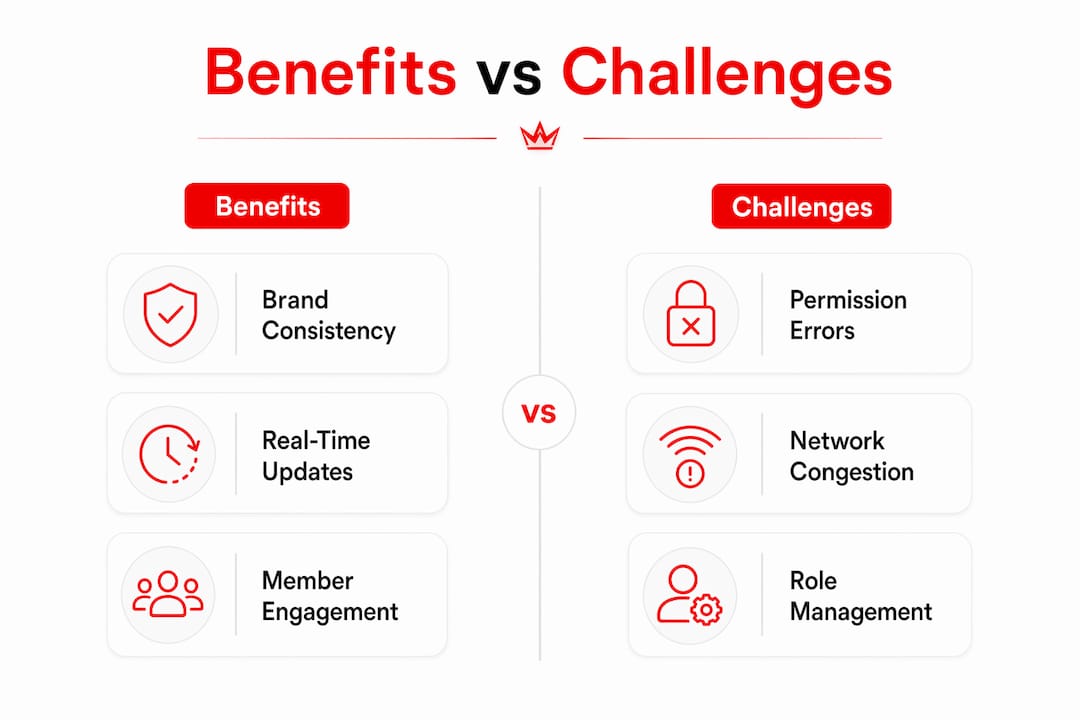
The operational and engagement benefits of a properly deployed gym display system are concrete and measurable. Synchronized displays increase group class engagement and create a professional environment that members notice and respond to. Visual workout cues, leaderboards, and on-screen timers reduce the verbal coaching load on instructors, which improves class flow and lets trainers focus on form correction rather than counting reps aloud.
| Benefit | Challenge |
|---|---|
| Consistent brand messaging across all zones | Hierarchical permission errors cause accidental content overrides |
| Automated class transitions reduce staff workload | Content overload on screens reduces clarity and member focus |
| Visual coaching aids reduce instructor verbal load | Multi-location brand fragmentation without central management |
| Real-time promotional content delivery | Stale content cycles that members stop noticing |
| Centralized control from a single dashboard | Network instability disrupts live class content |
Central dashboards enable real-time updates while preserving local override capability, which is the operational balance multi-location gyms need. A regional manager can push a brand-wide promotion while each location's front desk retains the ability to display local class changes.
The most underestimated challenge is permission management. Admin, manager, and staff roles must be clearly defined in the CMS before the system goes live. Without that structure, a front desk employee can accidentally override a live class timer with a promotional slide, which disrupts the member experience in exactly the way the system was designed to prevent.
Pro Tip: Audit your CMS permission structure every time you hire a new manager or add a location. Role creep is the most common source of content inconsistency in multi-site gym operations.
How is AI changing the future of gym display systems?
Artificial intelligence is moving gym displays from scheduled content delivery toward adaptive, real-time coaching tools. The shift is already underway. Technogym's AI ecosystem reduces trainer programming and analysis time by up to 80 percent, which signals how dramatically AI can change the operational math for gym operators. That time savings does not come from cutting corners. It comes from the system learning member patterns and generating optimized content automatically.
The practical implications for multi-room display systems include:
- Adaptive workout content: AI reads individual member data from wearables and fitness trackers, then adjusts on-screen workout instructions in real time to match current performance levels.
- Usage pattern analysis: AI assistants help operators identify which zones are underperforming, which class formats drive the highest engagement, and where content needs refreshing.
- Predictive scheduling: Systems anticipate class demand based on historical attendance and pre-load the correct content before staff arrive.
- Dynamic member engagement: Leaderboards and motivational content update based on live performance data rather than static pre-set thresholds.
- Reduced programming overhead: AI-driven adaptive training transforms displays from passive visual tools into active coaching infrastructure, reducing the content creation burden on fitness directors.
The trajectory is clear. Gyms that treat their display systems as static signage infrastructure will fall behind facilities that deploy them as member engagement platforms connected to real-time data. Learning how to optimize gym screen performance now positions operators to adopt AI-driven features as they become standard.
Key takeaways
Multi-room gym display systems work because hardware, software, and network infrastructure operate as a single integrated unit, not as independent components.
| Point | Details |
|---|---|
| Hardware specs matter | Commercial displays rated for 16+ hours daily use and 450-700 nits brightness are non-negotiable for gym environments. |
| Software integration defines success | Native connections to Mindbody, Wodify, or TrainHeroic automate content delivery and eliminate manual scheduling errors. |
| Permission structure prevents errors | Clearly defined admin, manager, and staff roles in the CMS stop accidental content overrides before they disrupt live classes. |
| AI is the next operational shift | Technogym's AI ecosystem already cuts programming time by up to 80%, pointing toward adaptive, data-driven display content. |
| Central control scales across locations | A single cloud dashboard managing multiple zones or sites maintains brand consistency without sacrificing local flexibility. |
What gym managers consistently get wrong about display systems
Most gym managers I work with spend the majority of their budget on screen size and resolution, then underfund the media player and the CMS. That is the wrong priority order. A 75-inch commercial display running on a consumer-grade streaming stick will fail during a live class. A mid-size screen running on a dedicated media player with a properly configured CMS will not.
The second mistake is treating the display system as a one-time installation rather than an ongoing content operation. Gym signage setup is the beginning of the process, not the end. Members stop noticing content that never changes. The facilities with the highest member engagement refresh their zone-specific playlists on a weekly or bi-weekly cycle, tie promotional content to real class schedules, and use their CMS analytics to identify which screens are actually influencing behavior.
The third mistake is underestimating how much music and audio synchronization contributes to the overall experience. A display showing a high-energy interval timer while the room audio plays the wrong track creates cognitive dissonance that members feel even if they cannot name it. The best multi-room setups treat audio and visual as a single coordinated output.
My honest recommendation: choose your CMS and integration stack first, then select hardware that meets the commercial-grade specifications for your specific zones. The TV brand matters far less than whether the software connects to your booking platform on day one.
— Kingdom
See how Kingdomsignage manages multi-room gym displays
Kingdomsignage is built specifically for gym operators who need centralized control over displays, audio, and class content across multiple zones without managing separate tools for each.

The platform connects directly to gym scheduling software, automates content transitions by class type and zone, and gives managers a single dashboard to update every screen in real time. Whether you operate a single-location boutique studio or a multi-site fitness brand, Kingdomsignage gym signage gives you the content control and scheduling automation that keeps members engaged and staff focused on the floor. Request a demo to see the full multi-room display workflow in action.
FAQ
What hardware do multi-room gym displays require?
Multi-room gym display systems require commercial-grade screens rated for 16 or more hours of daily use, dedicated media players with at least 4GB of RAM, and a stable gigabit Ethernet network connection. Consumer televisions and streaming sticks are not built for the continuous operation that gym environments demand.
How does content stay synchronized across gym zones?
A cloud-based CMS pushes content updates to all connected media players simultaneously, triggering zone-specific playlists automatically based on class schedules pulled from platforms like Mindbody or Wodify. This automation handles 95 to 99 percent of content transitions without manual staff input.
What is the biggest operational risk with gym display systems?
The most common failure point is poorly defined CMS permission roles. Without clear admin, manager, and staff access levels, accidental content overrides during live classes are frequent and disruptive to the member experience.
How do multi-room displays benefit member engagement?
Synchronized displays showing workout timers, leaderboards, and visual coaching cues reduce the verbal load on instructors and create a more professional class environment. Interactive and coordinated content increases group class engagement and contributes directly to member retention.
Will AI change how gym display systems work?
AI is already reducing trainer programming time by up to 80 percent in platforms like Technogym's AI ecosystem, and future display systems will adapt on-screen workout content in real time based on individual member performance data from wearables and fitness trackers.