
Real-time offer displays convert idle screen time into on-the-spot revenue, smoother class operations, and measurably higher member engagement. Gyms that replace static posters with live digital content stop missing the moment members are most ready to act: standing in the lobby, cooling down after a class, or waiting at the front desk.
The core benefits, at a glance:
- Increased class attendance: Live open-seat alerts fill last-minute gaps that would otherwise go empty.
- Instant offer redemptions: Time-sensitive deals shown at decision points drive same-day purchases.
- Fewer coach interruptions: Synchronized timers and cues let instructors focus on the class, not the clock.
- Faster internal updates: Schedule changes push to every screen in seconds, no paper reprints needed.
- Targeted upsells: Personal training and retail offers appear in the right zone at the right time.
Start with a single zone. A lobby screen or a studio door display is enough to generate clear KPI signals before you commit to a full rollout.
Table of Contents
- How real-time displays improve class operations and staff efficiency
- How real-time offers drive member engagement, on-the-spot sales, and retention
- What technical components do you actually need?
- What should you show, when, and where?
- Rollout checklist, cost considerations, and KPIs
- What do these flows look like in practice?
- How Kingdomsignage addresses these needs
- Compliance and data privacy for digital display content
- Potential challenges and how to mitigate them
- How to scale across locations without losing brand control
- Staff training and change management for a successful rollout
- Key Takeaways
- The part most rollout guides skip
- Kingdomsignage: a practical starting point for your pilot
- Useful sources and further reading
How real-time displays improve class operations and staff efficiency
The operational case for digital displays is often stronger than the marketing one, and it tends to be the argument that wins over skeptical floor managers. When a screen outside a studio shows the current class, the instructor's name, and a countdown to the next session, coaches stop fielding the same three questions every hour. That alone reduces friction during peak periods.
Synchronized timers are the most underrated feature. A visible countdown on the studio wall keeps interval classes on pace without the instructor shouting over music. Combined with live schedule updates, displays also prevent the double-booking confusion that plagues multi-room facilities. When your booking system feeds directly into the CMS, a cancelled class triggers an automatic screen update. No one walks into the wrong room.
Gym screens that support class enrollment also reduce the administrative load on front-desk staff. Members self-serve schedule information from the lobby display instead of asking at the counter, which frees staff to handle actual transactions.
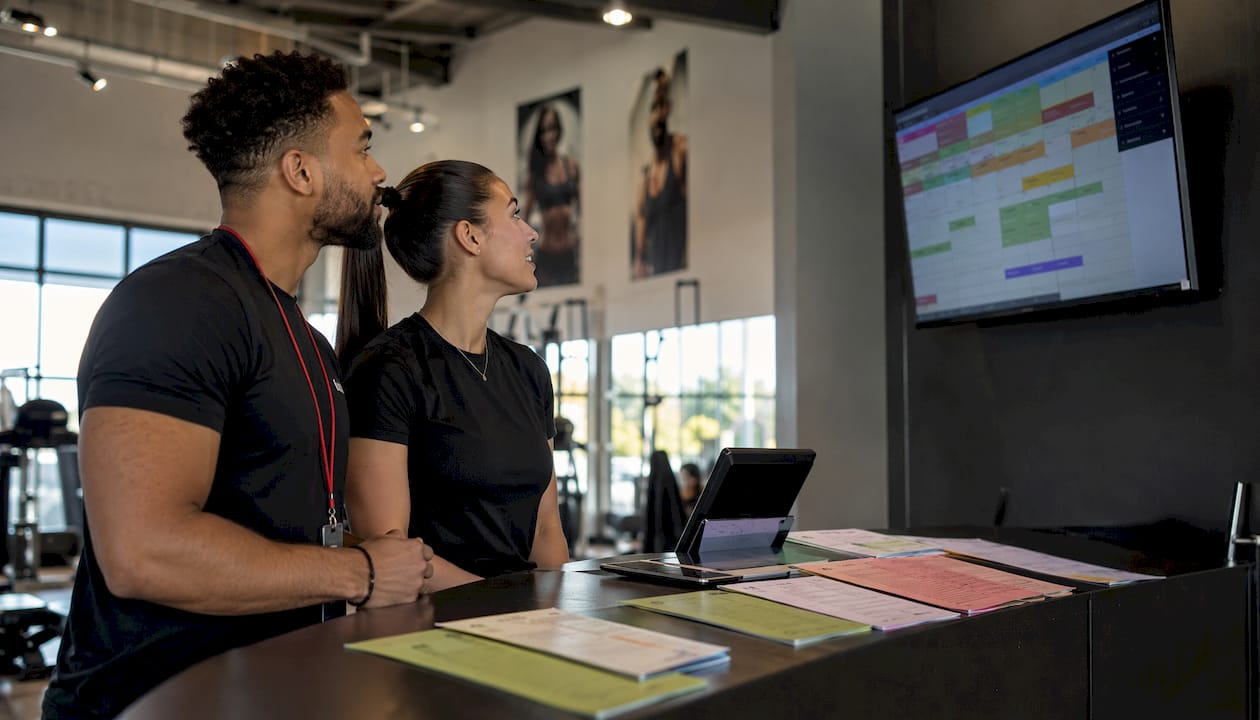
Pro Tip: During rollout, pre-load three to five default content templates before your first training session. Staff who see finished, professional-looking screens on day one adopt the system faster than those who start with a blank canvas.
How real-time offers drive member engagement, on-the-spot sales, and retention
Static posters miss most special offers because members walk past them without registering the message. A live screen with a countdown timer and a QR code changes the math entirely. The offer is impossible to ignore, and the redemption path is one step.
The most effective real-time promotions for gyms fall into three categories:
- Same-day class add-ons: A screen outside a studio with two open spots shows a discounted drop-in rate. The offer expires when the class starts.
- Personal training discounts: A lobby display promotes a same-day PT session at a reduced rate, with a QR code that links directly to the booking page.
- Retail and membership upsells: Post-workout screens in the strength zone promote protein supplements or a membership upgrade, timed to the post-class exit flow.
Time-limited, high-perceived-value offers consistently outperform general promotions because they create urgency at the exact moment of decision. Planet Fitness demonstrated this with a limited-time Apple Music partnership offer tied to new memberships. Crunch Fitness ran a month-long referral campaign tracked through the member app, showing that coordinated digital promotions generate measurable engagement when the redemption path is frictionless.
Track three metrics from day one: redemption rate per offer, incremental revenue per screen per week, and class fill rate on sessions where a live open-seat alert ran. These three numbers tell you whether your content is working before you scale.
Statistic to watch: Digital signage in fitness centers is associated with measurable growth in class attendance and improvements in member retention rates when displays show live schedules, motivational content, and promotional campaigns.
For practical guidance on wording and placement, the gym membership offers display guide covers timing and copy recommendations that apply directly to real-time promotions.
What technical components do you actually need?
Getting the hardware and software right upfront saves a painful retrofit six months later. Here is what a functional real-time display system requires, broken down by layer.
Hardware by placement:
| Location | Display Type | Notes |
|---|---|---|
| Lobby / reception | 55"+ commercial TV or kiosk | High traffic, needs bright panel |
| Studio entrance | 32" portrait screen | Class info, countdown, open-seat alerts |
| Cardio floor | Multiple 55" landscape TVs | Motivational content, schedule ticker |
| Strength zone | 55" landscape, mounted high | Upsell offers, workout tips |
| Aisles / corridors | Narrow portrait (32") | Directional info, quick promos |
Software requirements: Your CMS needs real-time scheduling sync, templated offer frames, and targeting rules that let you push different content to different zones. An API connection to your booking or member management system is non-negotiable. Without reliable sync, a screen can advertise a class that is already full, which erodes member trust faster than any static poster.
Network and reliability: A stable connection of at least 10 Mbps per screen handles HD content without buffering. More important than raw speed is a fallback strategy: cached content stored locally on the media player keeps schedules and offers visible during brief outages. A 24–72 hour cache window, combined with an on-premises player watch script, covers most network interruptions without staff intervention.
Pro Tip: Choose a media player with local storage of at least 32 GB. That gives you enough room for a full day of cached content plus your standard template library, so a 30-minute internet outage never goes blank.
What should you show, when, and where?
Content strategy is where most gym display rollouts stall. Operators install the hardware, then fill screens with the same three slides for six months. The result is member blindness: the screens become wallpaper.
A zone-based content plan prevents that. Each area of the gym has a different member mindset, and the content should match it.
Zone-by-zone content priorities:
- Lobby: Welcome message, today's class schedule, active promotions with QR codes, membership offers.
- Studio entrance: Current class name and instructor, countdown to start, open-seat alert with discount (when applicable).
- Cardio floor: Motivational content, music playlist info, upcoming events, subtle membership upgrade prompts.
- Strength zone: Workout tips, form guidance, post-workout retail offers, personal training CTAs.
- Front desk: Staff-facing schedule summaries, member check-in prompts, upsell reminders for staff to reference.
Rotation cadence: Offers should rotate every 15–20 seconds within a content loop. Schedule information should stay visible for at least 30 seconds per slide. Motivational content fills the gaps. Never run more than one offer per screen at a time: two competing CTAs cancel each other out.
Design rules that actually matter: High contrast between text and background, a font size readable from 10 feet, and a single CTA per slide. A QR code should be at least 3 inches square on a 55" display. Dynamic displays raise member interaction when content is targeted and visually clean. Cluttered slides do the opposite.
Pro Tip: Test two versions of the same offer: one with a countdown timer and one without. The timer version almost always drives higher same-session redemptions because it makes the urgency visible rather than implied.
Rollout checklist, cost considerations, and KPIs
A phased approach keeps the pilot manageable and produces clean data before you spend on a full deployment.
| Phase | Timeline | Key Actions | Owner |
|---|---|---|---|
| Pilot planning | Week 1–2 | Select zone, define one offer type, confirm CMS and booking integration | Ops lead + IT |
| Hardware install | Week 2–3 | Mount displays, configure media players, test network fallback | AV vendor + IT |
| Content setup | Week 3–4 | Load templates, connect scheduling feed, schedule first offer | Marketing |
| Pilot live | Weeks 4–6 | Run one offer type, track redemption rate and class fill rate daily | Marketing + Ops |
| Scale decision | Month 2–3 | Review KPIs, expand to additional zones or locations if thresholds met | GM + Marketing |
| Ongoing refinement | Month 3+ | A/B test CTAs, refresh content monthly, audit uptime weekly | Marketing |
Cost considerations: Hardware costs vary by display size and commercial grade, but a single-zone pilot with one or two screens, a media player, and a CMS license is achievable for most mid-size clubs without a large capital outlay. Multi-club rollouts add integration labor and licensing tiers. The gym signage upgrade checklist covers procurement specifics worth reviewing before you issue an RFP.
KPIs and success thresholds:
- Redemption rate: Target a strong percentage of impressions for a time-limited same-day offer.
- Class fill rate: Measure sessions with open-seat alerts versus sessions without. A 10%+ lift is a meaningful signal.
- Incremental revenue per screen per week: Set a baseline in week one, then track weekly.
- Booking velocity: Track how quickly open spots fill after an alert goes live.
- Membership retention lift: Measure at 90 days post-launch versus the prior 90-day period.
What do these flows look like in practice?
Abstract benefits are easy to dismiss. Concrete flows are harder to argue with.
Flow 1: Same-day PT discount in the lobby. A member walks in at 10 AM. The lobby screen shows: "Personal training session today, 12 PM — $30 off. Scan to book." The QR code links to the booking page with the discount pre-applied. The session fills. The trainer's schedule, which had a gap, is now productive. Promoting personal training on screens works best when the CTA is specific (time, price, one action) rather than generic ("ask about PT").
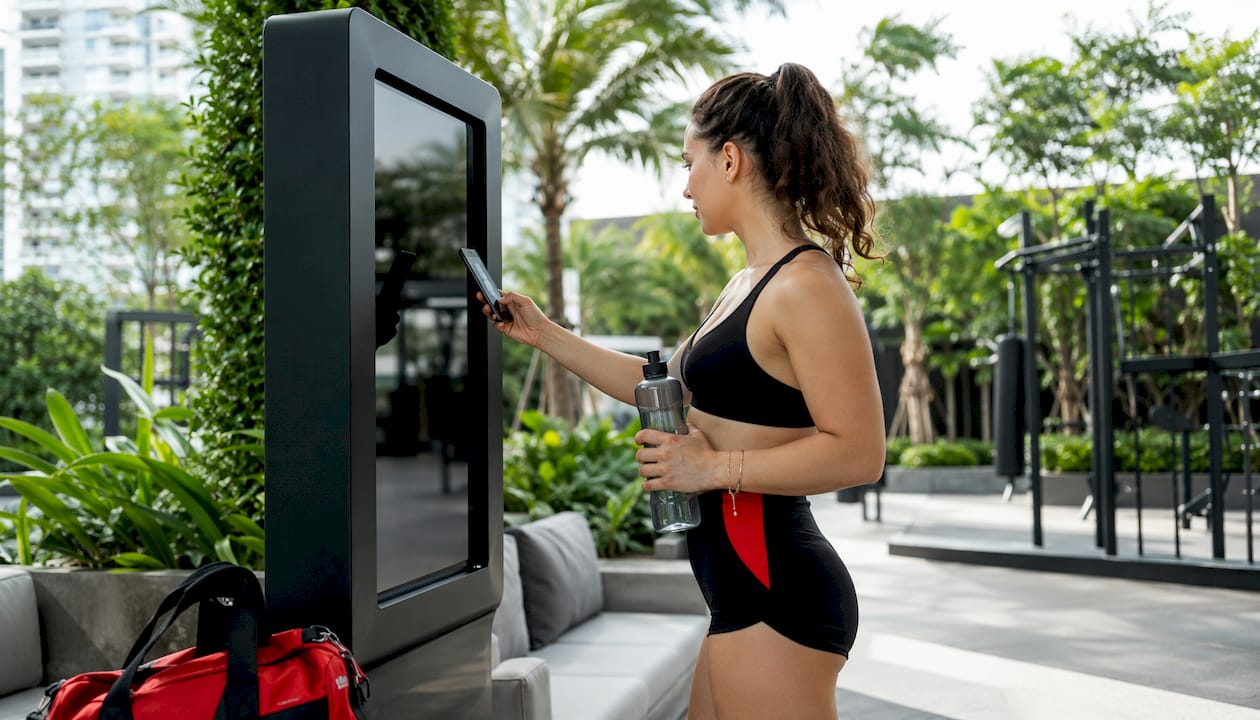
Flow 2: Last-minute class fill. A spin class at 6 PM has four open spots at 4:30 PM. The studio entrance screen and the lobby display both push: "4 spots left in 6 PM Spin — $8 drop-in. Ends at 5:30 PM." Members already in the gym see it during their current workout. Crunch McKinney's one-day Cyber Sale showed that short-window, in-club urgency offers convert prospects quickly when the message is direct and the window is tight.
Flow 3: Post-workout retail upsell. After a strength session, members pass a screen near the exit showing: "Recovery shake — 20% off today only. Pick up at the front desk." The offer is timed to the class end window and rotates off after 45 minutes. Local operators like VIM Fitness have used time-limited anniversary deals to drive in-club conversions, demonstrating that even straightforward percentage discounts move product when the timing matches member behavior.
A/B testing CTAs: Run the same offer with two different CTAs on alternating days. "Scan to book" versus "Ask at the front desk" will produce different redemption rates depending on your member demographic. Track both and standardize on the winner.
Pro Tip: Keep the QR code destination a single-step page: one offer, one button. Every additional click between the screen and the redemption drops conversion.
How Kingdomsignage addresses these needs
Kingdomsignage is built specifically for the gym environment, which means the feature set maps directly to the operational and marketing needs covered above. The platform controls TVs, workout class displays, and audio from a single dashboard, so a manager can update a schedule, push a same-day offer, and adjust the music in a studio without switching between three different tools.
Key capabilities that match the use cases in this article:
- Multi-screen control: Push different content to lobby, studio, and cardio floor simultaneously from one interface.
- Schedule sync: Connects to booking systems so class information updates automatically without manual entry.
- Templated offers: Pre-built offer frames let marketing staff launch a same-day promotion in under two minutes.
- Spot promotions: Time-limited offers with countdown timers and QR codes, configured without developer support.
- Fallback content: Cached schedules and offers stay visible during network interruptions, keeping critical information on screen.
The multi-room display guide covers how Kingdomsignage handles content consistency across locations while still allowing individual clubs to run location-specific urgency offers. For a pilot, the recommended starting point is one zone (lobby or studio entrance), one offer type, and a six-week measurement window against the KPIs above.
Compliance and data privacy for digital display content
Digital displays in gyms collect less personal data than most operators assume, but the compliance surface is not zero. If your screens include interactive kiosks where members log in, book classes, or enter personal information, those touchpoints fall under applicable state privacy laws. California's CCPA and similar state-level frameworks require clear disclosure of what data is collected and how it is used.
For passive displays (screens that show content without member interaction), the main compliance consideration is content accuracy. Displaying a promotional price that does not match the POS system creates consumer protection exposure. Keep your CMS and POS in sync, and build an approval step into your offer workflow so no price goes live without a manager sign-off.
If your displays show member achievement content (leaderboards, milestone callouts), get explicit consent before displaying any member's name or photo. A checkbox during membership enrollment is the standard approach.
Potential challenges and how to mitigate them
The most common failure mode is not technical. It is content neglect. Screens that run the same slides for weeks become invisible to members. Assign content ownership to a specific person on the marketing team, set a monthly refresh calendar, and treat stale content as a maintenance issue, not a creative one.
The second most common problem is integration drift. Booking systems update their APIs, and a CMS that was syncing perfectly in January may start showing stale data by March. Schedule a quarterly integration audit and build a simple alert: if the screen shows a class that the booking system has cancelled, something in the sync has broken.
Hardware failure is real but manageable. Commercial-grade displays have longer duty cycles than consumer TVs, but they still fail. Keep one spare media player per location and document the replacement process so any staff member can swap it in under 20 minutes.
Finally, network dependency is a genuine risk for real-time offers. The fallback strategy described in the technical section (cached content, on-premises player) is not optional for a production deployment. Test it deliberately: pull the network cable and confirm the screens stay live.
How to scale across locations without losing brand control
Multi-location operators face a specific tension: individual clubs need the flexibility to run location-specific urgency offers, but the brand needs to look consistent across every screen in the network. The solution is a templated offer framework enforced at the CMS level.
Central marketing creates the approved offer templates: fonts, colors, logo placement, and CTA structure are locked. Club managers fill in the variable fields (offer amount, expiry time, QR code destination) within those constraints. The result is brand-consistent content that still allows store-level urgency. Multi-room gym display management works the same way: centralized scheduling rules with room-level overrides for instructors.
For networks with more than five locations, a content approval workflow prevents rogue screens. Any offer a club manager creates routes to a central approver before going live. The approval window can be as short as 15 minutes for urgent offers, but the step exists to catch pricing errors and off-brand creative before members see them.
Staff training and change management for a successful rollout
The technology is rarely the hard part. Getting staff to trust the system and use it consistently is where rollouts stall.
Start with the floor managers, not the front-desk staff. Managers who understand why the system exists (fewer member questions, more offer redemptions, cleaner class transitions) become internal advocates. Front-desk staff who are told to "use the new screen system" without context treat it as extra work.
Keep initial training under 90 minutes. Cover three things: how to check that screens are live and showing the right content, how to push a same-day offer using a pre-built template, and who to call when something looks wrong. Everything else can be documented in a one-page reference card posted in the back office.
Designate a content owner from day one. This is the person who refreshes slides monthly, monitors redemption data weekly, and escalates technical issues. Without a named owner, content goes stale and no one notices until a member points it out.
Expect a two-week adjustment period where staff ask more questions than usual. That is normal. By week three, the system becomes part of the routine.
Key Takeaways
Real-time offer displays deliver measurable revenue and operational gains for gyms when the content, integrations, and content ownership are set up correctly from the start.
| Point | Details |
|---|---|
| Start with one zone | Pilot a lobby or studio entrance screen with one offer type for six weeks before scaling. |
| Integration is the gating factor | Without booking and POS sync, live offers risk showing unavailable inventory and eroding trust. |
| Track three KPIs first | Redemption rate, class fill rate lift, and incremental revenue per screen give you a clear pilot verdict. |
| Assign content ownership | A named content owner prevents stale slides and keeps offer cadences on schedule. |
| Kingdomsignage unifies control | The platform manages screens, audio, and schedule sync from one dashboard, reducing the tool count for ops teams. |
The part most rollout guides skip
Most articles about digital signage in gyms focus on the screens. The harder problem is the content calendar and the internal politics around who owns it.
The operators who get the most out of real-time displays are not the ones with the best hardware. They are the ones who treated content as an ongoing operational responsibility, not a one-time setup task. They assigned a person, gave that person a monthly budget for creative refreshes, and reviewed redemption data in their weekly ops meeting the same way they reviewed class attendance.
The change management piece matters more than most vendors admit. Staff who feel like the screens are being imposed on them will find ways to work around them. Staff who understand that a live open-seat alert means fewer awkward "is there room in the class?" conversations at the front desk will actually use the system. That distinction determines whether your pilot succeeds or stalls at two screens in the lobby for eighteen months.
Kingdomsignage: a practical starting point for your pilot
Gym operators who want the benefits described in this article without stitching together separate tools for signage, audio, and scheduling have a direct path with Kingdomsignage.

The platform was built for exactly this environment: one dashboard controls your TVs, class displays, and music across every room. You can push a same-day offer to the lobby screen, sync the studio countdown timer to your class schedule, and adjust the cardio floor playlist without leaving the interface. For a pilot, the recommended scope is one zone, one offer type, and six weeks of data. That is enough to validate redemption rates and class fill lift before committing to a full deployment. Visit Kingdomsignage to request a demo and scope your pilot.
Useful sources and further reading
- How Gym Membership Offers Display Digitally in 2026 — timing, copy, and placement guidance for promotional content.
- How to Set Up Gym Digital Signage That Works — step-by-step setup, network requirements, and maintenance routines.
- How Gym Screens Support Class Enrollment Drives — how live schedule displays increase fill rates and reduce front-desk load.
- Promote Personal Training on Gym Screens That Convert — CTA templates and placement tips for PT upsells.
- Gym Signage Upgrade Checklist for Managers in 2026 — procurement and installation checklist for ops teams.
- Crunch Fitness "Hot Winning Summer" campaign (PR Newswire) — real-world example of a tracked, app-linked gym promotion.
- VIM Fitness July 2026 anniversary deals — local operator example of time-limited in-club membership promotions.
- For company-specific metrics and integration details, request a product demo through Kingdomsignage directly.