
To crossfade a class playlist, turn on Song Transitions or Crossfade in your music app, start with an overlap of about five seconds, and lengthen it only if the tracks still feel disconnected. Then listen to every handoff before you teach. A crossfade removes dead air between songs, but it cannot fix a bad tempo jump or a vocal collision, so the playlist order matters as much as the setting.
This guide covers what crossfade does, how many seconds suit a workout class, how to switch it on, how to test a playlist, and what a U.S. gym should check about devices, rooms and licensing.
TL;DR
- Start with about five seconds of overlap. Go longer (8 to 12 seconds) only for slow, ambient sections where blending is the point, and shorter for hard-hitting intervals.
- Crossfade is not the same as gapless playback or automatic mixing. Know which one your app offers before you build around it.
- Test the first three transitions, the peak handoff and the final two tracks before every new playlist goes live in a class.
- Check each playback device and make the playlist available offline, so a connection drop does not wreck the timing.
- In the U.S., playing streaming music in a class is public performance. Verify your facility's coverage before you rely on a personal account.
Table of Contents
- What crossfade does in a fitness class
- How many seconds should the overlap be?
- Build the playlist around the class, not the setting
- How to turn crossfade on
- Test every transition before class
- Crossfade across multiple rooms
- Licensing: what U.S. gyms should check
- Put it into practice with Kingdom Signage
- A pre-class checklist
- FAQ
- Sources
What crossfade does in a fitness class
Crossfade fades the end of one song out while the start of the next fades in, so the two overlap for a set number of seconds. In a class this matters more than at home. Silence between tracks breaks the rhythm of a set, gives participants a moment to quit, and forces the instructor to fill the gap with talk.
Three features get confused:
| Feature | What it does | Best for |
|---|---|---|
| Crossfade | Fades songs in and out over a fixed number of seconds | Steady classes where you want predictable blends |
| Gapless playback | Removes the pause between tracks without overlapping them | Albums and live recordings that already flow together |
| Automatic mixing | Chooses transition points dynamically | Casual listening where the app handles the blend |
Apple's support documentation draws the same line: Crossfade uses a set number of seconds to fade songs in and out, while AutoMix transitions dynamically between Apple Music subscription content. For a class, the fixed version is usually easier to plan around, because you know exactly how much of each track's ending and beginning will be blended.
How many seconds should the overlap be?
There is no universal number, but there is a sensible starting point. The Audacity manual, written for audio editing, says that for two tracks an overlap of around five seconds is usually suitable, though a shorter or longer crossfade may sound better. It also notes that rhythmic music often sounds best when the beats in the second track line up with the first, and that tracks with different tempos cannot align on every beat.

That last point is the one fitness instructors feel most. A long crossfade between two songs at different tempos creates a few seconds where two beats fight each other. Participants who are pacing reps or cadence to the beat will feel it.
Here is a practical way to choose:
- High-intensity intervals (about 3 to 5 seconds). Keep the overlap short so the beat stays clear and the energy does not smear.
- Steady cardio and strength blocks (about 5 seconds). A moderate blend hides the seam without muddying the rhythm.
- Warm-up, recovery and cooldown (about 8 to 12 seconds). Slower, less rhythmic music tolerates longer blends. One Lagree instructor's guide suggests 8 to 12 seconds of overlap to avoid a distracting gap in class energy. That is one instructor's experience rather than a standard, so treat it as a starting range for slower formats.
- Mind and body formats (about 6 seconds). CorePower Yoga's live-class guidance tells participants using Spotify to set Crossfade to six seconds and to turn shuffle off.
Those last two are sensible reference points, not rules. Your room, speakers and music style decide the final number.
Why a single global setting has limits
Most apps apply one crossfade length to every transition. That means a single value has to serve your warm-up and your peak. If your class has very different sections, pick the number that works for the most sensitive transition, usually the peak handoff, and fix the rest through track order, not through the setting. Where possible, place songs with similar tempo and energy next to each other so the overlap has nothing to fight.
Build the playlist around the class, not the setting
Crossfade smooths seams. It does not create flow. The American College of Sports Medicine advises that playlist planning begins with class format: in movement-led formats, tempo and theme come first, while music-led formats need a class map covering warm-up, intervals, recovery and cooldown.
ACSM also explains BPM (beats per minute) and recommends building progressively toward the work-stage tempo during warm-up, then reversing that progression in the cooldown. This gives you a natural rule for crossfades: when each song is only a few BPM away from its neighbor, a five-second overlap sounds like one continuous piece.
A simple class map looks like this:
- Arrival: Low-key tracks while people set up.
- Warm-up: Rising tempo, steady energy, longer blends.
- Main work: The tempo you planned for, shorter blends.
- Peak: Your biggest tracks, with the transitions you tested most carefully.
- Recovery and cooldown: Falling tempo, longer blends.
For more on how music shapes the room, see our piece on music's role in fitness class energy and performance.
How to turn crossfade on
The steps differ by app and device, so check your own version.
Apple Music on iPhone, iPad or Apple Vision Pro. Apple's path is Settings, then Apps, then Music, then Song Transitions. Turn it on, choose Crossfade, and adjust the slider for the number of seconds.
Spotify. Crossfade sits in the playback section of the app's settings, with a slider for the length. Turn shuffle off for class playlists so your order holds. The CorePower guidance above gives six seconds as a starting point for live-class listeners.
Other players. Look for crossfade, automix or song transitions in the playback settings. If an app offers only gapless playback, you can still build a good class by choosing songs that end cleanly into each other.
Device limits to check first
Before you commit to one playback setup, check what it supports. Apple notes that AutoMix is unavailable on Intel-based Mac computers, Apple Watch, Android and the Apple Music app for Windows. Apple also says Crossfade and AutoMix are not available with hi-res lossless audio. If your studio laptop, tablet and phone run different systems, you may get different behavior from each.
Settings are also generally tied to the app and device you configure, not to your playlist. If instructors teach from several devices, set up and test each one. Never assume that a playlist that sounded perfect at home will behave identically on the studio tablet.
Test every transition before class
A playlist you have never heard end to end is a risk in front of a full room. Treat testing as part of preparing the class.
- Listen at class volume. A transition that sounds fine in headphones can reveal clashing vocals or a loud jump on the room speakers.
- Check each handoff for three problems. Vocal collisions, abrupt volume changes and drops in momentum. FlowPlaylist recommends dividing a class playlist into stages such as arrival, warm-up, peak and cooldown and checking each handoff for exactly these issues.
- If time is short, test the priority points. The same guide advises testing the first three transitions, the peak handoff and the final two tracks. These are the moments participants notice most.
- Fix, then retest. If two songs clash, move one rather than lengthening the overlap. A longer blend often makes a tempo mismatch last longer.
- Equalize volume. Songs mastered at different loudness levels make crossfades sound uneven. Where your app offers a volume normalization option, try it and listen again.
For instructors who also run visuals or timers, our guide on how to sync music visuals in a fitness class shows how to keep screens in step with the song changes you just tested.
Prepare for connection problems
Streaming playback depends on a stable connection. A dropped or slow connection can skip a crossfade or leave a song starting late, which pushes every cue after it out of sync. Download the playlist for offline use before class wherever your app and plan allow it, and keep the device on a reliable network or in offline mode during the session.
Crossfade across multiple rooms
One room is simple. Several rooms are not. A cycle studio, a functional training floor and a mind and body room each need their own energy, so each needs its own playlist and its own crossfade behavior. If one device feeds all rooms, the same blend length applies everywhere, which rarely suits every format.
A few habits help gyms with multiple spaces:
- Assign playlists by room and format, not by whoever happens to be teaching.
- Use one named setup per room, so instructors do not reconfigure a shared device between classes.
- Keep a backup, such as a downloaded playlist, for every room.
- Document the settings so a substitute instructor can match them.
Our guides on room-specific playlists, gym playlist management and multi-room audio control walk through this setup for operators, and group fitness room sync examples show how it looks in practice.
Licensing: what U.S. gyms should check
Playing music in a class is a public performance, and that has a legal side that crossfade settings do not touch. ASCAP's guidance for fitness clubs says that fitness clubs need permission to play copyrighted music publicly. Buying a CD or download covers personal enjoyment, not public performance. ASCAP also says its fees consider the number of audio and audiovisual speakers in the facility.
In practice, that means:
- Do not assume a personal streaming account covers your classes. A personal account is meant for personal listening. Check the terms of any service you use and confirm that your facility has public-performance coverage.
- Ask about coverage per room. Fees can depend on speakers, so adding a room or a screen with audio may change what you owe.
- Talk to the licensing organizations or a qualified adviser if you are unsure which licenses your gym needs. This is a legal question, and your music provider or a lawyer who knows music licensing should answer it for your situation.
Our longer article on crossfade music for classes, including settings, timing and licensing goes deeper on this.
Our perspective
We build Kingdom Signage for gyms and studios, and the same problem comes up again and again: the playlist is fine, but the room around it is not. An instructor perfects a crossfade on a phone, then walks into a studio where the screens, the timer and the music are run from three different places.
Our view is that transitions are a whole-room matter. When a song changes, the timer, the demo video and the announcement on the screen should change with it. That is why we designed one dashboard that controls room-based music, TVs, class schedules and workout timers together, so a class moves from warm-up to peak without anyone juggling devices.
We also think each room deserves its own setup. A cycling studio and a stretch room should not share one playlist or one blend length. Managing rooms and locations from one place lets a gym keep the details that make each class feel intentional, and lets instructors teach rather than troubleshoot.
The crossfade setting is a small thing. A room where everything changes together is what members remember.
Kingdom
Put it into practice with Kingdom Signage
If your classes run across several rooms, we built Kingdom Signage to put music, TVs, class schedules and timers with demo videos under one dashboard, working with the screens you already have. You can manage one room or many locations without separate tools for each.
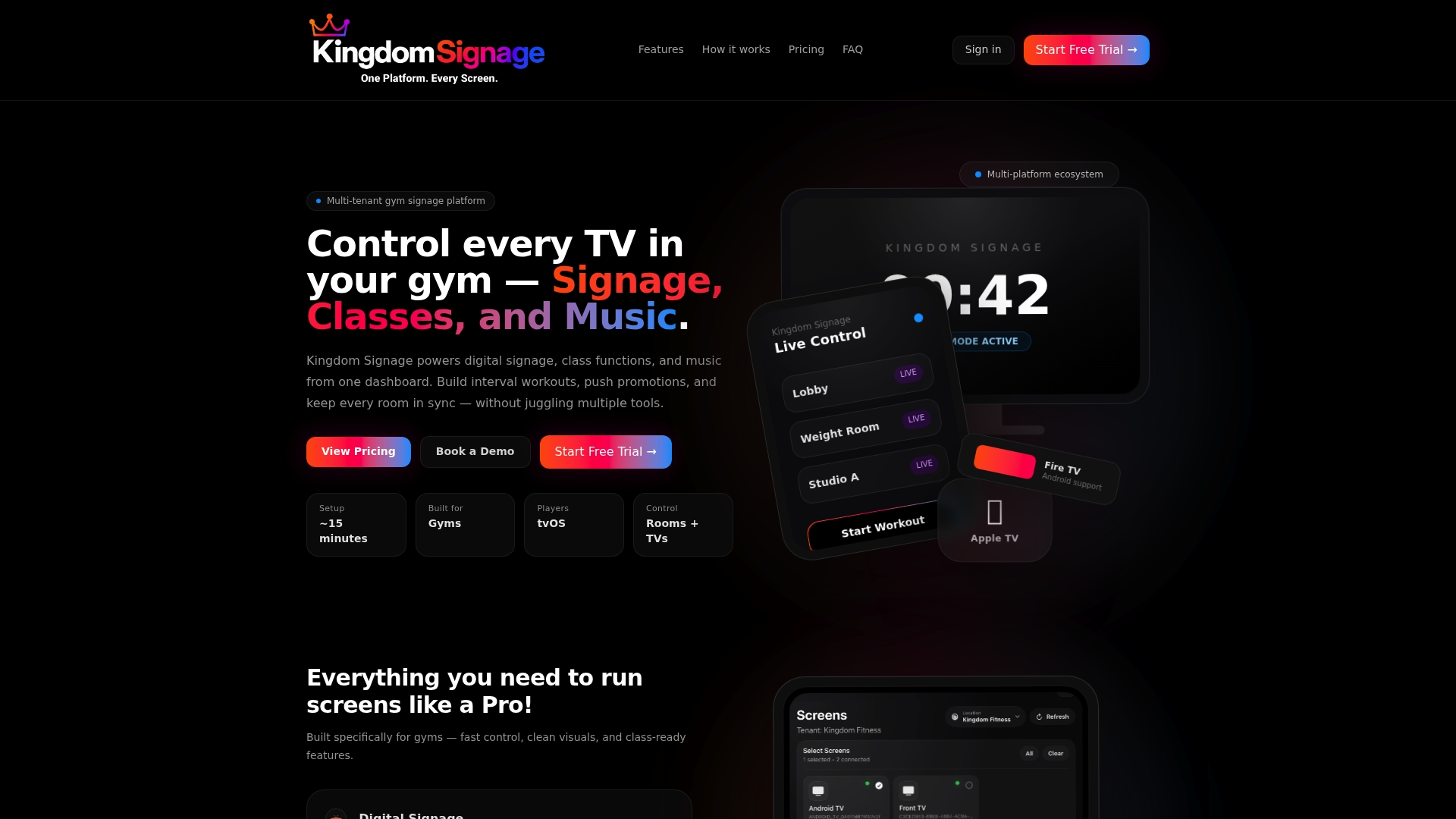
See how it works for your studio at Kingdom Signage, and read our guide on creating a synchronized workout class atmosphere for ideas you can use right away. Instructors who want quick wins will also like our workout class ambiance tips and our piece on cue-based video playback.
A pre-class checklist
Print this and keep it near the sound system:
- Playlist order follows the class map, with similar tempos side by side.
- Shuffle is off.
- Crossfade or Song Transitions is on, set to your tested number of seconds.
- The first three transitions, the peak handoff and the last two tracks have been heard at room volume.
- The playlist is downloaded or otherwise available offline.
- The playback device matches the one you tested on.
- Your facility has public-performance coverage for the music you play.
FAQ
What crossfade length is best for a group fitness class?
Start with about five seconds, which suits most rhythmic music. Shorten it for high-intensity intervals so the beat stays clear, and lengthen it toward 8 to 12 seconds for warm-ups, recovery and cooldowns. Test with your own tracks, since the right number depends on tempo and style.
Is crossfade the same as gapless playback?
No. Gapless playback removes the pause between songs without overlapping them, while crossfade fades one song out as the next fades in over a set number of seconds. Some apps also offer automatic mixing, which picks transition points dynamically instead of using a fixed length.
Why is crossfade not working on my device?
The feature may be unavailable on your device or with your audio quality setting. Apple, for example, lists devices where AutoMix is unavailable and says Crossfade and AutoMix do not work with hi-res lossless. Check the support page for your app and confirm the setting on each device you teach from.
Can I use my personal streaming account for classes?
At a U.S. gym, playing music in a class is public performance, and ASCAP states that fitness clubs need permission for it. A personal purchase or subscription is meant for personal listening. Confirm your facility's coverage with the licensing bodies or a qualified adviser.
Sources
- How to turn AutoMix or Crossfade on or off in the Apple Music app (Apple Support)
- Creating a Crossfade (Audacity Manual)
- 3 Ways to Level Up Your Playlists as a Lagree Instructor
- 5 Tips for the Best CorePower Live Class (CorePower Yoga)
- Music that Moves: Building a Playlist that Hits (ACSM)
- How to build a yoga playlist on Spotify (FlowPlaylist)
- ASCAP Fitness Clubs Brochure