
Syncing music and visuals in a fitness class is defined as the real-time alignment of audio tempo, energy, and mood with responsive on-screen graphics to drive participant motivation and performance. The practice draws on a well-established principle called entrainment, where the body naturally synchronizes its movement cadence to an external rhythmic cue. Research confirms the optimal tempo range for exercise synchronization sits between 125–140 BPM, with effective entrainment occurring within ±1–2% of a participant's natural cadence. When you pair that precision with music-reactive visuals, the result is an immersive environment that keeps participants locked in from warm-up to cool-down. Platforms like Kingdomsignage make this possible for gym operators and instructors without requiring separate tools for audio and display control.
What tools and technologies enable real-time sync music visuals fitness class setups?
The right technology stack separates a class that feels electric from one that just has loud music. Three categories of tools matter most: music-reactive visual software, biometric-driven music systems, and display hardware.
Music-reactive visual platforms
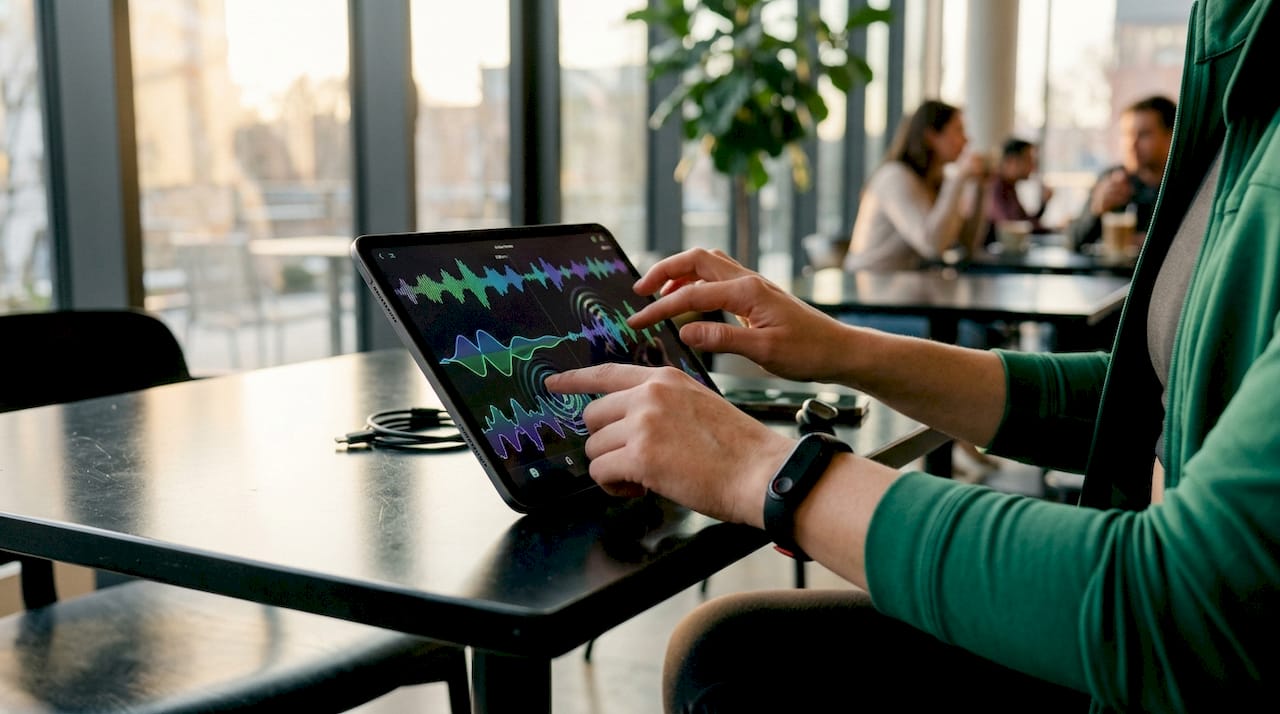
Modern fitness software can render up to 36 graphic elements that respond in real time to audio intensity and ride energy. That level of visual density means every beat drop, tempo shift, or energy spike translates directly into a change on screen. Instructors can customize color palettes, motion patterns, and graphic complexity to match the mood of each class segment.
Sensor-driven music systems
Personalized Interactive Music Systems, known as PIMS, take synchronization a step further. PIMS adapt music tempo to a participant's heart rate and fatigue signals in real time, sustaining motivation without manual intervention. This biometric feedback loop means the music never outpaces the class or drags behind it.
Hardware and integration basics
Display hardware for live classes typically includes commercial-grade screens positioned at the front and sides of the room, connected to a central media player or control hub. For virtual sessions, the same visual output streams directly through broadcast software. Kingdomsignage unifies TV control, music playback, and visual display across multiple rooms through a single dashboard, removing the need to manage separate devices during a live class.
| Tool category | Primary function | Best use case |
|---|---|---|
| Music-reactive visual software | Renders graphics tied to audio intensity | Indoor cycling, HIIT, dance classes |
| PIMS sensor systems | Adjusts tempo to biometric data | Personal training, endurance classes |
| Commercial display hardware | Outputs visuals in the studio | Any live or hybrid class format |
| Unified control platforms | Manages audio and visuals together | Multi-room gyms, large fitness centers |
Pro Tip: Test your visual software at the actual room brightness before class day. Visuals that look vivid on a laptop screen can wash out under fluorescent gym lighting.
How do you structure playlists for effective music and fitness synchronization?
Playlist structure is the backbone of any successful sync strategy. The music has to move through phases that mirror the physiological arc of the class.
A phased music strategy starts with slower tempos during warm-up and technical practice, then builds to high-energy tracks for main sets, and returns to slower music for cool-down. This mirrors the body's need to ramp up gradually and recover intentionally. Skipping this structure forces participants to fight the music rather than ride it.
The hybrid playlist model works best for most class formats. It combines reflective, slower-tempo tracks in the opening and closing segments with high-energy contemporary music during peak effort. Dance and fitness research confirms this approach supports both technical focus and peak arousal at the right moments.
Participant involvement in playlist curation produces measurable results. Student-curated playlists featuring high-energy pop, hip-hop, and dance music drove significant gains in step counts, calories burned, and heart rate during physical education classes. The mechanism is cultural resonance. When participants recognize and connect with the music, they push harder.
Here are the BPM targets by class phase:
- Warm-up: 100–120 BPM, low-intensity movement, technical focus
- Build phase: 120–130 BPM, increasing effort, visual energy rising
- Peak sets: 128–140 BPM, maximum effort, high-contrast visuals
- Cool-down: 80–100 BPM, recovery, calm visual palette
BPM accuracy is non-negotiable. An audit of 500 workout tracks found that 68% had BPM errors exceeding the effective entrainment window. That means most auto-generated workout playlists are working against your class, not with it. Always verify BPM values with a dedicated tap-tempo tool or a BPM analyzer before finalizing your playlist.
Pro Tip: Poll your class participants monthly on genre preferences. A short five-question form takes two minutes to fill out and gives you cultural data that no algorithm can replicate.
For a deeper look at how music selection shapes class energy, the guide on music's role in fitness covers participant psychology and engagement in detail.
How do you synchronize visuals dynamically with music to enhance energy and immersion?
Visuals for workout classes work best when they respond to the music rather than run alongside it. The distinction matters because static or looping visuals become background noise within minutes. Audio-reactive graphics that pulse, shift color, or change motion patterns with each beat keep the visual field alive and attention-focused.
Matching visual complexity to workout intensity
Visual complexity should scale with effort level. During warm-up, use minimal motion and muted tones. As the class enters peak sets, increase graphic density, contrast, and movement speed. This mirrors the emotional tone alignment principle, where the visual environment matches the intensity of the moment to deepen participant focus and motivation.
Customizing themes by class type
Different class formats call for different visual languages. Indoor cycling benefits from abstract, high-contrast motion graphics that feel like speed. Yoga and mobility classes respond better to flowing, organic shapes in warm tones. HIIT classes work well with sharp, geometric patterns that cut and flash on the beat. Matching the visual theme to the class identity makes the experience feel intentional rather than generic.
Here is a practical approach to setting up audio-reactive visuals:
- Choose a visual theme that matches your class identity and participant demographics
- Set graphic sensitivity so visuals respond to mid-level audio intensity, not just peaks
- Assign specific visual transitions to planned music drops or tempo changes
- Run a full rehearsal at class volume to confirm visual timing is accurate
- Keep one fallback visual loop ready in case of software lag
Pro Tip: Avoid visuals with rapid strobing effects. They create distraction and can trigger discomfort for participants with light sensitivity. Smooth, flowing transitions hold attention better than aggressive flashing.
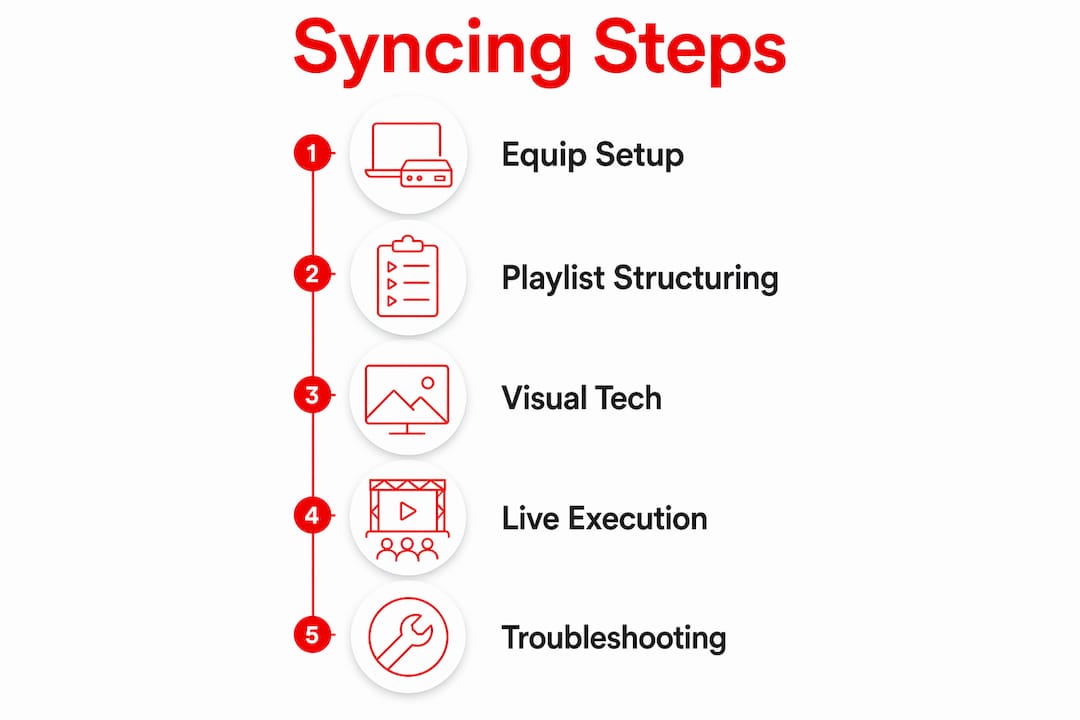
Step-by-step method to integrate music and visuals in live or virtual fitness classes
Execution is where most instructors lose the benefit of good preparation. A clear pre-class and in-class protocol prevents the most common failures.
Pre-class setup
Start with equipment checks at least 30 minutes before participants arrive. Confirm that your display hardware is connected and outputting at the correct resolution. Load your playlist into your music software and verify BPM values for the first three tracks. Open your visual platform and confirm it is receiving the audio signal. Kingdomsignage's gym AV infrastructure guide covers the technical setup in detail for instructors managing multi-screen environments.
During class execution
Time your major music transitions to natural movement breaks, not mid-rep. Visual shifts should follow the music change by no more than one beat. If you are running a live class, assign a second person to monitor the visual output so you stay focused on instruction. For virtual sessions, test your stream output on a second device to confirm visuals are rendering correctly for remote participants.
Troubleshooting common issues
| Issue | Likely cause | Fix |
|---|---|---|
| Visual lag behind audio | High CPU load or network delay | Lower graphic resolution or close background apps |
| BPM mismatch | Inaccurate metadata in playlist | Manually verify BPM with a tap-tempo tool |
| Visual overwhelm | Too many graphic elements active | Reduce active element count to 10–15 for most classes |
| No audio signal to visuals | Input routing error | Check audio output device settings in visual software |
Safety and comfort considerations
Sensory stimulation affects participants differently. Always offer a visual-off option for participants who find the display distracting or uncomfortable. Keep ambient room lighting at a level that prevents the screen from becoming the only focal point. Effective synchronization requires human judgment alongside technology, and that includes reading the room and adjusting in real time.
Pro Tip: Run a five-minute sync test at the start of each new playlist. Play the highest-energy track in your set and confirm visuals respond correctly before participants arrive.
Key takeaways
Syncing music and visuals in a fitness class requires accurate BPM selection, audio-reactive display technology, and a phased playlist structure to produce a measurable lift in participant engagement and performance.
| Point | Details |
|---|---|
| BPM accuracy is critical | Verify every track manually; 68% of auto-generated BPM values fall outside the effective entrainment window. |
| Use a phased playlist structure | Match tempo to class phase: slower for warm-up, 128–140 BPM for peak sets, slower again for cool-down. |
| Audio-reactive visuals outperform static loops | Visuals tied to audio intensity keep participant attention active throughout the class. |
| Participant curation drives engagement | Involving participants in playlist selection increases physical output through cultural resonance. |
| Unified control simplifies execution | Managing audio and visuals from one platform reduces setup errors and in-class disruptions. |
What I've learned from watching instructors get this right and wrong
The biggest mistake I see instructors make is treating music and visuals as two separate jobs. They spend hours on the playlist, then grab a generic looping video and call it done. The visual becomes wallpaper. Participants stop seeing it within the first five minutes, and the potential for immersion is gone.
The instructors who get this right treat the visual as a second instrument. They think about what the screen is doing at the same moment the bass drops or the tempo shifts. That intentionality is what separates a class that feels produced from one that just has a screen on the wall.
The technology side is more accessible than most instructors realize. You do not need a broadcast production team. A unified platform like Kingdomsignage handles the audio-to-visual routing across rooms without requiring separate software for each function. The synchronized workout atmosphere guide is a good starting point for instructors who want a practical framework before they invest in hardware.
One thing I push back on is the idea that automation handles everything. Pure algorithmic curation misses the emotional and cultural context that makes a playlist feel right for a specific group of people on a specific day. Use the technology to handle timing and routing. Use your judgment to handle meaning.
— Kingdom
How Kingdomsignage brings music and visuals together for fitness classes
Fitness instructors who want to sync motivational visuals in exercise classes need a platform built for the gym environment, not adapted from it. Kingdomsignage is designed specifically for gyms and fitness centers, giving operators a single dashboard to control TVs, music playback, and visual content across every room.

The platform connects audio and display outputs so that visual content responds to your class music without requiring manual switching between tools. Instructors can push real-time updates, manage class transitions, and deliver promotional content between sessions from the same interface. For facilities running multiple class rooms simultaneously, Kingdomsignage's gym control system keeps every room in sync without adding complexity to the instructor's workflow. The result is a class environment that holds participant attention, supports retention, and reflects the quality of your programming.
FAQ
What is the ideal BPM range for syncing music in a fitness class?
The optimal range for exercise synchronization is 125–140 BPM, with entrainment effective within ±1–2% of a participant's natural movement cadence. Warm-up and cool-down phases work best at 80–120 BPM.
Why do auto-generated workout playlists often fail at synchronization?
An audit of 500 workout tracks found that 68% had BPM errors exceeding the effective entrainment window. Inaccurate metadata in popular music platforms causes tempo mismatches that reduce participant performance.
How do audio-reactive visuals improve the workout experience?
Audio-reactive visuals respond to music intensity in real time, keeping the visual environment active and attention-focused. Platforms supporting up to 36 graphic elements tied to audio signals create a level of immersion that static loops cannot match.
Should participants be involved in playlist curation?
Participant-curated playlists with culturally resonant music produce measurable gains in physical output, including higher step counts, calories burned, and heart rate. Involving participants builds ownership and increases motivation.
How does Kingdomsignage support music and visual synchronization in gyms?
Kingdomsignage provides a unified dashboard that controls music playback, TV displays, and visual content across multiple rooms from one interface. This removes the need for separate tools and reduces setup errors during live classes.