
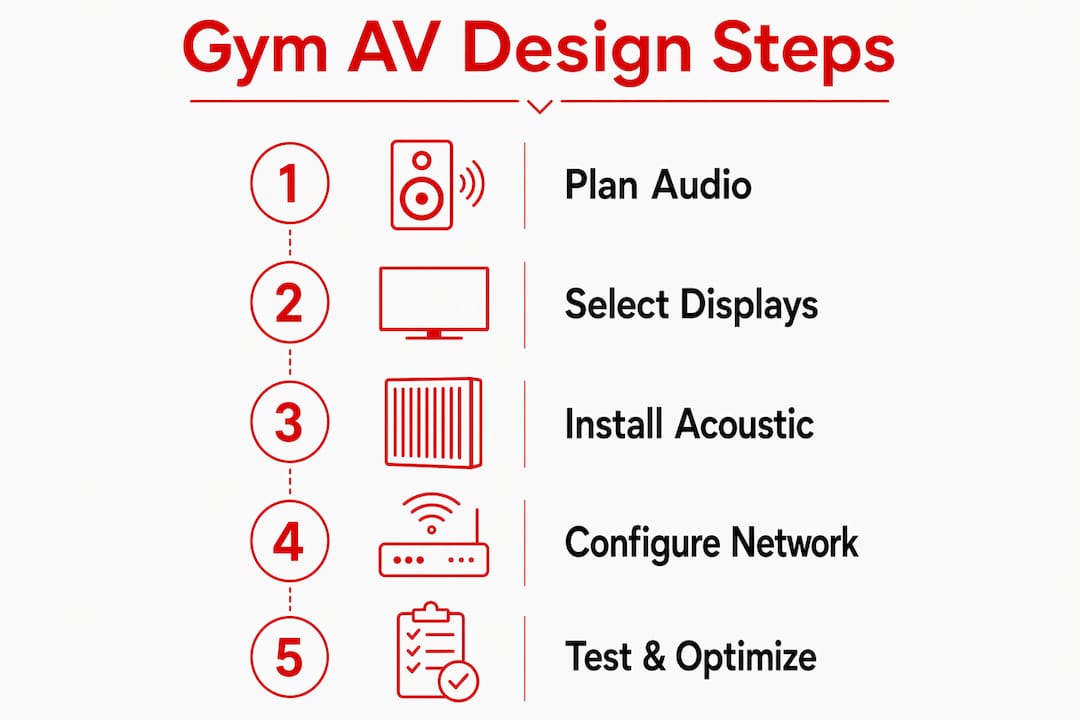
Gym AV infrastructure design is the deliberate integration of specialized audio and visual technology to enhance workout experience and operational efficiency in fitness facilities. The industry term for this discipline is audiovisual systems integration, and understanding how gym AV infrastructure is designed separates facilities that retain members from those that lose them to competitors with better environments. A well-designed system covers three core layers: audio distribution, visual display networks, and the IP-based control architecture that ties them together. Brands like QSC, Sonance, and Shure define the hardware standard, while platforms like Kingdomsignage handle the management layer that keeps everything running in sync.
How gym AV infrastructure is designed: the audio foundation
Audio is the most physically demanding layer of any gym AV system setup. Members feel it in every squat rack, spin bike, and group fitness studio. Getting it wrong means dead zones, distortion, and instructors fighting their own sound system.
Speaker placement and coverage density
Uniform sound coverage requires one speaker per 200–250 square feet of floor space. That density prevents the uneven experience where members near a speaker get blasted while those across the room hear nothing. Ceiling-mounted speakers work best in open weight floors. Wall-mounted line arrays suit narrow corridors and cycling studios where ceiling height is limited.
Multi-zone audio control is non-negotiable in any facility with more than one activity area. A spin class needs driving, high-energy output. A stretching room needs something closer to ambient. A single-zone system forces a compromise that serves neither space well. Multi-zone, durable equipment with independent volume control per area is the correct design standard.
Amplifier sizing and cable infrastructure
Amplifier headroom must include a 20–30% margin above the calculated load. Without that buffer, amplifiers clip during peak hours, which degrades sound quality and shortens equipment life. A system sized exactly to its load is already undersized for real-world use.
Wired connections outperform wireless in gym environments. Protective conduit for cable runs and service loops at every termination point protect against damage from equipment movement and allow future modifications without pulling new wire. Wireless audio signals drop when dozens of members connect phones and earbuds to the same airspace.
- Place speakers at consistent intervals, not clustered near the DJ booth or instructor station
- Run dedicated circuits for audio amplifiers, separate from HVAC and lighting
- Label every cable run at both ends during installation
- Use Shure microphone systems for instructor audio in group fitness rooms
- Test coverage with a calibrated SPL meter before the facility opens
Pro Tip: Install service loops of at least 18 inches at every speaker and amplifier connection. That extra cable costs almost nothing during installation and saves hours of labor when you need to reposition equipment after a floor layout change.
What display systems belong in a gym AV setup?
Visual systems in gyms serve two distinct purposes: member engagement through content and class synchronization through real-time information. Designing gym audio systems gets most of the attention, but display infrastructure drives just as much of the member experience.
Choosing the right commercial displays
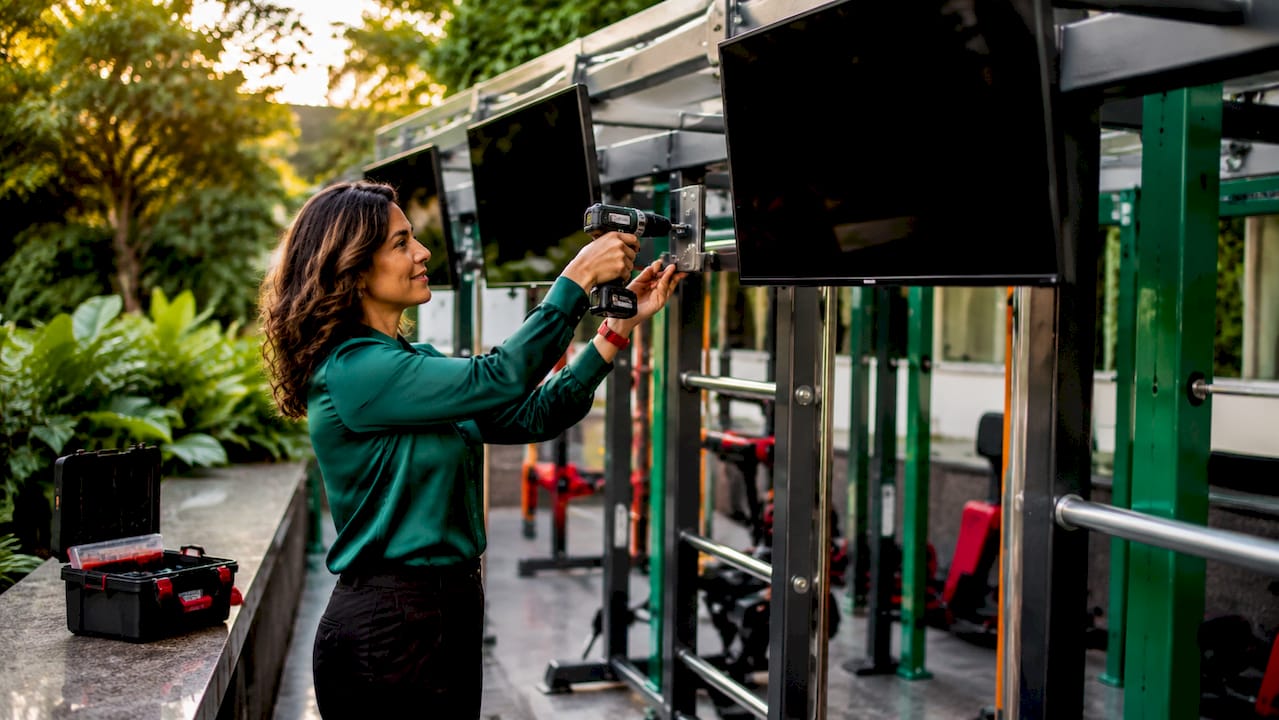
Commercial-grade gym displays are rated for 24/7 runtime, produce 500–700 nits of brightness, and include specialized cooling systems. Consumer televisions are not built for continuous operation in high-humidity environments. A consumer TV running 14 hours a day in a gym fails within months. Samsung QMR Series displays and Epson commercial projectors are built for this workload.
Brightness matters more than screen size in most gym environments. A 55-inch display at 700 nits reads clearly under bright overhead lighting. The same size screen at 250 nits looks washed out. Portrait orientation works well for class schedules and promotional content near reception. Landscape orientation suits cardio floors where members watch content while on treadmills.
Network requirements for stable digital signage
Hardwired Cat6 Ethernet is the correct connection standard for every gym display endpoint. Shared guest Wi-Fi causes unreliable signage. When a member streams video on the same network, display content stutters or drops entirely. Power over Ethernet (PoE) works well for smaller displays and media players, reducing the number of power outlets required at each screen location.
- Mount displays at eye level in reception and locker room areas
- Use anti-glare screen coatings in spaces with large windows or skylights
- Connect every display to a content management system (CMS) for remote updates
- Plan for multi-display control from a single dashboard across all locations
- Avoid placing screens directly above free weights where vibration is constant
Pro Tip: Run a dedicated VLAN for all AV display endpoints. Separating signage traffic from member Wi-Fi and point-of-sale systems prevents bandwidth conflicts and makes troubleshooting faster when something goes wrong.
How do acoustic challenges affect gym AV system design?
Acoustic design is the layer most gym operators underestimate. A gym is not a single acoustic environment. It is several competing sound environments sharing walls, floors, and ceilings.
The three acoustic axes every gym needs
Gym acoustic design maps to three distinct axes: ABSORB, BLOCK, and ISOLATE. Each axis addresses a different problem.
| Acoustic Axis | Target Surface | Solution |
|---|---|---|
| ABSORB | Ceilings and walls | Acoustic panels, baffles, fabric-wrapped frames |
| BLOCK | Partitions between zones | Dense drywall, mass-loaded vinyl, sealed door frames |
| ISOLATE | Floors and subfloors | Resilient flooring, isolation platforms under equipment |
ABSORB reduces reverberation inside a room. Hard concrete walls and glass create echo that makes music sound muddy and instructor speech unintelligible. BLOCK prevents sound from bleeding between a spin studio and a yoga room sharing a wall. ISOLATE stops impact noise from deadlifts and treadmills from traveling through the building structure into adjacent spaces.
Equipment durability in gym environments
Gym-rated audio equipment handles humidity, sweat, and constant vibration. Standard commercial audio gear fails faster in gyms than in offices or retail spaces because the environmental stress is higher. QSC amplifiers and Sonance speakers are specifically rated for these conditions. Moisture-resistant speaker grilles and sealed amplifier enclosures extend service life significantly.
Consumer-grade equipment placed in a gym environment is not a cost-saving decision. It is a deferred replacement cost with added downtime. The correct approach is to specify gym-rated hardware from the start and build maintenance schedules around manufacturer recommendations.
Pro Tip: Install isolation platforms under all treadmills and ellipticals, not just free weight areas. Motor vibration from cardio equipment transmits through floors just as effectively as dropped weights, and it runs for hours at a time.
What network architecture supports scalable gym AV control?
Modern gym AV infrastructure runs on IP-based networks, not analog cabling. IP-based AV networks treat audio and video signals as data packets, which means they travel over standard Ethernet infrastructure alongside other facility systems. That shift eliminates the dedicated analog cable runs that made older systems expensive to expand or reconfigure.
Designing a hierarchical network backbone
A well-designed gym AV network uses a hierarchical structure: a core switch at the facility level, distribution switches per floor or zone, and access switches at each endpoint cluster. This structure keeps traffic organized and makes troubleshooting straightforward. A problem in the spin studio does not affect the cardio floor when zones are properly segmented.
Multi-zone, multi-user control interfaces let instructors manage volume and content independently in their rooms without touching other areas. Front desk staff can push promotional content to lobby displays without interrupting a live class. That independence is only possible when the network architecture supports it from the start.
Planning for future expansion
Flexible AV system design anticipates layout changes and new fitness trends without requiring full rewiring. The fitness industry changes faster than most operators expect. A space that runs yoga today may run HIIT classes next year. Conduit runs and cable pathways should be sized for future capacity, not just current needs.
The practical rule is to install 25% more conduit capacity than the current design requires. Adding a new display zone or speaker cluster to an existing conduit run costs a fraction of cutting new pathways through finished walls. Future-proofing your AV setup at the infrastructure level is the single highest-return investment in the design phase.
Key Takeaways
Effective gym AV infrastructure design requires layered planning across audio, visual, acoustic, and network systems, with gym-rated equipment at every layer.
| Point | Details |
|---|---|
| Speaker density standard | Place one speaker per 200–250 sq ft for uniform sound coverage across all workout areas. |
| Amplifier headroom margin | Size amplifiers with a 20–30% headroom buffer to prevent clipping during peak usage hours. |
| Commercial display ratings | Use 24/7-rated screens with 500–700 nits brightness; consumer TVs fail quickly in gym conditions. |
| Three acoustic axes | Apply ABSORB, BLOCK, and ISOLATE treatments to ceilings, partitions, and floors respectively. |
| IP network architecture | Run hardwired Cat6 Ethernet on a dedicated VLAN for all AV endpoints to prevent signal instability. |
What I've learned designing AV systems for fitness facilities
The most common mistake I see is treating the gym as one room. Operators buy a single amplifier, run speakers to every corner, and wonder why the yoga studio sounds like a nightclub and the weight floor sounds like a waiting room. Zone separation is not a luxury feature. It is the baseline requirement for any facility with more than one activity type.
The second mistake is specifying equipment by price rather than environment rating. A cheaper amplifier that fails in 18 months costs more than a QSC unit that runs for a decade. The math is straightforward, but the upfront number still wins too many budget conversations.
What actually works is simplicity at the control layer. Instructors are not AV technicians. If the system requires more than two steps to adjust volume or switch a content source, staff will work around it or ignore it entirely. The best gym AV systems I have seen use touchscreen panels with one button per function and a dashboard that any manager can operate without training. Kingdomsignage builds exactly that kind of control layer, and it is the piece most traditional AV integrators underdeliver on.
Professional calibration after installation is not optional. A system that sounds great during the contractor's demo and terrible during a live class was never properly tuned for the room. Hire an acoustician or AV commissioning engineer to measure and balance the system before members arrive.
— Kingdom
How Kingdomsignage simplifies gym AV management
Running a gym's AV system should not require a dedicated technician on staff. Kingdomsignage unifies control of digital signage, class schedules, promotional content, and music across every room through a single dashboard. Operators can push real-time updates to lobby displays, sync audio and visuals for class transitions, and manage multiple locations without switching between tools.

Fitness operators who want to manage gym displays and audio from one place use Kingdomsignage to cut the operational complexity that comes with multi-zone AV systems. The platform handles digital signage setup for class schedules, membership promotions, and real-time announcements, all without requiring separate software for each function. If your facility is ready to stop managing AV piecemeal, Kingdomsignage is the place to start.
FAQ
What is gym AV infrastructure design?
Gym AV infrastructure design is the planned integration of audio systems, visual displays, and network controls built specifically for fitness facility environments. It covers speaker placement, display selection, acoustic treatment, and IP network architecture.
How many speakers does a gym need per square foot?
Commercial gym audio coverage requires one speaker per 200–250 square feet for uniform sound distribution. Larger open areas may need additional speakers to eliminate dead zones near walls and corners.
Why do gyms need commercial-grade displays instead of consumer TVs?
Commercial gym displays are rated for 24/7 operation, produce 500–700 nits of brightness, and include cooling systems designed for continuous use. Consumer televisions are not built for the humidity, heat, and runtime demands of a fitness facility.
What network connection does gym digital signage require?
Every gym display endpoint needs a hardwired Cat6 Ethernet connection on a dedicated VLAN. Shared guest Wi-Fi causes content dropouts and makes the entire signage network unreliable during peak membership hours.
How does acoustic zoning improve gym sound quality?
Acoustic zoning applies three treatments: ABSORB on ceilings and walls to reduce echo, BLOCK on partitions to prevent sound bleed between rooms, and ISOLATE on floors to stop vibration from traveling through the building structure.