
Room-specific playlists are music programs mapped permanently to a physical zone in a gym, spin studio synced to a 128 BPM playlist while the strength floor runs a different one, all controlled from one system rather than a phone plugged into each room's speaker. The reliable way to build this is a multi-zone AV architecture with per-room DSP and a centralized cloud dashboard for scheduling, the same pattern platforms like Kingdom Signage use and that Dante-based commercial installs rely on for consistent playback.
TL;DR:
- Ensuring proper room mapping and BPM targeting in playlists prevents energy mismatches that could reduce class engagement and instructor effectiveness.
- Reliable zoning, DSP, and network infrastructure, including caching and correct speaker placement, are crucial to prevent audio dropouts and dead spots during classes.
- Linking playlists to precise class schedules and allowing instructor overrides with automated transitions improve operational efficiency and member experience.
- Proper testing of acoustics and hardware before opening helps avoid costly rework, especially in large or complex gym environments.
- Using a centralized platform like Kingdom Signage streamlines multi-room AV control, enabling remote troubleshooting, schedule updates, and consistent programming across multiple locations.
Table of Contents
- Why Room-Specific Playlists Improve Member Experience and Operations
- Core Technical Components Behind Room-Specific Playlists
- How to Design Room Assignments and Playlist Rules
- Setting Up Scheduling and Instructor Controls
- Installation Checklist: Network, Hardware, and Acoustics
- How a Unified Platform Handles All of This
- What Actually Matters When You Deploy This
- Get Room-Specific Playlists Running Without the Integration Headache
- Sources
Why Room-Specific Playlists Improve Member Experience and Operations
Music energy needs to match what the body is doing in that room. A cycling studio running a slow acoustic playlist kills the ride; a recovery room blasting 140 BPM tracks undercuts the stretching class happening inside it. Tunio's guidance on fitness center music recommends matching BPM windows to activity type precisely because tempo mismatches measurably drag down class intensity and instructor pacing.
The operational case is just as strong as the experiential one:
- Class turnover gets faster when the next playlist is already staged and waiting, not manually queued between sessions.
- Scheduling becomes centralized instead of dependent on whichever staff member remembers to change the music.
- Brand consistency holds across every location, so a franchise's Tuesday spin class sounds the same in Denver as it does in Tampa.
- Zoned automation, as the Cleverfit case study shows, reduced manual switching and improved member satisfaction across multiple branches once time-based control replaced ad hoc adjustments.
Getting this right is less about picking better songs and more about building a system that keeps the right songs where they belong.
Core Technical Components Behind Room-Specific Playlists
Four layers make room-specific playlists actually work, and skipping any one of them is usually where installs go wrong.
Zoning means every room gets its own independently controlled audio stream, not just a volume knob on a shared feed. A true zoned system lets the spin room run one playlist at one volume while reception runs something else entirely, with zero bleed-through in the mix.
DSP and networked audio are what make that zoning reliable at scale. A digital signal processor routes and tunes each zone's signal, and protocols like Dante carry audio over standard network cable instead of a snake of analog wiring. The Gold's Gym Venice Beach installation used Dante networking paired with a Bose ControlSpace EX-1280 processor specifically to get predictable, per-zone control across dozens of speakers, with remote troubleshooting built in.
Cloud dashboards handle scheduling, remote playlist updates, and, critically, local caching so a room doesn't go silent the moment the internet drops. That caching detail matters more than most operators expect until they've lived through an outage during a packed 6 a.m. class.
Speaker selection and placement round it out. Wide-dispersion cabinets can cover an open strength floor with fewer units, though ceiling height and mounting constraints have to factor into that math before you commit to a layout.
Pro Tip: Walk every room with a sound level meter before finalizing speaker count. A studio that "sounds fine" during a quiet demo often reveals dead spots once fifteen people and their sneakers are in the room.
How to Design Room Assignments and Playlist Rules
- Map each room to a playlist category. Spin gets one profile, strength training another, recovery and stretch rooms a slower one, and reception or the lobby something neutral that plays under conversation, not over it.
- Set BPM targets per category, not per song. Tunio's data points to roughly 105 to 126 BPM for morning warm-up sessions and 124 to 140 BPM for peak prime-time classes, with lower tempos returning for cooldown blocks.
- Build in transition and ducking rules. Instructor mic input should automatically drop music volume, a behavior gym audio integrators treat as non-negotiable for class clarity, not optional.
- Run a field test before opening day. Walk each zone at full occupancy volume, have an instructor rehearse with the mic live, and level-match rooms so nobody has to shout over a subwoofer.
- Collect member feedback for the first two weeks. Small tempo or volume tweaks almost always surface once real classes run, not during a quiet walkthrough.
Getting the room-to-playlist mapping right up front saves weeks of manual adjustment later, which is exactly the class energy question most instructors care about most.
Setting Up Scheduling and Instructor Controls
Playlists should tie directly to your class timetable, not run on a loose loop that happens to align most of the time. Link each scheduled class block to its assigned playlist category so the system automatically switches when a 6 p.m. HIIT class replaces a 5 p.m. yoga session, no manual cue needed.
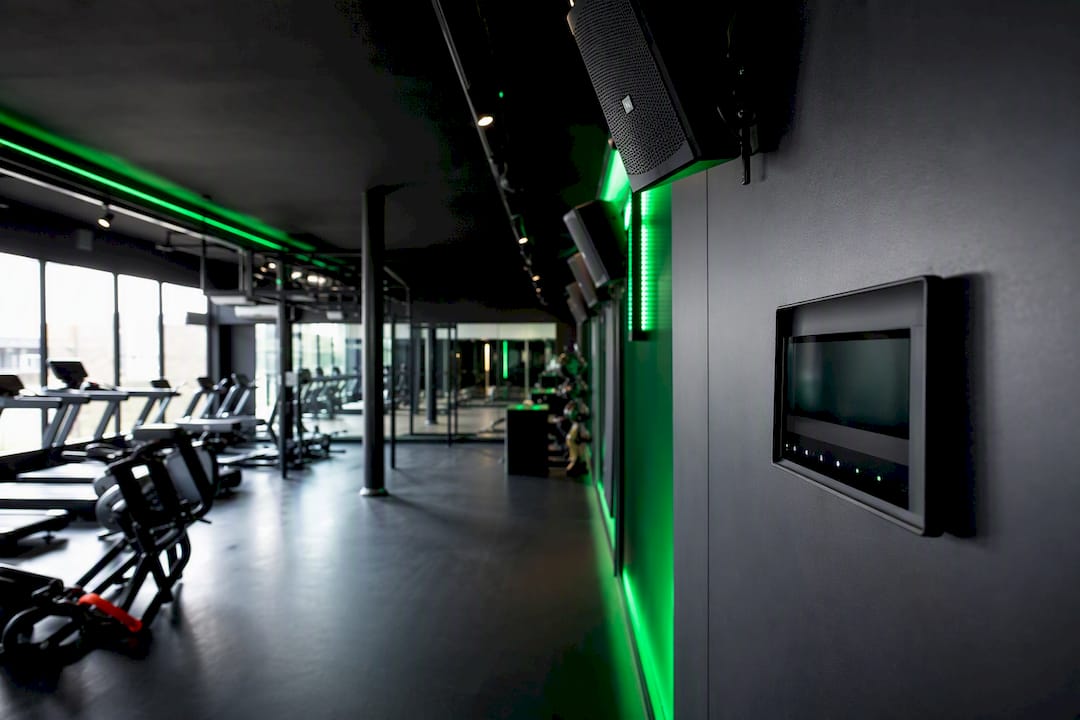
Instructors still need a local override. Someone leading a themed class or a member event should be able to bump volume or skip a track without calling IT, though that override should default back to the schedule once the class ends.
A few automation patterns worth building in from day one:
- Gradual volume ramping between classes instead of an abrupt jump, which reads as jarring to members mid-workout.
- Quieter "morning mode" presets for locations near residential neighbors, easing in before regular operating hours.
- Automatic mic ducking whenever an instructor's microphone is active, regardless of which room they're in.
This is where group fitness room sync examples become genuinely useful reference points for franchise operators standardizing across locations.
Installation Checklist: Network, Hardware, and Acoustics
Before flipping the system on, run through infrastructure basics that are far cheaper to fix on paper than after the ceiling's already wired.
Network: Set up dedicated VLANs for audio traffic and apply QoS rules so streaming doesn't compete with guest Wi-Fi for bandwidth. Confirm your bandwidth requirements can handle simultaneous multi-room streams without buffering.
Hardware: Verify DSP units, amplifier headroom, per-zone volume control, and local mic input jacks for each room that hosts live instruction. Rack space and cable runs should be planned before speakers go up, not after.
Acoustics: Pre-install modeling and phase correction catch problems that manual tuning can't fully undo later; XtenAV's gym sound system design guidance treats this step as the difference between a quick commissioning day and weeks of rework. Run a commissioning walk test in every zone to catch bass buildup near hard surfaces and dead spots behind equipment racks.
Pro Tip: Test acoustics with the room populated, not empty. Bodies absorb high frequencies differently than a bare studio does, and that gap catches a lot of installers off guard.
How a Unified Platform Handles All of This
Coordinating zoning, DSP behavior, scheduling, and instructor overrides across multiple rooms, and multiple locations, is exactly the kind of complexity a single dashboard is built to absorb. Kingdom Signage syncs audio and visual programming from one control point, so a franchise manager can push a new prime-time playlist template, adjust a room's schedule, or troubleshoot a dead zone remotely instead of dispatching someone on-site. The same dashboard that handles class schedule displays can drive the room's audio programming in parallel, which is what actually delivers on the promise of multi-room AV integration: faster transitions between classes, consistent programming across every location in a franchise, and fixes that don't require a technician standing in the room.
What Actually Matters When You Deploy This
If you're planning a rollout, prioritize four things on day one: map every room to its playlist category before you buy a single speaker, insist on wired network paths for anything running DSP (Wi-Fi audio in a gym full of phones and equipment is asking for dropouts), build class templates before opening day, and actually train instructors on the mic and override controls instead of assuming they'll figure it out mid-class.
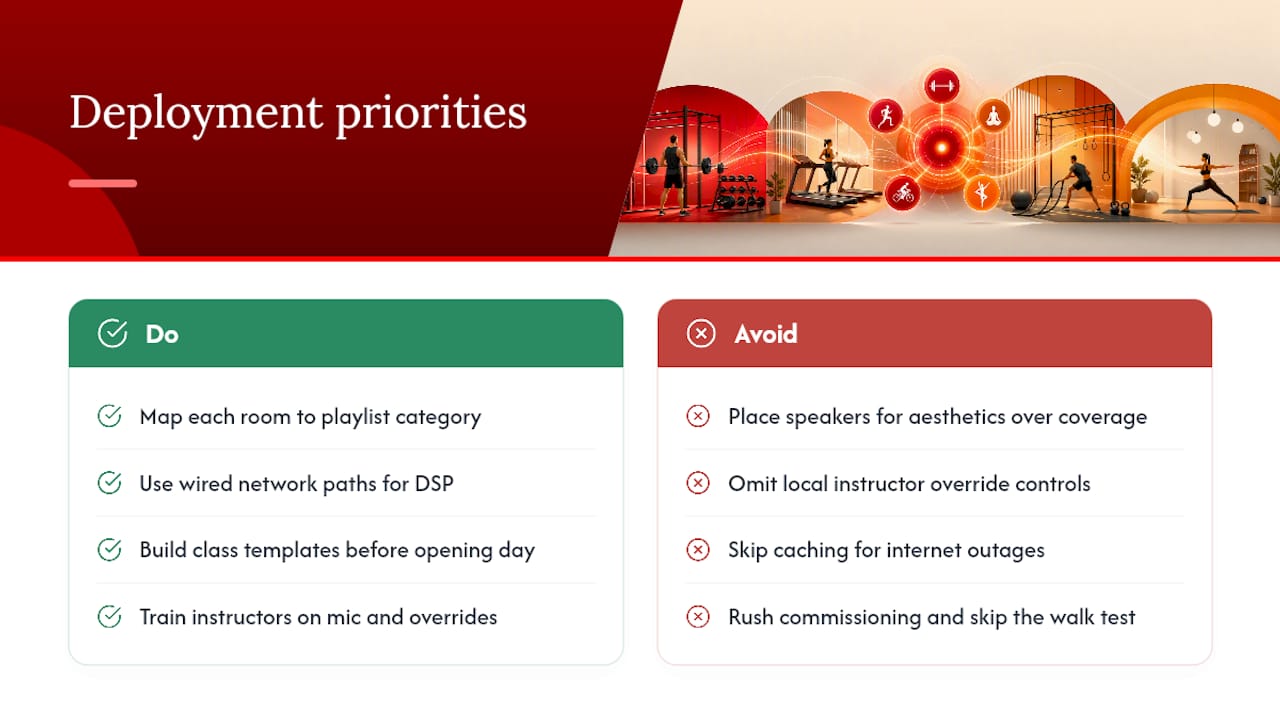
The pitfalls I see most often are avoidable ones: speakers placed for aesthetics instead of coverage, no local override for instructors, zero caching for internet outages, and rushed commissioning that skips the walk test entirely. None of these are exotic problems. They're the ones a half-day of proper planning prevents.
If you're weighing whether to build this in-house or evaluate a platform that already handles it, a pilot in one room is a reasonable way to find out before committing across a whole facility.
— Kingdom
Get Room-Specific Playlists Running Without the Integration Headache
Most of what this guide covers, zoning, DSP tuning, scheduling logic, mic ducking, takes a systems integrator and weeks of commissioning to build from scratch. Kingdom Signage packages that same architecture into one dashboard built specifically for gyms, so you're not stitching together separate audio and signage tools or waiting on a technician for every schedule change.

The platform lets you assign playlists by room, sync them to your class timetable, and push updates to every location from a single login, whether you're running one studio or a fifty-location franchise. Class transitions happen automatically instead of manually, and if a zone goes quiet, you can usually diagnose it remotely instead of sending someone to the building. Check out the Kingdom Signage platform to see how a pilot room would work in your facility, and request a walkthrough of the scheduling dashboard before your next class calendar goes live.
Sources
- Gold's Gym — Bose Professional case study
- How to design a gym sound system — XtenAV
- Cleverfit case study — Sonicsense
- Music for fitness centers — Tunio