
For gym operators who need screens and audio working together, the right pick is a gym-focused unified platform. Kingdomsignage is built exactly for that. Beyond it, your shortlist breaks into four categories: gym-first platforms that sync audio and visuals from one dashboard, enterprise signage platforms with audio control modules, budget player-based systems for single-room pilots, and social-wall specialists when member engagement campaigns are the priority.
Hardware compatibility shapes the decision before features do. The platforms worth evaluating support at least three of these: Apple TV, Android TV, Chromecast, Windows players, and Raspberry Pi. If a vendor locks you to proprietary hardware, your costs scale badly across a multi-room gym.
The comparison table below maps each category against the dimensions that actually matter for gym operations.
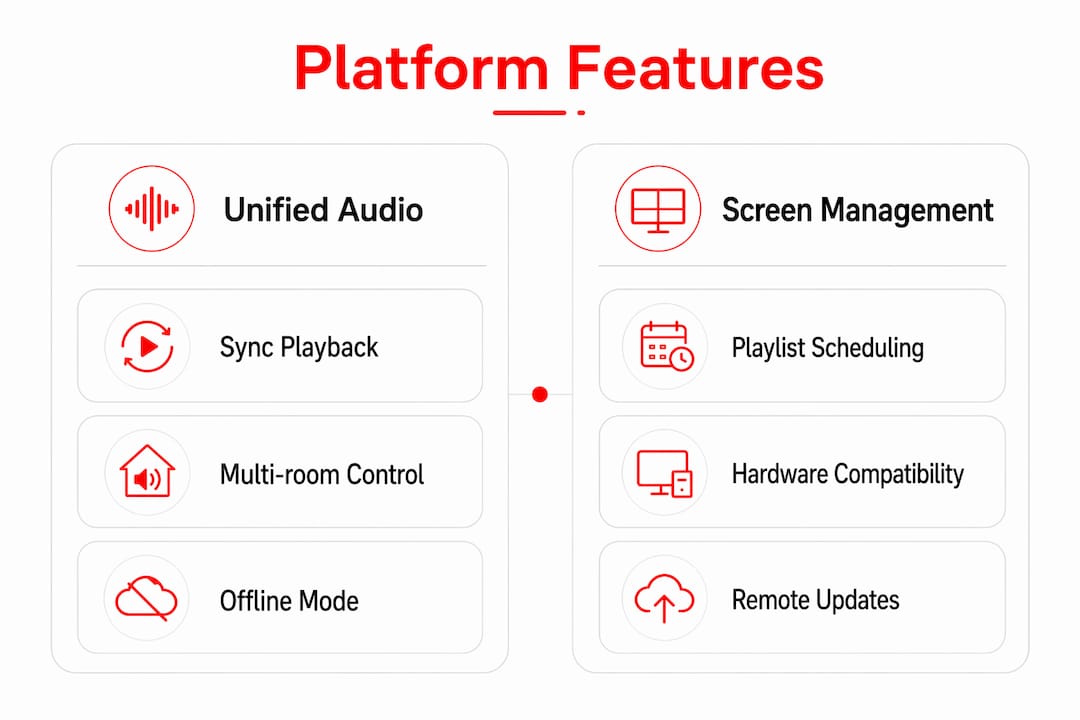
Table of Contents
- Which Kitcast.tv alternatives fit gym operators best?
- How do you choose the right platform for your gym?
- Why audio sync and multi-room control matter more than you think
- Gym-focused profiles: which option fits your setup?
- How to run a gym pilot without wasting 60 days
- Key Takeaways
- The platform choice most gym operators get wrong
- Kingdomsignage gives gyms one dashboard for screens and audio
- Useful sources and further reading
Which Kitcast.tv alternatives fit gym operators best?
| Category | Best For | Pricing Shape | Hardware | Audio / Multi-Room | Social Aggregation | Multi-Zone | Offline Playback | Setup Ease | Support |
|---|---|---|---|---|---|---|---|---|---|
| Gym-first unified platforms | Multi-room clubs needing screen + audio sync | Subscription per account | Apple TV, Android TV, Chromecast, Windows | Native, schedule-triggered | Basic to moderate | Yes | Strong | Moderate | Onboarding + docs |
| Enterprise signage platforms | Large athletic centers, franchise gyms | Per-screen subscription | Broad (all major OS) | Via add-on or integration | Moderate | Yes | Strong | Complex | SLA + dedicated CSM |
| Budget player-based systems | Single-room studios, pilots | Free tier or low per-screen fee | Android TV, Raspberry Pi, Windows | Limited or none | Minimal | Basic | Variable | Easy | Community / email |
| Social-wall specialists | Event nights, UGC campaigns, member engagement | Campaign-priced or subscription | Browser-based, any screen | None | Deep (QR uploads, moderation, analytics) | Limited | Weak | Easy | Chat / email |
Gym-first unified platforms
- Pro: Single dashboard for screens and audio reduces staff actions per class transition.
- Con: Fewer third-party integrations than enterprise platforms.
- Trial availability: Most offer a free trial or demo call.
Enterprise signage platforms
- Pro: Broad hardware support and documented uptime SLAs.
- Con: Audio control is often a paid add-on; per-screen pricing scales steeply for 10+ rooms.
- Trial availability: Demo-first model; free trials are rare.
Budget player-based systems
- Pro: Low entry cost; free tiers make single-room pilots low-risk.
- Con: Audio sync across rooms is typically absent or manual.
- Trial availability: Free tiers widely available.
Social-wall specialists
- Pro: QR-based uploads, sentiment filters, and campaign analytics out of the box.
- Con: Not built for recurring schedule delivery or audio control.
- Trial availability: Campaign-priced trials common for events.
How do you choose the right platform for your gym?
Audio sync plus schedule integration is the single most important criterion. A platform that can trigger the right playlist when a spin class starts, and cut it cleanly when the class ends, removes a staff action that otherwise happens manually every session.
Prioritized evaluation checklist:
- Integration with your gym management software (Mindbody, ClubReady, or similar)
- Class schedule API or calendar sync for automated playlist triggers
- Zone-level audio control across 3+ rooms
- Player and OS compatibility with your existing hardware
- Offline playback when Wi-Fi drops mid-class
- SSO and role-based access controls for staff
- Documented uptime SLA or offline failover guarantee
Questions to ask vendors during a demo:
- "Can you trigger a playlist automatically from a class schedule event?"
- "How do you handle audio sync across three or more rooms simultaneously?"
- "What happens to playback if the internet drops for 10 minutes?"
- "Is audio control in the same dashboard as screen content, or a separate app?"
- "What's your SLA for support response during peak gym hours?"
Red flags to watch for:
- Audio managed in a separate app with no API connection to the signage platform
- Per-screen pricing with no volume discount — costs explode past 8 screens
- No documented offline playback mode
- No calendar or schedule integration, even via webhook
Pro Tip: Structure your 30-minute vendor demo as a pass/fail test. Checkpoint 1: trigger a playlist from a mock class event. Checkpoint 2: simulate a network drop and confirm playback continues. Checkpoint 3: change zone volume from the dashboard without touching the device. If any checkpoint fails, it will fail in production too.
Why audio sync and multi-room control matter more than you think
Audio and multi-room sync reduce staff load and directly affect how members experience class transitions. When the music cuts at the wrong moment or the wrong playlist runs in the yoga room during a HIIT class next door, it is a staff problem and a member experience problem at the same time.
Vendors approach this three ways. First, single-server synchronized playback: one central server pushes content and audio cues to all players simultaneously. Reliable, but a server failure takes everything down. Second, on-device scheduling with time-sync: each player runs its own schedule, synchronized by NTP or a similar clock protocol. More resilient, but drift can accumulate if clocks fall out of sync. Third, cloud-triggered playlists: a cloud event (a class starting in your booking system) fires a trigger that updates all relevant players. Flexible and schedule-aware, but dependent on a stable internet connection.
For most multi-room gyms, cloud-triggered playlists with on-device offline fallback is the architecture worth prioritizing. Centralized control makes coordinated class starts simple; the offline fallback keeps playback running when the connection is imperfect.
Pro Tip: During your trial, run a simultaneous audio-sync test across all rooms on your actual Wi-Fi network, not a demo environment. Record the start times on each device. Any drift over two seconds will be noticeable to members and instructors.
Gym-focused profiles: which option fits your setup?
Kingdomsignage
Kingdomsignage is built specifically for gyms: one dashboard controls screens and audio across every room. Schedule-triggered playlists fire automatically when a class starts, zone volume adjusts per room, and staff can make quick changes without logging into multiple tools. It fits multi-room clubs and studios that want to stop managing signage and music as two separate problems. Pricing is subscription-based per account rather than per screen, which keeps costs predictable as you add rooms. Class schedule displays update in real time from your booking system.
- Pro: Unified audio + screen control from a single dashboard.
- Con: Deeper social-wall features (QR uploads, campaign analytics) require a specialist add-on or separate tool.
Enterprise signage platforms
These cover large athletic centers and franchise operations with complex hardware environments. They support every major player OS and carry documented uptime SLAs. Audio control is typically available but often lives in a separate module or requires an integration. Per-screen pricing is standard, so a 20-room facility will pay significantly more than a 5-room studio. Most offer a demo rather than a self-serve trial.
- Pro: Broad hardware support; enterprise security and SSO.
- Con: Audio sync is rarely native; setup complexity is high.
Budget player-based systems
Low-cost player systems start near $10–$20 per screen per month, with free tiers available for single screens. They work well for a single-room studio or a low-risk pilot. Audio control across multiple rooms is generally absent. If your gym has more than two rooms or needs schedule-triggered audio, you will outgrow these quickly.
- Pro: Minimal upfront cost; easy to test.
- Con: No meaningful audio sync; scheduling features are basic.
Social-wall specialists
Social-wall platforms are purpose-built for audience engagement: QR-based member uploads, AI moderation, sentiment filters, and campaign analytics. They are the right choice for event nights, member UGC campaigns, or class enrollment drives where you want real-time audience content on screen. They are not built for recurring schedule delivery or audio control. Pricing is often campaign-based rather than monthly subscription.
- Pro: Deep engagement features no general signage platform matches.
- Con: Cannot replace a signage platform for daily operations.
How to run a gym pilot without wasting 60 days
Start with a 30-day pilot in two or three representative rooms: one group fitness room, one cardio floor, and one reception area. That covers the three most distinct content and audio requirements in a typical gym.
Hardware and network checklist before you start:
- Confirm player OS compatibility with your chosen platform (Android TV, Apple TV, or Windows).
- Check audio cabling or AV integration for each room.
- Segregate signage devices on a dedicated VLAN or separate Wi-Fi SSID.
- Confirm offline playback is enabled and tested on each device.
Pilot steps in order:
- Define KPIs: class transition time, staff actions per session, member complaints about audio.
- Load your actual class schedule and map playlists to each class type.
- Run a simultaneous audio-sync test across all pilot rooms.
- Simulate a network outage and verify offline playback holds.
- Collect instructor and front-desk feedback after two weeks.
- Measure member engagement signals (enrollment clicks, social mentions) in week three.
Go/no-go criteria: If audio sync drifts by more than two seconds, offline playback fails, or staff report more than two manual interventions per day, the platform needs remediation before full rollout. Common fixes: switch to a wired connection for the player, enable local caching, or adjust the schedule trigger window.
Pro Tip: Run the pilot at off-peak hours first. Record the exact start time of each synchronized audio trigger across rooms. That log becomes your baseline for measuring drift after the full rollout.
For a detailed gym digital signage setup walkthrough, the Kingdomsignage blog covers hardware choices and network configuration step by step.
Key Takeaways
For gyms, audio sync and schedule integration separate the platforms worth piloting from the ones that will create daily staff friction.
| Point | Details |
|---|---|
| Audio sync is the deciding factor | Platforms without native audio control force separate apps, creating sync failures at every class transition. |
| Match category to gym size | Budget player systems fit single-room pilots; gym-first platforms fit multi-room clubs; enterprise platforms fit franchise operations. |
| Pilot before committing | A 30-day pilot in 2–3 rooms with a real class schedule reveals drift, offline gaps, and staff friction before full rollout. |
| Ask the right demo questions | Test schedule-triggered playlists, network-drop recovery, and zone volume control in every vendor demo. |
| Kingdomsignage for unified control | Kingdomsignage unifies screens and audio in one dashboard, with schedule-triggered playlists and zone control built for multi-room gyms. |
The platform choice most gym operators get wrong
Most operators evaluate signage platforms on content features: templates, resolution support, playlist variety. Audio control is treated as a secondary checkbox. That is the wrong order of priorities.
The real operational cost of a fragmented solution shows up in staff time. When screens and music run from separate apps, every class transition requires two manual actions instead of one. Multiply that across six classes a day, five rooms, and 300 days a year, and the friction is substantial. A platform that triggers both from a single schedule event does not just feel better — it changes how staff spend their time and how consistently members experience the gym. Kingdomsignage's approach of unifying screens and audio under one dashboard is not a convenience feature; it is the core operational argument for choosing a gym-first platform over a general-purpose signage tool.
Kingdomsignage gives gyms one dashboard for screens and audio
Running separate tools for signage and music is the most common and most avoidable mistake in gym operations. Kingdomsignage solves it by putting screen content and zone audio under one roof, triggered by your class schedule automatically.

What gym operators get with Kingdomsignage:
- Schedule-triggered playlists that fire when a class starts, no manual intervention needed
- Zone-level volume control across every room from a single dashboard
- Real-time class schedule updates synced to your booking system
- Staff quick-controls for on-the-fly adjustments without full admin access
- Documented onboarding and setup support for multi-room rollouts
Kingdomsignage offers a demo call where you can walk through your actual class schedule, test audio triggers across rooms, and confirm hardware compatibility before committing. Request your demo at kingdomsignage.com and come prepared to test three things: a schedule-triggered playlist, a zone volume change, and offline playback recovery.
Useful sources and further reading
- Top 8 Kitcast Alternatives You Should Try in 2026 — covers social-wall feature depth, moderation capabilities, and when a specialist beats a general signage platform for gym engagement campaigns.
- Kitcast TV Alternatives and Competitors — SaaSHub — directory-level overview of alternative categories across price and deployment types; useful for building an initial longlist.
- 10 Best Kitcast Alternatives — SoftwareSuggest — pricing model breakdowns across subscription, per-screen, and campaign-priced tiers.
- Best Kitcast TV Alternatives — Sugggest — feature axis comparisons including Apple TV support, Raspberry Pi compatibility, and offline playback.
- How to Update Gym Class Schedule Displays Effectively — practical steps for keeping class schedules accurate and synced across gym screens.
- How to Set Up Gym Digital Signage That Works — hardware recommendations, network configuration, and pilot planning for gym operators.
- How Gym Owners Control Multiple Screens Effectively — multi-room control strategies and staff permission models.
- Why Real-Time Dashboards Improve Event Planning — explains how live dashboards support event coordination, relevant for gyms running member event nights with social-wall campaigns.