
Instructor remote control gym screens are defined as display management systems that let fitness professionals push workout content, timers, and transitions to multiple TVs from a single mobile device or centralized dashboard. The core advantage is synchronization. Every screen in the room shows the same content at the same moment, which keeps class energy tight and removes the dead air that kills momentum. Dedicated platforms like Fit Viz and centralized remote device management tools have replaced the old model of consumer-grade casting, giving gym managers real operational control instead of a workaround.
What tools do you need to control gym screens remotely?
The right hardware and software combination is what separates a professional gym display setup from a consumer TV with a Chromecast plugged in. Dedicated workout display software automates timers, transition prompts, and heart rate zone displays in real time. That means you are not manually advancing slides mid-class or fumbling with a remote while cueing a squat.
Hardware requirements
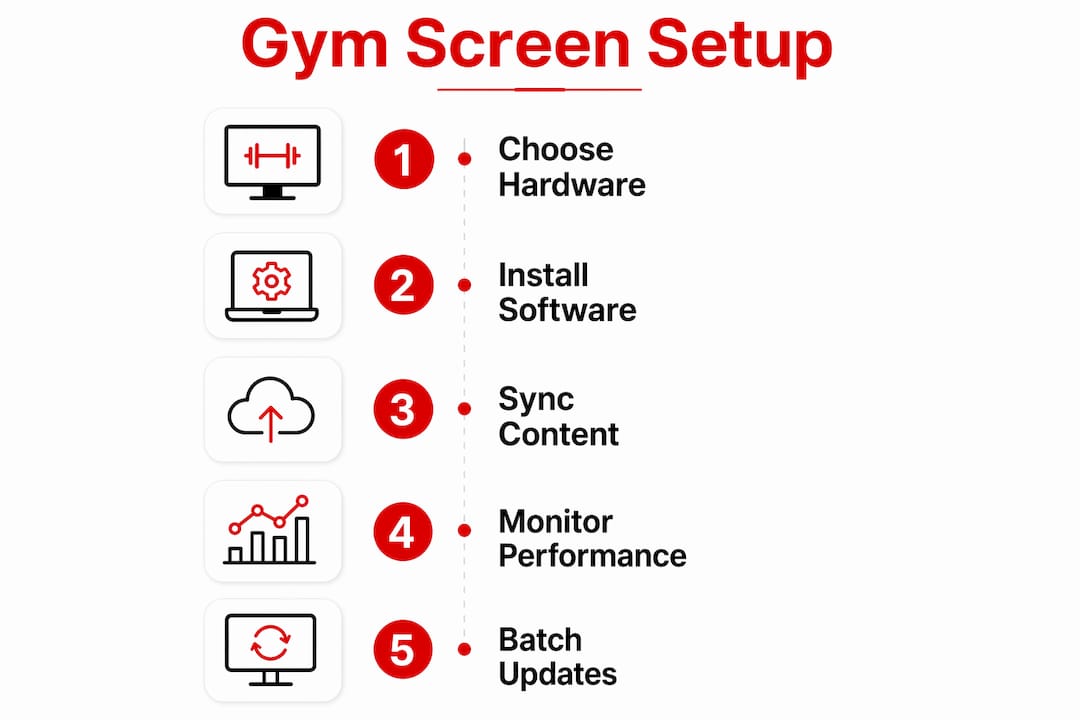
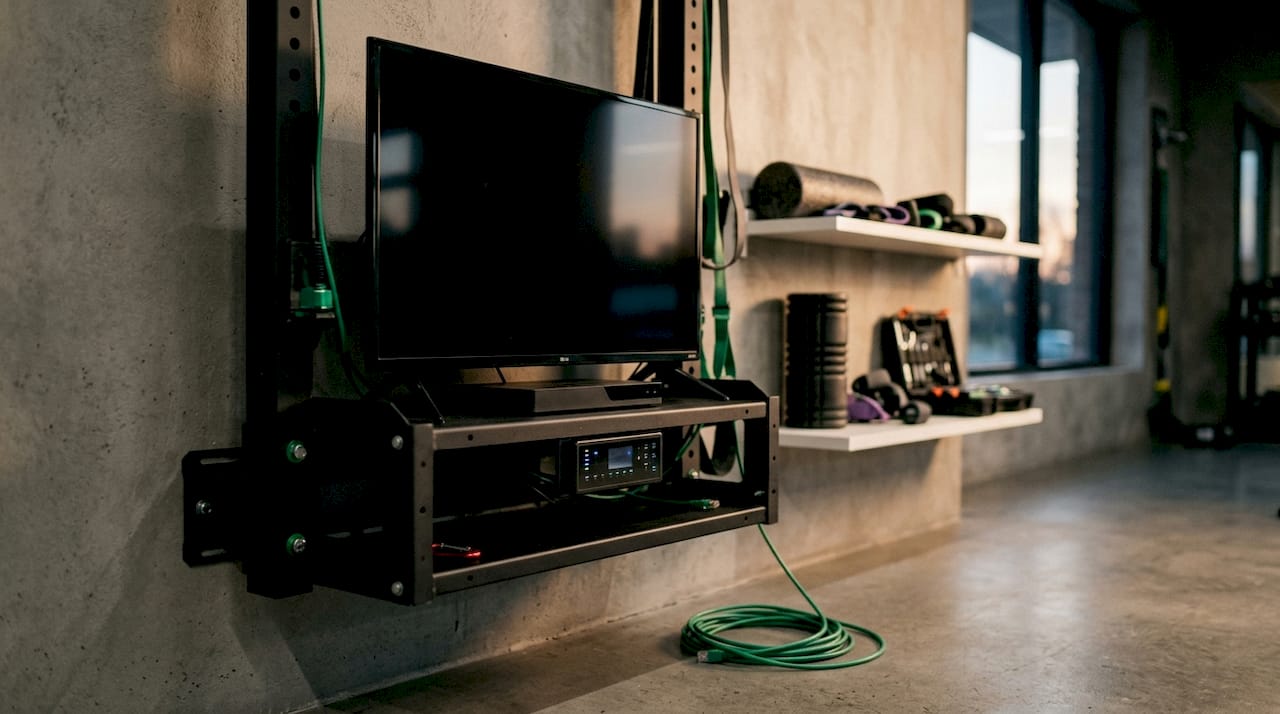
Smart TVs with Consumer Electronics Control (CEC) are the preferred screen choice for remote gym setups. CEC lets a centralized platform power screens on and off without physical access, which matters when you manage a six-screen studio. Dedicated media players connected to standard commercial displays give you more processing reliability than smart TV apps alone.
Software requirements
Workout display software must handle timing, transitions, and live workout cues natively. Casting content alone is insufficient. A true gym TV system runs the workout workflow independently, so a dropped Wi-Fi signal does not freeze your class mid-WOD. Look for platforms that offer:
- Centralized dashboard: Batch update all screens from one interface without touching each device individually.
- Remote diagnostics: Monitor screen health and detect frozen or offline displays without walking the floor.
- App-based instructor control: Push content changes from a phone during class without interrupting the session.
- QR code remote access: Scan a QR code to turn a smartphone into a dedicated screen remote instantly.
- CEC power management: Schedule and remotely cycle screen power to reduce energy use and extend hardware life.
Pro Tip: Choose software that stores workout content locally on the media player. Local playback keeps your class running even when the internet drops.
How do you set up synchronized gym class displays?
A synchronized gym display setup follows a clear sequence. Skipping steps creates the latency and alignment problems that make multi-screen setups look unprofessional.
-
Plan screen placement first. Map every screen location before running cables or configuring software. Screens should be visible from every workout station without requiring members to turn their backs to the instructor. In a station-based class, each station ideally has a dedicated screen at eye level.
-
Connect all screens to a centralized platform. Register each display in your remote management dashboard. Assign screens to zones (main floor, spin room, stretching area) so you can push different content to different areas simultaneously. Multi-screen synchronization across station-based workouts requires software built for multi-screen environments, since consumer devices face latency and alignment issues.
-
Configure your workout display software. Load your class structure into the platform before the session starts. Set timers for each interval, upload exercise demos, and define heart rate zones if your gym uses wearable integration. Fit Viz, for example, converts gym TVs into active coaching devices by displaying live workout structure rather than passive video.
-
Set up instructor remote access. Connect your phone or tablet to the platform. Test the QR code scan or app login before class. Confirm that pushing a content change from your device updates all screens within two seconds.
-
Run a dry-run before members arrive. Walk through the full class sequence on the screens. Check that timers count correctly, transitions fire on cue, and every screen shows the same frame at the same time. Fix sync issues now, not during a live HIIT class.
-
Brief your team on fallback procedures. Assign one staff member to monitor screens during class. If a display goes offline, they can trigger a remote restart from the dashboard without pulling the instructor out of the session.
Pro Tip: Keep your class content template simple. Instructors who build overly complex screen sequences spend more time managing the tech than coaching the room.
How do you troubleshoot remote gym screen control issues?
Network instability is the most common cause of sync failures in gym display setups. A dedicated Wi-Fi network for your screens, separate from the member-facing guest network, eliminates most interference problems. If your facility cannot support reliable Wi-Fi, choose a platform that supports local content playback so screens run independently of the connection.
Remote visibility is the key safeguard against class disruptions. Instructors need to know exactly what each screen is showing in real time. Live screen monitoring lets teams validate display content instantly without physical presence, catching frozen or incorrect content before a member notices.
Latency across multi-screen setups usually comes from using consumer-grade streaming devices that were not designed for synchronized playback. Replacing them with dedicated media players running local content cuts sync delays significantly.
- Frozen screens: Use remote diagnostics to identify the offline display, then trigger a remote restart from the dashboard. Remote power cycling via CEC resolves most freeze issues without requiring a staff member to physically unplug the screen.
- Content mismatch: If one screen shows outdated content, push a batch update from the centralized dashboard to force all screens to reload simultaneously.
- App connectivity loss: If the instructor's phone loses connection to the platform mid-class, pre-loaded local content keeps the screens running. The instructor can reconnect and resume control without the class noticing.
Pro Tip: Schedule automated screen health checks every morning before the gym opens. Most remote management platforms let you set this up once and receive alerts only when something needs attention.
What are the operational benefits of remote control gym displays?
Batch management dashboards prevent manual individual screen updates, saving labor and protecting brand consistency across multi-location gym networks. That is the clearest financial argument for upgrading from a consumer setup. One staff member can update content across 20 screens in the time it previously took to update two.
Brand consistency at scale
Multi-location gyms and hotel fitness centers rely on synchronized batch management to maintain consistent branding and reduce maintenance costs. When every screen in every location shows the same class structure, the same color palette, and the same workout format, members get a predictable experience regardless of which location they visit. That consistency builds trust and drives retention.
Member engagement and coaching quality
Workout display software shifts gym screens from passive entertainment to integral coaching devices. Members follow along more accurately when timers, rep counts, and exercise demos are visible on screen. Instructors spend less time shouting cues and more time correcting form. The result is a measurably better class experience without adding staff.
Scalability for growing facilities
A centralized remote control system scales with your facility. Adding a new room means registering new screens in the existing dashboard, not buying new software or retraining staff. Gym chains can manage all locations from a single interface, pushing promotional content, schedule changes, and class updates across the entire network simultaneously. That kind of centralized control is what separates a professional operation from a collection of individual TVs.
Key Takeaways
Instructor remote control gym screens work best when dedicated workout display software, centralized dashboards, and CEC-enabled hardware operate together as a unified system.
| Point | Details |
|---|---|
| Use dedicated software, not casting | Workout display platforms handle timers and transitions natively; casting alone fails under real class conditions. |
| Centralize all screen management | A single dashboard lets you batch update, monitor health, and restart screens without walking the floor. |
| Plan hardware for sync reliability | CEC-enabled TVs and dedicated media players eliminate the latency that consumer devices create. |
| Build in fallback workflows | Local content playback and assigned staff monitors keep classes running when connectivity drops. |
| Scale with batch management | Multi-location gyms protect brand consistency and cut labor costs by managing all screens from one interface. |
What I've learned from watching gyms get this wrong
Most gyms that struggle with screen control made the same mistake: they started with consumer hardware and tried to patch it into a professional workflow. A Chromecast and a phone app feel like enough until you are standing in front of 30 members and the screen freezes on the warm-up timer. That moment costs you credibility and costs your members a good class.
The gyms that get it right treat their display system the way they treat their sound system. They invest in purpose-built equipment, they test it before every class, and they train staff to handle failures without panicking. A true gym TV system acts as the central nervous system for the fitness space, running the workout workflow independently for stable, predictable classes. That is not a luxury for large chains. It is the baseline for any facility that takes class quality seriously.
The other thing I have seen consistently: instructors who master their display system become better coaches. When the screen handles the timing and the structure, the instructor's attention goes to the room. They watch form, they adjust energy, they connect with members. The technology disappears into the background, which is exactly where it belongs.
The future of gym screen control is not more complexity. It is fewer tools doing more. Platforms that unify screen management, audio control, and content scheduling into one dashboard will define the standard for professional fitness facilities in 2026 and beyond. Prioritize that kind of integration over any single feature that sounds impressive but adds friction to your daily workflow.
— Kingdom
How Kingdomsignage handles gym screen control
Kingdomsignage was built specifically for the challenge of managing gym screens, audio, and digital signage from a single dashboard. Fitness instructors and gym managers use it to sync screens across rooms, push real-time class updates, and monitor display health without leaving the floor.

The platform supports batch content updates, remote power management, and multi-room synchronization, covering everything covered in this guide within one interface. Whether you manage a single studio or a multi-location chain, Kingdomsignage gives you the control you need without requiring multiple tools or devices. Visit kingdomsignage.com to see how the platform fits your facility's setup.
FAQ
What is instructor remote control for gym screens?
Instructor remote control for gym screens is a system that lets fitness professionals manage display content, timers, and transitions from a phone or centralized dashboard. It replaces manual TV remotes with software-driven control across all screens simultaneously.
Do I need special hardware to control gym screens remotely?
CEC-enabled smart TVs or commercial displays paired with dedicated media players work best for remote gym screen control. Consumer streaming sticks often create latency and sync issues that purpose-built media players avoid.
How do I keep gym screens synchronized during a class?
Use workout display software that stores content locally on each media player and syncs playback across all screens from a centralized platform. Local storage prevents sync failures when Wi-Fi drops mid-class.
Can one platform manage screens across multiple gym locations?
Yes. Centralized remote management platforms support multi-location screen control through batch updates and synchronized playback, letting one staff member manage all locations from a single dashboard.
What should I do if a gym screen freezes during class?
Trigger a remote restart from your management dashboard using CEC power cycling. Most platforms resolve frozen screens within seconds, and pre-loaded local content keeps other screens running while the restart completes.