
Yes. If your gym runs more than one activity zone, from a cardio floor to a spin studio to a locker room, multi-room AV integration pays for itself through better member retention and less staff time wasted on manual audio and screen changes. A single control dashboard replaces separate speaker systems, TV remotes, and printed class schedules with one interface that syncs music, video, and announcements across every room.
- Facilities using networked, zone-based audio report more consistent atmosphere across different areas without one room's music bleeding into another, according to Genelec's work with Finland's XO Center.
- Centralizing AV devices into one control surface cuts the manual intervention staff previously needed to manage each room separately, per Vallect's analysis of AV integration.
Pro Tip: Start by mapping your zones on paper before requesting quotes. A gym with five distinct areas and one with two has a completely different installation scope, and vague requirements are how project costs balloon.
Next step: walk your facility, list every distinct zone, and request a site survey or demo from an AV integration provider before you commit to hardware.
Key Takeaways
Multi-room AV integration works because it replaces fragmented, room-by-room manual control with one dashboard that improves member experience, cuts staff time, and speeds emergency response.
| Point | Details |
|---|---|
| Zone your facility first | Map cardio, studios, weights, and recovery areas before requesting any AV quotes. |
| Match audio to activity | Use ceiling speakers for even coverage and wall-mounted cabinets for high-impact studio sound. |
| Prioritize fast-win zones | Start with your busiest studio and front desk display for the quickest visible impact. |
| Track ROI with real metrics | Measure retention rate, class attendance, staff-hours saved, and promotional screen revenue. |
| Consolidate with one platform | Kingdomsignage unifies audio, screens, and class scheduling into a single dashboard across rooms and locations. |
Table of Contents
- What Are the Benefits of Multi-Room AV Integration for Gyms?
- Which Gym Zones Need Different AV Setups?
- How Does Multi-Room AV Actually Work?
- What's the Implementation Checklist for a Multi-Room AV Rollout?
- What Does Multi-Room AV Cost, and What's the ROI?
- How Does a Unified AV Dashboard Work in Practice?
- How Kingdomsignage Simplifies Multi-Room AV for Gyms
- Sources
What Are the Benefits of Multi-Room AV Integration for Gyms?
The case for integrated AV rests on four pillars: how members feel, how your staff spends their time, how fast you respond to problems, and how much extra revenue your screens can generate.
On the member side, the effect is atmospheric. Cardio floors can run higher-energy music than a yoga studio next door, and neither space bleeds into the other. That kind of zoning supports activity-specific atmospheres instead of forcing one generic playlist on the whole building. Group classes benefit even more directly: instructors who can launch a preset scene, music, volume, and screen content together, get cleaner class transitions and fewer awkward pauses while someone fumbles with a remote.
Operationally, the win is time. Centralized dashboards mean one person can adjust volume in three rooms without walking to each one, and scaling to additional locations becomes far less labor-intensive than replicating standalone systems room by room.
Safety is the pillar owners underestimate. When paging systems tie into access control and cameras, staff can issue and coordinate emergency alerts faster than they could with a standalone PA system.
- Motivation and retention: activity-matched music and on-screen metrics keep energy consistent room to room.
- Fewer staff interventions: one dashboard replaces walking between rooms to adjust volume or swap a screen.
- Faster emergency response: paging tied to access control shortens the time between an incident and a facility-wide alert.
- New revenue paths: promotional content and class upsells run on the same screens already showing schedules.
Pro Tip: For the fastest perceived win, integrate your busiest studio and the front desk display first. Members notice those two spaces daily, and that visibility builds internal buy-in for expanding the system elsewhere.
Which Gym Zones Need Different AV Setups?
Every gym has zones with conflicting audio needs, and treating them all the same is the single most common reason members complain about sound. A cardio floor wants steady, moderate volume for background motivation. A spin room needs bass-heavy music loud enough to carry over stationary bikes. A yoga studio needs the opposite: quiet, low-frequency ambient sound with no bleed from the room next door.
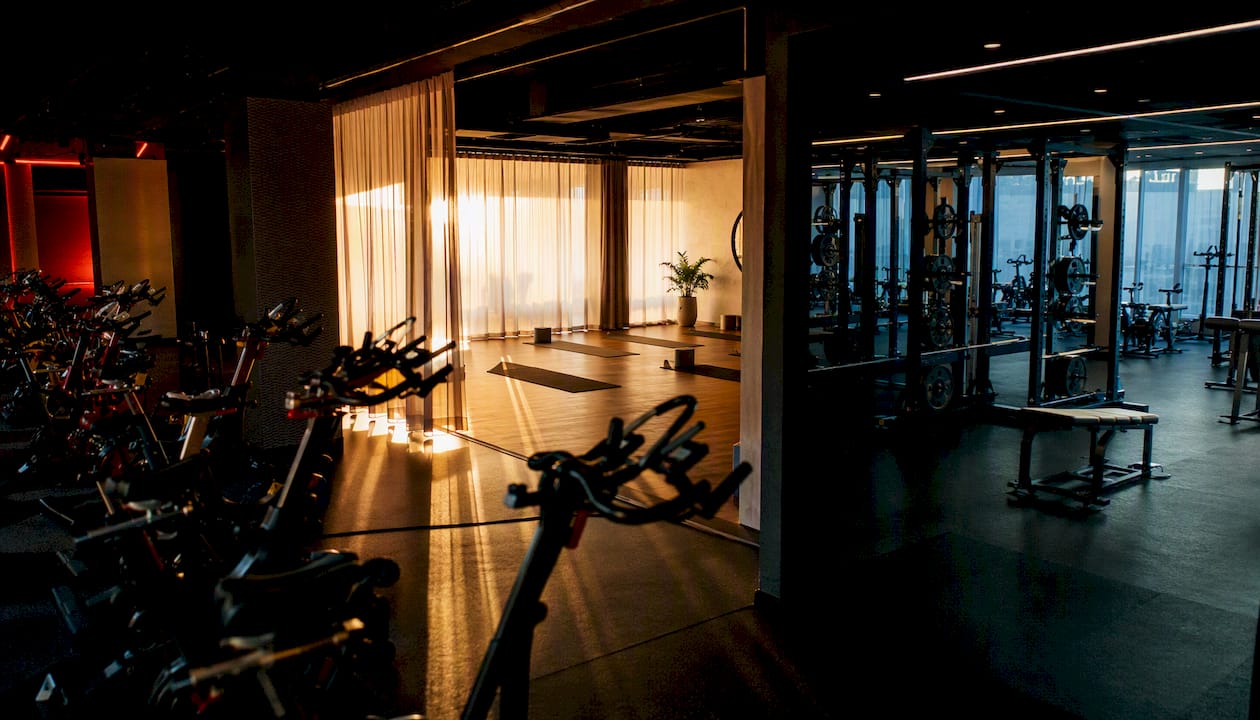
Displays follow the same logic. A group fitness studio benefits from a countdown timer and instructor demo video, while a reception area should run rotating class schedules and membership promotions instead.
| Zone | Primary Audio Profile | Typical Display Content |
|---|---|---|
| Cardio floor | Moderate volume, steady tempo | Workout metrics, class schedule |
| Free weights | Higher energy, ceiling-speaker coverage | Promotions, personal training ads |
| Group fitness studio | Bass-forward, instructor mic integration | Class timer, demo video |
| Yoga/recovery | Low volume, ambient sound | Session countdown, calming visuals |
| Locker rooms | Minimal or off | Announcements only |
| Reception/cafe | Background music, customer-facing | Schedule board, promotions |
Emergency paging should override every zone regardless of its normal profile. Document that override rule in writing, since a documented emergency protocol with a single point of contact noticeably speeds up response and reduces false alarms.
How Does Multi-Room AV Actually Work?
Underneath the dashboard sits a fairly simple stack: a media source or server, zone controllers with digital signal processing (DSP), networked speakers or amplifiers, and a central control interface that ties it all together. Think of it as one nervous system: the dashboard sends commands, the network carries them, and each zone's speakers and screens execute them independently.
Control typically comes from one of three places: a wall panel in each room, a mobile app for roaming staff, or a cloud dashboard that lets a manager build one-touch scenes and automated schedules. DSP-driven presets and WebApp-style controls let you set an EQ curve once per zone and forget it, rather than re-tuning speakers manually every week.
The bigger technical decision is IP/networked versus analog cabling.
- IP/networked systems route audio over your existing network infrastructure, which makes adding a new zone mostly a software task rather than a re-wiring job.
- Analog systems run dedicated speaker wire to every zone, which is cheaper upfront for a small facility but expensive to expand later.
On licensing: your gym cannot legally run a personal Spotify account through commercial speakers. Consumer streaming platforms carry single-device limits and licensing restrictions that don't cover commercial playback, so a business-music service or a properly licensed platform is required. Picture the setup as a dashboard sitting at the top, connected over your network to controllers in each zone, which in turn drive the speakers and screens physically installed in that room.
What's the Implementation Checklist for a Multi-Room AV Rollout?
A clean rollout follows three phases, and skipping the first one is where most projects go over budget.
- Pre-install: map every zone, run an acoustic survey of ceiling height and surface materials, confirm music licensing, and check whether the AV platform needs to talk to your class-scheduling software.
- Install: decide cabling versus networked design, place speakers by zone (ceiling for even coverage, wall-mounted for high-impact studio sound), commission the DSP, and train staff on the actual controls they'll touch daily.
- Post-install: build class presets, automate recurring schedules, document a maintenance plan, and keep a written record of zone settings for future troubleshooting.
Most single-facility rollouts take several weeks from signed proposal to full commissioning, longer if you're retrofitting an occupied building around class schedules.
Pro Tip: Schedule speaker installation and DSP tuning during off-peak hours or a single closed day. Retrofitting a live gym around member traffic is what turns a three-day install into a two-week one.
What Does Multi-Room AV Cost, and What's the ROI?
Costs scale with zone count and system complexity, not just square footage. A small boutique studio with two or three zones sits at the low end, a mid-size gym with five to eight zones lands in the middle, and a large multi-floor facility with a dozen zones plus outdoor training areas costs the most, driven mainly by speaker count, DSP complexity, and how many systems the platform needs to integrate with.
Recurring costs include music licensing, a cloud dashboard subscription, and ongoing support. Centralized management reduces the IT overhead you'd otherwise spend maintaining several disconnected systems, which offsets some of that recurring fee.
- Track membership retention rate before and after rollout.
- Track class attendance shifts in zones with new presets and displays.
- Track staff-hours saved on manual AV adjustments.
- Track incremental revenue from on-screen promotions.
Pro Tip: If budget forces a phased rollout, start with your group fitness studio and cardio floor. Those two zones deliver the fastest member-visible impact per dollar spent.
How Does a Unified AV Dashboard Work in Practice?
Genelec's installation at Finland's XO Center shows what this looks like at scale. The facility used networked, Smart IP speakers with central management software to run different audio programs across padel courts, gym floors, studios, and a café, all from one system, and still delivered consistent coverage in a large, acoustically difficult space.
That's the same principle Kingdomsignage applies to day-to-day gym operations:
- One dashboard controls music, TV screens, and class scheduling across every room.
- Instructors trigger a class scene, music, volume, and screen content together, with one tap instead of three separate adjustments.
- Facility-wide announcements reach every zone instantly without a physical PA system.
A unified system means the person managing five rooms doesn't need five different remotes, five different apps, or five different logins to keep the building running smoothly.
Operators who consolidate this way typically see fewer handoff errors between staff shifts and clearer instructor audio during classes. If you want to see how it maps to your own layout, a site survey against your current setup is the fastest way to find out.
An installer's take on rollout order
If I were prioritizing zones on day one, I'd wire the group fitness studio and front desk first. Fewer moving parts means members notice the upgrade within a week, not a quarter.
How Kingdomsignage Simplifies Multi-Room AV for Gyms
Kingdomsignage gives you one dashboard for the three things that usually require three separate tools: room-based music, TV screen content, and class scheduling. Instead of a staff member manually swapping a screen for the next class or walking to a studio to fix the volume, you build the scene once and it runs on schedule across every location you manage.

That matters most for gyms running multiple rooms or multiple sites, where fragmented systems mean fragmented staff time. Kingdomsignage's multi-room display management lets you push a promotion to every screen in the building or isolate content to a single studio, all from the same login, and its remote management tools mean a franchise manager can update every location without visiting any of them in person.
If your gym is still juggling separate remotes, apps, and logins for audio and screens, request a demo and walk through your own zone map with a specialist before your next equipment refresh.
Sources
- Top Features Every Gym AV System Should Include | CGS
- Why Modern Businesses Need Audio Visual Integration Systems
- Genelec motivates gym members at Finland’s XO Center