
In-gym visual merchandising is the use of digital signage, synced audio, and on-screen content to guide member behavior, boost retention, and automate staff communications. For gym owners and studio operators, this means replacing static posters and whiteboard schedules with a live, cloud-managed network of screens that display class times, workout demos, promotional offers, and branded messaging — all updated remotely without touching a single screen.
The core elements of a working system include:
- Digital displays (commercial-grade screens in key traffic zones)
- A cloud CMS for remote scheduling and multi-site management
- Gym-management integrations that push live class data to screens automatically
- Proof of Play (PoP) reporting that logs what ran, when, and on which screen
- Synced audio for class rooms and transition zones
Platforms like Kingdomsignage unify all of these into one dashboard, which cuts the front-desk load, creates consistent brand presentation, and gives operators the data to prove what's working.
Key Takeaways
In-gym visual merchandising works when hardware, network, content strategy, and measurement are treated as one connected system — not four separate decisions.
| Point | Details |
|---|---|
| Commercial hardware only | Use 16/7 or 24/7 rated panels at 500–700 nits; consumer TVs fail under continuous gym use. |
| 80/20 content mix | Keep 80% of screen time on member value (schedules, tips, leaderboards) and 20% on promotion. |
| Pilot before full rollout | Run a 4–8 week pilot in one high-traffic zone before scaling to 3–6 months for multi-location. |
| Measure five KPIs | Track class enrollment, front-desk inquiries, PoP impressions, promo conversions, and visit frequency. |
| Kingdomsignage unifies the stack | One dashboard for screens, audio, class timers, and PoP reporting shortens setup and simplifies daily ops. |
Table of Contents
- Why does in-gym visual merchandising matter for retention?
- What are the core components of a gym signage system?
- How do you plan and implement a gym signage rollout?
- What does a gym signage system cost, and when does it pay back?
- What content actually works on gym screens?
- How do you measure whether your screens are working?
- What are the most common pitfalls and how do you avoid them?
- How a unified platform like Kingdomsignage accelerates rollout
- What should gym managers prioritize in month one?
- Kingdomsignage makes your first screen the easiest one to deploy
- Sources
Why does in-gym visual merchandising matter for retention?
Think of your screens as automated staff. They answer the same five questions members ask at the front desk — "What class is next?" "Is there space?" "What's the promo this month?" — without anyone lifting a phone. Digital signage reduces front-desk inquiries and keeps members informed 24/7, which frees staff for higher-value interactions.
The deeper business case is retention. A gym without dynamic screens is operating in what the industry now calls the "Proof Era" — a period when members expect real-time data, visible community, and personalized experiences the moment they walk in. A modern gym without digital signage lacks a voice; static posters simply cannot respond to a class that fills up, a trainer who changes, or a flash promotion that expires at noon.
Operational benefits stack quickly:
- Fewer repetitive front-desk queries about schedules and pricing
- Real-time class updates pushed from your gym-management system
- Consistent brand messaging across every room and location
- Upsell timing tied to member behavior (post-workout retail, next-class enrollment)
Members tune out screens that feel like ad boards. The 80/20 content mix — 80% member value, 20% promotion — preserves trust and keeps eyes on your displays.*
What are the core components of a gym signage system?
A complete system is hardware plus player plus network plus CMS plus content strategy plus reporting. Each layer matters; skipping one creates the failure points operators complain about most.
Hardware. Commercial-grade panels rated for 16/7 or 24/7 continuous operation are non-negotiable. Consumer TVs typically fail under continuous gym use and may void the manufacturer warranty; commercial panels run at 500–700 nits versus a standard TV's 250 nits, which matters in bright, windowed spaces. Portrait-mode capability is worth specifying for corridor and studio-door placements.
Players. System-on-chip (SoC) displays have the player built in, which reduces cable clutter. External players — small-form PCs, NUC devices, or BrightSign units — give more processing headroom for video-heavy content. Plug-and-play sticks work for simple, low-budget installs but limit remote management.
Network. Hardwired Cat6 Ethernet is the right call for any primary display. Shared gym Wi-Fi is overloaded during peak hours and causes playback interruptions. For smaller secondary displays where running AC power is expensive, Power over Ethernet (PoE) delivers both data and power over a single cable, cutting installation cost and time.
CMS and integrations. A cloud-based CMS lets you manage every screen from one browser tab. Local-only CMS is obsolete for multi-site operations; cloud platforms integrate with gym-management systems to push live class data automatically and log PoP for every content play.
| Component | What to prioritize for gyms |
|---|---|
| Display panel | 16/7 or 24/7 rated, 500+ nits, portrait-capable |
| Media player | SoC for simplicity; external PC for heavy video |
| Network | Cat6 hardwired primary; PoE for secondary displays |
| CMS | Cloud-based, gym-management integration, PoP logging |
| Content strategy | Zone-matched creative, 80/20 mix, 6–10 second slides |
How do you plan and implement a gym signage rollout?
Follow this sequence: audit → zone map → hardware spec → CMS/integration → pilot → iterate → rollout.
Audit checklist before you spend anything:
- Map member traffic patterns by hour (entrance, locker corridor, studio doors, weight floor)
- Identify sightlines — where do members naturally look while waiting or transitioning?
- Confirm power outlet and network access at each candidate location
- Name a content owner: who creates, approves, and schedules screen content?
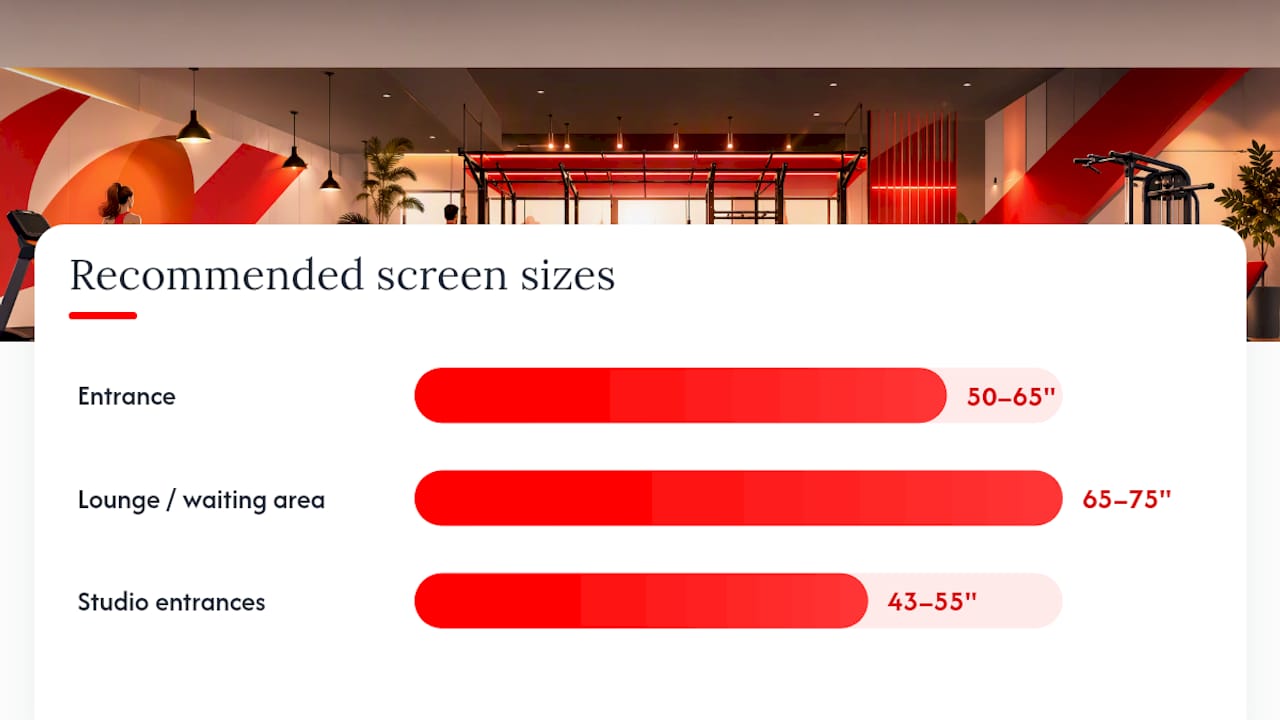
Zone mapping. Different gym zones need different screen sizes and content types. A practical breakdown:
- Entrance (50–65") — class schedule, welcome message, current promotion
- Lounge/waiting area (65–75") — brand content, member spotlights, long-form video
- Studio entrances (43–55") — next-class countdown, trainer name, capacity status
- Weight floor — workout demos, leaderboards, motivational content
- Locker corridors — retail promos, recovery tips, short announcements
Pilot guidance. Start with one high-traffic zone — the entrance is the highest-ROI starting point. Run a 4–8 week pilot, test your content mix, and review PoP logs weekly. Multi-location rollout typically takes 3–6 months once the pilot content template is locked.
For setup specifics, the gym digital signage setup guide on the Kingdomsignage blog walks through install steps and common configuration decisions.
What does a gym signage system cost, and when does it pay back?
Costs break down across four buckets: hardware, installation, CMS subscription, and content creation. The biggest variable is display specification.
- Display panels — commercial 55" screens cost more than consumer equivalents, but the runtime rating and brightness justify it
- Brightness tier — 500–700 nit panels cost more than 250-nit consumer sets; the premium is worth it in naturally lit spaces
- Installation labor — electrician and AV labor varies by location; hardwired Cat6 runs add cost but eliminate ongoing network problems
- CMS subscription — cloud platforms typically charge per location or per screen on a monthly basis
- Content creation — template-based CMS tools reduce this significantly; a content owner spending 1–2 hours per week is realistic
A single well-placed 55" commercial display commonly pays for itself through reduced print costs and improved retention within the first year, per industry guides. Pilot-to-measurable-results timelines typically run 3–12 months depending on scale and how aggressively you track attribution.
What content actually works on gym screens?
Keep every creative to one headline, one supporting line, and one call to action. Members glance at screens for two to four seconds while moving. Complexity kills engagement.
Short content loops of 5–7 slides at 6–10 seconds per slide match gym foot-traffic patterns better than long-form video loops. Rotate content by zone and time of day — morning commuters want the class schedule; post-workout members respond to recovery tips and retail.
Creative examples that consistently perform:
- Class schedule slide — live-synced from your gym-management system, auto-updates
- Next-class countdown — studio entrance display, drives last-minute enrollment
- Member spotlight — photo, name, milestone; builds community ownership
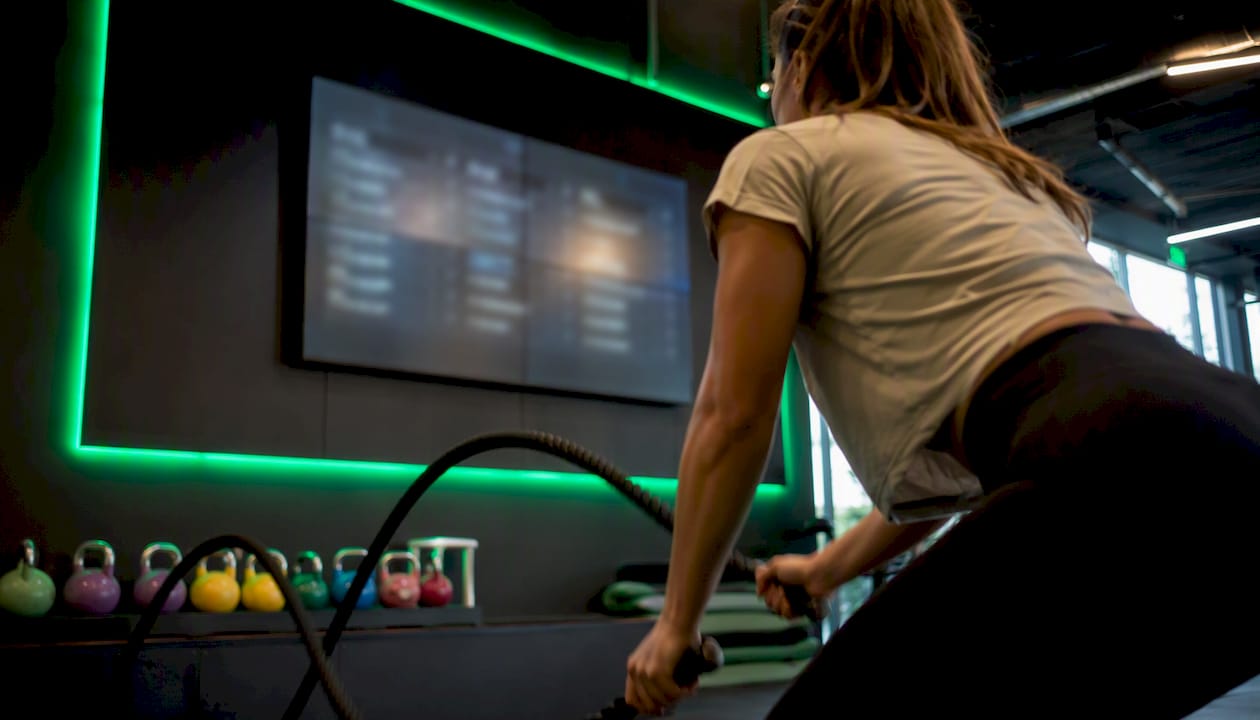
- Leaderboard — heart-rate or rep data for weight-floor engagement
- Trainer spotlight — builds instructor loyalty and class bookings
- Retail promo — post-workout timing, short-duration offer, single CTA
Legibility rules: minimum 60pt font for primary headlines at a 10-foot viewing distance, high-contrast backgrounds (dark panel, white or yellow text), and no more than 30 words per slide.
Pro Tip: Member spotlights and live leaderboard data generate the strongest dwell time on gym screens. Members stop to look for their own name or their friend's. That extra three seconds of attention is when your next-class CTA lands. See studio class schedule display examples for layout templates that put this into practice.
How do you measure whether your screens are working?
Track five KPIs from day one: daily in-gym visits, class enrollment rate, PoP impressions, promotional conversion rate, and front-desk inquiry volume. The last one is the easiest to baseline — count desk questions about schedules and pricing for two weeks before launch, then recount at 30 and 90 days.
PoP logging verifies which content played, when, and on which screen, giving you the data to prove campaign exposure and optimize rotation. For promotional attribution, use screen-specific promo codes or time-bound offers that can only be seen on a particular display.
| KPI | How to measure | Quick implementation tip |
|---|---|---|
| Class enrollment rate | Gym-management system report | Compare pre/post signage by class |
| Front-desk inquiry volume | Staff tally or CRM log | Baseline two weeks before launch |
| PoP impressions | CMS PoP report | Enable logging on every screen at setup |
| Promo conversion rate | Unique promo codes per screen | One code per zone, track redemptions |
| In-gym visit frequency | Access control data | Segment by membership tier |
For tactics on using screens to drive class enrollment specifically, the gym screens and class enrollment guide covers A/B pilots across locations.
What are the most common pitfalls and how do you avoid them?
Most failures trace back to four decisions: wrong hardware, unstable network, stale content, and poor zone-to-content fit.
- Consumer TVs — they overheat, dim, and fail within months of continuous use; always specify commercial panels
- Shared Wi-Fi — peak-hour congestion causes black screens and playback gaps; hardwire your primary displays
- Ad overload — screens running 60%+ promotional content get ignored; the 80/20 rule exists for a reason
- No content owner — screens go stale within weeks without a named person responsible for weekly updates
- Burn-in on 24/7 panels — static logos or clocks left in fixed positions degrade OLED and some LCD panels; schedule pixel-shift features and rotate static elements
On the legal side: background music played in a commercial gym requires a performance license (ASCAP, BMI, or SESAC in the United States). Video content featuring members requires written consent before display. Member performance data shown on leaderboards should be opt-in, not default-on.
Pro Tip: Schedule automatic content rotation and enable pixel-shift on any panel running 24/7. It takes two minutes to configure and adds years to panel life.
How a unified platform like Kingdomsignage accelerates rollout
A unified platform cuts tool sprawl. Instead of managing a CMS, a separate music app, a class-timer tool, and a scheduling integration across different logins, operators run everything from one dashboard.
Kingdomsignage is built specifically for this: multi-room content scheduling, synchronized music control by room, class timers with workout demo video support, real-time announcements, PoP reporting, and remote reboot — all in one place. A connected display network that welcomes members, promotes classes, and automates updates is exactly what the platform delivers, without requiring separate tools for each function.
Operational outcomes operators typically see:
- Fewer front-desk calls about schedules and pricing
- Faster class updates pushed directly from gym-management integrations
- Consistent brand presentation across every room and every location
- Easier multi-site scaling because content templates replicate across locations
For multi-room operations specifically, the multi-room gym displays manager's guide explains how zone-based scheduling and audio sync work in practice.
What should gym managers prioritize in month one?
Start with the zone audit and network infrastructure — everything else depends on them. In week one, walk every zone with a clipboard: mark power outlets, test network signal, and note sightlines. Pick one 55" commercial screen for the entrance and treat it as your pilot.
Name a content owner before the screen ships. Without one, the pilot stalls at "we need to figure out what to put on it." That person needs two hours per week and access to the CMS. Schedule a weekly 15-minute content review for the first month.
By week four, you should have PoP logging running, a baseline front-desk inquiry count, and a content loop that follows the 80/20 mix. Everything after that is iteration.
Kingdomsignage makes your first screen the easiest one to deploy
Running screens, audio, and class timers from three different tools adds friction at every step. Kingdomsignage gives gym operators a single dashboard that handles all of it — multi-room scheduling, music sync by zone, class timers with demo video, real-time announcements, and PoP reporting built in.

Setup is fast enough to have a pilot screen live within days, not weeks. The platform integrates with gym-management systems so class schedules update automatically, and remote management means you never need to drive to a location to fix a content issue. Whether you're running one studio or a multi-site franchise, the subscription scales per location without locking you into enterprise contracts.
Start a demo or free trial at Kingdomsignage and see how quickly a unified platform changes the daily operations picture.
Sources
- A Master Guide to Digital Signage for Gyms & Wellness Centers
- Digital Signage for Gyms: The Complete 2026 Guide – DisplayDetails
- Gym Digital Signage: Motivating Members And Reducing Churn
- Digital Signage for Gyms | Boost Membership Retention — Screen Moove