
Zone-based gym display is the practice of placing targeted digital screens in specific gym areas to deliver content matched to what members need at that exact location. The right types of gym TV display zones turn a standard fitness facility into a communication system that motivates members, reduces staff workload, and drives revenue. Gym managers who map their space into functional zones before buying a single screen consistently outperform those who scatter TVs at random. This guide covers every major zone, the display technology that fits each one, and the content strategy that makes it work.
1. Types of gym TV display zones and where they matter most
Zone-based gym display starts with recognizing that a member at the reception desk needs different information than a member mid-sprint on a treadmill. Each zone has a distinct purpose, a different average dwell time, and a different content requirement. Getting this right is the foundation of any effective fitness center TV setup.
The seven core zones in most gyms are:
- Reception and entrance: Members pass through here on every visit, making it the highest-dwell zone for class timetables, promotions, and welcome content. First impressions form here, and so does the member's mental plan for the session.
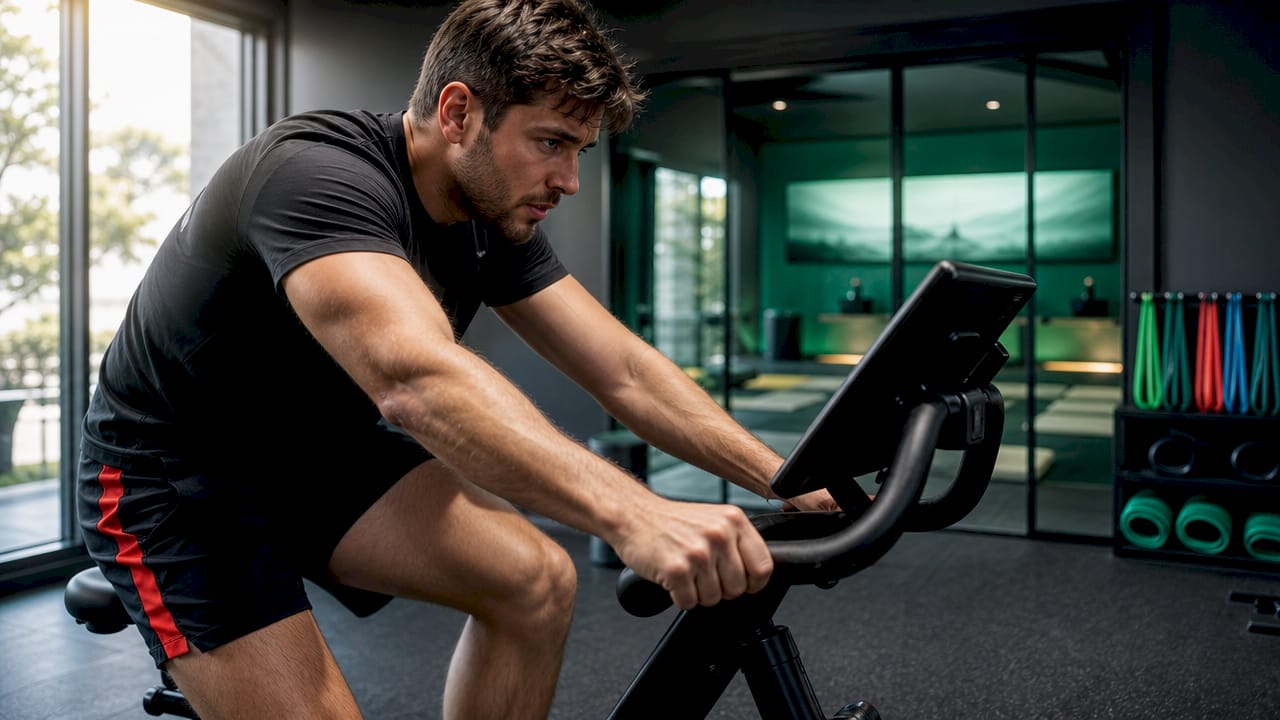
- Cardio floor: Treadmills, bikes, and rowing machines face screens for extended periods. Members here want entertainment, performance metrics, and motivational content to push through long sessions.
- Studio entrances: Screens at studio doors capture focused attention for 5–10 minutes before class starts. Showing the next class name, instructor, and available spaces directly increases attendance and cuts front-desk queries.
- Free weights and functional training floor: Members glance at screens between sets. Short motivational clips, exercise demos, and timer countdowns work best here.
- Group fitness studios: Screens inside studios display workout timers, round counts, and interval cues. Coaches rely on these to reduce repetitive verbal instructions.
- Changing rooms and corridors: Lower-traffic zones suit portrait-orientation screens showing membership offers, new services, and member achievements.
- Nutrition bar or café: Menu boards and point-of-sale promotions drive upsell revenue. Landscape screens at counter height perform best here.
Pro Tip: Map your gym on paper before ordering hardware. Mark each zone, note the average time a member spends there, and write one sentence describing what that member needs to know. That sentence becomes your content brief for the screen.
2. Display technology types and which zones they suit
Not every screen belongs in every zone. The core decision is commercial versus consumer grade, and it matters more than most gym managers realize.
Gyms operate 18–24 hours daily, which far exceeds the 4–6 hour daily runtime consumer TVs are built for. Consumer screens fail prematurely in high-use gym environments, and their brightness drops in glare-heavy spaces like cardio floors near windows. Commercial displays carry 24/7 ratings and deliver 500–700 nits of brightness, which is the minimum needed to stay visible under gym lighting conditions.
| Feature | Consumer TV | Commercial display |
|---|---|---|
| Daily runtime rating | 4–6 hours | 24/7 |
| Brightness (nits) | 250–350 | 500–700+ |
| Vertical mounting support | Limited | Full |
| Cooling system | Basic | Enhanced |
| Typical cost | $200–$500 | $500–$2,000 |
Consumer TVs paired with signage sticks work acceptably in low-use zones like changing rooms or corridors where screens run fewer hours. Commercial displays are non-negotiable for cardio floors, reception areas, and any zone with direct window light or extended daily runtime.
Screen orientation is the second major decision. Landscape orientation suits cardio floors and studio screens where members view content from a fixed position. Portrait orientation works well in corridors, near lockers, and at studio entrances where members stand briefly and scan for quick information.
Power over Ethernet (PoE) displays solve a real installation problem in zones like yoga studios and locker areas. PoE sends both power and data through a single network cable, eliminating the need for a nearby electrical outlet. This cuts installation costs and gives you placement flexibility in zones where running new electrical lines would be expensive.
Pro Tip: For multi-screen training rooms, some gyms use 10–15 displays simultaneously to show different workout instructions. In those setups, screen size must match viewing distance. A 43-inch screen readable from 6 feet becomes unreadable at 15 feet. Use the rule of thumb: screen diagonal in inches divided by 10 gives you the minimum comfortable viewing distance in feet.
3. Content strategies for each exercise area display
The right hardware in the wrong zone with the wrong content still fails. Content zoning means matching what appears on screen to what the member standing in front of it actually needs.
Here is the content brief by zone:
- Reception: Class timetables, membership promotions, new service announcements, and welcome messages. This is your marketing channel. Every member sees it twice per visit.
- Cardio floor: Live TV, motivational videos, performance data feeds, and branded countdown timers. Members here spend 20–45 minutes per session, so content must rotate and stay fresh.
- Studio entrances: Real-time class name, instructor, start time, and available spaces. Simple, large text. No clutter. The goal is one clear answer to "Is this my class and can I still get in?"
- Free weights floor: Short exercise demo clips, rep and set timers, and motivational quotes. Keep clips under 60 seconds. Members glance, not watch.
- Group fitness studios: Interval timers, round counters, and workout phase indicators. Display systems reduce repetitive verbal explanations from coaches, freeing them to focus on member safety and form correction.
- Changing rooms and corridors: Member spotlights, referral program promotions, and seasonal offers. Portrait screens at eye level work best.
- Nutrition bar: Digital menu boards with pricing, daily specials, and upsell prompts. Update these automatically when menu items change.
Content updates should run automatically through integration with gym management platforms. Platforms like Mindbody, ABC Fitness, and Mariana Tek push class schedule changes, instructor swaps, and room updates to screens within 30–60 seconds of a change being made. Manual content updates are a staff time drain and a source of errors. Automation removes both problems.
The simplest systems with automatic updates are the most effective at keeping staff focused on members rather than on managing screens. Complexity in your content management system translates directly into neglected screens and outdated information.
4. Ergonomic placement and common setup mistakes
Poor placement is the most common reason gym TV setups underperform. The screen exists but nobody looks at it, or worse, members strain to see it.
Mount screens at standing eye level, roughly 6–10 feet from the primary viewing position, and adjust height based on whether members are seated or standing during their workout. A screen mounted at sports bar height, near the ceiling, forces members to crane their necks. That is uncomfortable during a 30-minute cardio session and actively discourages viewing.
Physical obstructions are the second most overlooked factor. Pillars, rigs, cable machines, and squat racks all block sightlines. Walk the zone at member height before finalizing mount positions. A screen that looks well-placed on a floor plan can be completely blocked by a power rack in practice.
"The best gym TV setup is the one members never have to think about. If they have to search for the screen, tilt their head to read it, or squint through glare, the placement has already failed."
For budget-conscious setups, prioritize commercial displays in the cardio floor and reception zones first. These two zones have the highest traffic and the longest daily runtime. Use quality consumer TVs with signage sticks in lower-traffic zones like corridors and changing rooms where runtime is shorter and glare is less of a factor.
Choosing the right number of screens depends on gym size and zone layout. A multi-room gym display setup requires a clear zone map and a centralized management system. Adding screens without a management plan creates an operational burden, not a benefit. Managing all zones from a single dashboard is the standard approach for gyms with more than four screens.
For a full technical walkthrough of screen counts and network planning, the gym TV network setup guide covers zone-by-zone installation steps for fitness managers.
Key takeaways
Zone-based gym display works because it delivers the right content to the right member at the right moment, and that specificity is what drives engagement and reduces staff workload.
| Point | Details |
|---|---|
| Zone before you buy | Map every gym area and define its content purpose before selecting hardware. |
| Match hardware to runtime | Use commercial displays in 24/7 zones; consumer TVs only in low-use areas. |
| Studio entrances drive attendance | Real-time class info at studio doors reduces front-desk queries and fills classes. |
| Automate content updates | Integrate with Mindbody, ABC Fitness, or Mariana Tek to keep screens accurate without staff effort. |
| Placement beats screen count | One well-placed screen at eye level outperforms three screens mounted too high. |
What I have learned from watching gyms get this wrong
Most gym managers I have worked with approach screen placement the same way they approach equipment layout: fill the space, then figure out the content later. That sequence produces expensive, underused hardware.
The gyms that get the most value from their displays start with the member journey, not the screen catalog. They ask what a member needs to know at each point in their visit, then work backward to the screen size, orientation, and content type. That approach consistently produces setups where members actually engage with the screens rather than ignore them.
The technology investment question is also misframed in most conversations. Gym managers often ask whether commercial displays are worth the extra cost. The better question is whether a screen that fails in 18 months or becomes unreadable in bright light is worth anything at all. Commercial grade hardware in high-use zones is not a premium choice. It is the baseline for a setup that functions reliably.
The single biggest operational win I have seen comes from automation. When class schedules, instructor changes, and promotions update automatically, staff stop managing screens and start managing members. That shift in attention is where the real member experience improvement happens.
— Kingdom
How Kingdomsignage supports gym display zone management
Kingdomsignage is built specifically for gym environments where multiple zones, multiple screens, and multiple content types need to work together without requiring a dedicated IT team.

The platform gives gym managers a single dashboard to control every screen across every zone, from the reception welcome board to the cardio floor entertainment feed to the studio entrance class timer. Content updates sync automatically with fitness management platforms, so schedules and promotions stay accurate without manual intervention. Kingdomsignage also handles audio and visual sync across rooms, which matters for studios running back-to-back classes with different instructors and different content needs. Gym managers ready to move from scattered screens to a coordinated zone display system can explore Kingdomsignage's gym solutions and see how centralized control changes daily operations.
FAQ
What is zone-based gym display?
Zone-based gym display is the practice of placing screens in specific gym areas and showing content matched to what members need in that location. Each zone, from reception to the cardio floor to studio entrances, gets its own content type and hardware specification.
What types of screens work best on the cardio floor?
Commercial-grade displays with 500–700 nits brightness are the right choice for cardio floors. These zones often have window glare and run screens for extended daily hours that consumer TVs cannot handle reliably.
How high should gym TVs be mounted?
Mount gym TVs at standing eye level, roughly 6–10 feet from the primary viewing position. Screens mounted too high, as in a sports bar, cause neck strain during long cardio sessions and reduce engagement.
How do gym displays update class schedules automatically?
Integrating your display system with platforms like Mindbody, ABC Fitness, or Mariana Tek pushes schedule changes to screens within 30–60 seconds. This removes manual update tasks from staff and keeps information accurate in real time.
How many screens does a gym need per zone?
Screen count depends on zone size, sightlines, and physical obstructions like pillars or equipment. A single well-placed screen in a clear sightline outperforms multiple screens with blocked views. Map obstructions before finalizing screen positions.