
Mount gym TVs where members actually look while they move, not where the wall is empty. For most cardio areas that means the center of the screen roughly 55 to 65 inches off the floor, tilted slightly down, one screen per small zone, and well away from windows, mirrors and weight racks. The details change with the equipment, the room and the content, so this guide walks through each decision in the order you will make it.
TL;DR
- Plan by zone (cardio row, free weights, stretching, studio, entrance), then place screens by standing on each machine, not by looking at the wall.
- Typical center heights: 55 to 65 inches for treadmills, ellipticals and bikes, 60 to 72 inches for standing work, 48 to 55 inches for floor work, 58 to 64 inches as a compromise for mixed rooms.
- Tilt the screen down about 5 to 10 degrees, and keep it clear of window glare, mirror reflections and anything that can be struck by a plate or barbell.
- In multi-room gyms, placement is only half the job: every screen needs content that fits its zone and its class schedule.
Table of Contents
- Start with zones, not with the easiest wall
- How high to mount a gym TV
- Screen size, viewing distance and angle
- Glare, mirrors and windows
- Mounting safely in a high-traffic room
- Multiple rooms and synchronized classes
- Perspective
- Putting your placement plan to work
- A pre-install walkthrough checklist
- FAQ
- Sources
Start with zones, not with the easiest wall
The most common mistake is lining up a row of TVs on the most convenient wall and running the same feed on all of them. A better approach treats the cardio floor as a set of small zones, each matched to how people use that space. A treadmill runner, a person stretching on a mat and a member waiting at the front desk have different sight lines and different needs.
A workable zone map for most gyms looks like this:
- Entrance and front desk: screens at standing eye level for welcome messages, hours, class times and promotions.
- Cardio row: screens directly in front of or just above each cluster of machines, built for long, steady viewing.
- Free weights and strength floor: screens for workout timers, exercise demos and instructions, placed out of the lifting danger zone.
- Stretching and functional area: lower screens, because people look at them from the floor.
- Group studios: one primary screen for the class, positioned around where the instructor stands.
- Locker rooms and corridors: informational screens only, where moisture is a factor.
We go deeper on how these areas differ in our guide to gym TV display zones. For now, the principle is simple: decide what each zone's screen is for before you decide where it hangs.
Installers who work in fitness spaces say the same thing from the hardware side. They set placement by measuring average eye level during active use and looking at cardio row spacing, machine height and viewing distance, rather than at open wall space.
How high to mount a gym TV
A living-room rule of thumb, center of the screen at seated eye level, fails in a gym because members are standing, running or pedaling at different heights. A treadmill deck lifts the runner, a bike drops the rider's head forward, and a recumbent seat puts eyes low.
The usual math in a fitness room is to place the center of the screen about 10 to 15 degrees above eye level. The same AV professional worked an example: for a viewer 12 feet from a 65-inch TV standing on a treadmill, the top of the screen lands around 93 inches off the floor. That is a reminder that machine height and distance matter as much as the TV itself.
For typical room sizes, a mounting guide for exercise rooms suggests these centerline heights:
| Activity or zone | Suggested screen center (from floor) | Tilt |
|---|---|---|
| Treadmill, elliptical, bike | 55 to 65 inches | Slight downward tilt |
| Standing exercises | 60 to 72 inches | Level to slight downward |
| Floor exercises and stretching | 48 to 55 inches | Angled for viewing from the floor |
| Mixed-use area | 58 to 64 inches | 5 to 10 degrees down |
These figures come from guidance written for home and small gyms, so treat them as a starting point and adjust for your machines. A commercial treadmill with a tall deck, for example, pushes the ideal height up.
Heights for specific equipment
Treadmills. Members need a screen directly in front, just above eye level, angled slightly down. Mounted too low behind the equipment, members end up looking downward while running. Mounted too high, they strain upward mid-workout, and neither lasts through a 30-minute run.
Upright bikes. These need a lower mount or a stronger downward tilt than treadmills, because the rider sits lower and leans forward.
Recumbent bikes. The rider is low and reclined, so these need lower screens, and larger text on them helps.
Spin and cycling studios. In a studio setting, one manufacturer's design guide places the bottom edge of a 60-inch TV 5 to 6.5 feet from the floor, angled downward. For large screens of about 6.5 to 13 feet wide on a bigger studio or gym floor, the same guide puts the bottom edge 3.25 to 5 feet off the floor. Standing climbs matter too: account for how high front-row riders reach when they stand on the pedals, and how that affects the view for riders behind them.
Mixed rows. Put lower equipment like bikes in the front, so they do not block the line of sight to taller treadmills and ellipticals behind them. An old but still sensible fitness-facility rule sets the optimal viewing angle at about 30 degrees, which is 15 degrees each way from center.
The stand-on-the-machine test
Members on cardio equipment hold their heads in one position for a long time, so a screen that forces them to crane upward or twist sideways becomes a quiet reason to cut a workout short. The fix costs nothing: before drilling, stand or sit on every type of machine, hold a screen-sized cardboard sheet at the proposed height, and check the neck angle. Do it at the far ends of the row as well as the middle.
Screen size, viewing distance and angle
Tall screens are not automatically better. A well-known AV rule of thumb says the best seat is about 1.5 times the screen width away, and the furthest seat is about 6 times. The current AVIXA standard, DISCAS, uses a divisor of five for basic decision-making content rather than six, which means screens in those applications should be about 16% larger. Practically, if the furthest viewer is 20 feet away, divide by five and you get a target image height of about 4 feet.

In a spin or cycling room, the same design guide gives a spacing rule: for every 3.25 feet of screen width, the front row of bikes should sit 2.25 feet back. A 10-foot-wide screen therefore needs the front row about 6.75 feet away.
For a cardio row, a screen per small group of machines usually works better than one giant display, because each person sits closer and at a gentler angle. Seeing the screen from 30 degrees off to the side is fine for video, but small text such as timers and rep counts gets hard to read sooner than people expect. Place text-heavy content, such as workout timers, on screens with the shortest and straightest viewing distance.
Glare, mirrors and windows
Glare is the problem you only notice after installing. Fitness-industry guidance on reducing it says to avoid mounting screens directly opposite windows, angle them slightly relative to light sources, keep them out of mirror reflection lines, and check them at peak sunlight hours. Late afternoon sun through a west-facing window can wash out a screen that looked perfect at 10 a.m.
Mirrors need special care in classes. If a screen sits in front of mirrors, participants at the far sides of the studio tend to see the class reflected as well as the video, which spoils the experience. That guide's recommendation is to remove the mirrors or place the screen on the opposite wall. If mirrors must stay, mount the screen on the wall that does not face them, or on a side wall where the reflection falls out of the main sight lines.

Mounting safely in a high-traffic room
Gyms are tougher on equipment than living rooms. Common causes of TV damage include accidental impacts from carts, weights and balls, crowded walkways and improper mounting, and manufacturer warranties generally do not cover physical damage. Placement is your first line of protection.
Practical rules from exercise-room mounting guidance:
- Anchor into studs with lag bolts, never into drywall alone.
- Use rubber mats under equipment to absorb vibration.
- Check the mount bolts for looseness every few months.
- Do not mount directly above a weight rack, where a dropped barbell could bounce into the TV or shake it loose.
Also keep screens out of sauna and steam corridors unless the model is rated for that environment, and where plates, balls or carts regularly pass, consider an impact-rated protector with ventilation so the screen does not trap heat. Have a licensed installer verify wall structure and load rating if you are mounting on anything other than standard stud framing, and involve your AV contractor early, because ceiling ducts and conduit can clash with planned screen positions.
Multiple rooms and synchronized classes
Once a gym has more than one studio, placement stops being a one-screen decision. Each room has its own instructor position, its own sight lines and its own schedule, and the content has to follow.
A few planning habits help:
- Put the main studio screen near the center of the viewing area. Studio design guidance says to place it at the mid-point of the viewing area, or as close as possible, considering the room's width and where the instructor stands during live coaching.
- Plan for the instructor. If a coach teaches from the front, the screen should support them, not hide them. Side-wall screens can work for timers and demo videos in rooms where the instructor needs the front wall.
- Give each room its own content. A yoga room and a HIIT room should not show the same timer or the same music. Room-level control is what keeps a class transition smooth.
- Think about the transition. When one class ends and the next starts, screens should switch to the next workout, music should change with them, and the screens in the lobby should show the upcoming schedule.
Content decisions follow placement. Our guides on setting up a gym TV network and managing multiple gym TVs from one dashboard cover that part. For larger buildings, how gym AV infrastructure is designed explains how cabling, players and audio zones fit together.
Perspective
In our experience, the best gym screen layouts are the ones planned around content as much as hardware. A screen that is perfectly mounted but shows the wrong thing in the wrong room still fails the member standing in front of it.
That is why we built Kingdom Signage around control of the whole room: TVs, workout timers with demo videos, class schedules, announcements and room-based music from a single dashboard. Our approach is designed to work with the screens you already have, so a good placement plan does not have to mean replacing hardware.
When each zone has a clear job, the cardio row, the studio, the front desk, the content for each one can be managed centrally across rooms and locations. We believe this is what turns well-placed screens into a smoother class experience, clearer promotions and a gym that members want to stay in.
Kingdom
Putting your placement plan to work
Good placement gives each screen a clear view. The software decides what that screen does for the member. Kingdom Signage is a subscription platform for gyms and fitness studios that lets you run digital signage, TV screens, class scheduling, workout timers with demo video support, room-based music and real-time announcements from one dashboard, across multiple rooms or locations. It is built to integrate with existing screens, so you can mount them where your walkthrough says they belong.
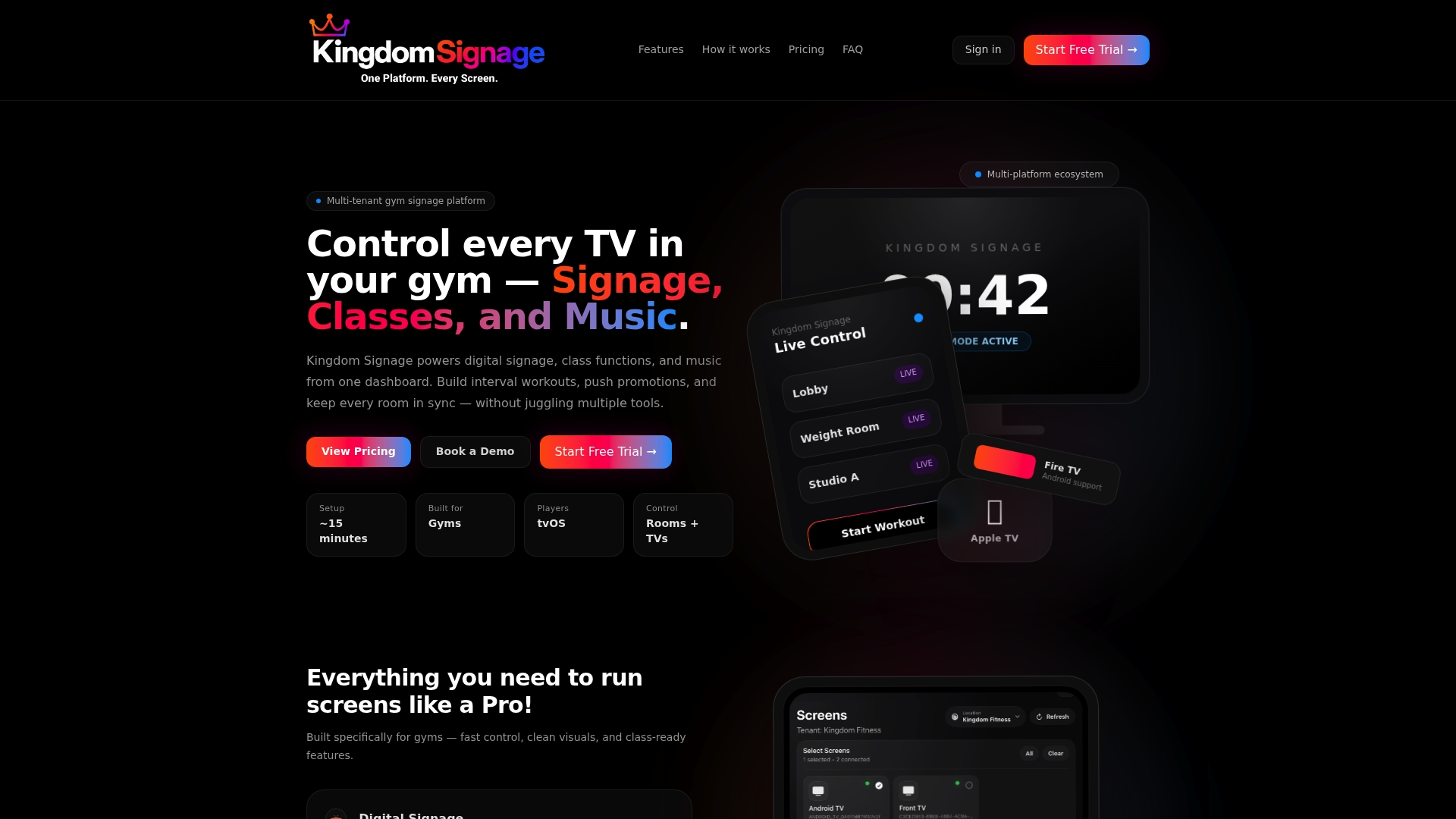
If you are planning a layout or refreshing one, you can see how it works on a free trial or demo at Kingdom Signage. For the commercial side of the question, read how TV screens connect to gym revenue.
A pre-install walkthrough checklist
Before anyone drills, walk the floor with this list:
- Mark each zone on a floor plan and write down what its screen will show.
- Stand or sit on each type of machine and mark the eye line on the wall with tape.
- Check each position at morning, midday and late afternoon for window glare.
- Check mirrors: from the far corners of each room, can you see a reflection of the screen?
- Check the overhead and wall: studs, ducts, conduit and outlets.
- Check what can hit it: weight racks, carts, balls, and the swing of a barbell.
- Decide how content will reach each screen, including audio, so that mounting positions and cable runs match.
For the mood side of this decision, see how displays shape gym atmosphere, and for sound, our piece on gym TV volume control.
FAQ
What is the best height to mount a TV in a gym?
For cardio equipment, the center of the screen usually sits 55 to 65 inches from the floor with a slight downward tilt. Standing exercises call for 60 to 72 inches, and floor work for 48 to 55 inches. In mixed rooms, 58 to 64 inches is a common compromise. Always test from the machines themselves.
How many TVs does a gym need?
There is no fixed number. Plan one screen per zone and per cluster of machines in the cardio row, one for each studio, and one or more for the entrance. Smaller screens closer to members often serve better than a single large display across the room.
Should gym TVs be tilted?
Yes, in most cases. Members look up at screens mounted above eye level, so a slight downward tilt of about 5 to 10 degrees reduces neck strain and glare from overhead lights. Upright bikes need a stronger tilt or a lower mount than treadmills.
Can I mount a gym TV above a weight rack?
It is best to avoid it. A dropped barbell or loose plate can strike the screen or shake the mount loose. Place weight-area screens to the side or at a safe distance, and use studs and lag bolts for any mount in the room.
How do I place TVs for gyms with several studios?
Treat each room as its own zone with its own sight lines and instructor position. Center the main screen where the whole class can see it, avoid mirrors behind or opposite it, and use software that lets you control content and music room by room.
Sources
- Gym TV Setup for Cardio Areas: Zones, Screens and Sound
- Commercial Gym TV Mounting
- TV Placement for a Fitness Room in a Hotel Chain (rAVe PUBS)
- TV Mounting for Home Gyms and Exercise Rooms: Placement
- Studio Design guide (ICG Connect)
- AV for Gyms and Boutique Fitness Studios
- TV Protection for High-Traffic Areas: Schools, Gyms, Retail