
Franchise digital signage lets headquarters centrally manage displays and campaigns across every location, keeping branding consistent while local managers push time-sensitive promotions within rules HQ sets. Done right, it replaces printed posters and one-off TV setups with a networked system that updates in seconds, not weeks. The recommended path: run a small pilot on a cloud content management system (CMS) with role-based permissions and templating before committing to a full rollout, and for gym or fitness brands, a platform like Kingdom Signage that unifies screens and audio is worth testing first.
TL;DR:
- Running a pilot on a cloud-based content management system with role-based permissions helps identify issues before a full franchise rollout.
- Hardware should support multi-tenant accounts, role restrictions, and centralized scheduling to ensure consistency across sites, with weather-rated displays for outdoor locations.
- Establish governance through locked templates, approval workflows, and detailed documentation to prevent brand drift and franchisee misuse of signage.
- Ongoing costs depend on the number of screens and the chosen support model, with hybrid management often offering the best balance for growing chains.
- For gyms, unified signage and audio systems streamline class transitions and promotional messaging, reducing staff workload and increasing operational efficiency.
Table of Contents
- What Are the Key Benefits of Franchise Digital Signage?
- How Do You Roll Out Digital Signage Across Multiple Locations?
- How Do You Choose Hardware and Software for Franchise Networks?
- How Do You Govern Templates Without Killing Local Flexibility?
- What Do Franchise Digital Signage Systems Cost to Run?
- What Can Gym Franchises Learn From Unified Signage and Audio Systems?
- What Legal and Compliance Rules Apply to Franchise Signage Content?
- Our Take: Stop Treating Signage Like a One-Time Purchase
- Ready to Pilot Unified Signage and Audio for Your Locations?
- Sources
What Are the Key Benefits of Franchise Digital Signage?
Brand drift happens quietly. One location swaps a promotional flyer for something a manager designed in an afternoon, another leaves last quarter's pricing on the wall for six weeks, and the visual identity that took years to build starts fraying at the edges. A centralized CMS stops this by pushing approved content to every screen from one dashboard, so the burger price on screen at a location in Ohio matches that in Arizona, right down to the font.
The operational upside goes beyond consistency. Franchise digital display systems let HQ push an urgent message (a recall, a weather closure, a staffing change) to every site in minutes instead of relying on group texts or phone trees. Local managers still get room to run a Tuesday-only class promotion or a neighborhood event, but inside guardrails HQ defines.
There's a revenue angle too. Screens near checkout or entry points can carry upsell prompts, limited-time offers, or even paid third-party ads. Retail and hospitality networks have started treating idle screen time as sellable inventory, with AI-powered digital signage partnerships showing how unsold ad space can offset subscription costs.
Track a handful of numbers to know if it's working:
- Promotion turnaround time: how fast a new offer goes live across all sites
- Local content compliance: percentage of screens matching approved templates during audits
- Upsell conversion: point-of-sale lift tied to specific on-screen promotions
- Screen uptime: percentage of displays online and updated during business hours
Pro Tip: Pull baseline sales numbers for your top three promoted items before launch. Without a "before" figure, you'll never be able to prove the screen moved anything.
How Do You Roll Out Digital Signage Across Multiple Locations?
Franchise rollouts fail less often because of bad hardware and more because nobody sequenced the work. Here's the order that actually holds up across dozens of sites.
- Set objectives and pick pilot sites. Decide upfront whether the primary goal is brand consistency, promotional speed, or revenue, since that choice shapes everything downstream. Pick two or three pilot locations that represent your range of store sizes and traffic patterns, not just your best-performing site.
- Design templates and content zones. Split every layout into HQ-locked zones (logo, pricing, safety messaging) and local zones (community events, class schedules, local offers). Write the rules down before anyone touches design software.
- Choose hardware and CMS. Match display count and network complexity to a platform that supports multi-tenant accounts and role permissions, not a single-location tool stretched past its limits.
- Run the pilot. Measure the KPIs from the section above for 60 to 90 days, collect feedback from the people actually managing the screens day to day, and refine templates before touching a fourth location.
- Scale with a real installation schedule. Stagger rollout waves, book installation crews in blocks by region, train site managers before their screens go live, and lock in a maintenance plan before the last site launches, not after.
A few things worth flagging before you scale past the pilot:
- Budget extra time for sites with older network wiring. Bandwidth issues surface late and delay launches.
- Assign one person per region as the point of contact for content approval requests.
- Document every template exception you grant during the pilot. If you don't, franchisees will assume the exception is now the rule.
Pro Tip: Run your pilot through one full promotional cycle, including a holiday or seasonal push, before deciding your templates are final. Static test content hides problems that real campaigns expose.
How Do You Choose Hardware and Software for Franchise Networks?
Picking the wrong platform at five locations is annoying. Picking it at fifty is expensive. Franchise-ready CMS platforms typically emphasize five capabilities:
- Multi-tenant account structure so each location has its own login without HQ losing oversight
- Role-based permissions separating what a regional manager, a site manager, and a corporate admin can each touch
- Templating that locks brand elements while opening defined local fields
- Centralized scheduling for time-windowed promotions and dayparting (breakfast menus swapping to lunch, for instance)
- Analytics covering uptime, content compliance, and playback confirmation
Franchise-focused vendors commonly promote template libraries and unlimited user roles as baseline expectations, and that bar is worth holding your shortlist to.
Hardware decisions matter just as much. Commercial-grade displays cost more upfront than consumer TVs but survive being left on 12+ hours a day, which consumer panels aren't built for. Media players versus built-in system-on-chip (SOC) displays is really a trade-off between flexibility and simplicity. Outdoor or semi-outdoor locations need weather-rated enclosures, and mounting constraints (structural walls, existing electrical runs) often decide the final layout more than anyone wants to admit.
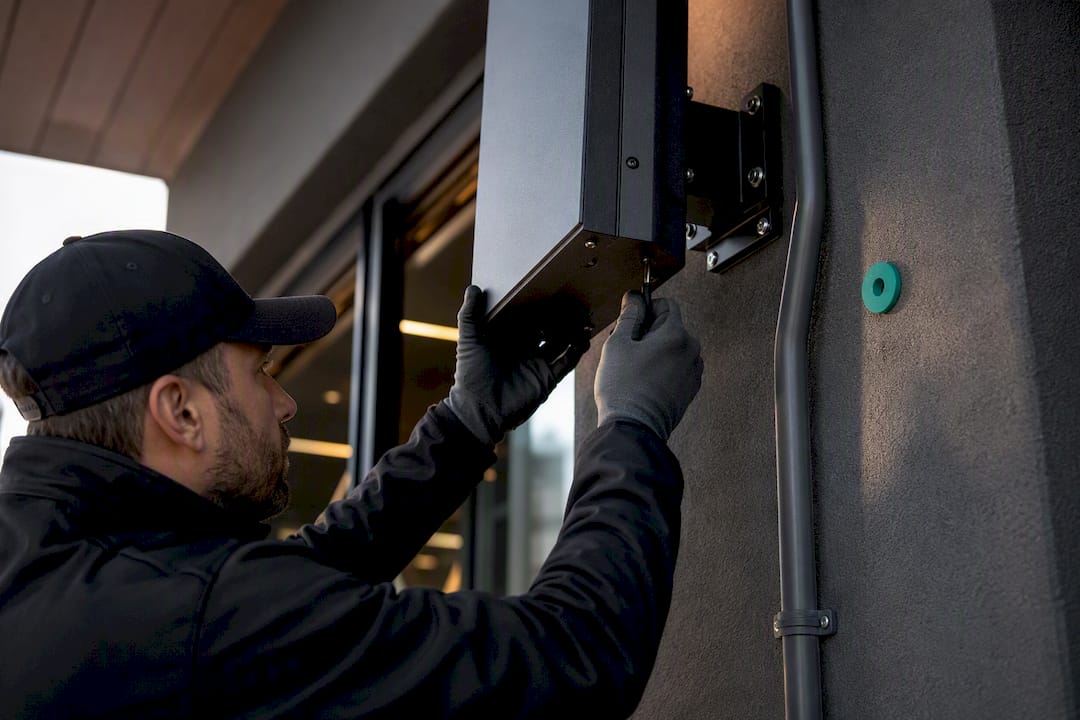
Integration is the piece franchisors underestimate. Signage that connects to POS systems can pull live pricing and inventory instead of requiring manual updates. Systems that sync with scheduling tools can display class times or service windows automatically. On the security side, confirm the platform supports over-the-air updates, granular account controls, encrypted transmission, and activity logging, since one compromised login shouldn't mean one compromised network of screens.
How Do You Govern Templates Without Killing Local Flexibility?
The tension every franchisor eventually hits: give franchisees zero flexibility and they'll route around your system with printed signs taped over your screens. Give them too much and your brand starts looking like fifty different businesses.
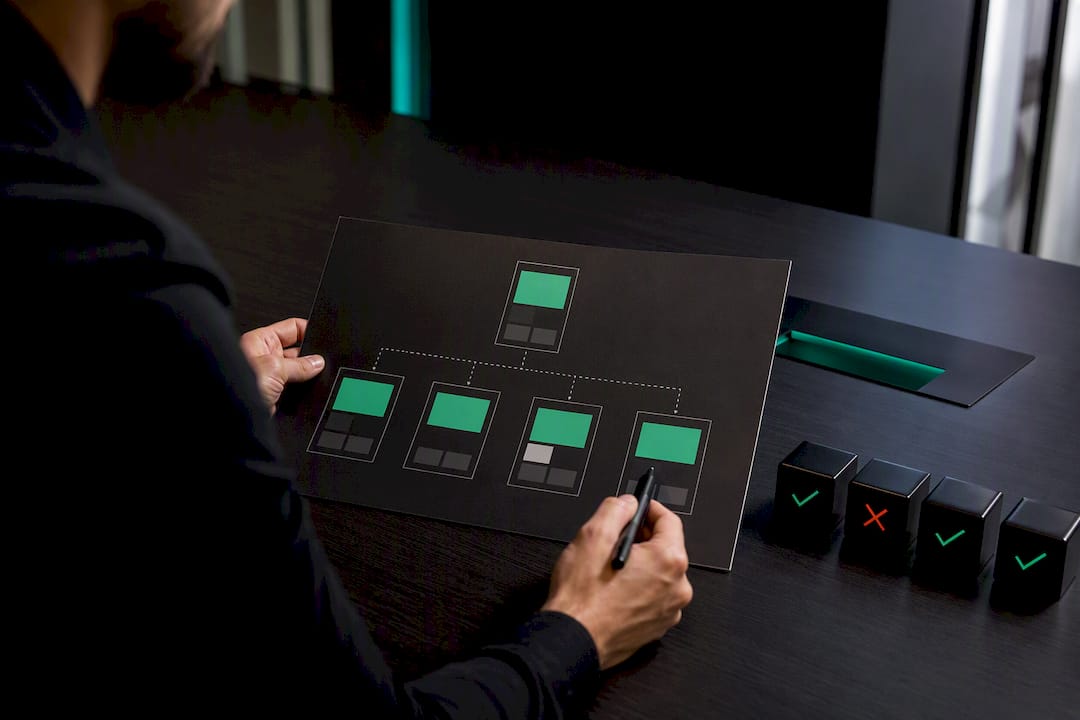
A gated template model solves most of this. Build a template library with locked HQ zones and clearly bounded local zones, such as a promo box that only accepts pre-approved offer types, time-limited to a set window. Enterprise signage platforms describe this kind of permission model and approval workflow as core governance infrastructure for multi-site brands, and it's worth treating as standard rather than a premium feature.
Approval workflows need version control and an audit trail: who submitted what, who approved it, and when it went live. Without that record, disputes over "who approved this" become impossible to resolve.
- Structure the template library by content type (pricing, promotions, safety, local events), not by location
- Define exactly which fields a local manager can edit inside each template
- Require sign-off from a named regional approver before local content publishes
- Keep a rolling log of every override granted, and review it quarterly
Pro Tip: Give new site managers a one-page cheat sheet showing exactly which template fields they can edit, with screenshots. A written policy nobody reads doesn't stop mistakes; a visual reference taped near the workstation does.
Training documentation should cover both software mechanics and the "why" behind each rule. Site managers who understand that a locked pricing field protects them from compliance headaches, not just corporate control, tend to follow the rules more willingly. Guides built specifically around maintaining brand consistency across gym locations offer a useful model for structuring that documentation.
What Do Franchise Digital Signage Systems Cost to Run?
Costs split into two buckets: one-time setup and recurring subscription fees. Setup costs scale with display count, mounting complexity, and how much cabling or electrical work each site needs. A single-screen retrofit in an existing space costs far less than a multi-display install requiring new wiring.
Recurring costs depend mostly on your CMS tier, since pricing usually scales with the number of screens and the feature set (analytics, integrations, priority support) you choose. Detailed first-year cost breakdowns for gym environments, with costs varying significantly per location based on screen count and installation complexity, give a useful sense of how much variance comes from screen count and installation complexity alone.
Support models generally fall into three shapes:
- HQ-managed: corporate handles all content approval and technical support, best for brands prioritizing tight consistency
- Franchisee-managed: local owners handle their own content and basic troubleshooting, with HQ setting only the template rules
- Hybrid: HQ manages templates and major updates while franchisees handle daily content within their zones, the most common setup among growing chains
National rollout partners often emphasize dedicated project management and installation oversight as the difference between a smooth multi-site launch and a delayed one.
What Can Gym Franchises Learn From Unified Signage and Audio Systems?
Gyms face a specific version of the coordination problem: class transitions need the right music cutting in at the right second, the right workout timer on screen, and the right promotional message running between sessions, often across several rooms at once. Handling that with separate remotes, separate apps, and separate screens per room multiplies the chance something goes wrong mid-class.
Kingdom Signage approaches this by combining screen control and room-based audio into one dashboard, so a studio manager can sync visuals and music across rooms without juggling multiple tools. That kind of unified control tends to matter most during peak-hour transitions, when staff have seconds, not minutes, to switch a room from one class to the next.
Metrics worth tracking in a gym-specific pilot:
- Member engagement during class transitions (fewer delays, fewer manual overrides)
- Retention lift tied to consistent promotional messaging across locations
- Conversion on membership or upsell offers displayed between classes
A multi-location playbook for gym digital posters walks through how one franchise structured its content zones room by room, a useful reference point before designing your own pilot.
What Legal and Compliance Rules Apply to Franchise Signage Content?
Content rules for digital signage vary by what the screen displays and where it's installed, and franchisors operating across states or provinces need to check a few areas before launch rather than assume one policy covers every site.
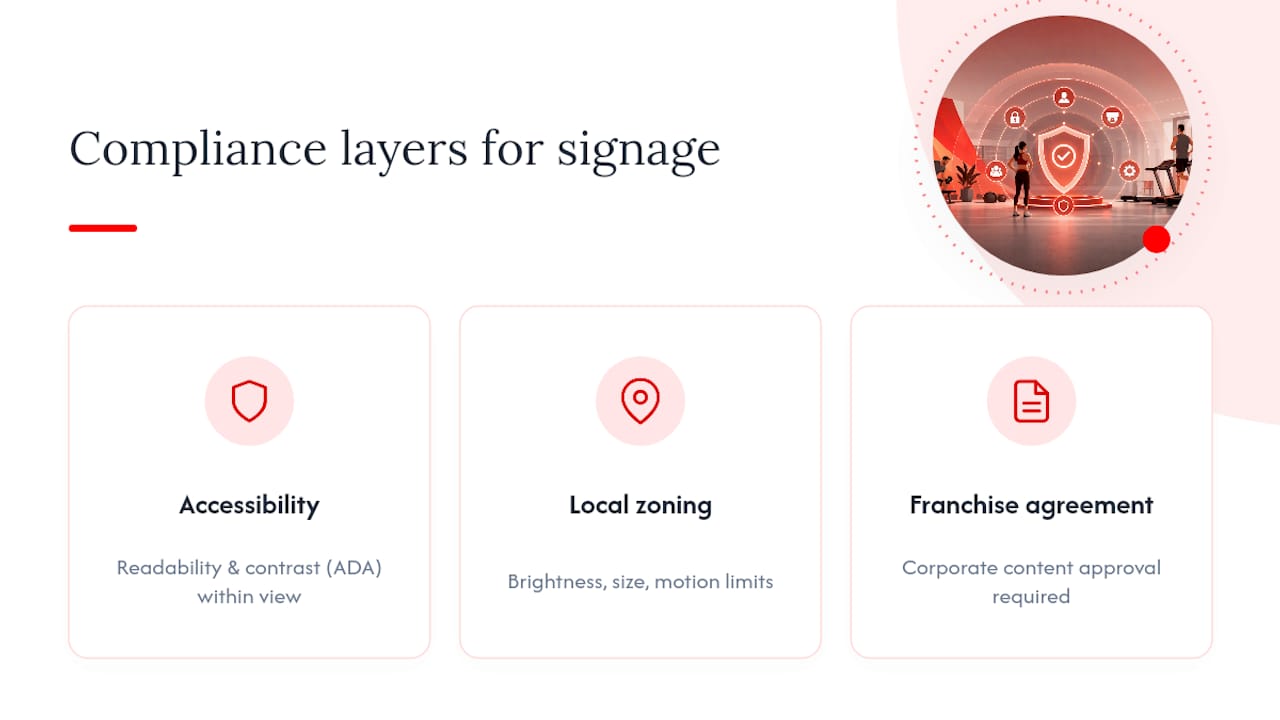
Accessibility is the first checkpoint. Public-facing displays in the United States generally need to account for readability and contrast standards under the Americans with Disabilities Act, particularly for menu boards and pricing displays that customers rely on to make purchasing decisions. Local zoning and sign ordinances are the second checkpoint, and they can restrict brightness, size, or even the use of motion graphics visible from outside a storefront, especially near residential zones.
If your signage pulls in outside content, ad partners, or any form of audience measurement (foot traffic sensors, engagement tracking), privacy rules come into play. Networked systems that collect or display third-party data commonly require cookie-consent and privacy-disclosure tools to stay compliant, particularly when screens interact with mobile devices or loyalty apps.
Franchise agreements themselves often specify what corporate must approve before content airs, and those contractual rules can be stricter than any external regulation. Build your compliance checklist around three layers: accessibility and safety standards, local sign and zoning ordinances, and your own franchise agreement's approval requirements. Skipping any one of the three tends to surface as a problem only after a franchisee has already installed the screen, which is the expensive time to find out.
Our Take: Stop Treating Signage Like a One-Time Purchase
Most franchise signage advice treats the rollout as a procurement decision: pick a vendor, buy the hardware, install it, done. That framing is backwards. The hardware is the cheap part. The governance model, the training, and the ongoing content discipline are what actually determine whether screens still look intentional a year after launch, or whether every location has quietly drifted back to laminated paper signs taped over dead screens.
The vendor-agnostic checklist matters more than the specific platform you choose, but the platform still needs to fit your vertical. For gym and fitness brands specifically, treating screens and room audio as separate systems creates friction during exactly the moments (class transitions, peak hours) when staff have no time to troubleshoot two tools instead of one. A unified approach like this isn't the only way to solve that problem, but it's a pragmatic starting point worth piloting before you build a patchwork of single-purpose tools.
Prioritize the pilot. Run it long enough to hit a real promotional cycle. Everything else, hardware specs, vendor comparisons, pricing tiers, is easier to get right once you've seen your own content rules survive contact with an actual location.
— Kingdom
Ready to Pilot Unified Signage and Audio for Your Locations?
If you're running a gym or fitness franchise, the real cost isn't the screens, it's staff juggling separate remotes for music, class timers, and promotional content across rooms while a class is starting. Some platforms put screen control, room-based audio sync, and centralized scheduling into one dashboard, so a manager at one site or multiple locations can push a class change or a membership promo without touching multiple tools.

Before booking a demo, define your pilot scope: how many rooms or locations, which KPIs you're tracking (class transition time, promotional conversion, member engagement), and what content you want tested first (a membership offer, a class schedule template, a local promotion window). Bring sample content if you have it. If your studios run separate audio zones per room, flag that upfront so the demo reflects your actual layout, not a generic single-screen setup.
Ready to see it running on your own content? Request a demo through Kingdom Signage and start your pilot with real templates, not a canned walkthrough.