
Gym screens are real-time communication platforms that determine whether a new service launch reaches members or disappears into the background noise of a busy facility. The role of gym screens in new service launches extends well beyond displaying a schedule. They function as dynamic information managers that broadcast announcements, drive class enrollment, and convert casual members into paying participants. A gym chain that deployed digital signage across multiple locations saw a 30% retention increase and 38% growth in personal training revenue, with ROI achieved in roughly two months. That result is not accidental. It comes from treating screens as a system, not a decoration.
What operational advantages do gym screens provide during new service launches?
Gym screens remove the single biggest bottleneck in any service launch: the gap between when information is ready and when members actually receive it. Printed posters require design, print runs, and physical installation. Staff verbal communication is inconsistent and unscalable. Digital signage closes that gap entirely.
A Content Management System (CMS) allows you to update screens instantly across every location from a single dashboard. If a new yoga class moves from 6 p.m. to 7 p.m. on launch week, every screen in every room reflects that change within seconds. That speed eliminates the front desk phone calls and member confusion that typically derail a launch's first week.

Operationally, the most effective gym screen launches follow a structured 90-day onboarding window. The first 30 days establish baseline content and screen placement. Days 31 through 60 focus on content cadence testing, rotating messages and measuring which formats generate the most class sign-ups. Days 61 through 90 introduce automated workflows and outcome measurement based on real data. This phased approach prevents the common mistake of launching with a full content library and no feedback loop.
The four core operational advantages break down as follows:
- Instant broadcast of class schedules, pricing changes, and promotional offers without staff involvement
- Centralized control across multiple rooms or locations from one CMS dashboard
- Automated rotation that keeps content fresh without manual updates every day
- Reduced front desk load because members find answers on screens before they ask staff
Pro Tip: Schedule your launch promotion content to go live the Sunday before a Monday launch. Members who train over the weekend see the announcement before the week begins, giving you a head start on enrollment.
How should gym screens be optimally positioned and segmented for launch impact?
Screen placement is where most gym managers leave money on the table. A screen mounted too high, angled incorrectly, or placed in a low-traffic corridor becomes background noise rather than a communication tool. The fix is zone-based segmentation, which assigns each screen a specific behavioral role based on where members are and what they are thinking at that moment.
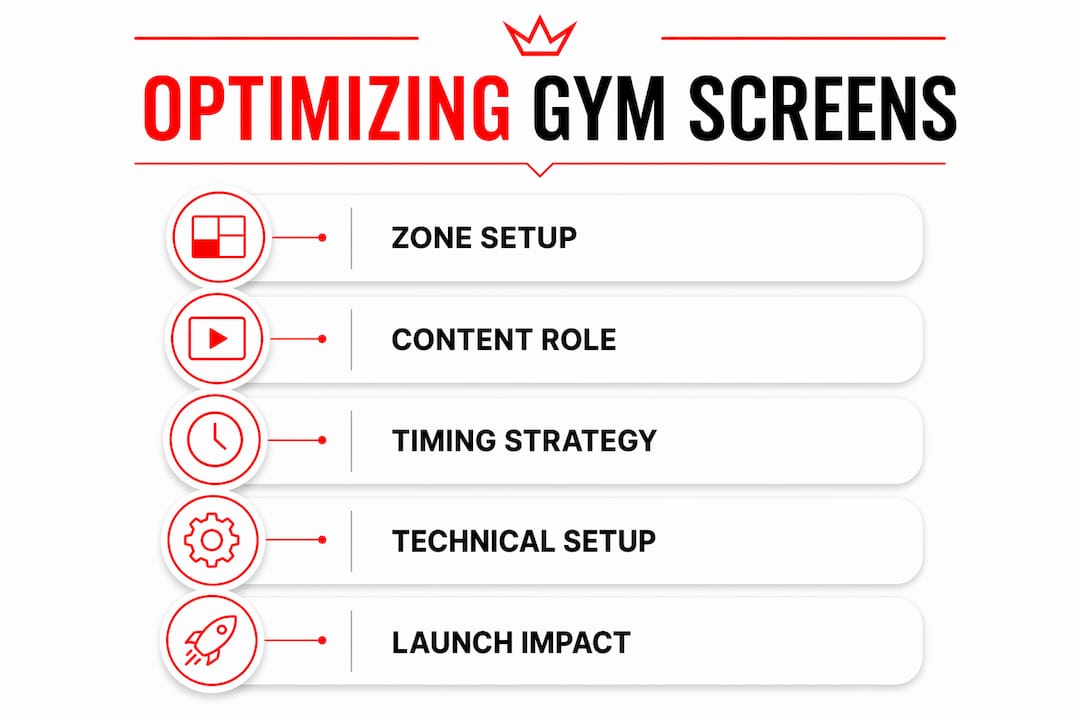
Zone-based segmentation divides your facility into three functional areas, each with distinct content requirements:
| Zone | Location | Content type | Dwell time |
|---|---|---|---|
| Retention Zone | Cardio floor, treadmill banks | Long-form storytelling, member success stories, class benefits | 20 to 45 minutes |
| Urgency Zone | Studio entrances, class waiting areas | Next class timers, enrollment countdowns, limited-offer alerts | 2 to 5 minutes |
| Retail Zone | Juice bar, lobby, reception | Pricing, new service promotions, membership upgrade offers | 1 to 3 minutes |
The Retention Zone is where members spend the most uninterrupted time. This is where you build the case for a new service over multiple visits, using narrative content that explains what the service is and why it matters. The Urgency Zone operates on a completely different psychology. Members standing outside a studio two minutes before class are primed to make fast decisions. A countdown timer showing "HIIT Bootcamp starts in 4 minutes, 3 spots left" converts at a rate that a lobby poster never will.
Key placement principles for launch success:
- Mount screens at eye level (between 4.5 and 5.5 feet from the floor) in zones where members stand or sit
- Use landscape orientation in cardio zones and portrait orientation in narrow corridors or studio doorways
- Position screens within the natural sightline of the activity, not perpendicular to it
- Avoid placing promotional screens directly above equipment where members are focused on performance
Assigning purpose-specific roles to each screen prevents the confusion that comes from mixing workout guidance with promotional content on the same display.
What content strategies maximize member trust during a launch?
The most common content mistake gym managers make during a launch is treating every screen like a billboard. Members who feel advertised at rather than informed become resistant to the message, regardless of how good the offer is. The solution is the 80/20 content ratio: less than 20% promotional messages and roughly 80% content that delivers genuine member value.
In practice, this means a new personal training package launch should not dominate every screen in the facility. Instead, it appears as one rotation within a content mix that also includes workout tips, motivational content, class schedules, and member milestones. The promotional message benefits from the credibility of the surrounding content.
Embedding promotions within member-value content avoids what researchers call the billboard effect, the psychological disengagement that occurs when members recognize they are being sold to. A screen showing "Member of the Month: Sarah lost 18 lbs in 12 weeks with our new HIIT program" is both a success story and a promotion. It works because it leads with value.
Pro Tip: Align your most promotional content with the times members are most receptive: post-workout, when endorphins are high and members feel positive about their fitness investment. Avoid heavy promotional content during warm-up periods when members are mentally preparing for exercise.
Content timing also matters at the macro level. Align new service announcements with your facility's peak traffic windows. If your busiest hours are 6 to 8 a.m. and 5 to 7 p.m., those are the windows where launch content should be most prominent in the rotation.
How does behavioral timing improve gym screen conversion rates?
Digital signage conversion is not uniform across the day or week. In-store digital signage delivers an average 8.1% conversion lift, with measurably higher increases during late-day and weekend periods. For gym managers, this means a new service promotion displayed at 6 p.m. on a Friday will outperform the same content shown at 9 a.m. on a Tuesday.
The mechanism behind this is peripheral processing. Members do not consciously read every screen they pass. Their brains absorb visual information subliminally, and repeated exposure to a message builds familiarity and intent over time. Circadian rhythms and emotional triggers directly influence how receptive members are to new information at different times of day. Late afternoon and evening visits tend to coincide with lower cognitive guard and higher emotional openness, which increases the likelihood of a spontaneous enrollment decision.
"Understanding when members are most psychologically receptive is as important as what you put on the screen. Timing is not a detail. It is a conversion variable."
The practical application is straightforward. Schedule your highest-priority launch content to run in heavy rotation during late afternoon and weekend morning sessions. Use lighter, informational content during early morning slots when members are focused and less likely to engage with promotional material.
What technical best practices ensure reliable screen performance during launches?
A launch week is the worst possible time for a screen to go dark. Technical failures during high-visibility periods damage member confidence in the new service before it has a chance to prove itself. Reliability is not optional. It is the foundation everything else sits on.
Follow this technical checklist before any service launch:
- Run Cat6 hardwired Ethernet to every screen rather than relying on shared facility Wi-Fi. Shared networks cause black screen failures during peak usage periods when bandwidth is contested.
- Use Power over Ethernet (PoE) for smaller screens in corridors or studio entrances where running separate power cables is impractical.
- Standardize TV models and mounting hardware across your facility. Mixed hardware creates maintenance complexity and inconsistent display quality.
- Enable remote reboot capability on every screen. The ability to restart a frozen display from a phone or laptop eliminates the need for costly on-site technical visits.
- Assign dedicated media players to each TV rather than running multiple screens from one device. Shared players create single points of failure.
- Pre-program "Start Class" workflow triggers so coaches activate the correct screen content with a single button press rather than navigating menus mid-class.
Standardizing hardware and simplifying workflows with pre-programmed triggers reduces coach friction, which is one of the most underestimated risks in a gym screen launch. If instructors find the system complicated, they will bypass it. The result is screens showing the wrong content during live classes, which undermines both the launch and member trust.
Multi-room display management requires a connectivity strategy that accounts for the physical layout of your facility, not just the number of screens.
Key takeaways
Gym screens drive measurable launch outcomes when deployed with zone-based segmentation, an 80/20 content ratio, behavioral timing, and hardwired technical infrastructure.
| Point | Details |
|---|---|
| Zone-based segmentation | Assign each screen a specific role based on member dwell time and decision context. |
| 80/20 content ratio | Keep promotional content below 20% of total rotation to prevent member disengagement. |
| Behavioral timing | Schedule high-priority launch content during late afternoon and weekend sessions for higher conversion. |
| Technical reliability | Use hardwired Cat6 Ethernet and remote reboot capability to prevent black screen failures during launches. |
| Phased 90-day rollout | Test content cadence in days 31 to 60 and measure outcomes in days 61 to 90 for continuous improvement. |
What I've learned about gym screens after working with hundreds of launches
Most gym managers treat screen deployment as a technology project. It is not. It is a communication strategy that happens to use technology. The operators who get the best results from their screens spend more time thinking about member psychology than about hardware specs.
The biggest mistake I see repeatedly is launching with too much content at once. Managers fill every screen with every piece of information about the new service, and the result is visual overload that members tune out entirely. The most effective launches I have observed start with one clear message per zone and add complexity only after measuring what is working.
Early planning matters more than most people realize. Screens that go up two days before a launch with placeholder content send a signal to members that the service itself is not ready. Screens that have been running teaser content for two weeks before launch day create genuine anticipation.
The trend I am watching most closely is AI-driven content customization, where screen content adapts based on real-time data like class capacity, time of day, and member traffic patterns. This is not theoretical. The infrastructure for it exists now, and the gyms that build their screen systems with this capability in mind will have a significant advantage in the next two to three years.
Measure everything from day one. Track class enrollment rates, front desk query volume, and member survey responses before and after launch. Without a baseline, you cannot know what your screens are actually doing.
— Kingdom
How Kingdomsignage powers gym screen launches
Managing digital signage across multiple rooms during a high-stakes service launch requires a platform built specifically for gym environments, not a generic digital signage tool adapted for fitness.

Kingdomsignage unifies control of TVs, workout class displays, and audio through a single dashboard, giving gym operators the ability to update content across every screen in real time without switching between tools. The platform supports multi-screen scheduling, zone-based content segmentation, and remote management, which means your launch content goes live on schedule regardless of whether you are on-site. Kingdomsignage integrates with gym management software to sync class schedules and promotional content automatically, removing the manual update burden that causes most launch-week errors. Visit Kingdomsignage.com to see how the platform supports your next service rollout from day one.
FAQ
What is the role of gym screens in new service launches?
Gym screens serve as real-time communication platforms that broadcast launch announcements, class schedules, and promotional offers to members at the point of decision. They replace printed signage with instant, centrally managed content that can be updated without staff involvement.
How many screens does a gym need for an effective launch?
The number depends on your facility's zones, but every major member touchpoint should have dedicated coverage: the cardio floor, studio entrances, and lobby or reception area at minimum. Zone-based segmentation ensures each screen carries content matched to member behavior in that location.
What content ratio works best on gym screens during a launch?
Keep promotional content below 20% of total screen rotation and fill the remaining 80% with member-value content like workout tips, class schedules, and success stories. This ratio maintains member trust and prevents the disengagement that comes from screens that feel purely promotional.
How do you prevent technical failures during a gym screen launch?
Run hardwired Cat6 Ethernet to every screen, use dedicated media players per TV, and enable remote reboot capability. Shared Wi-Fi networks are the leading cause of black screen failures during peak usage periods, which are exactly the moments when launch content needs to be visible.
When is the best time to display launch promotions on gym screens?
Late afternoon sessions and weekend mornings produce the highest conversion rates from digital signage. Members in these windows are more emotionally open and less cognitively guarded, making them more likely to act on a new service promotion they see on screen.