
Affordable screens are defined as commercial displays and software-driven digital signage that small gyms deploy to improve member experience without large capital outlays. The role of affordable screens in small gyms goes far beyond playing background video. Screens drive class schedule clarity, motivate members during workouts, and cut front desk interruptions. A gym owner who installs even one well-placed display gains a tool that works every hour the facility is open. This guide covers screen types, technical requirements, and a practical implementation path built for tight budgets.
What types of affordable screen options are suitable for small gyms?
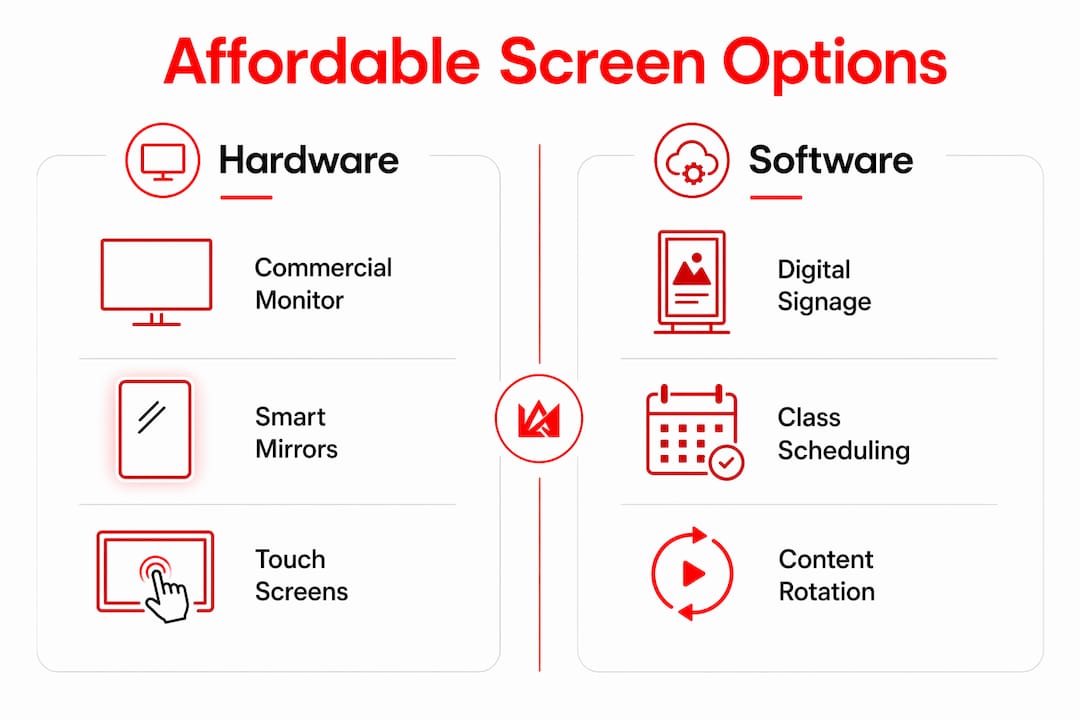
Small gyms have three main screen categories to choose from: commercial monitors, software-driven digital signage running on existing hardware, and interactive smart mirrors. Each fits a different budget level and use case.
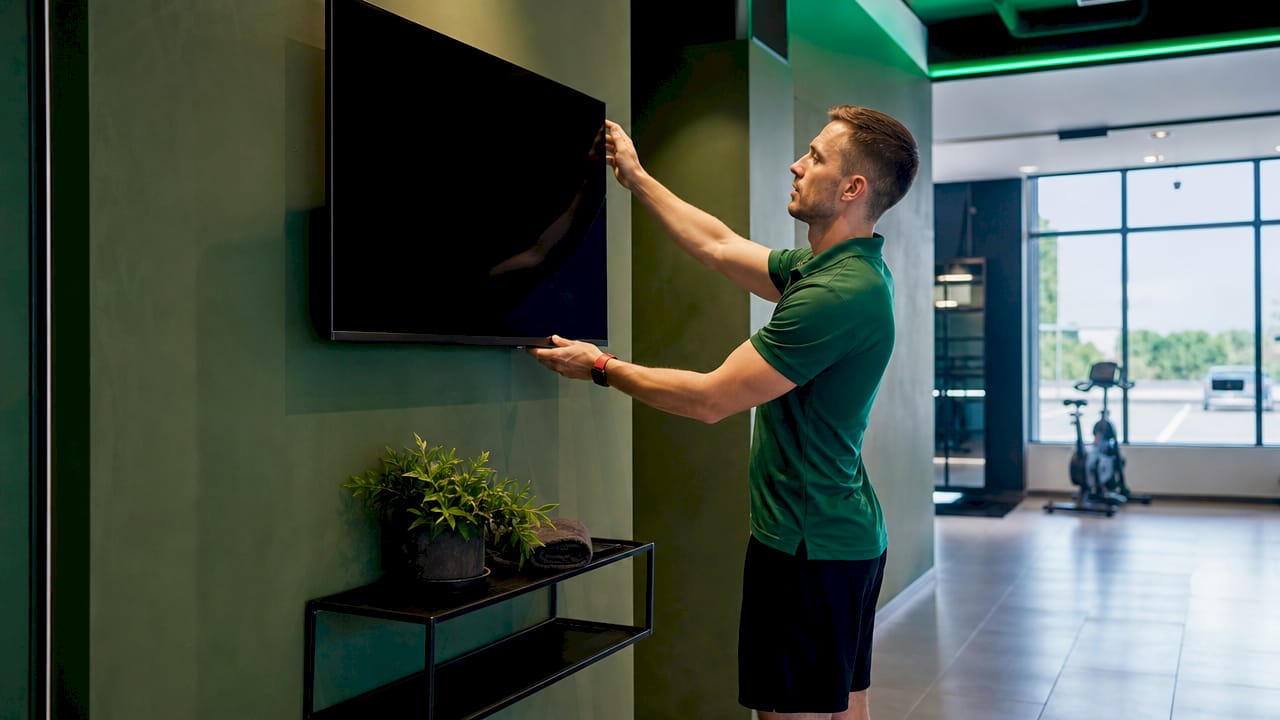
Commercial monitors are the most accessible entry point. A 43-inch commercial display costs far less than a consumer TV of the same size and is built for all-day operation. Small gyms benefit most from 32"–43" touchscreens for check-in and class signage, and 55"–75" commercial 4K displays for larger group fitness areas. Matching screen size to room capacity prevents wasted spend on oversized hardware.
Software-driven digital signage is the most cost-effective option for gyms that already own TVs or monitors. Software-based signage solutions run on existing screens for $14–$25 per month, replacing mechanical display boards that cost $15,000 or more. That gap is significant. A gym owner can run a fully dynamic schedule board for less than the cost of a monthly cell phone plan.
Interactive smart mirrors bring on-demand classes and form correction to the gym floor. Commercial-grade 43-inch smart mirrors cost $350–$700 through B2B wholesale purchasing, offering 50–70% savings over retail prices. These devices work especially well in personal training zones and small group studios where members want guided feedback.
Here is a quick comparison of the three categories by use case:
| Screen type | Best use case | Approximate cost |
|---|---|---|
| Commercial monitor | Class schedules, promotions | $200–$600 per unit |
| Software signage on existing TV | Dynamic schedules, announcements | $14–$25 per month |
| Smart mirror (B2B sourced) | Guided workouts, form feedback | $350–$700 per unit |
Touch capability matters for check-in kiosks and self-service class booking. Non-touch screens work well for schedule boards and motivational content. Choosing the right type for each location saves money and avoids buying features members will never use.
How do affordable screens improve member engagement and operational flow?
Screens change the daily rhythm of a small gym in ways that go beyond aesthetics. The benefits of screens in fitness studios fall into four concrete areas.
-
Live schedule visibility. Displaying dynamic class schedules on screens reduces front desk interruptions and member confusion. When a class changes or fills up, the screen updates instantly. Staff stop fielding the same question ten times a day.
-
Workout instruction and demos. A screen mounted in a free weights area can loop form demonstration videos. Members who are unsure about an exercise watch the screen instead of waiting for a trainer. This extends the value of every coaching session.
-
Performance metrics and leaderboards. Screens that display live workout data, personal records, or class leaderboards create a competitive atmosphere that keeps members coming back. This is one of the clearest ways screens enhance gym experience without adding staff hours.
-
Promotional content delivery. A screen near the entrance can rotate membership offers, class promotions, and referral incentives. This turns idle wall space into a revenue-generating channel. Gym owners who display membership offers digitally report stronger uptake on time-limited promotions compared to printed flyers.
Pro Tip: Schedule promotional content to rotate every 8–10 seconds. Faster rotations cause members to ignore screens entirely. Slower rotations mean fewer impressions per visit.
The operational benefit compounds over time. Fewer interruptions at the front desk mean staff focus on member relationships instead of answering schedule questions. That shift alone improves the quality of service members experience every day.
What technical and network considerations support affordable screen deployments?
A screen is only as reliable as the network behind it. This is the technical reality most small gym owners miss when budgeting for displays.
The network comes first. Investing in commercial-grade network equipment improves screen reliability and prevents failures during peak usage times. A consumer router from a big-box store will drop connections under the load of multiple simultaneous streams. Commercial routers with VLAN and PoE capabilities run $400–$900 and protect every screen on the network. That investment pays for itself the first time a class does not get disrupted by a frozen display.
- Screen brightness: Gym floors have high ambient light. Choose displays rated at 400 nits or higher for areas near windows or under bright overhead lighting.
- Durability rating: Commercial displays carry higher duty-cycle ratings than consumer TVs. They are built to run 16–18 hours per day without overheating.
- Placement height: Mount screens at eye level for check-in kiosks (roughly 50–55 inches from floor to screen center) and higher for group class areas where visibility from a distance matters.
- Cable management: Plan conduit runs before installation. Exposed cables in a gym environment are a safety hazard and look unprofessional.
Network lag during hybrid classes undermines the member experience and damages retention. A buffering screen mid-workout breaks focus and signals to members that the facility is not well managed. For gyms running hybrid or on-demand classes, multi-gig commercial routers and PoE access points in the $1,000–$2,500 range deliver the stability those formats require.
Pro Tip: Separate your screen network from your member Wi-Fi using a VLAN. This prevents heavy member traffic from slowing down your signage and class streaming.
Software integration is the final technical layer. A platform like Kingdomsignage unifies TV control, class audio, and digital signage through one dashboard. That single-point control eliminates the need for multiple apps or devices and makes real-time updates fast. For a guide on setting up gym digital signage that performs reliably, the network and software layers must be planned together.
How to implement affordable screens in small gyms: practical steps and budget tips
Implementation works best when it follows a phased approach. Spending everything at once on hardware before validating impact is the most common mistake small gym owners make.
Phase 1: Start with one or two screens.
- Identify the highest-traffic location in your gym, typically the entrance or the main class floor.
- Install one commercial monitor or connect a software signage solution to an existing TV.
- Run it for 60 days and track whether front desk questions about schedules decrease and whether members comment on the content.
Phase 2: Source hardware directly.
- Direct factory sourcing of smart mirrors eliminates the standard 40% distributor markup. Buying direct from OEM manufacturers cuts costs significantly.
- Use B2B wholesale channels for commercial monitors. Retail pricing on commercial displays includes distributor and retail margins that a direct purchase avoids.
- Request sample units before committing to a bulk order. Screen quality varies by manufacturer, and a sample protects your investment.
Phase 3: Validate before scaling.
Small gyms should adopt a tiered tech approach, validating screen usage impact with budget tools before committing capital to advanced equipment. This principle applies directly to display rollouts. If the first screen drives measurable engagement, add a second. If it does not, adjust content or placement before spending more.
Phase 4: Plan for ongoing maintenance.
- Schedule firmware updates monthly. Outdated firmware causes crashes and security vulnerabilities.
- Refresh content every two to four weeks. Static content causes screen fatigue, where members stop looking at displays entirely.
- Assign one staff member as the screen owner. Clear ownership prevents content from going stale.
The importance of screens in gym environments grows as member expectations rise. A phased approach keeps costs manageable while building toward a fully connected facility.
Key takeaways
Affordable screens deliver measurable value in small gyms when selected, installed, and maintained with a clear plan.
| Point | Details |
|---|---|
| Software signage beats hardware cost | Software solutions at $14–$25 per month replace $15,000+ mechanical boards. |
| Network quality protects screen performance | Commercial routers at $400–$900 prevent failures during peak class times. |
| B2B sourcing cuts hardware costs | Direct factory purchasing eliminates the standard 40% distributor markup. |
| Phase your rollout | Start with one screen, validate impact, then scale to avoid wasted capital. |
| Maintenance prevents screen fatigue | Monthly firmware updates and bi-weekly content refreshes keep displays effective. |
Why I think most small gym owners underinvest in screens at the wrong stage
The most common mistake I see is gym owners spending money on the wrong thing first. They buy a large commercial display before their network can support it, and then wonder why the screen freezes during a Saturday morning spin class. The screen is not the problem. The infrastructure is.
The second mistake is treating screens as a one-time purchase. A screen with stale content from six months ago does more damage than no screen at all. Members notice. It signals that the gym is not paying attention to details, and that perception bleeds into how they feel about their membership overall.
What actually works is the phased approach. One screen, one location, clear content, and a reliable network underneath it. Once that combination proves its value, scaling is straightforward. The gyms I have seen get this right are not the ones with the biggest budgets. They are the ones that treated the first screen as a test, not a decoration.
The future of gym display tech is moving toward unified control. Managing TV channels, class audio, and promotional content from a single platform is no longer a luxury. It is the practical standard for any gym that wants to run efficiently without adding staff hours. That shift is already happening, and the gyms that build toward it now will have a real operational advantage in two to three years.
— Kingdom
Kingdomsignage for small gyms: one platform, every screen
Small gym owners who want to move from scattered screens to a connected display system have a direct path forward with Kingdomsignage.

Kingdomsignage unifies TV control, class audio, and digital signage through one dashboard, giving gym operators and fitness instructors real-time control over every screen in the facility. Schedule updates, promotional content, and class transitions all happen from a single interface without needing separate tools or devices. For gym owners ready to see what a connected display system looks like in practice, the Kingdomsignage gym control platform covers the full range of affordable and scalable options built specifically for fitness environments.
FAQ
What is the role of affordable screens in small gyms?
Affordable screens display class schedules, workout content, and promotional material to improve member experience and reduce staff workload. They are the most cost-effective way to increase engagement without adding headcount.
How much do budget screens for gyms typically cost?
Software-based signage runs $14–$25 per month on existing hardware. Commercial monitors range from $200–$600 per unit, and B2B-sourced smart mirrors cost $350–$700 each.
What screen size works best for a small gym?
32"–43" screens work well for check-in areas and class schedule boards. Group fitness rooms benefit from 55"–75" commercial 4K displays that remain visible from across the room.
Do I need special network equipment for gym screens?
Yes. Commercial routers with VLAN and PoE capabilities in the $400–$900 range prevent connection failures during peak hours. Consumer routers cannot handle simultaneous streams reliably.
How do screens help with class enrollment in small gyms?
Screens that display live class availability and promotional offers drive sign-ups by making information visible at the moment members are already in the gym and ready to commit.