
A gym-focused unified AV SaaS cuts costs across five areas simultaneously: hardware, labor, licensing, energy, and unplanned downtime. This is the short answer. The longer one matters for anyone running multiple locations or planning a franchise rollout.
Here is where the savings actually land:
- Hardware: SoC (system-on-chip) displays eliminate the need for separate media players, cutting device spend by a significant margin in documented rollouts.
- Labor: Remote management lets one person push updates to every screen in every location overnight, turning multi-hour manual tasks into almost instant actions.
- Licensing: Centralized music management reduces per-branch admin overhead and lowers the risk of compliance gaps.
- Energy: Scheduled power states across zones reduce display runtime without any manual intervention.
- Downtime: Remote diagnostics cut emergency service calls, which are often the most expensive line item operators forget to budget for.
Kingdomsignage is built specifically for this operating model, unifying signage, TVs, class content, and music from a single dashboard.
Key Takeaways
| Point | Details |
|---|---|
| Hardware savings are immediate | SoC displays eliminate external players; one rollout documented ~50% device cost reduction. |
| Labor savings compound with scale | Central dashboard updates eliminate per-site manual work; 280+ endpoints managed from one interface in documented deployments. |
| Licensing risk is a hidden cost | Managed music consolidation reduces compliance exposure and per-branch admin overhead. |
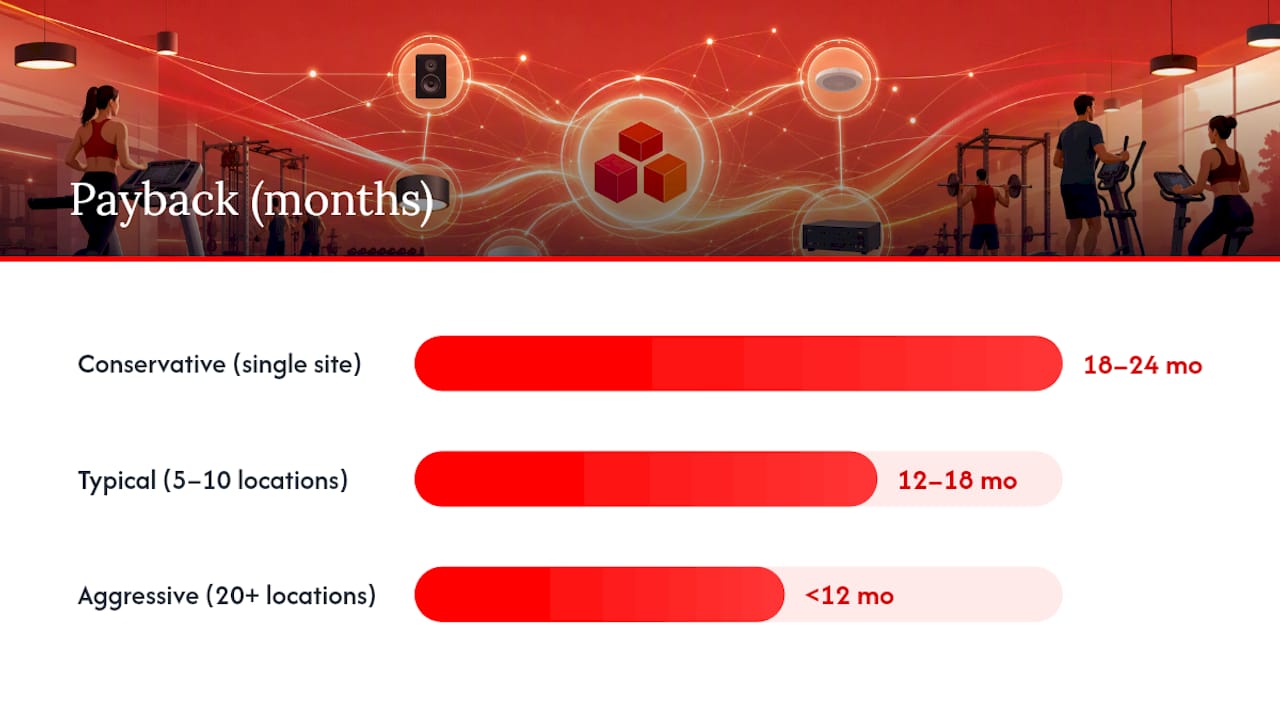
| Payback varies by scenario | Conservative: 18–24 months; typical multi-location: 12–18 months; aggressive franchise rollout: under 12 months. |
| Kingdomsignage fits this model | Kingdomsignage unifies signage, class content, timers, and room audio from one dashboard, supporting SoC displays and managed music. |
Table of Contents
- Why unified AV systems save costs: a breakdown by category
- How to calculate ROI before you commit
- Implementation checklist and hidden costs to watch
- Operational practices that keep savings compounding
- How Kingdomsignage maps to these savings in real gyms
- Three ROI scenarios: what payback actually looks like
- The thing most managers underestimate about this rollout
- Kingdomsignage cuts the cost of running AV across your locations
- Sources
Why unified AV systems save costs: a breakdown by category
The savings are not evenly distributed. Some categories deliver immediate, one-time reductions; others compound over months.
Hardware and device consolidation
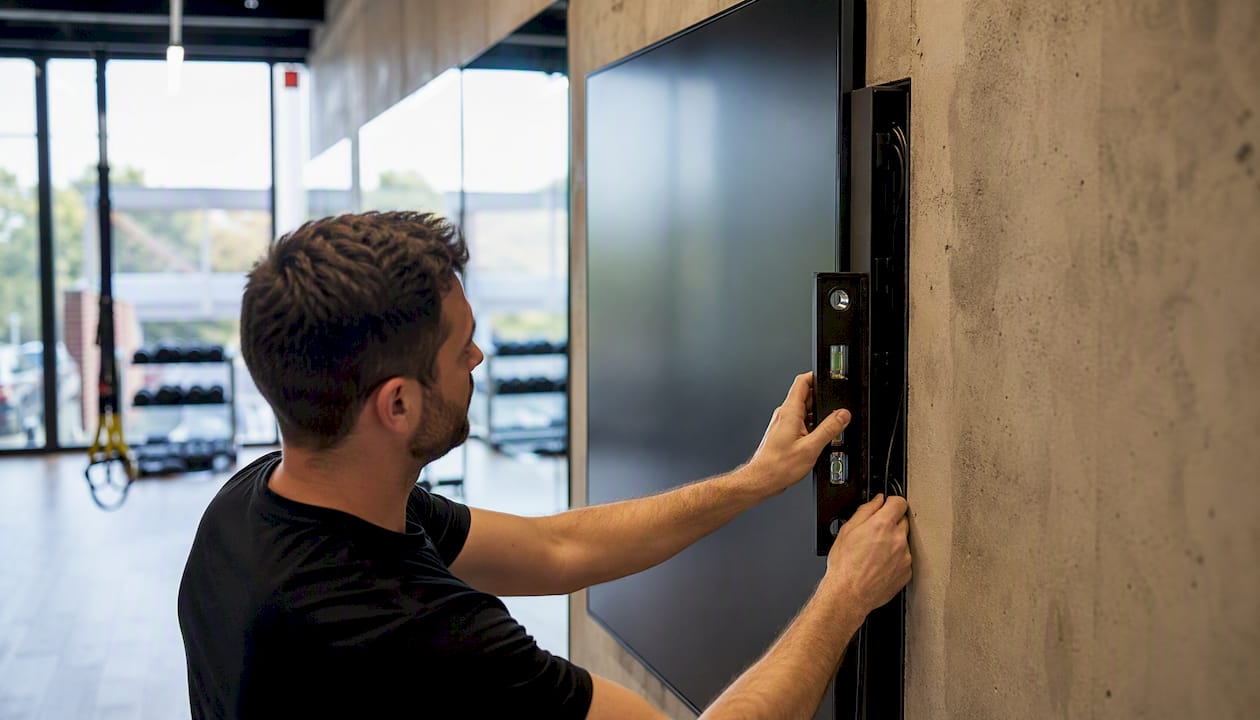
Legacy Windows-based media players fail. They require engineer callouts, replacement hardware, and the kind of recurring expense that rarely shows up in the original budget. A purpose-built gym AV infrastructure using SoC displays removes the external player entirely. One documented 140-studio rollout reported device costs reduced by about 50% and zero player failures since installation, with remote management eliminating most on-site interventions.
Standardizing on one hardware type also simplifies inventory. You stock one spare instead of five different models.
Labor and operations
Fragmentation is the real labor cost driver in multi-location AV. When each site runs its own playlist, schedule, and audio setup, someone has to touch each one. A single dashboard with role-based access lets a marketing team manage a large number of endpoints from one interface, pushing campaigns across the entire network in minutes rather than hours.
Licensing and content
Music licensing is where operators most often get surprised. Running unlicensed consumer streaming in a commercial gym carries real legal exposure. Centralized music workflows consolidate licensing under one managed account, reduce manual switching between branches, and let you schedule class-specific audio scenarios without coach intervention. The admin overhead drops; the compliance risk drops with it.
Energy and uptime
Centralized scheduling powers displays down during off-peak hours automatically. Across a 20-location network, that adds up. Fewer running hours also mean less wear, fewer failures, and fewer emergency callouts. Integrated AV systems that consolidate music, volume, displays, and alerts into one interface make zone-level scheduling practical rather than theoretical.
Scalability
The marginal cost of adding a screen or a location drops sharply once the platform is in place. Fitness Cartel's rollout across 20 locations demonstrated this: the marketing team manages playlists centrally and monitors screen status from one interface, with SoC displays reducing external player requirements at every new site.
| Cost category | Before unified AV | After unified AV |
|---|---|---|
| Hardware per screen | External player + display | SoC display only |
| Content update labor | Per-site manual updates | Central push, all locations |
| Music licensing | Per-branch, often ad hoc | Single managed account |
| Service calls | Reactive, frequent | Remote diagnostics, reduced |
| New location setup | Full hardware kit | Software license + SoC display |
How to calculate ROI before you commit
Formula: ROI = (Annual net savings ÷ Total first-year cost) × 100
Gather these inputs before running the numbers:
- Capex avoided: cost of external media players you will not buy (or replace)
- Labor hours saved per week: estimate conservatively at 1–2 hours per location for content updates
- Service calls avoided per year: use your last 12 months as the baseline
- Licensing consolidation savings: compare current per-branch music spend to a managed platform fee
- Energy reduction: estimate display runtime reduction in hours per day × wattage × locations
One-time savings (hardware) reduce your payback period in year one. Recurring savings (labor, licensing, service calls) build the long-term case. For a 10-location franchise, multiply the recurring line items by location count before running the formula.
Implementation checklist and hidden costs to watch
Getting the savings requires getting the rollout right. Most cost overruns come from items that were not in the original scope.
Rollout steps:
- Site survey: document every screen, player, audio zone, and network switch at each location.
- Network readiness check: confirm bandwidth, switch capacity, and VLAN configuration. Underpowered switches are the most common cause of rollout delays.
- Pilot location: run one site for 30 days before committing the full network. Use a gym AV platform evaluation checklist to score the pilot against your requirements.
- Phased rollout: group locations by complexity, not geography. High-screen-count sites go last.
- Staff training: budget two hours per site manager, not just the IT team.
Hidden costs to budget for:
- Network upgrades (switches, cabling, access points)
- Music licensing transition period (overlap costs while migrating)
- Integration with existing class-schedule software
- Staff retraining when workflows change
Red flags during procurement: vendor lock-in on proprietary hardware, no remote diagnostics capability, missing role-based access controls, and no audit logs for content changes.
Pro Tip: Run your pilot during a low-traffic week, not a peak month. You want the freedom to troubleshoot without disrupting member experience. A clean 30-day pilot gives you real performance data and a defensible business case for the full rollout.
Operational practices that keep savings compounding
Technology alone does not sustain savings. The way you operate the system determines whether the gains hold.
- Centralized templates: build master templates for class schedules, promotions, and announcements. Reusing them across locations cuts creative hours and keeps branding consistent. Schedule display templates are a practical starting point.
- Role-based workflows: give corporate teams control over brand assets and pricing; give local managers control over class times and room-specific audio. This prevents both bottlenecks and rogue content.
- Scheduled power states: set displays to power down 30 minutes after closing and power up 15 minutes before opening. Zone-based audio defaults eliminate the daily "what's playing in the spin room?" question.
- Monitoring and alerting: configure alerts for display offline events. Catching a failed screen remotely costs nothing; dispatching a technician costs $200–$400 per visit.
- Multi-room sync: use event-based presets so a class starting in Studio B automatically triggers the right audio zone and screen content, without instructor input.
Pro Tip: *Track three KPIs from day one: playback uptime percentage, average time-to-update across the network, and monthly service call frequency.
How Kingdomsignage maps to these savings in real gyms
Kingdomsignage's platform maps directly to the cost categories above. Three features do most of the work:
- Central dashboard: one interface manages signage, class schedules, workout timers, and announcements across every room and location. Marketing updates that previously required per-site logins now push network-wide in one action, consistent with what modular AV deployments at scale have demonstrated for large fitness operators.
- Multi-room audio sync: room-based music integration with scheduled scenarios eliminates manual audio switching by coaches and front desk staff. Paired with managed music licensing, this removes both the labor cost and the compliance exposure.
- SoC and edge player support: Kingdomsignage supports SoC-compatible displays, reducing or eliminating the need for external media players at each screen.
For detailed rollout guidance, Kingdomsignage's blog covers gym AV operating costs and multi-TV dashboard management in depth.
Three ROI scenarios: what payback actually looks like
- Conservative (single site, minimal hardware change): labor and licensing savings only, no SoC swap. Payback in 18–24 months. Typical for studios already running newer displays that are not yet end-of-life.
- Typical (5–10 locations, moderate hardware consolidation): SoC displays at new or replacement screens, centralized content, managed music. Payback in 12–18 months. The recurring labor and service-call savings drive most of the return.
- Aggressive (franchise, 20+ locations, full SoC rollout + content centralization): hardware savings compound with labor and licensing reductions. Payback under 12 months in many cases, consistent with the Fitness Cartel deployment pattern. Per-location subscription pricing keeps marginal cost low as the network grows.
The biggest variable is your current service-call rate. Operators running legacy Windows players with frequent failures see the fastest payback because the downtime cost is already high and drops sharply on day one.
The thing most managers underestimate about this rollout
The technology part of a unified AV rollout is usually the easiest part. The harder part is change management. Coaches who have been manually switching music for three years will not automatically trust a scheduled preset. Front desk staff who have been logging into four separate systems will need time to trust one.
Measure savings from month one: track service calls, content update time, and display uptime. By month three, you will have enough data to show finance a real number rather than a projection. Involve your facilities manager and your marketing lead from the start, not just IT. They are the ones who will either sustain the savings or quietly revert to the old workflow.
One caution: do not skip training to save time. A system that staff do not use correctly costs more than the system you replaced.
Kingdomsignage cuts the cost of running AV across your locations
Running signage, class content, timers, and music through separate tools is not just inconvenient. It is expensive: multiple subscriptions, per-site labor, reactive service calls, and licensing gaps that add up faster than most operators realize.

Kingdomsignage gives gym owners and franchise operators a single subscription that covers every screen, every room, and every location. No external media players to maintain. No per-branch music workarounds. No 6 AM calls because a display went offline and nobody noticed. The platform supports SoC displays, managed audio zones, class schedule integration, and real-time updates from one dashboard, with event scheduling coordination logic that fits how fitness facilities actually run their day.
If you are ready to run the ROI numbers against your own locations, start a demo at Kingdomsignage and bring your current service-call log and hardware inventory. The payback case usually writes itself.
Sources
- BrightSign & Gymstream Deliver Virtual Fitness Classes at Everyone Active | BrightSign®
- Music for Fitness Centers and Gyms | Tunio | Tunio
- Software: Fitness Cartel Rolls Out Fusion Signage Across 20 Locations | invidis