
Gym AV redundancy planning means designing your audiovisual systems so that no single failure kills a class. When a media player crashes mid-spin session or a wireless mic drops out during a HIIT warm-up, you need a backup that kicks in before anyone notices. The core reasons to plan for this are straightforward:
- System reliability: Backup hardware and power protection keep content running without manual intervention.
- Fewer class cancellations: Redundant playback and microphone systems prevent instructors from stopping a session to troubleshoot.
- Revenue protection: Emergency repair callouts and member churn from repeated disruptions cost far more than a planned redundancy investment.
- Member satisfaction: Consistent audio and synchronized signage reinforce the energy that keeps members renewing.
Key components include backup media players, uninterruptible power supplies (UPS), redundant network paths, and fail-safe configurations for digital signage and audio.
Why gym AV redundancy planning matters for fitness operators
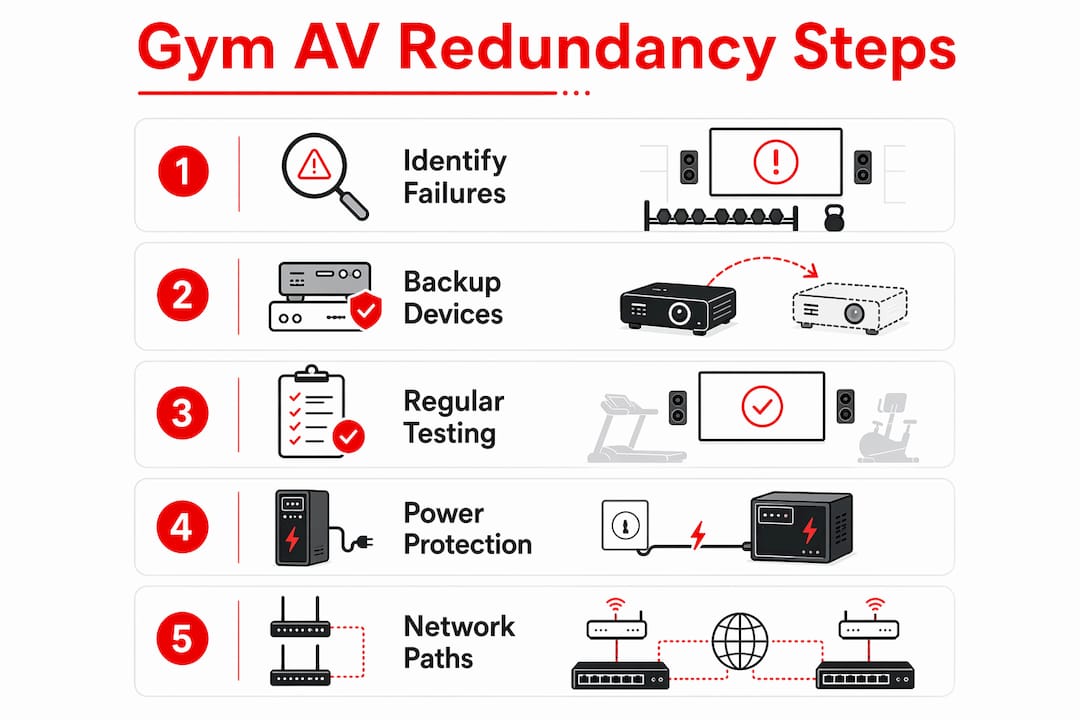
AV redundancy is not about doubling every piece of equipment. It means identifying the failure points that would stop a class cold and adding targeted backups at those exact spots. For gyms, the critical areas are playback stability, microphone reliability, and power continuity.
Gym environments are harder on AV hardware than almost any other commercial setting. Humidity, sweat, and constant vibration degrade equipment faster, which is why moisture-resistant speakers and amplifiers rated for continuous high-output use are a baseline requirement, not an upgrade. Standard commercial gear simply does not last.
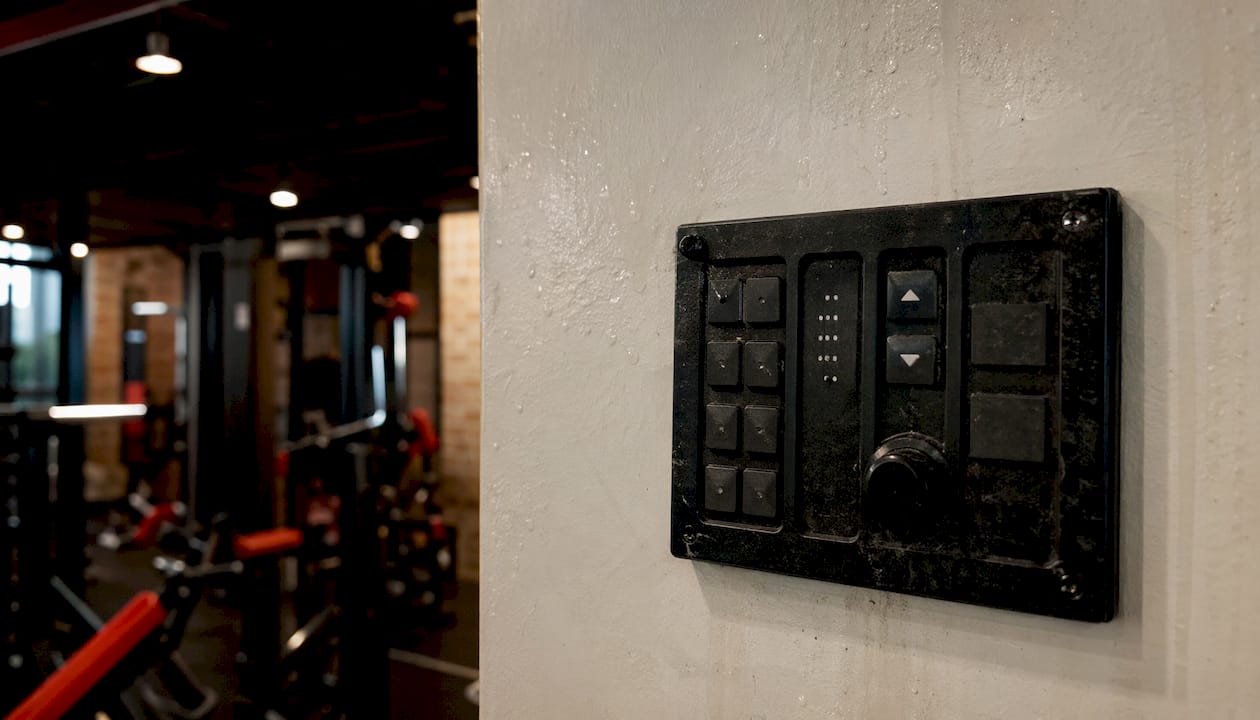
Fitness instructors also need systems that stay out of their way. Simple, reliable AV frees instructors from technical distractions so they can focus entirely on the workout. A "plug and play" setup with accessible volume controls and automatic failover is the goal.
Pro Tip: When selecting playback devices for gym studios, choose purpose-built digital signage players over general-purpose computers. They run cooler, require no reboots, and handle continuous-loop playback without the software crashes that plague Windows-based systems.
- Map every component that would stop a class if it failed.
- Prioritize backups for playback devices, wireless microphone receivers, and power supplies.
- Choose equipment rated for moisture and vibration, not standard office-grade gear.
- Keep redundancy simple enough for instructors to manage without AV training.
What happens when gyms skip AV redundancy
The consequences of no redundancy plan are immediate and financial. Common failure scenarios include media player crashes, microphone dropouts during classes, network interruptions cutting off digital signage, and power outages taking down entire zones. Each one forces a class to stop or degrade.
Ignoring AV redundancy creates direct financial exposure through member churn, class cancellations, and costly emergency support calls. A technician dispatched for an urgent fix on a Saturday morning costs multiples of what a planned backup device would have.
- Player crashes during virtual classes leave members standing in silence.
- Microphone dropouts force instructors to shout over music, damaging their voice and the class atmosphere.
- Network interruptions break synchronized signage across multiple rooms simultaneously.
- Power failures without UPS protection take down audio and displays at once.
- Repeated failures erode member trust faster than almost any other operational problem.
Effective redundancy strategies for gym AV setups
The right approach starts with power, not cabling. True AV-over-IP redundancy requires fully separated A/B networks or MLAG architectures because standard IT failover methods like LACP and spanning tree cause micro-interruptions that break real-time audio and video streams. Standard IT redundancy techniques simply do not translate to AV environments.
For most gym operators, the practical steps are:
- Install UPS units on all media players, amplifiers, and network switches.
- Design separate A and B network paths with physically isolated fiber routes where budget allows.
- Use purpose-built digital signage players with solid-state operating systems for playback.
- Keep a spare wireless microphone receiver pre-configured and ready to swap instantly.
- Specify QSC amplifiers and Sonance or equivalent moisture-rated speakers for studio environments.
The case study from Everyone Active illustrates what a proper platform delivers. After replacing a legacy Windows-based system with purpose-built BrightSign players managed through Gymstream's CMS, the operator went from frequent failures to zero player failures, while cutting hardware costs significantly. The rollout across multiple studios completed without disrupting any scheduled classes.
Pro Tip: Test your redundancy live, not just on paper. Pull a network cable during a low-traffic period and watch whether your backup path picks up the stream without a visible dropout. If it drops, your redundancy is not actually working.
How AV reliability drives member retention and revenue
Gyms that treat AV as core to the member experience see stronger retention and recurring revenue. Bad audio makes a facility feel dated. Consistent, synchronized sound and visuals across every zone signal a professional operation that members want to return to.
CGS notes that integrated AV systems deliver consistent performance across every zone, simpler centralized management, and easier scaling for multi-location operators. When audio, digital signage, and access control speak the same language, the gym runs better in every way.
Kingdomsignage addresses this directly by unifying control of TVs, workout classes, and music through a single dashboard. Operators can sync audio and visuals across rooms, push real-time updates, and manage multi-room gym displays without juggling separate tools. That kind of centralized control also makes failover faster because there is one place to see what broke and one interface to fix it.
- Fewer disruptions mean fewer complaints and fewer cancellations.
- Consistent class flow supports instructor performance and member energy.
- Reduced emergency repair costs improve operating margins over time.
- Reliable AV supports fitness center operations broadly, from member communication to promotional content delivery.
Real incidents where missing redundancy caused gym AV failures
The Everyone Active case is the clearest documented example: eight player failures per six-month period across a network of fitness studios, each one requiring an engineer callout and causing class disruptions that drove member dissatisfaction. The root cause was a legacy Windows-based system with no purpose-built failover.
Crossover AV specialists working with boutique fitness venues across the UK have documented microphone failures caused by sweat damage to wireless receivers buried in back-room equipment racks, out of line-of-sight from instructors. The fix was repositioning receivers and keeping spare headsets on a daily rotation. Without that protocol, a single sweated-out mic could cancel a fully booked spin class.
Power-related failures are also common and frequently misdiagnosed as network or hardware problems. A switch losing power looks identical to a network fault until someone checks the UPS log.
Budgeting for gym AV redundancy
Redundancy does not require rebuilding your entire system. The highest-value investments target the three failure points most likely to stop a class: playback devices, wireless microphones, and power.
A spare media player pre-loaded with your content and connected to your network costs a fraction of a single emergency callout. A second wireless microphone receiver, properly positioned, eliminates the most common mid-class failure. A UPS on your core AV rack protects everything downstream from power fluctuations.
For operators planning a larger upgrade, gym AV infrastructure design that builds redundancy in from the start costs less than retrofitting it later. Budget for moisture-rated hardware upfront; replacing standard commercial gear after it fails in a humid studio is always more expensive.
Maintaining and testing your redundancy systems
A backup that has never been tested is not a backup. Redundancy requires regular verification to confirm that failover actually works under real conditions, not just in theory.
Schedule a monthly test during off-peak hours: disconnect your primary media player and confirm the backup takes over without a visible gap. Swap your primary wireless microphone for the spare and run a full class with it. Check UPS battery health quarterly, since batteries degrade silently and fail at the worst moment.
Keep a simple log of each test with the date, what was tested, and the result. That log also helps you spot patterns, like a UPS that keeps showing low battery, before it becomes a live failure.
Steps to build a redundancy plan for your gym AV system
- Audit your current setup. List every AV component and identify which ones, if they failed, would stop a class immediately.
- Rank failure points by impact. Playback devices, wireless microphone receivers, and power supplies typically top the list.
- Add targeted backups. Purchase a spare media player, a second wireless receiver, and UPS units for your core rack.
- Specify the right hardware. Use moisture-rated speakers and amplifiers; standard commercial gear degrades faster in gym conditions.
- Design your network for AV. Separate A/B network paths or MLAG architectures protect real-time streams that standard IT failover cannot.
- Centralize control. A platform like Kingdomsignage lets you monitor and manage all displays and audio from one dashboard, so you spot failures faster.
- Test everything live. Pull cables, swap devices, and verify failover during low-traffic periods before relying on it during a packed class.
- Train your instructors. They should know where the spare mic is, how to switch inputs, and who to call if something goes wrong.
- Review and update annually. As your gym adds rooms or upgrades equipment, revisit the redundancy plan to cover new failure points.
Key Takeaways
Gym AV redundancy planning protects class continuity, member satisfaction, and revenue by eliminating single points of failure across playback, audio, power, and network systems.
| Point | Details |
|---|---|
| Target the right failure points | Focus backups on playback devices, wireless microphone receivers, and power supplies first. |
| Hardware must match the environment | Moisture-rated speakers and amplifiers last significantly longer in humid, high-vibration gym conditions. |
| Standard IT failover breaks AV streams | LACP and spanning tree cause micro-interruptions; use separated A/B networks or MLAG for real-time AV. |
| Professional platforms eliminate failures | Upgrading to purpose-built players cut one operator's failures to zero and reduced maintenance expenses by half. |
| Test redundancy live, not on paper | Pull cables and swap devices during off-peak hours to confirm failover actually works before a class depends on it. |

Kingdomsignage gives gym operators a single dashboard to control digital signage, class content, and audio across every room. When one display or audio zone has a problem, you see it immediately and fix it without touching multiple systems. Visit Kingdomsignage to see how unified AV control supports the kind of reliability your members expect every time they walk through the door.