
Cloud-based gym signage is a remotely managed digital display system that lets gym owners control all screen content from one centralized platform, instantly and at scale. The industry term for the underlying technology is cloud Content Management System, or cloud CMS. This guide explains what cloud-based gym signage is, how it works, what it costs, and how platforms like Kingdomsignage help fitness facilities run sharper operations and keep members engaged. Whether you manage one location or ten, understanding this technology changes how you think about communication inside your facility.
What is cloud-based gym signage, and how does it work?
Cloud-based gym signage is a remotely managed display network that replaces static posters and locally stored media with live, internet-connected screens you control from a browser or app. The core of the system is a cloud CMS. You log in, upload content, schedule it, and push it to any screen in your facility or across every location you own. No USB drives. No on-site server. No calling a manager at another branch to swap out a slide.
The shift from local-only displays to cloud management is significant. A gym chain with five locations used to need five separate people managing five separate systems. A cloud CMS collapses that into one dashboard. That is the operational change gym owners consistently underestimate before they make the switch.

Dynamic digital screens also transform the gym environment itself. They turn a wall of TVs into a communication layer that motivates members, delivers information, and generates revenue. That is a fundamentally different role than a static poster or a looping DVD.
What components make up a cloud-based gym signage system?
Every cloud signage setup has three layers: hardware, connectivity, and software. Getting all three right determines whether your screens run reliably or become a maintenance headache.
Hardware
- Commercial-grade displays or smart TVs with app support. Consumer TVs work in some setups, but commercial displays handle the heat and continuous runtime of a gym environment far better.
- Media players connected to each screen. These small devices run the signage app and pull content from the cloud. Some smart TVs have the player built in.
- Mounting hardware appropriate for the location, whether that is a wall bracket in the lobby or a ceiling mount above the cardio floor.
Connectivity and power
- Hardwired Ethernet (Cat6) is the professional standard. Gym Wi-Fi is shared across dozens of members streaming music and video, which causes the network instability that leads to blank screens mid-session.
- Power over Ethernet (PoE) delivers both power and data through a single cable. Near locker rooms or anywhere electrical outlets are scarce, PoE lowers installation costs significantly by eliminating the need for an electrician to run new circuits.
Software
- Cloud CMS subscription. Pricing starts around $5 per screen per month for entry-level platforms. Enterprise platforms with API integration cost more but automate far more of the work.
- Remote reboot capability. This feature lets you restart a frozen screen from your phone without sending a staff member to physically unplug it. A remote reboot function is not optional for a busy facility. It is the difference between a 30-second fix and a 30-minute disruption.
Pro Tip: Budget for hardware and software separately. The screen and media player are a one-time capital cost. The CMS subscription is an ongoing operational cost. Treating them as one number leads to budget surprises at renewal time.
What are the core benefits of cloud-based digital signage for gyms?
Cloud gym signage benefits go well beyond putting a class schedule on a screen. The system touches operations, revenue, and member experience simultaneously.
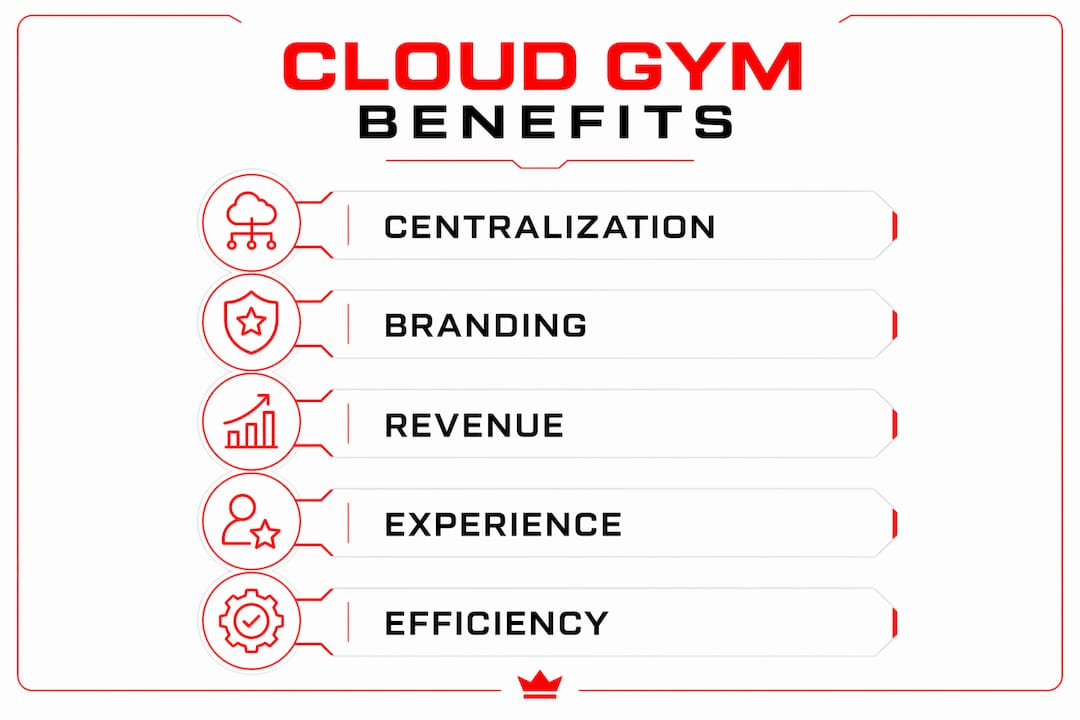
Operational efficiency
Centralized content updates mean one person can change messaging across every screen in every location in minutes. That eliminates the coordination overhead that plagues multi-location operators. Live class boards also reduce the volume of questions at the front desk. Staff spend less time answering "what time is the spin class?" and more time on member retention conversations.
Brand consistency
Multi-location brand consistency is one of the hardest operational problems for growing gym chains. When each location controls its own screens locally, color palettes drift, fonts change, and messaging goes off-brand. A cloud dashboard locks down typography, color, and approved content templates centrally, while still allowing local managers to schedule location-specific announcements.
Revenue generation
Cloud signage shifts from cost center to revenue generator when you use scheduling to place promotions at the right moment. Timed retail promotions during post-workout periods, when members are in a buying mindset, drive impulse purchases through high-definition video content. Personal training packages promoted on the screen above the free weights convert better than a flyer at the front desk. This is not a theory. It operates on well-documented psychological principles, including the Endowment Effect, where people are more likely to buy something they can already picture themselves using.
Member experience
Members in 2026 expect gyms to be tech-enabled. Facilities without digital signage read as behind the times. Screens that display live leaderboards, member milestones, and community challenges create a sense of belonging that static walls cannot replicate. That emotional connection is a retention driver.
How does cloud signage integrate with gym management software?
The real power of cloud-based signage for fitness facilities comes from connecting the CMS to your gym management software. Integration turns your screens into a live data feed rather than a manually updated bulletin board.
CMS platforms integrate with booking and CRM software like Mindbody, syncing class schedules, trainer availability, and membership notifications directly to your displays. When a class gets canceled or a trainer calls in sick, the screen updates automatically. No one has to remember to change the slide. That reduction in manual work also reduces errors. A wrong class time on a screen sends members to the wrong room and creates frustration that lands at the front desk.
The practical workflow looks like this: your gym management software holds the source of truth for schedules and bookings. The CMS pulls from that source via an API and formats the data into the display template you have designed. The screen shows accurate, real-time information without any human intervention between the software and the display.
For updating gym class schedule displays effectively, the integration layer is what separates a functional system from a great one. Manual updates create lag. API-driven updates eliminate it.
Pro Tip: Before choosing a CMS, confirm it has a documented API or native integration with your gym management platform. A CMS that cannot connect to your existing software forces you to maintain two systems manually, which defeats the purpose.
What are best practices for implementing cloud gym displays?
Getting the hardware installed is the easy part. Running a cloud signage system well over time requires discipline in a few specific areas.
-
Use hardwired Ethernet, not Wi-Fi. Gym Wi-Fi is a shared resource under constant load. The "Black Screen" problem, where screens go blank during peak hours, almost always traces back to Wi-Fi instability. Cat6 Ethernet to each media player solves this permanently.
-
Enable remote reboot on every device. A frozen screen during a busy Saturday morning class is a visible failure. Remote reboot lets you fix it in under a minute from your phone. Without it, you are waiting for a staff member to find the screen and physically restart it.
-
Schedule content around peak traffic. A promotion for protein shakes at 6:00 AM hits a different audience than the same promotion at 12:00 PM. Use your CMS scheduling tools to match content to the member behavior patterns you already know from your booking data.
-
Set user permissions by role. Give location managers the ability to schedule local announcements without letting them override brand templates. This balance between centralized control and local flexibility is what prevents brand drift without micromanaging every screen.
-
Audit your content library quarterly. Outdated promotions and expired event announcements erode member trust. A quarterly review of scheduled content keeps every screen current and credible.
Pro Tip: Create a content calendar at the start of each month. Map promotions, class schedule changes, and seasonal messaging to specific dates and times. This prevents the "manual management fatigue" that causes gym owners to abandon their signage systems after the initial excitement wears off.
Key Takeaways
Cloud-based gym signage is the most direct path from scattered, manual screen management to a centralized system that runs promotions, schedules, and branding automatically across every location you operate.
| Point | Details |
|---|---|
| Cloud CMS is the core | A cloud Content Management System lets you control all screens from one login, remotely and in real time. |
| Hardwired Ethernet is non-negotiable | Wi-Fi instability causes blank screens; Cat6 Ethernet and PoE prevent downtime at the hardware level. |
| Integration drives real value | Connecting your CMS to gym management software like Mindbody eliminates manual schedule updates and errors. |
| Signage generates revenue | Timed promotions during peak hours convert better than static signage by targeting members at the right moment. |
| Brand consistency requires central control | A cloud dashboard locks typography, color, and messaging across all locations without restricting local scheduling. |
What I have learned running signage across gym environments
We are firmly in what the industry calls the "Proof Era" of fitness marketing. Members do not just want a good workout. They want visible proof that your facility is invested in their experience. Digital signage is one of the clearest signals you can send.
What I have seen consistently is that gym owners underinvest in the content strategy and overinvest in the hardware. They buy great screens, install them correctly, and then run the same three slides for six months. The technology is not the hard part. The discipline of treating your screens as a live communication channel is the hard part.
The other thing I would push back on is the idea that cloud signage is only for large chains. A single-location gym with 400 members benefits from automated class schedules, timed promotions, and a professional-looking lobby screen just as much as a 20-location franchise. The entry cost is low enough that there is no size threshold where this stops making sense.
Start with two or three screens in high-traffic areas. Get the integration with your scheduling software working correctly. Then expand. The mistake is trying to wire every room on day one before you understand how your members actually interact with the content.
— Kingdom
How Kingdomsignage handles cloud gym signage for operators
Gym operators who want centralized control over displays, audio, and class content without juggling multiple tools will find Kingdomsignage built specifically for that problem. The platform unifies TV content, workout class visuals, and music through one dashboard, so transitions between classes and promotional segments happen without manual intervention.

Kingdomsignage connects directly with gym environments to sync audio and visuals across different rooms, which is the piece most generic signage platforms miss entirely. Subscription plans fit facilities of different sizes, and the CMS gives both central administrators and location managers the access level they need. For gym owners ready to move from manual screen management to a system that runs itself, Kingdomsignage gym signage is the place to start.
FAQ
What is cloud-based gym signage?
Cloud-based gym signage is a digital display system managed remotely through a cloud CMS, letting gym owners update screens across all locations from one platform in real time.
How much does a cloud gym signage system cost?
Entry-level CMS subscriptions start around $5 per screen per month, with hardware costs for displays and media players added as a separate one-time investment.
Why is hardwired Ethernet recommended over Wi-Fi for gym signage?
Shared gym Wi-Fi causes network instability that leads to blank screens during peak hours. Hardwired Cat6 Ethernet delivers a stable, dedicated connection that prevents this problem.
Can cloud signage sync with gym management software like Mindbody?
Yes. Cloud CMS platforms with API integration pull live class schedules, trainer availability, and membership data directly from gym management software, updating screens automatically without manual input.
How does cloud signage help with gym brand consistency across multiple locations?
A centralized cloud dashboard controls approved templates, colors, and typography across every screen in every location, preventing brand drift while still allowing local managers to schedule location-specific content.