
The strongest troudigital.com alternatives in 2026 are Yodeck, ScreenCloud, OptiSigns, NoviSign, Rise Vision, Raydiant, Spectrio, Four Winds Interactive (FWI), Skykit, and MagicInfo. Each serves a distinct slice of the market, from a single-screen coffee shop to a multi-campus enterprise rollout. Here is the shortlist at a glance:
- Yodeck — best for small to medium businesses needing a clean, template-driven setup
- ScreenCloud Digital Signage — best for retail, hospitality, and education with broad device support
- OptiSigns — best for small businesses wanting app-driven customization without complexity
- NoviSign — best for teams of any size that want drag-and-drop content creation
- Rise Vision — best for schools and universities, with open-source flexibility
- Raydiant — best for retail and restaurant chains focused on customer engagement
- Spectrio — best for marketing-centric businesses needing integrated content creation tools
- Look DS — best for startups and SMBs prioritizing cost and core features
- Xibo — best for technically capable teams wanting self-hosted, community-supported software
- MagicInfo — best for organizations already running Samsung displays
- PosterBooking — best for small businesses with basic scheduling needs and tight budgets
- Four Winds Interactive (FWI) — best for large enterprises requiring complex, interactive deployments
- Skykit — best for large-scale enterprise management with strong analytics
- Zoom Workplace — best for enterprises already in the Zoom ecosystem needing integrated signage
Top-rated alternatives to TrouDigital cover a broad spectrum, from entry-level tools to complex enterprise platforms, which means the right choice depends almost entirely on your scale and use case.
How do the top TrouDigital alternatives compare on features and pricing?
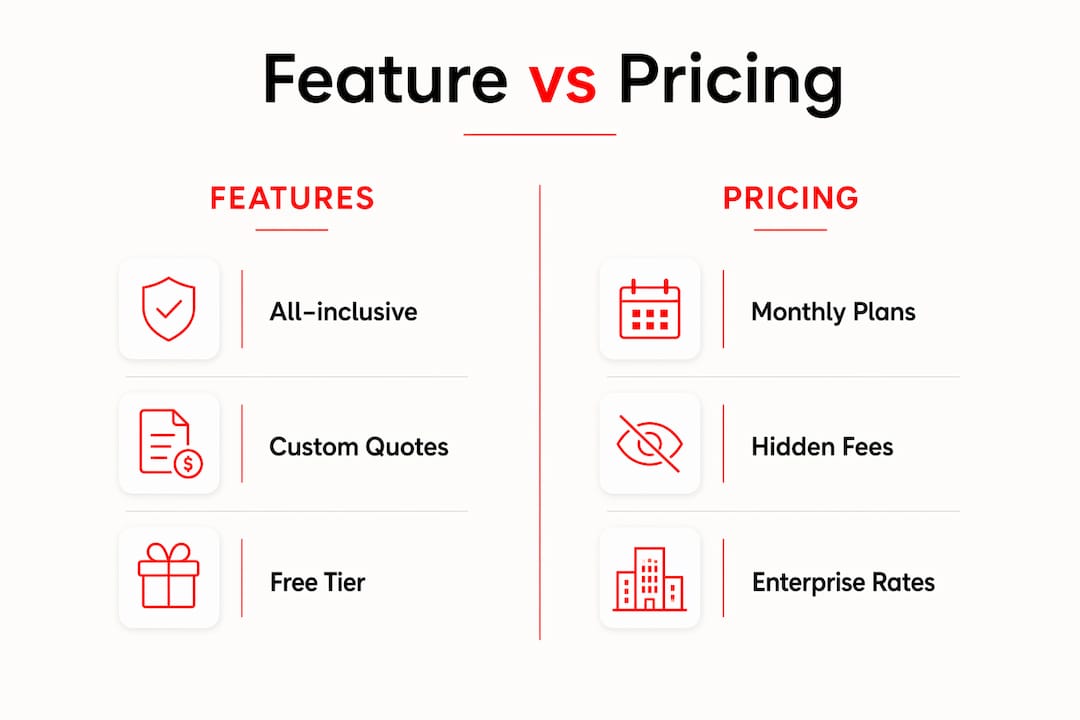
Every platform in this category claims to be "all-inclusive," but the pricing structures tell a different story. Many platforms advertise all-in-one functionality but require cautious evaluation of add-on fees and modular pricing before you sign anything.
| Platform | Best For | Pricing Model | Key Features | Ease of Use | Customer Support |
|---|---|---|---|---|---|
| Yodeck | SMBs | Per-screen subscription | Templates, scheduling, remote management | Very easy | Email, knowledge base |
| ScreenCloud Digital Signage | Retail, education, hospitality | Per-screen subscription | App integrations, multi-device support | Easy | Chat, email, docs |
| OptiSigns | Small businesses | Per-screen subscription | App marketplace, cloud-based | Very easy | Chat, email |
| NoviSign | SMB to enterprise | Per-screen subscription | Drag-and-drop editor, templates | Easy | Chat, email |
| Rise Vision | Schools, universities | Free tier + paid plans | Open-source components, templates | Moderate | Email, community |
| Raydiant | Retail, restaurants | Per-location subscription | Interactive content, customer engagement | Easy | Chat, email |
| Spectrio | Marketing-focused businesses | Custom pricing | Content creation tools, music, messaging | Moderate | Dedicated support |
| Look DS | Startups, SMBs | Per-screen subscription | Multi-platform, scheduling | Easy | Email, chat |
| Xibo | Custom deployments | Open-source + cloud plans | Self-hosting, community support | Technical | Community, docs |
| MagicInfo | Samsung display users | License-based | Samsung hardware integration, analytics | Moderate | Vendor support |
| PosterBooking | Basic signage needs | Free + paid tiers | Scheduling, content display | Very easy | |
| Four Winds Interactive (FWI) | Large enterprises | Custom quote | Advanced analytics, data integration | Complex | Dedicated team |
| Skykit | Large enterprises | Custom quote | Device management, analytics | Moderate | Dedicated support |
| Zoom Workplace | Enterprise Zoom users | Per-user subscription | Unified comms, signage integration | Easy | Enterprise support |
Pro Tip: Before requesting a demo, ask each vendor to itemize every fee beyond the base subscription. Training, premium templates, API access, and advanced analytics modules are common add-ons that inflate the real annual cost.
A few nuances worth knowing. Rise Vision offers a free tier that works well for schools running a handful of screens, but the open-source flexibility comes with a steeper learning curve than Yodeck or OptiSigns. Xibo is genuinely free if you self-host, though you will need IT resources to manage it. PosterBooking sits at the budget end with a free plan, making it a reasonable starting point for a single-location business that just needs basic content rotation.
Enterprise-focused platforms like FWI and Skykit often require custom quotes at a higher annual rate per player, reflecting the complexity of their device management and analytics capabilities. That cost gap between entry-level and enterprise tools is real and worth planning for early.
How to select the right digital signage software for your business needs

Picking the wrong platform usually comes down to one of two mistakes: buying more than you need, or underestimating what you will need in 18 months. Businesses must align their software choice with signage complexity and scale to avoid both traps.
Work through these evaluation priorities before you shortlist:
- Screen count and locations. A single-location business with two screens has completely different needs than a retailer managing 50 locations. Platforms like PosterBooking and OptiSigns handle the former well; Skykit and FWI are built for the latter.
- Content type. Static images and simple video loops need far less platform horsepower than live data feeds, interactive touchscreens, or real-time scheduling tied to a POS system.
- Hardware compatibility. MagicInfo is optimized for Samsung displays and loses its advantage on other hardware. Yodeck and ScreenCloud run on almost any screen via a media player or Fire TV Stick.
- Integration requirements. If you need your signage to pull data from a CRM, HR system, or scheduling tool, check the app marketplace or API documentation before committing. ScreenCloud and OptiSigns both maintain active app ecosystems.
- Security and compliance. Enterprise buyers should verify SOC 2 compliance, role-based access controls, and data residency options. Not every platform publishes these details upfront.
- Trial and demo availability. Trial availability and customer support quality vary widely across platforms. Yodeck, OptiSigns, and NoviSign all offer free trials; FWI and Skykit typically require a sales conversation first.
Pro Tip: "All-inclusive" pricing claims deserve scrutiny. Many platforms charge hidden fees for advanced modules, and the gap between the advertised price and your actual annual bill can be significant. Always request a written breakdown of every cost before signing.
For a practical setup walkthrough, the guide on gym digital signage setup covers deployment steps that apply broadly to any multi-screen environment.
What enterprise buyers need to know about complex signage deployments
Large-scale deployments introduce challenges that no software demo will fully surface. Device management across hundreds of screens, role-based content governance, real-time analytics, and integration with existing enterprise systems all add layers of complexity that go well beyond picking a platform with a good UI.
Successful complex deployments require not just software but an integration ecosystem including governance consultants and specialist integrators. FWI and Skykit both acknowledge this in their sales process, which is partly why they default to custom quotes rather than self-serve pricing pages. The total cost of ownership diverges sharply from the sticker price once you factor in implementation, training, and ongoing support contracts.
Key considerations for enterprise buyers:
- Device management at scale. Platforms like Skykit and FWI offer granular remote control, automated alerts for offline screens, and bulk content updates. Smaller platforms typically lack this depth.
- Analytics and reporting. Knowing which content played, when, and on which screen is a compliance requirement in some industries and a performance tool in others. FWI's analytics capabilities are among the most detailed in the category.
- Integration governance. Multi-location rollouts often need a fractional technical specialist or systems integrator to manage API connections, data feeds, and user permissions across departments.
- Training and change management. Enterprise platforms with complex interfaces require structured onboarding. Budget for this separately; it rarely comes included at the base price.
Large deployments benefit from an ecosystem supporting integration governance and expertise, not just software features. For teams managing multi-room display environments, the operational complexity compounds quickly without the right infrastructure in place.
Key Takeaways
The strongest digital signage platform for your organization is the one that matches your screen count, content complexity, and integration requirements without hiding costs in modular add-ons.
| Point | Details |
|---|---|
| Match scale to platform tier | Entry-level tools suit single-location SMBs; enterprise platforms like FWI and Skykit are built for complex, multi-site deployments. |
| Watch for hidden fees | Many platforms charge extra for analytics, API access, and premium templates beyond the base subscription price. |
| Use trials before committing | Yodeck, OptiSigns, and NoviSign offer free trials; enterprise platforms typically require a sales call before you can evaluate the product. |
| Enterprise deployments need more than software | Large rollouts require integration specialists and governance planning, not just a platform license. |
| Kingdomsignage for gym environments | Kingdomsignage unifies digital signage and audio across gym rooms in a single dashboard, purpose-built for fitness operators. |
Kingdomsignage: a purpose-built alternative for gym digital signage
Every platform in this comparison handles general digital signage well. None of them was built specifically for a gym floor.

Kingdomsignage solves a problem the general-purpose platforms ignore: gyms need to sync audio and visuals across multiple rooms simultaneously, not just push content to a screen. A spin class, a weight floor, and a reception area all need different content and different music, managed from one place without toggling between three separate tools. That is exactly what Kingdomsignage delivers through its unified dashboard.
Key advantages for fitness operators:
- Single dashboard control for TVs, workout class displays, and music across every room
- Multi-room audio and visual sync for smooth class transitions without manual switching
- Real-time content updates for promotions, class schedules, and membership offers
- Purpose-built for gym environments, not adapted from a retail or corporate signage template
For gym operators looking to improve member engagement and retention, Kingdomsignage offers a focused alternative to the general-purpose platforms covered in this comparison. You can also explore how gym membership offers display digitally to see the platform's content delivery approach in practice.