
What are the top alternatives to Real Digital Media for digital signage in 2026?
If you're evaluating realdigitalmedia.com alternatives for enterprise or multi-location use, the strongest contenders in 2026 are Korbyt, Poppulo, Appspace, ScreenCloud, Yodeck, OptiSigns, Rise Vision, Zoom Workplace, Play Digital Signage, and ComQi. Each addresses a different slice of the market, from deep enterprise customization to plug-and-play cloud deployment, so the right pick depends on your IT capacity, location count, and industry context.
Platforms like Yodeck, OptiSigns, and ScreenCloud consistently rank for ease of use and rapid deployment, making them the go-to options for teams that want cloud-based management without heavy IT involvement. On the other end, Korbyt, Poppulo, and ComQi are built for organizations that need professional services, deep integrations, and enterprise-grade scalability across dozens or hundreds of locations.
Here is how the top ten stack up at a glance:
| Platform | Best For | Multi-Location Management | Ease of Use | Deployment Model | IT Support Required |
|---|---|---|---|---|---|
| Korbyt | Large enterprises, deep customization | Strong, centralized control | Moderate | Cloud + On-Premise | High |
| Poppulo | Corporate comms, employee engagement | Strong, campaign-level control | Moderate | Cloud | Moderate |
| Appspace | Corporate comms, meeting room mgmt | Strong | Moderate | Cloud | Moderate |
| ScreenCloud | Scalable cloud signage, varied integrations | Strong | High | Cloud | Low |
| Yodeck | SMBs and fast-deploying enterprises | Good | Very High | Cloud | Very Low |
| OptiSigns | Fast onboarding, template-driven content | Good | Very High | Cloud | Very Low |
| Rise Vision | Education, flexible customization | Good | High | Cloud | Low |
| Zoom Workplace | Zoom-ecosystem organizations | Moderate | High | Cloud | Low |
| Play Digital Signage | Cost-conscious, open-source flexibility | Good | High | Cloud + On-Premise | Low |
| ComQi | Turnkey deployments, professional services | Strong | Moderate | Cloud + On-Premise | High |
Why these platforms stand out as credible enterprise options:
- Centralized dashboard control and permission-based multi-location management are standard across all ten, addressing brand consistency at scale.
- Cloud-first deployment reduces infrastructure maintenance burden, a defining criterion for IT teams in 2026.
- Korbyt, Poppulo, and ComQi are known for their professional services depth, signaling sustained investment in enterprise feature development.
- Yodeck and OptiSigns offer free or low-cost entry tiers, letting smaller teams evaluate before committing to enterprise contracts.
- Most platforms offer a free trial or demo, reducing purchasing risk for IT evaluation teams.
How do these Real Digital Media alternatives compare in depth?
The fourteen platforms worth serious consideration span a wide range of capabilities. Pricing models vary from subscription-based cloud plans to customized license fees for on-premise deployments, and total cost of ownership often includes support, upgrades, and professional services that aren't visible in headline pricing.
| Platform | Best For | Multi-Location Mgmt | Ease of Use | Pricing Model | Deployment | Industry Focus |
|---|---|---|---|---|---|---|
| Korbyt | Large enterprise, deep integration | Centralized, granular | Moderate | Custom enterprise | Cloud + On-Premise | Corporate, retail |
| Poppulo | Employee engagement, internal comms | Campaign-level control | Moderate | Custom enterprise | Cloud | Corporate comms |
| Appspace | Workplace engagement, meeting rooms | Strong | Moderate | Tiered SaaS | Cloud | Corporate |
| ScreenCloud | Scalable cloud, app ecosystem | Strong | High | Tiered SaaS | Cloud | Multi-industry |
| Yodeck | Plug-and-play cloud | Good | Very High | Free + paid tiers | Cloud | SMB to enterprise |
| OptiSigns | Template-driven, fast setup | Good | Very High | Tiered SaaS | Cloud | Multi-industry |
| Rise Vision | Education, developer-friendly | Good | High | Tiered SaaS | Cloud | Education, enterprise |
| Zoom Workplace | Zoom-ecosystem signage | Moderate | High | Bundled with Zoom | Cloud | Corporate |
| Play Digital Signage | Open-source, cost-conscious | Good | High | Free + paid tiers | Cloud + On-Premise | Multi-industry |
| REACH | Retail, corporate multi-location | Strong | Moderate | Custom SaaS | Cloud | Retail, corporate |
| Visix | Corporate comms, meeting rooms | Moderate | Moderate | Custom | Cloud + On-Premise | Corporate |
| Scala | Audience targeting, retail | Strong | Moderate | Custom enterprise | Cloud + On-Premise | Retail, enterprise |
| Stratacache | End-to-end, hardware-integrated | Very Strong | Moderate | Custom enterprise | Cloud + On-Premise | Retail, QSR, enterprise |
| ComQi | Turnkey deployments | Strong | Moderate | Custom enterprise | Cloud + On-Premise | Retail, corporate |
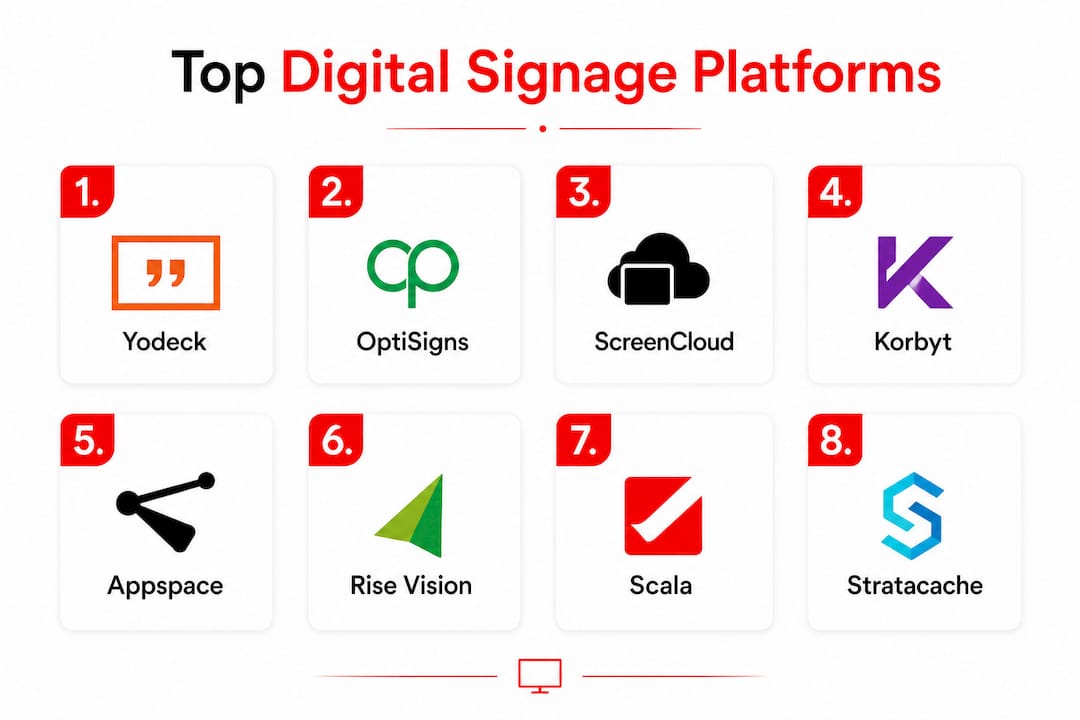
A few distinctions worth calling out:
Korbyt, backed by private equity, has invested heavily in professional services and hardware integration, making it a natural fit for large enterprises that need bespoke configurations. Poppulo goes further on the analytics side, with campaign-level reporting that lets corporate communications teams measure content performance across locations. Neither is a plug-and-play option; both assume a capable IT team on your end.
Appspace sits in an interesting middle ground. Its meeting room management features are genuinely differentiated, particularly for organizations running Microsoft Teams or similar collaboration tools alongside their signage network. ScreenCloud takes a different approach, building an app ecosystem that lets teams pull in live data feeds, social content, and third-party integrations without custom development.

Yodeck and OptiSigns are the clearest choices when IT bandwidth is limited. Both run entirely in the cloud, require minimal setup, and offer free tiers for evaluation. The trade-off is customization depth; neither matches Korbyt or Scala for bespoke content logic.
Rise Vision stands apart in education. Its developer-friendly tools and open platform let institutions build custom apps on top of the signage layer, which is rare at this price point. Zoom Workplace makes sense almost exclusively for organizations already deep in the Zoom ecosystem; outside that context, its signage capabilities are narrower than dedicated platforms.
Scala and Stratacache are the heavyweights for retail and quick-service restaurant environments. Scala's audience targeting and time-or-location-specific scheduling are genuinely sophisticated. Stratacache, described as an industry leader in digital signage, brings end-to-end hardware and software integration that suits large-scale deployments where a single vendor relationship simplifies operations.
Visix focuses on cloud communication and meeting room systems, making it a solid fit for corporate campuses with complex room-booking needs. REACH Media Network and Play Digital Signage round out the list as flexible SaaS options for retail chains and cost-conscious enterprises, respectively. Play Digital Signage's open-source roots give it an edge for teams that want on-premise control without enterprise licensing costs.
Trial and demo availability:
- Yodeck, OptiSigns, Rise Vision, and Play Digital Signage all offer free tiers or time-limited trials.
- Appspace, ScreenCloud, and Zoom Workplace typically provide demo access on request.
- Korbyt, Poppulo, Scala, Stratacache, and ComQi operate on custom enterprise contracts; demos are available but require sales engagement.
How do you choose the best digital signage software for your enterprise?
The decision comes down to five concrete factors, and the order matters.
1. Scalability and multi-location management
Start here. If you're managing more than ten locations, you need a platform with centralized permission controls, bulk content scheduling, and the ability to push updates to specific screens or groups without touching each device individually. Korbyt, Stratacache, and Scala are built for this at scale. ScreenCloud and Appspace handle it well at mid-market volume.
2. IT support load and deployment model
Remote cloud-based management without dedicated IT has become a defining evaluation criterion in 2026. If your IT team is stretched, cloud-only platforms like Yodeck, OptiSigns, and ScreenCloud dramatically reduce the infrastructure maintenance burden. On-premise options like Scala and Stratacache offer more control but require internal resources to manage servers, updates, and security patches.

3. Integration with existing tools
Appspace integrates with Microsoft 365 and Teams. Zoom Workplace connects directly to Zoom meetings and calendar data. Rise Vision supports custom app development for organizations with developer resources. Before shortlisting, map your existing software stack and check which platforms offer native connectors versus API-only integrations.
4. Pricing transparency and total cost of ownership
Subscription-based cloud plans are easier to budget; on-premise license fees often carry hidden costs in support, upgrades, and hardware. Enterprise options from Korbyt, Poppulo, and ComQi are almost always custom-quoted, so request a detailed breakdown that includes professional services and annual maintenance before comparing numbers.
5. Security and compliance
Security features including data privacy compliance and secure content delivery are growing evaluation factors for enterprise digital signage. IT managers increasingly require that signage platforms meet organizational security policies and regulatory standards. Ask vendors specifically about SOC 2 compliance, data residency options, and content delivery encryption before signing.
Trade-offs to understand:
- Ease of deployment and deep customization pull in opposite directions. Yodeck deploys in minutes; Scala can take weeks to configure properly. Neither is wrong; they serve different needs.
- Open-source platforms like Play Digital Signage give you flexibility but shift maintenance responsibility to your team.
- Overcomplexity is a real risk. Platforms with extensive feature sets often come with steep learning curves that slow adoption across non-technical staff.
Pro Tip: Before committing to any platform, run a structured pilot on a subset of your locations for 30 days. Test content update speed, remote management reliability, and how quickly your team can train on the interface. A platform that looks good in a demo can feel very different when your marketing team is updating content at 7 AM before a store opens.
Why digital signage software investment matters more in 2026
The case for digital signage has shifted from "nice to have" to operationally critical for multi-location businesses. The core reason is speed: static printed materials can't keep pace with pricing changes, promotional cycles, or real-time operational updates across dozens of locations.
What modern digital signage software actually delivers:
- Instant content updates pushed to all screens from a single dashboard, eliminating the lag of physical material production and distribution.
- Brand consistency enforced through templates and permission controls, so individual location managers can't accidentally publish off-brand content.
- Targeted messaging by location, time of day, or audience segment, which is particularly valuable for retail and food service environments.
- Reduced print and production costs over time, as content changes are software-driven rather than requiring new physical assets.
- Operational data integration, pulling in live inventory, queue times, or event schedules directly onto screens without manual updates.
Cloud-based platforms have made remote screen management without dedicated IT a realistic option for organizations that previously couldn't justify the infrastructure. That shift is the single biggest change in how enterprises evaluate signage software in 2026. A regional manager can now update content across 50 locations from a laptop without filing an IT ticket.
The marketing ROI case is also cleaner than it was three years ago. Digital signage supports faster promotional cycles, real-time pricing adjustments, and content personalization that static displays simply can't match. For multi-location businesses, that agility compounds across every location in the network.
What makes Kingdomsignage different for gym and fitness digital signage?
Most of the platforms covered in this article are built for general enterprise use. Kingdomsignage is built specifically for gyms, and that specificity shows up in features that general-purpose platforms don't offer.
The core differentiator is a unified dashboard that controls both digital signage and audio across multiple gym areas simultaneously. That matters because a typical gym runs several distinct environments at once: a main floor with TVs showing content, a cycling studio with music and class visuals, a reception area with promotional screens, and possibly a pool or spa zone with its own requirements. Managing all of that through separate tools creates friction. Kingdomsignage collapses it into one interface.
Features built for gym environments:
- Sync workout class schedules across screens and audio systems, so transitions between classes are smooth and automatic.
- Push promotional content (membership offers, class sign-ups, retail promotions) to specific zones without affecting other areas.
- Update content in real time without requiring IT involvement, which matters when a class is canceled or a promotion changes at short notice.
- Maintain brand consistency across multiple gym locations from a single account.
- Manage music and visual content together, eliminating the need for a separate audio management tool.
For gym operators, the practical impact is fewer tools, fewer logins, and fewer moments where a staff member has to troubleshoot why the spin class screen is showing the wrong content. Fitness instructors benefit from smoother class transitions, and members experience a more polished, consistent environment. That consistency is directly connected to member engagement and retention, which is the metric gym operators actually care about.
If you're evaluating signage software for a fitness facility, the general-purpose platforms in this comparison will handle basic screen management. Kingdomsignage handles the full gym environment, including the audio layer that most signage platforms ignore entirely. For a deeper look at how gym membership offers display digitally in practice, the approach is worth understanding before you commit to a general platform.
General-purpose platforms like Appspace or ScreenCloud can technically display content in a gym. What they can't do is sync that content with your audio system, your class schedule, and your promotional calendar in a single workflow. That gap is where Kingdomsignage operates.
Key Takeaways
The strongest realdigitalmedia.com alternatives in 2026 are cloud-first platforms with centralized multi-location management, and the right choice depends on your IT capacity, location count, and whether you need a general-purpose or industry-specific solution.
| Point | Details |
|---|---|
| Cloud vs. on-premise trade-off | Cloud platforms like Yodeck and ScreenCloud reduce IT burden; on-premise options like Scala offer more control but require internal resources. |
| Enterprise depth vs. ease of use | Korbyt, Poppulo, and ComQi suit large enterprises needing deep customization; OptiSigns and Yodeck suit teams with limited IT bandwidth. |
| Total cost of ownership | Enterprise platforms are custom-quoted; always request a breakdown that includes professional services and annual maintenance. |
| Security is a growing criterion | IT managers increasingly require SOC 2 compliance, data residency options, and encrypted content delivery from signage vendors. |
| Kingdomsignage for fitness | Kingdomsignage unifies digital signage and audio management for gyms in one dashboard, covering a gap that general-purpose platforms don't address. |
The real problem with how enterprises choose digital signage software
Most IT and marketing teams approach digital signage software selection the same way they approach any enterprise software purchase: they build a feature checklist, run a demo, and pick the platform that checks the most boxes. The problem is that digital signage failure rarely comes from missing features. It comes from adoption gaps that no demo reveals.
The platforms with the longest feature lists, Korbyt, Scala, and Stratacache, are also the ones where organizations most often end up with underutilized deployments. The configuration complexity that makes them powerful for large retail chains becomes a liability when the team managing the system turns over, or when a regional manager needs to update content quickly and can't navigate the interface without IT help. That's not a knock on those platforms; it's a structural reality of enterprise software.
The 2026 shift toward cloud-based remote management without dedicated IT isn't just a convenience trend. It reflects a genuine lesson from the past decade of enterprise signage deployments: the organizations that get the most value from their signage networks are the ones where non-technical staff can actually use the system day to day. A platform that requires an IT ticket to change a promotional image is a platform that will be ignored.
Vendor support quality deserves more weight than it typically gets in the evaluation process. When a screen goes dark at a retail location on a Saturday morning, the quality of your vendor's support response matters more than any feature on the comparison table. Ask specifically about support response times, escalation paths, and whether enterprise contracts include dedicated account management.
Data security is the other underweighted factor. As signage networks grow to include real-time data feeds, employee-facing content, and location-specific operational information, the attack surface expands. Platforms that treat security as a checkbox rather than a core design principle will create compliance headaches as regulatory requirements tighten.
The honest advice for 2026: weight ease of use and vendor support more heavily than you think you should, and weight feature depth less. The best signage platform is the one your team actually uses consistently, not the one that looked most impressive in the sales presentation.
Kingdomsignage brings gym-specific signage and audio together in one place
If you manage digital signage for a fitness facility, the platforms in this comparison will handle your screens. None of them will handle your audio, your class schedule syncing, and your promotional content in a single workflow. That's the gap Kingdomsignage fills.

Kingdomsignage is built specifically for gym operators who need to control TVs, workout class visuals, and music across multiple rooms without juggling separate tools. The unified dashboard means a front-desk staff member can update a promotion, adjust the spin class audio, and push a schedule change to every screen in the facility in one session. No IT ticket. No separate audio system login. For operators running cloud-based gym signage across multiple locations, that simplicity compounds fast. Visit Kingdomsignage to see how the platform works for your facility.