
What your gym AV platform evaluation checklist must cover
Before you spend a dollar on speakers, displays, or control software, you need a clear picture of what your system must actually do. A solid gym AV platform evaluation checklist covers nine non-negotiable areas. Work through each one before you commit to any platform.
- Multi-zone audio with independent volume controls. Cardio floors, weight rooms, group fitness studios, and lobbies all need different volume levels. Confirm the platform lets you set and adjust each zone independently without touching the others.
- Auto-ducking capability. When an instructor speaks or an announcement fires, music should drop automatically. Manual volume adjustments mid-class break the experience and distract staff.
- Centralized digital signage management. Class schedules, promotions, and safety notices should update from one dashboard, remotely, without requiring someone on-site to touch a screen.
- Compatibility with existing equipment and software. Check whether the platform connects to your current scheduling software, access control systems, and network infrastructure before you sign anything.
- User interface ease. If your front-desk staff needs a 30-minute tutorial every time something changes, the system is too complicated. Instructors especially need controls they can operate mid-class without thinking.
- Scalability. A platform that handles your current two-room setup should also handle a future expansion to six zones or a second location. Ask vendors directly how their system grows.
- Network and connectivity requirements. Bluetooth is unreliable for multi-zone audio in gyms. Hardwired speakers and dedicated zone controllers are the professional standard. Confirm what your facility's network infrastructure can support.
- Security and data privacy controls. Member data, scheduling integrations, and remote access points all create exposure. Verify the platform uses encrypted connections and role-based access.
- Maintenance plans and technical support. Downtime during peak hours costs you members. Confirm what support response times look like, whether firmware updates are included, and whether the vendor offers preventive maintenance.
Table of Contents
- Why virtual acoustic design matters before you buy anything
- A unified platform does more than save you clicks
- How to keep sound levels safe without killing the energy
- How Kingdomsignage applies this checklist in practice
- Full evaluation checklist for gym AV platforms
- Key Takeaways
- Kingdomsignage gives you one place to run it all
Why virtual acoustic design matters before you buy anything
Skipping acoustic planning is the single most expensive mistake gym operators make with AV. You can buy the right speakers and still end up with bass buildup in the corner, dead spots near the treadmills, and an instructor mic that sounds muddy from the back row. None of that gets fixed cheaply after installation.
Gyms are acoustically hostile environments. Mirrors, hard rubber flooring, metal equipment, and exposed concrete walls all reflect sound differently. A space that looks straightforward on a floor plan can behave unpredictably once music starts playing at workout volume.
- Model the space before installation. Tools like Bose Modeler let integrators simulate speaker placement and coverage patterns against your actual room dimensions and surface materials. That simulation catches problems before a single bracket gets mounted.
- Account for gym-specific obstacles. Wall memorabilia, mirror panels, and equipment clusters all affect how sound travels. A virtual acoustic design session surfaces these issues early.
- Prevent uneven coverage and bass buildup. Even coverage at a consistent level is more motivating than loud patches surrounded by dead zones. Modeling identifies where subwoofers will cause buildup and where ceiling speakers need supplementing.
- Avoid expensive rework. Repositioning speakers after drywall is closed costs significantly more than getting placement right the first time. Bose Professional's work with Gold's Gym demonstrates how upfront acoustic simulation prevents on-site corrections.
Pro Tip: Ask any AV integrator you're evaluating whether they provide a virtual acoustic design as part of their proposal process. If they don't, that's a meaningful gap in their service. Integrators who skip this step are pricing for installation speed, not long-term performance.
A unified platform does more than save you clicks
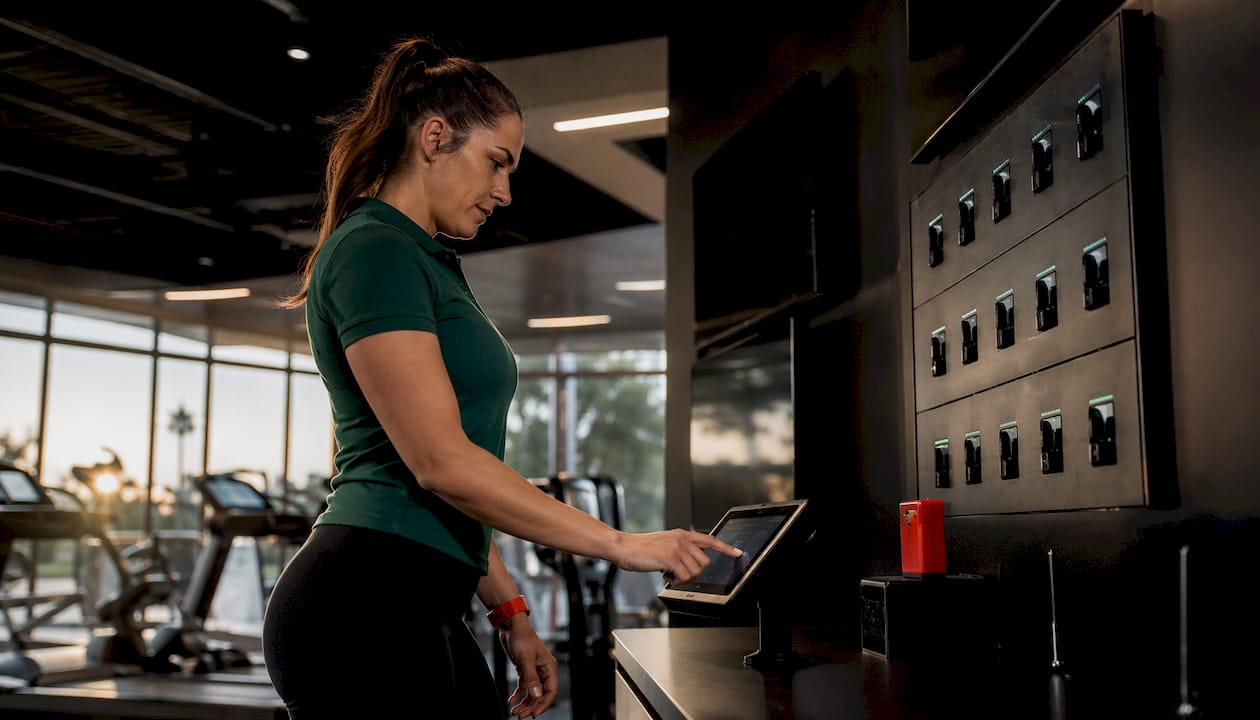
The operational argument for unified gym AV integration goes beyond convenience. When audio, video, paging, and digital signage run through one platform, the system can respond to events automatically rather than waiting for a staff member to react.
Auto-ducking is the clearest example. The moment an instructor keys their mic or a fire alarm triggers, the platform drops background music across every affected zone without anyone touching a control panel. That kind of automated response also matters for emergency announcements, where a few seconds of delay can be significant.
- Single-interface control eliminates the fragmented workflow of managing a separate app for music, another for displays, and a third for scheduling.
- Automated dayparting lets you program different audio and visual content for morning cardio hours versus evening group classes, with no manual intervention.
- Consistent branding across zones means your promotional content and class schedules look the same on every screen, updated from one place.
- Remote troubleshooting reduces the need for on-site support visits. Staff can resolve most issues from a tablet or laptop without waiting for a technician.
- Pre-programmed class setups cut instructor prep time. One tap switches the room from ambient lobby mode to high-energy cycling configuration.
For operators managing multiple screens across zones, controlling multiple gym displays from a single interface is where unified platforms pay for themselves fastest.
How to keep sound levels safe without killing the energy
The World Health Organization recommends a maximum average sound level of 100 dB in venues. That ceiling exists for a reason: sustained exposure above it causes cumulative hearing damage for both members and staff, even when no single session feels dangerously loud.
Sound safety note: WHO sets the 100 dB average limit specifically to protect against long-term hearing damage in high-energy venues. Calibrating your gym zones to stay within that threshold protects your members and your staff every single day.
Hitting the right energy level without exceeding safe limits comes down to even distribution, not raw volume.
- Calibrate for coverage, not loudness. A well-placed speaker array at moderate output fills a room more effectively than a few overpowered units cranked to compensate for gaps.
- Use commercial-grade speakers rated for heat, humidity, and vibration. Consumer-grade hardware degrades faster in gym conditions and often distorts at the volumes fitness environments demand.
- Implement multi-zone control so your high-intensity studio doesn't bleed into the stretching area or the lobby.
- Schedule regular calibration checks. Speaker output drifts over time, especially in high-use environments. Build a calibration review into your quarterly maintenance routine.
- Address hard surfaces directly. Reflective walls amplify certain frequencies and create uneven coverage. Acoustic panels or strategic speaker angling can correct this without major construction.
Winston Acoustics notes that gyms with hard surfaces and open layouts are among the most challenging commercial environments to calibrate correctly, which is why professional setup matters more here than in most other venue types.
How Kingdomsignage applies this checklist in practice
Kingdomsignage was built specifically for the operational reality gym operators face: multiple zones, mixed content types, and staff who need to manage everything without becoming AV technicians.
- Unified dashboard control covers TVs, class audio, and music from one interface. No switching between apps mid-shift.
- Multi-zone volume management lets you set independent levels for cardio areas, weight floors, group fitness studios, and common spaces simultaneously.
- Automatic ducking triggers when instructor mics go live or announcements play, keeping the experience consistent without manual adjustments.
- Centralized signage management handles class schedule displays, promotional content, and real-time updates across every screen from a single login.
- Compatibility with existing gym infrastructure means Kingdomsignage integrates with your current network setup and scheduling tools rather than requiring a full system replacement.
- Scalable architecture supports growth from a single-location gym to a multi-site operation without requiring a platform change.
- Security and privacy controls include encrypted connections and role-based access to protect member data and limit system exposure.
- Ongoing support and firmware updates are part of the platform, so your system stays current without requiring a separate maintenance contract.
For a deeper look at how gym AV infrastructure gets designed for performance, the gym AV infrastructure design guide covers the technical and operational considerations in detail.
Full evaluation checklist for gym AV platforms
Use this checklist during vendor conversations and site assessments. It consolidates every criterion covered above into a single reference.
| Evaluation Area | What to Confirm |
|---|---|
| Multi-zone audio | Independent volume control per zone; no bleed between areas |
| Auto-ducking | Automatic music reduction when mics or announcements activate |
| Digital signage management | Remote updates from one dashboard; supports scheduling and promotions |
| Acoustic design | Virtual modeling completed before installation; dead spots and bass buildup addressed |
| Hardware durability | Commercial-grade speakers rated for heat, humidity, and vibration |
| Network infrastructure | Hardwired speaker connections; dedicated zone controllers; no reliance on Bluetooth |
| Compatibility | Integrates with existing scheduling software, access control, and network |
| User interface | Operable by non-technical staff and instructors without training overhead |
| Sound safety | Calibrated to stay within WHO's 100 dB average limit; even coverage across zones |
| Scalability | Supports additional zones, locations, and future technology without platform replacement |
| Security | Encrypted connections; role-based access; data privacy controls |
| Support and maintenance | Defined response times; firmware updates included; preventive maintenance available |
Operators evaluating hospitality-adjacent facilities, such as hotel gyms, will find that AV and signage integration for amenity spaces follows many of the same criteria, particularly around centralized control and guest-facing display management.
Key Takeaways
A gym AV platform that unifies audio, digital signage, and zone control from one dashboard reduces staff workload, protects member hearing, and keeps your facility running without manual intervention.
| Point | Details |
|---|---|
| Checklist covers nine areas | Multi-zone audio, auto-ducking, signage, compatibility, UI, scalability, network, security, and support. |
| Acoustic design prevents rework | Virtual modeling before installation catches dead spots and bass buildup that cost far more to fix after the fact. |
| WHO sets the 100 dB limit | Calibrating gym zones to that average protects members and staff from cumulative hearing damage. |
| Hardwired beats Bluetooth | Dedicated zone controllers with wired speakers are the professional standard for reliable multi-zone gym audio. |
| Kingdomsignage unifies control | One dashboard manages TVs, music, class audio, and digital signage across all gym zones. |
Kingdomsignage gives you one place to run it all
Most gym operators don't struggle with finding AV equipment. They struggle with managing five different systems that don't talk to each other, staff who can't troubleshoot mid-class, and displays that show yesterday's schedule because updating them requires logging into a separate tool.

Kingdomsignage solves that specific problem. The platform puts your TVs, class audio, background music, and digital signage under one dashboard, with automatic ducking, zone-level volume control, and remote content updates built in. It's designed for gym environments, not adapted from a generic commercial AV template.
If you're working through a fitness AV system review and want to see how a unified platform handles the criteria in this checklist, visit Kingdomsignage to explore the platform and request a demo.