
A smart TV gym management system is specialized software that turns gym displays into automated coaching tools, running workout timers, movement demos, and class transitions without manual input. The industry term for the broader category is "gym display system," and understanding both terms helps you evaluate what the technology actually does versus what standard gym management software handles. These systems solve a specific problem: keeping every member in sync with the workout, every class, without a coach stopping to fiddle with a phone timer. Kingdomsignage builds directly on this concept, unifying TV control, audio, and workout content through a single dashboard designed for gym environments.
What is a smart TV gym management system?
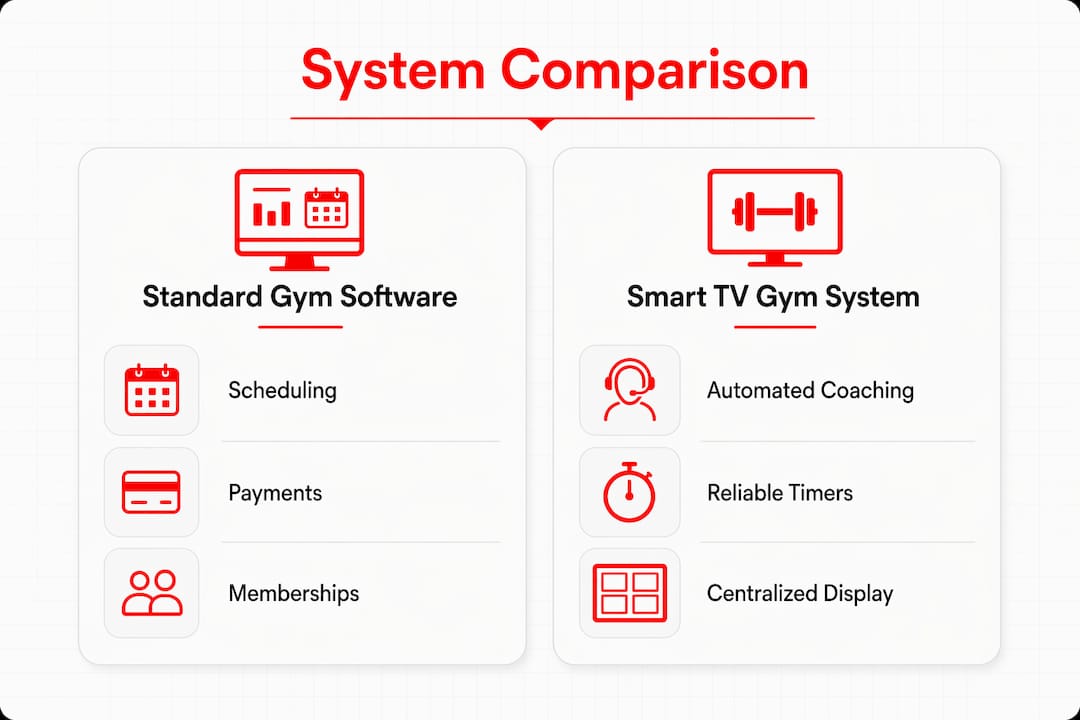
A smart TV gym management system is defined as dedicated display software paired with purpose-built hardware that automates the visual and timing layer of gym classes. It is not a billing platform or a membership database. Standard gym management software handles back-end tasks such as billing and membership databases, while a smart TV system manages what members actually see on the training floor in real time.
The core job of the system is to replace every manual coaching interruption with an automated visual cue. Timers count down on screen. Movement demos loop automatically. The next workout block loads without anyone pressing a button. That shift frees coaches to coach instead of operate technology.
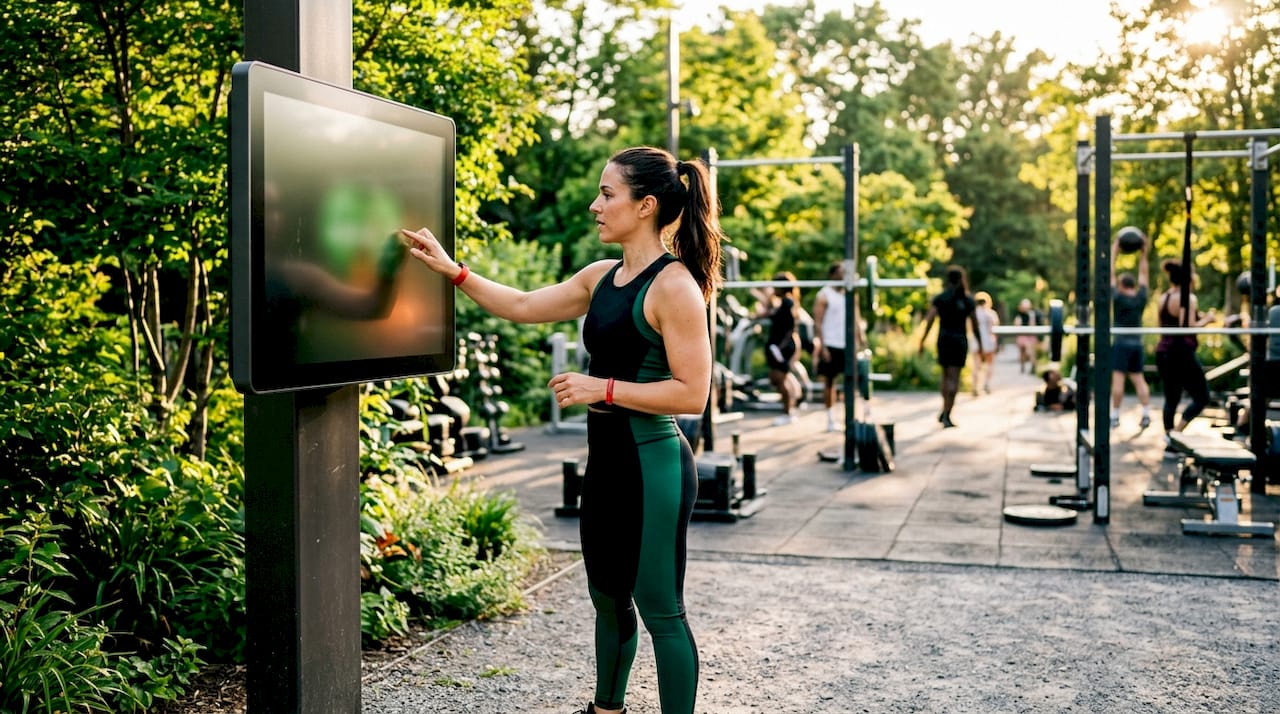
These systems also address a reliability gap that consumer devices cannot close. Manual timer apps on phones suffer from Bluetooth dropouts and poor group visibility, breaking workout flow mid-class. A dedicated gym display system runs timers directly on the main screen, visible to every member in the room simultaneously.
How does a smart TV gym management system work in practice?
The system has two layers: hardware and software. The hardware layer is a dedicated device connected to each screen, typically hardwired to the network rather than relying on Wi-Fi casting. The software layer runs the workout structure, including interval timers, movement demo videos, and transitions between blocks.
Here is what the software automates during a typical class:
- Interval timers count down work and rest periods on screen without coach input.
- Movement demo loops play video clips of each exercise so members know the correct form before the timer starts.
- Block transitions advance automatically from warm-up to main sets to cooldown.
- Scheduling integration pulls the correct workout to the screen based on which class is booked at that time.
- Branding overlays display the gym's logo, colors, and promotional content between classes.
Scheduling and booking workflows connect directly to the display software, so the right content appears on the right screen at the right time without a staff member manually loading it. That automation is what separates a gym display system from a TV with a YouTube video playing.
Pro Tip: Connect each display device via Ethernet rather than Wi-Fi. A wired connection eliminates the dropout risk that kills workout flow at the worst possible moment.
What are the key benefits of implementing smart TV gym management systems?
The benefits split across three groups: coaches, members, and gym operators. Each group gains something distinct, and the combined effect is a more professional, efficient facility.
For coaches:
- Removes the need to manage timers manually, so attention stays on members.
- Movement demos on screen reduce the number of times a coach must stop and demonstrate.
- Consistent class flow means less verbal instruction and more actual coaching.
For members:
- Clear visual timers and task displays replace the need to listen for verbal cues, which is especially valuable in loud gym environments.
- Looping movement demos let members self-correct form without waiting for coach attention.
- Synchronized workouts create a shared energy in group classes that drives effort and retention.
For gym operators:
- Centralized content scheduling reduces the daily operational load on front-desk staff.
- Consistent branding across screens reinforces the gym's identity and supports promotional content delivery.
- Automated systems scale across multiple rooms or locations without proportional increases in staff time.
The real upgrade for gyms is not bigger TVs. It is software that connects workouts, coaching, timing, and branding into a unified training experience. That connection is what drives member engagement and, ultimately, membership retention.
How do smart TV gym management systems compare to standard gym software and consumer TVs?
Gym owners often ask whether their existing gym management software or a consumer smart TV can do the same job. The answer is no, and the reasons are specific.
Standard gym management platforms focus on administrative workflows: membership sign-ups, payment processing, class bookings, and staff scheduling. They are not built to control what appears on a screen during a live class. Fitness management technology increasingly separates back-end administration from front-end member experience, and smart TV gym systems own the front-end layer.
Consumer smart TVs fail on reliability. They depend on casting protocols that drop connections, require a phone or laptop to operate, and offer no integration with class schedules or workout structures. Dedicated hardware devices powering each screen eliminate those failure points. The difference shows up most clearly during a 45-minute HIIT class when a Bluetooth dropout at minute 20 breaks the entire session.
| Feature | Standard gym management software | Consumer smart TV setup | Smart TV gym display system |
|---|---|---|---|
| Workout timers on screen | No | Manual only | Automated |
| Movement demo playback | No | Manual only | Automated loops |
| Class schedule integration | Yes | No | Yes |
| Membership and billing | Yes | No | No |
| Hardware reliability | N/A | Low | High |
| Multi-screen control | No | No | Yes |
Pro Tip: Treat your gym display system and your gym management software as two separate tools with two separate jobs. Trying to force one to do the other's work creates gaps in both.
What steps should gym owners take to implement a smart TV gym management system?
Implementation follows a clear sequence. Skipping steps creates the same reliability problems the system is designed to solve.
-
Audit your current screen setup. Count how many displays you have, where they are located, and what hardware currently powers them. Note which screens are in high-traffic coaching areas versus reception or locker rooms.
-
Standardize your display hardware. Use one dedicated device model per screen. Mixing hardware types creates inconsistent performance. Dedicated media players designed for commercial display use outperform repurposed consumer devices.
-
Hardwire your network. Gym TV network setup should prioritize Ethernet connections for every display device. Wi-Fi is acceptable for reception screens showing static content, but never for screens running live class timers.
-
Connect your class schedule to your display software. The system should pull the correct workout automatically when a class starts. Manual content loading is a failure point that defeats the purpose of automation.
-
Train your coaches on the system, not just the technology. Coaches need to know what the screen will show and when, so they can build their verbal coaching around it rather than duplicating it. A coach who trusts the screen spends more time with members.
-
Set a content review schedule. Workout demos, promotional overlays, and class structures need regular updates. Assign one staff member to own content updates on a weekly or monthly cycle.
Managing multiple gym TVs through a centralized dashboard simplifies steps four and six considerably. A single interface that controls all screens reduces the risk of one display running outdated content during a live class.
Pro Tip: Run a full dry-run of your display system before launching it in a live class. Test every timer, every demo loop, and every transition. Members notice when the screen lags, and first impressions of new technology stick.
Key Takeaways
A smart TV gym management system is the operational layer that connects coaching, timing, and branding on the gym floor, and it requires dedicated hardware and software to work reliably.
| Point | Details |
|---|---|
| Definition is specific | A smart TV gym management system automates timers, demos, and class flow on dedicated display hardware. |
| Different from admin software | Standard gym management software handles billing and bookings, not live workout displays. |
| Hardware reliability matters | Dedicated devices hardwired to the network prevent the dropouts that break class flow. |
| Integration drives automation | Connecting class schedules to display software eliminates manual content loading entirely. |
| Coaches benefit directly | Automated screens free coaches to focus on members rather than managing timers or demos. |
What I have learned from watching gyms get this wrong
Most gym owners I have worked with made the same mistake when they first explored smart gym technology: they bought bigger TVs. The screen size was never the problem. The problem was always the software layer sitting behind the display.
Gyms that treat their screens as entertainment devices, running sports channels or music videos between classes, miss the entire point of the technology. Viewing gym screens as coaching tools rather than entertainment devices changes every decision that follows, from hardware selection to content scheduling to how coaches interact with the room.
The second mistake is underestimating the network. A gym that invested in a premium display system but ran it over shared Wi-Fi saw dropout issues within the first week. The fix was Ethernet, not a software upgrade. Infrastructure decisions made early determine whether the system performs or frustrates.
The third mistake is treating implementation as a one-time event. Content goes stale. Workout demos become outdated. Promotional overlays reference offers that expired months ago. The gyms that get the most from their display systems treat content management as an ongoing operational responsibility, not a setup task.
The shift from entertainment screens to coaching screens is not a technology upgrade. It is a mindset upgrade. Once gym owners make that shift, every other decision about digital gym systems becomes clearer and more purposeful.
— Kingdom
How Kingdomsignage supports your gym display needs
Kingdomsignage is built specifically for gym environments where controlling TVs, workout content, and audio from one place is the operational standard, not a luxury.

The platform gives gym owners a single dashboard to manage every screen in the facility, sync audio across rooms, and schedule content tied directly to class bookings. Promotional content, workout displays, and branding overlays all update in real time without requiring staff to touch individual devices. For gym owners ready to move from manual screen management to a fully automated display operation, Kingdomsignage gym signage solutions provide the hardware-agnostic control layer that makes it work. You can also explore how digital membership offer displays fit into a complete gym screen strategy.
FAQ
What is a smart TV gym management system?
A smart TV gym management system is specialized software and hardware that automates workout timers, movement demos, and class transitions on gym displays. It replaces manual timer apps and consumer casting with a reliable, schedule-driven display system.
How is it different from standard gym management software?
Standard gym management software handles billing, memberships, and scheduling. A smart TV gym system controls what members see on the training floor during live classes, which is a separate function entirely.
Why do consumer smart TVs fall short for gym use?
Consumer smart TVs rely on casting and Bluetooth connections that drop during classes, breaking workout flow. Professional gym display systems use dedicated hardware devices that run independently and consistently throughout every session.
What hardware do I need to run a smart TV gym management system?
Each screen requires a dedicated media player or display device, ideally hardwired to the network via Ethernet. Standardizing on one device model across all screens reduces troubleshooting time and improves consistency.
How does a gym display system improve member engagement?
Clear on-screen timers and movement demos give members real-time guidance without requiring constant verbal instruction from coaches. That visual structure keeps members focused, reduces confusion, and creates a more energetic group class experience.