
A cloud-based unified digital-signage and multi-room audio system running on low-cost Android or web players is the most affordable, lowest-risk AV setup for a small studio. You skip the proprietary AV rack, the separate music licensing headache, and the two-vendor billing mess, replacing all of it with one dashboard and one monthly bill. Kingdom Signage customers use exactly this model: a single login controlling TVs, class schedules, and room audio, which tends to make class transitions between the spin room and the yoga studio noticeably smoother.
A quick gut check before you shop:
- One subscription beats separate signage and music vendors on both price and hassle.
- Android or web-based players cost far less than proprietary broadcast hardware.
- Centralized scheduling means one change updates every screen and speaker at once.
Key Takeaways
The most affordable AV setup for a small studio is a single unified cloud SaaS running on low-cost players, not a stack of separate signage and music tools.
| Point | Details |
|---|---|
| Choose unified over split | One dashboard for signage and audio avoids mismatched schedules and cuts vendor overhead. |
| Prioritize sync and caching | Unified scheduling and local caching matter more than screen count or extra zones. |
| Budget hardware realistically | A single-zone setup can start near $150 to $250 in year one with a basic player and screen. |
| Pilot before full rollout | Test one room for a full week, checking dayparting, failover, and booking integration. |
| Kingdom Signage fits studio needs | Kingdom's unified dashboard syncs signage and room audio for smoother class transitions. |
Table of Contents
- Why an Affordable AV Solution for Small Studios Means Going Unified
- What to Require From an Affordable AV SaaS
- Hardware and Budgets: What This Actually Costs
- How to Pilot an Affordable AV Rollout Without a Consultant
- The Overrated Feature vs. the One Nobody Budgets For
- Try a Studio-First Dashboard Instead of Juggling Vendors
- Sources
Why an Affordable AV Solution for Small Studios Means Going Unified
Split systems fail in a specific, predictable way: the front-desk TV is still showing yesterday's class schedule while the sound system in Studio B is three songs into a totally different playlist than the one queued on the lobby screen. That mismatch is small on paper and jarring in person. Members notice when the vibe of the room doesn't match what's on the wall.
Multi-zone dayparting, which is just scheduling different content and audio for different rooms at different times of day, only works cleanly when one system owns both the screen and the speaker. Industry sync guides describe this as a single timeline that triggers audio and visuals together across zones, rather than two separate systems hoping to stay in step. Gym AV feature guides list multi-zone control and centralized dashboards as the features that actually move the needle for fitness venues, ahead of flashier extras.
The operational case is just as strong as the experience case:
- One login instead of two or three vendor portals to remember.
- Fewer vendor relationships means fewer invoices, fewer support tickets, and fewer things breaking at once.
- Adding a second location later becomes a configuration change, not a new system.
What to Require From an Affordable AV SaaS
Not every feature on a vendor's spec sheet earns its place in a small studio's budget. Some are load-bearing. Others are nice but skippable in year one.
Treat these as non-negotiable:
- Multi-zone control so the front desk, group class room, and locker area can each run different content without separate hardware stacks.
- Unified scheduling that links music and visuals to the same class calendar, so a 6 a.m. spin class automatically pulls its playlist and its screen content together.
- Booking-platform integration so schedule changes in Mindbody or a similar system push through without manual re-entry.
- Local caching on the player itself, so a dropped Wi-Fi signal for thirty seconds doesn't mean dead air mid-class.
- Role-based access so a front-desk staffer can update a promo slide without being able to touch the whole system.
These are worth paying a little more for, but skip them if the budget is tight:
- Branded workout timers with demo video support.
- A template library for promotional content, so you're not designing screens from scratch.
- A license-managed music catalog bundled into the subscription.
- Remote firmware updates, which matter more once you have four or five zones than when you have one.
Cost structures split roughly two ways: per-zone licensing, where you pay more as you add rooms, and flat-fee tiers, where a set monthly price covers a limited number of zones. Per-zone pricing scales more fairly for a single studio with two rooms, but flat tiers often win once you cross three or four zones.
Pro Tip: Ask any vendor to show you the exact monthly cost at your current zone count and at double that count. If they hesitate, the pricing model probably punishes growth.
Hardware and Budgets: What This Actually Costs
The software subscription is only half the bill. Hardware choice determines the rest, and it's where most studios either save money or accidentally overspend.
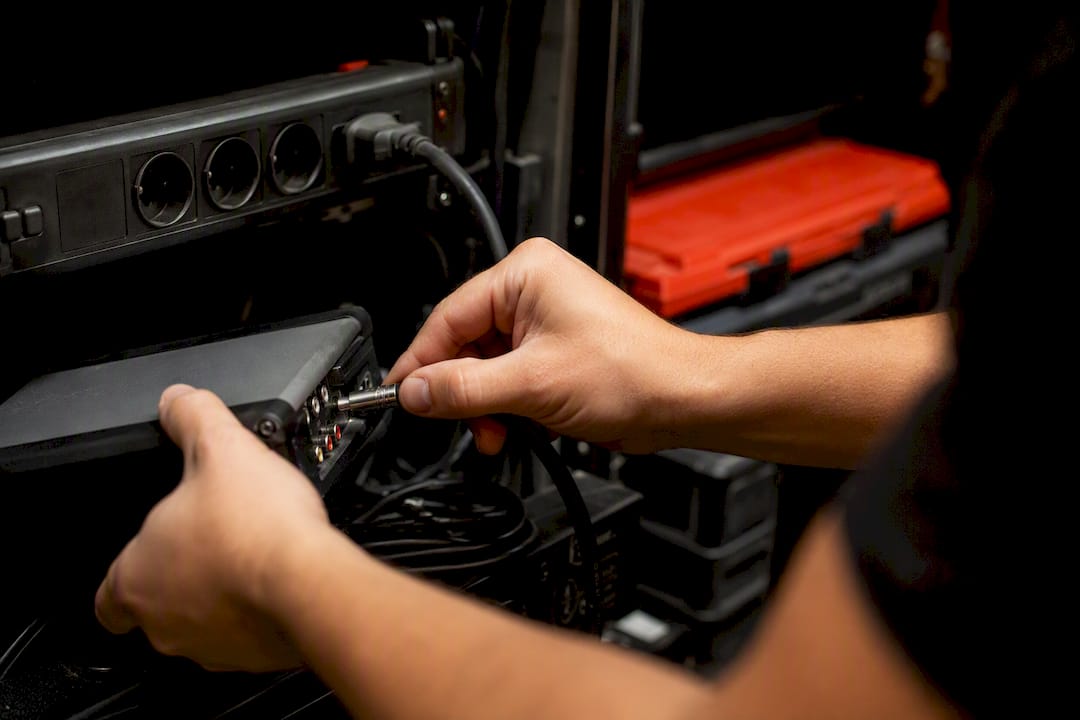
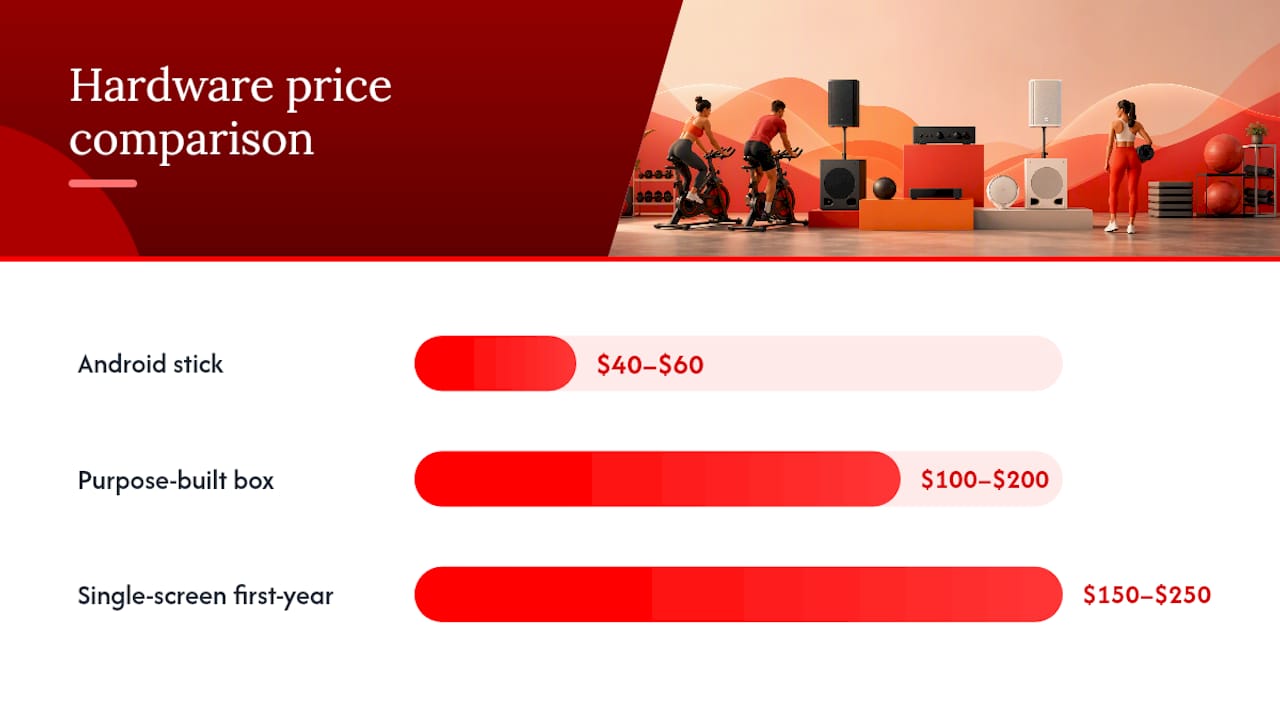
Player hardware breaks into two camps. Android streaming sticks (think a $40 to $60 device per screen) handle most signage and scheduling workloads fine for a single-studio setup. Purpose-built streaming boxes cost more, usually $100 to $200, but come with sturdier warranties and more reliable audio-output options, which matters if you're driving a zone amp rather than a TV's built-in speaker. Platform guides note that many systems now run on standard Android, Windows, or web players rather than locked-down proprietary boxes, which keeps replacement costs low if a unit dies.
Speakers and amps don't always need replacing. If your studio already has a decent PA or in-ceiling speaker system, most unified platforms can route audio to it without new amplification. Adding a dedicated per-zone amp only makes sense when a room genuinely needs isolated volume control, like a quiet stretching area next to a loud cycling room.
Realistic budget ranges:
- A single-screen, one-zone setup can run as low as $150 to $250 total in the first year, combining a basic player, one screen, and a low monthly software fee.
- A two-zone studio typically lands somewhere in the low hundreds for hardware plus a modest monthly SaaS fee per location.
- Three to four zones (front desk, two class rooms, locker area) mean multiplying player and possibly amp costs, but the software subscription per additional zone is usually the smaller line item.
Network reliability matters more than most operators expect. Guides on gym signage deployments consistently flag local caching and stable networking as the difference between smooth playback and awkward mid-class freezes. If your studio's Wi-Fi is shaky, budget for a wired connection to at least the main class room before you budget for anything else.
How to Pilot an Affordable AV Rollout Without a Consultant
You don't need to buy a full multi-room system to find out if it works for your space. Run a real pilot first.
- Map your zones. Walk the studio and list every room that needs a screen, speaker, or both. Note existing hardware you can reuse.
- Audit current hardware. Check what TVs, speakers, and network drops already exist so you're not paying to replace things that work fine.
- Define your first schedule. Pick one class type and one promo slide rotation to test, rather than trying to configure your entire calendar on day one.
- Install one player in one room. Link that single screen's schedule to both music and visuals for that zone only.
- Run it for a full week, including a day with spotty Wi-Fi if you can arrange it, to see how the offline caching actually performs.
- Test dayparting explicitly. Confirm the system switches content and playlists automatically at class boundaries without manual intervention.
- Check acceptance criteria before rolling out further: sync accuracy between audio and visuals, what happens during a network failover, whether remote updates actually reach the device, and whether the booking-platform integration reflects schedule changes in real time.
Pro Tip: Schedule your pilot week to include your studio's busiest class. A quiet Tuesday morning won't reveal problems that a packed 6 p.m. spin class will.
Watch for these red flags while you're evaluating vendors: per-zone fees that aren't disclosed until you ask directly, vague answers about music licensing coverage, and any platform that can't push a remote software update without an on-site visit. A manager's guide to multi-room gym displays walks through a similar zone-by-zone setup process if you want a second reference point before committing.
The Overrated Feature vs. the One Nobody Budgets For
Most advice on gym AV spends too much time on screen count and not enough on synchronization reliability. A studio with three beautiful 4K displays and a music system that lags two beats behind the visuals looks worse to members than one plain screen that's perfectly in sync. That's the gap between what vendors demo and what actually holds up during a packed 6 p.m. class.
The conventional wisdom pushes operators toward buying more zones, more screens, more content variety, when the real return sits in getting fewer things to work reliably together. A studio that nails synchronized dayparting across two rooms will outperform, in member experience, a studio with five rooms running slightly mismatched schedules.
If you're prioritizing, put your budget toward the unglamorous stuff first: caching that survives a Wi-Fi hiccup, a schedule that actually links music to visuals, and remote management that doesn't require someone driving to the studio to fix a frozen screen. Add branded timers and a bigger template library once the basics are boring and reliable. That order matters more than any single hardware upgrade.
— Kingdom
Try a Studio-First Dashboard Instead of Juggling Vendors
Kingdom Signage exists specifically because gyms and boutique studios kept ending up with the split-system mess described above. One dashboard controls your TVs, class schedules, workout timers, and room-based music, so a single change to a schedule updates the screen and the speaker in that room at the same time. That's the practical payoff: fewer logins, fewer vendors, and class transitions that don't require a staffer manually cueing music while someone else changes the slide.

Because the platform runs multi-platform players synced to one central schedule, promotional content and real-time announcements go out across every zone without touching each room individually. If you're planning the pilot described earlier in this guide, the fastest way to see whether it fits your studio's layout is to request a demo through the Kingdom Signage landing page and walk through your actual zone map with the team.
Sources
- Music and Digital Signage in One System: Sync Guide
- Top Features Every Gym AV System Should Include | CGS
- Gym Music System: Licensing, Zones & Scheduling Guide