
AV system commissioning is the formal process of verifying that an installed audiovisual system performs exactly as designed and is ready for reliable, day-one use. It's not a power-on test. It's a structured validation of signal paths, network configuration, control logic, and firmware against the original design intent, following AVIXA's commissioning framework for turning drawings into an operating system.
The bottom line: a system is only "commissioned" when its performance is documented, its controls are tested end to end, and real users can operate it without a technician standing by. Here's what proves that happened:
- Every device passes a documented verification test, not just a visual check.
- Audio and video meet measurable performance targets (speech intelligibility, signal handshakes, sync).
- Control workflows and presets work the way staff will actually use them.
- The network configuration passes a basic security review before handover.
Key Takeaways
AV system commissioning succeeds when documented verification, measurable performance targets, and a real user acceptance test all happen before anyone calls the project done.
| Point | Details |
|---|---|
| Commissioning is validation, not power-on | It confirms the system matches design intent across audio, video, control, and network. |
| Three stages, three owners | Installation testing, commissioning, and UAT are distinct steps with different responsible parties. |
| Documentation is the proof | As-built drawings, test reports, and training records must accompany every handover. |
| Early network involvement prevents delays | Looping in IT and electrical before commissioning starts avoids the most common schedule slips. |
| Kingdomsignage centralizes the follow-up | A unified dashboard for gym signage and audio simplifies firmware checks and device health monitoring after commissioning. |
Table of Contents
- What Does AV Commissioning Actually Cover?
- How Is Commissioning Different From Testing and Acceptance?
- What Does a Step-by-Step Commissioning Checklist Look Like?
- What Mistakes Does Commissioning Usually Catch?
- What Should the Commissioning Package Include?
- How Long Does Commissioning Take, and What Drives the Cost?
- Who Handles What During Commissioning?
- What Does Commissioning Look Like for Gyms and Multi-Room Signage?
- How Kingdomsignage Reduces Commissioning Headaches
- Where to Learn More About AV Commissioning Standards
- Frequently Asked Questions
- Sources
What Does AV Commissioning Actually Cover?
Commissioning touches every layer of the system, not just the obvious stuff like screens and speakers. Think of it as six overlapping checkpoints, each with its own pass/fail criteria.
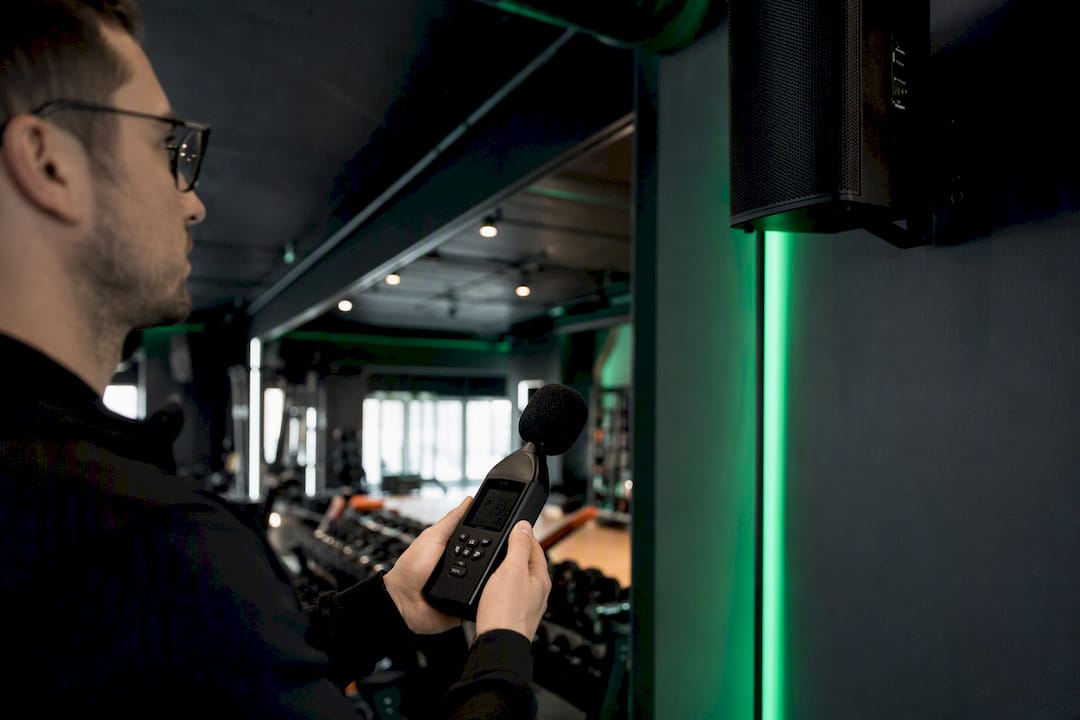
Audio. Technicians verify sound pressure level (SPL) consistency across a room, check gain-before-feedback on any live mics, and measure Speech Transmission Index (STI) in spaces where spoken announcements matter. An STI score below roughly 0.5 usually signals muddy, hard-to-understand audio, so commissioning flags that before the client ever hears it.
Video. This means confirming EDID handshakes between sources and displays, checking HDCP compliance on protected content, and verifying scaling and color accuracy. A failed EDID handshake is one of the most common reasons a screen shows "no signal" after an install looks complete on paper.
Control. Every macro, preset, and touch panel button gets exercised, not just glanced at. Does "Start Class" actually mute the lobby zone and cue the right playlist?
Network. VLANs, QoS tagging, multicast routing for video distribution, and a basic security scan all get verified before go-live, since a misconfigured network is a common cause of dropped streams later.
Firmware and device configuration. Baselines get locked and documented so a future reset doesn't wipe custom settings.
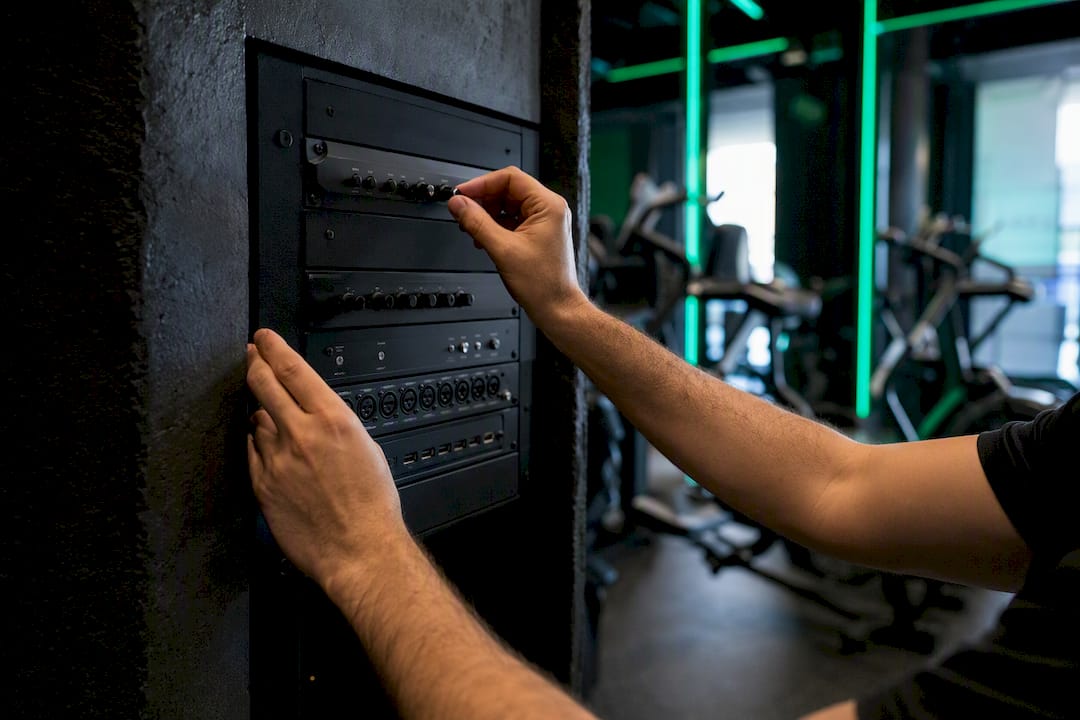
Cabling, rack workmanship, and user workflows. Physical installation quality and whether staff can run the system without a manual both get checked. A practical verification checklist organizes exactly these categories: audio, video, control, and network, each with its own concrete test.
How Is Commissioning Different From Testing and Acceptance?
People use "testing," "commissioning," and "acceptance" interchangeably, and that's where projects go sideways. They're three distinct stages with different owners.
- Installation testing is the integrator confirming each device works in isolation: does the display power on, does the amp pass signal? This happens during the build.
- Commissioning is a broader, formal validation that the entire system performs as designed, end to end, against documented standards. This is where a commissioning engineer verifies performance against the original design, independent of whoever installed it.
- User acceptance testing (UAT) is the owner or a designated staff member confirming the system does what they need in real operating conditions, right before final sign-off.
A typical handoff looks like this: the installer finishes wiring and confirms devices power up, the commissioning agent runs the full verification suite and produces a report, and the owner runs UAT with actual staff before signing anything. Skipping the middle step is how "it powers on" gets mistaken for "it's done."
What Does a Step-by-Step Commissioning Checklist Look Like?
A real commissioning engagement moves through four phases: preparation, verification, tuning, and reporting. Skipping the first phase is the single most common reason the other three run long.
1. Pre-commissioning prep. Review design documents and as-built drawings against what's actually installed. Confirm firmware baselines across all devices. Lock down the IP addressing plan with IT. Gather test equipment (SPL meter, network analyzer, signal generator). Schedule stakeholder time, since you can't test control workflows without someone who'll actually use them in the room.
2. Category-by-category verification. Work through audio, video, control, and network systematically rather than jumping between rooms. This is where a 162-point-style checklist, tailored down to what the project actually needs, earns its keep. Not every install needs every test, but every install needs a documented reason for skipping one.
3. Tuning and calibration. DSP tuning for consistent audio levels across zones. Display calibration for color and brightness matching. Latency checks between source and display, especially in multi-room setups where sync drift is noticeable. Control system presets get refined based on what verification revealed.
4. Deficiency tracking and reporting. Every failed test goes into a punch list with an owner and a deadline, not a mental note. The final report and UAT close the loop.
| Test category | Test name | Pass criteria |
|---|---|---|
| Audio | SPL sweep across room | Consistent level within design tolerance at all listening positions |
| Audio | Speech Transmission Index | STI score in the "good" to "excellent" range for spaces with spoken content |
| Video | EDID handshake check | Display correctly reports resolution/timing to source with no signal drops |
| Control | Macro sequence test | Preset executes all intended actions (mute, source switch, lighting) in order |
| Network | Port and security scan | No unauthorized open ports; VLAN segmentation confirmed |
Pro Tip: Run a short burn-in period on major components before they ever reach the site. Many integrators cycle new hardware for a day or two in a lab first, which catches early failures before they turn into an on-site delay.
The UAT that closes this process should involve the people who'll actually run the system daily, not just IT staff who understand the wiring but never touch the touch panel during a live class.
What Mistakes Does Commissioning Usually Catch?
The pitfalls are predictable, and they repeat across projects: power circuits that weren't ready when the crew arrived, devices shipped with outdated firmware, rack airflow that's an afterthought until equipment starts thermal-throttling, and EDID mismatches nobody caught because the displays "looked fine" during a quick walk-through.
- Document every test as you go, not from memory at the end of the week.
- Lock firmware baselines before handover so a factory reset doesn't erase weeks of tuning.
- Loop in IT early. Network problems discovered during commissioning are expensive; the same problems caught during design are free.
- Schedule UAT with the actual staff who'll run the system, not a stand-in.
- Keep a live issues register tied to payment milestones, so deficiencies get fixed instead of quietly deferred.
Pro Tip: Independent third-party commissioning often surfaces wiring errors or undersized power runs that the original installer missed entirely, and that discovery frequently protects the owner through remediation or credits they wouldn't otherwise know to ask for.
What Should the Commissioning Package Include?
The paperwork is the proof. Without it, "we tested everything" is just a claim nobody can verify six months later when something breaks.
- As-built drawings reflecting what's actually installed, not the original design.
- IP address plan and firmware baseline documentation for every device.
- Test reports for each category (audio, video, control, network).
- Calibration files for DSP and display settings.
- Control system source code or project files, not just a compiled runtime.
- Training records showing who was trained and on what.
- A deficiency and punch list with remediation status.
| Deliverable | Delivered when |
|---|---|
| Test reports and calibration files | Immediately after verification, before tuning sign-off |
| As-built drawings | At final handover |
| Training records and UAT results | After staff walkthrough, closing the project |
Curtin University's project delivery guidelines describe this closeout structure explicitly: a final commissioning audit, UAT, an audit report, and staff training all need to happen before a project is considered closed, not just installed.
How Long Does Commissioning Take, and What Drives the Cost?
A single conference room might need half a day. A multi-room facility with centralized control and network integration can run days to weeks, depending on how many zones need individual verification.
Cost drivers worth planning around:
- System complexity and the number of rooms or zones involved.
- How much network integration is required (VLANs, QoS, security review).
- Third-party test equipment needs versus what's already on hand.
- Travel for multi-site or remote locations.
- Remediation effort when verification uncovers installation errors.
Early involvement pays off here; for example, a conference bartending service ensures reliable event operations and reduces venue risk, much like proper AV commissioning does for audiovisual systems. A commissioning agent brought in during design review, rather than after installation is "finished," catches conflicts before they become change orders. Clear scope documents upfront are what keep a two-day job from quietly becoming a five-day one.
Who Handles What During Commissioning?
Coverage gaps happen when everyone assumes someone else owns a task. A basic role split:
| Role | Primary responsibility |
|---|---|
| Integrator | Physical installation, device testing, initial configuration |
| Commissioning agent | Independent end-to-end verification against design and standards |
| Design consultant | Confirms as-built matches original design intent |
| IT/network team | VLAN setup, security scans, IP addressing |
| Owner/facilities | UAT participation, final sign-off, ongoing maintenance ownership |
The tightest collaboration point is almost always network readiness and power. If IT and the electrical contractor aren't looped in before the commissioning agent shows up, the whole schedule slips.
What Does Commissioning Look Like for Gyms and Multi-Room Signage?
Gym AV adds a layer general commissioning checklists don't fully address: synchronized scheduling across zones, concurrent audio streams that can't bleed into each other, and a centralized dashboard that needs to reflect real-time device health, not just uptime from a week ago.
Three checks worth requesting specifically:
- Test latency between the master scheduler and satellite players across every room, since a two-second lag during a class transition is obvious to members.
- Verify concurrent audio streams don't leak between zones during simultaneous classes.
- Confirm the dashboard correctly flags an offline display before a front-desk staffer notices a blank screen mid-shift.
Proper commissioning here removes the friction that makes class transitions look sloppy or promotional content miss its window entirely.
A Practical Note From the Field
Most commissioning failures trace back to skipped documentation, not bad equipment. Before any handover, insist on the written test report, not just a verbal "it's working."
How Kingdomsignage Reduces Commissioning Headaches
Centralized device management is what makes commissioning faster the second time around. When every screen, speaker zone, and schedule lives in one dashboard instead of scattered across separate control systems, firmware baselines stay consistent, and troubleshooting a flagged device doesn't mean tracking down three different vendor logins.

Kingdomsignage was built around this exact problem: gyms running TVs, class schedules, and room-based audio through one unified system instead of stitched-together tools. That doesn't replace commissioning. A platform this centralized still needs the same audio, video, control, and network verification covered above before go-live. What it does is give the commissioning agent one place to check device status, firmware versions, and scheduling logic instead of five. If you're planning a multi-room rollout or replacing a patchwork of screens and speakers, see how Kingdomsignage handles multi-location AV with a demo before your next commissioning cycle starts.
Where to Learn More About AV Commissioning Standards
- AVIXA's current standards page covers the performance verification frameworks commissioning checklists draw from.
- AVIXA's overview of commissioning explains how design intent becomes an operating system.
- A category-based verification checklist shows concrete test examples by domain.
- Curtin University's project delivery guidelines detail audit, UAT, and handover procedures.
Frequently Asked Questions
What is AV system commissioning explained in simple terms? It's the formal verification that an installed audiovisual system matches its design and works reliably before anyone starts using it day to day.
Does every AV project need full commissioning? Smaller installs may need a scaled-down checklist, but any system involving multiple rooms, network integration, or live audio benefits from formal verification rather than a quick walkthrough.
Who should perform commissioning: the installer or a third party? Either can, but independent commissioning tends to catch more issues since the same team that installed the system isn't grading its own work.
What's the difference between commissioning and a user acceptance test? Commissioning is technical verification against design specs; UAT is the owner confirming the system meets real operational needs before final sign-off.
How long should commissioning documentation be kept? Indefinitely, ideally. As-built drawings, firmware baselines, and test reports are what future technicians rely on for troubleshooting years later.
Sources
- LetsTalkAVbyAlexis Series: Episode 3 : Commissioning ! Where AV Design Becomes Reality ! | AVIXA Xchange
- Avixa
- What Goes Into A Successful Av Integration Project: An Inside Look At Design, Documentation, And Installation Workflows - CCS Mid Atlantic
- Audio-Visual System Commissioning by Third Party AVL Consultants | ABD Engineering & Design