
AV integration is the process of combining individual audio and visual components, including displays, speakers, cameras, microphones, and control systems, into a single, unified environment where everything works together and is operated from one interface. That distinction matters: plugging in a projector is installation; engineering how that projector, the room's microphones, the video codec, and the control panel all communicate is integration.
Three things to keep in mind before reading further:
- Core components include displays, cameras, microphones, speakers, DSPs, control systems, signal distribution hardware, and networking infrastructure.
- The primary benefit is that every piece of technology behaves as one system, reducing failure points and making the experience nearly invisible to the user.
- IT is now part of every AV project. Modern systems run over IP networks and must interoperate with platforms like Microsoft Teams and Zoom, which means your IT team belongs in the room from day one.
For practical steps on choosing an integrator and what to expect during a project, the sections below walk through each phase in order.
Key Takeaways
AV integration combines audio, video, control, and networking into one managed system, and the IT infrastructure underneath it determines whether that system performs reliably long-term.
| Point | Details |
|---|---|
| Integration vs. installation | AV integration engineers signal flow, control, and acoustics; installation just places hardware. |
| Core components | Displays, cameras, microphones, DSPs, control systems, codecs, signal distribution, and networking all work together. |
| Project phases | Expect consultation, site survey, design, procurement, installation, programming, testing, training, and support. |
| IT is not optional | Network segmentation, VLAN assignment, and UC-platform interoperability (Teams, Zoom) must be planned before installation begins. |
| First step | Schedule a site survey with your integrator and IT manager present before any equipment is specified. |
Use the questions in the "how to choose" section and the gym AV platform evaluation checklist to structure your next vendor conversation.
Table of Contents
- What AV integration actually means, and why it's not just installation
- What are the core components of an integrated AV system?
- How does an AV integration project actually work?
- What are the real benefits of AV integration, and where does it pay off most?
- What technical risks should you know before starting an AV project?
- How do you choose the right AV integrator?
- What does a finished AV system look like? Five common templates
- How Kingdomsignage brings AV integration to gyms
- Where is AV integration heading in the next few years?
- The one thing most decision-makers get wrong about AV projects
- Sources
What AV integration actually means, and why it's not just installation
The industry term is audiovisual systems integration, and it is a discipline closer to systems engineering than to equipment sales. According to Data Projections, certified integrators plan for acoustics, signal flow, control programming, and ongoing maintenance. A vendor who drops off hardware and leaves has done installation. An integrator designs how the signal travels from a laptop through a switcher to a display, programs a touch panel to control it all, calibrates the audio, and hands you a system that a non-technical person can run with one tap.
The practical difference shows up fast. A room with a great display and a mediocre microphone array will frustrate every remote participant on a Teams call. A room where the display, microphone, speaker, and codec are tuned to work together feels effortless. That "invisible" quality is what business-focused guides describe as the primary value proposition: technology that gets out of the way.
What are the core components of an integrated AV system?
Understanding the building blocks helps you ask better questions during vendor conversations. Here is what each component does and when it becomes relevant:
- Displays and projectors. Flat-panel displays (LED or LCD) handle most conference and signage applications. Projectors remain common in large lecture halls and auditoriums. LED video walls appear in control rooms, lobbies, and live events.
- Cameras. Required for any video conferencing or lecture capture. PTZ (pan-tilt-zoom) cameras are standard in boardrooms and classrooms; fixed wide-angle cameras suit huddle rooms.
- Microphones. Ceiling array microphones, boundary mics, and wireless handhelds each suit different room sizes and use cases. Microphone choice is one of the most consequential decisions in any conference room project.
- Speakers and amplifiers. Distributed speaker systems cover large rooms evenly; point-source speakers work for smaller spaces. Amplifier sizing must match the speaker load.
- Digital signal processors (DSPs). A DSP handles audio routing, echo cancellation, noise gating, and equalization. Without one, a room with hard surfaces will echo badly on every call.
- Control systems. Touch panels, mobile apps, and wall-mounted keypads let users control the entire room from one place. Common platforms include Crestron, Extron, and QSC.
- Codecs and video endpoints. These are the dedicated hardware or software devices that encode and decode video for conferencing. They connect the room to Microsoft Teams, Zoom, or other UC platforms.
- Signal distribution. Switchers, matrix switchers, and AV-over-IP systems route signals from multiple sources to multiple displays. A matrix switcher in a multi-room facility can send any source to any screen.
- Cabling and networking. HDMI, HDBaseT, fiber, and Cat6/Cat6A cabling carry signals. The network infrastructure (managed switches, VLANs, PoE) carries AV-over-IP traffic.
- Software and cloud services. Scheduling platforms, remote monitoring tools, and digital signage software tie the physical hardware to workflows and content management.
Pro Tip: Label every cable, port, and rack unit during installation. A system that is not documented is a system that costs double to service. Ask your integrator for an as-built drawing and a rack elevation diagram before final sign-off.
How does an AV integration project actually work?
A structured, multi-stage process is what separates professional integration from a rushed installation. Here are the phases in order:
- Consultation and needs analysis. The integrator meets with stakeholders to understand how the space is used, who uses it, and what problems need solving. Budget ranges and technology preferences are discussed here.
- Site survey. A physical walkthrough captures room dimensions, ceiling height, existing infrastructure, power locations, and network access points. This is where surprises get caught before they become expensive.
- System design. Engineers produce drawings, signal flow diagrams, and equipment specifications. This document becomes the contract scope.
- Procurement. Equipment is ordered. Lead times on displays, DSPs, and custom control hardware can run 4–12 weeks depending on supply chain conditions.
- Installation. Cabling, mounting, rack building, and hardware placement happen here. A clean installation follows the as-built drawings exactly.
- Programming and configuration. Control system code, DSP signal processing, and UC-platform credentials are configured. This phase takes longer than most clients expect.
- Testing and commissioning. Industry guides consistently flag this phase as the one most often skipped and the most common cause of post-installation failure. Every input, output, control button, and call scenario gets tested against the design spec.
- Training. End users and IT staff learn how to operate and troubleshoot the system. A one-hour walkthrough is rarely enough; plan for role-specific sessions.
- Ongoing maintenance and support. Firmware updates, remote monitoring, and SLA-backed support keep the system performing after go-live.
Typical timelines:
- A single huddle room: 2–6 weeks from signed contract to go-live.
- A mid-size boardroom with UC integration: 6–12 weeks.
- A multi-room digital signage rollout across a facility: 3–6 months.
Primary cost drivers to budget for:
- Scope and number of rooms
- Custom millwork or infrastructure (conduit, power, ceiling work)
- Room acoustics and acoustic treatment
- Network upgrades (managed switches, PoE injectors, fiber runs)
- Software licensing and UC-platform integration fees
- Programming complexity and labor hours
What are the real benefits of AV integration, and where does it pay off most?
The core benefits of a well-integrated system are reliability, simplicity, and consistency. When the technology works without anyone thinking about it, meetings start on time, classes run smoothly, and staff stop fielding "the screen isn't working" calls.
Specific benefits:
- Single-point control. One touch panel or app manages displays, audio, lighting presets, and video calls.
- Consistent branding and messaging. Digital signage across multiple rooms or locations displays the same content on schedule, without manual updates at each screen.
- Scalability. A well-designed system adds rooms or locations without rebuilding the architecture.
- Measurable operational gains. Fewer meeting delays, faster room setup, and reduced IT support tickets are the most commonly reported outcomes.
Where integration creates the biggest returns:
- Corporate boardrooms and huddle rooms: Faster meeting starts, reliable Teams and Zoom calls, no cable hunting.
- Classrooms and lecture halls: Instructors control audio, display, and recording from one panel.
- Houses of worship: Live sound, streaming, and lighting run from a single operator position.
- Live events: Multi-zone audio and video distribution with redundant signal paths.
- Control rooms: Operators manage dozens of sources and displays without switching applications.
- Gyms and fitness studios: Class schedules, workout timers, music, and promotional content sync across rooms from one dashboard.
- Retail and digital signage: Scheduled content updates across every screen in a chain, managed remotely.
Pro Tip: For gyms specifically, the biggest operational win is class transition time. When the music, timer display, and class schedule screen all update automatically at the same moment, instructors stop touching devices and focus on members. That single change reduces transition friction noticeably.
What technical risks should you know before starting an AV project?
Modern AV integration requires IT-AV convergence: systems run over IP networks, which means AV is now an IT security and infrastructure concern, not just an A/V department purchase. AV-over-IP sends audio and video as data packets across the same network your computers use, which creates both flexibility and risk.
Technical risks to address before installation:
- Network segmentation. AV devices should sit on dedicated VLANs to isolate traffic and limit exposure if a device is compromised.
- Bandwidth and multicast. High-resolution AV-over-IP streams consume significant bandwidth. Confirm your switches support IGMP snooping to manage multicast traffic efficiently.
- Firmware and patching. AV hardware runs embedded software that needs regular updates. Unpatched devices are a common entry point for network intrusions.
- Credential and API security. Control systems and cloud services use credentials and APIs that must be managed like any other IT asset.
- Remote management exposure. Remote monitoring tools are useful but must be secured with strong authentication and limited network access.
IT checklist to complete before the project kicks off:
- Confirm available IP ranges and VLAN assignments for AV devices.
- Verify PoE availability and switch port capacity for cameras, phones, and control panels.
- Document switch specifications (managed vs. unmanaged, IGMP support, port speed).
- Define firewall rules for UC-platform traffic (Teams, Zoom signaling ports).
- Establish monitoring access so IT can see AV devices in the network management system.
Pro Tip: During commissioning, run a live Microsoft Teams and Zoom call simultaneously from the room and have a remote participant on each call evaluate audio quality, camera framing, and screen share performance. This is the only reliable way to catch codec, firewall, or bandwidth issues before users find them on day one.
How do you choose the right AV integrator?
The difference between a smooth project and a painful one usually comes down to the integrator, not the equipment. Here is what to evaluate:
Evaluation checklist:
- Certifications. Look for AVIXA CTS (Certified Technology Specialist) credentials on the team. Manufacturer certifications from Crestron, Extron, Biamp, or QSC indicate hands-on training, not just sales relationships.
- Relevant project experience. Ask for references from projects similar in scope and use case to yours. A firm that excels at live events may not have the IT depth a corporate UC rollout requires.
- IT and networking competency. Ask specifically how they handle VLAN configuration, firewall rules, and UC-platform certification. A blank stare here is a red flag.
- Programming and support model. Who writes the control system code? Is it in-house or subcontracted? Who supports it after go-live, and what is the SLA?
- Warranty and spare parts. Confirm equipment warranty terms and whether the integrator stocks critical spare parts or requires a factory return.
- Documentation deliverables. As-built drawings, rack elevations, and programming documentation should be contractual deliverables, not optional extras.
Questions to ask in an RFP or initial call:
- What does your site survey process include, and who conducts it?
- How do you handle UC-platform certification (Teams Rooms, Zoom Rooms)?
- What network documentation do you require from our IT team before design?
- What does your testing and commissioning process look like, and how long does it take?
- What is your SLA for post-installation support, and is remote monitoring included?
- How do you handle scope changes discovered during installation?
Red flags to watch for:
- Vague scope documents with no signal flow diagrams or equipment lists.
- No defined project phases or milestone schedule.
- No mention of network or IT involvement in the proposal.
- A single-person shop bidding on a multi-room, multi-location project.
- Timelines that seem unrealistically short given the scope.
What does a finished AV system look like? Five common templates
These templates show what typical finished systems include, using generic labels rather than specific vendors.
| System Template | Core Components | Management Approach |
|---|---|---|
| Huddle room | Display, wide-angle camera, ceiling mic, speaker bar, UC endpoint | Cloud-managed; IT handles remotely |
| Boardroom | Dual displays, PTZ camera, ceiling array mic, DSP, amplifier, touch panel, UC endpoint | On-site control system; IT monitors via network |
| Lecture hall | Projector or LED display, wireless mics, distributed speakers, DSP, lecture capture camera, control panel | AV department manages; IT supports network |
| Digital signage rollout | Commercial displays, media players, content management software, network switches | Cloud CMS; IT manages network and VLANs |
| Multi-room gym audio/signage | Commercial displays per zone, amplifiers, in-ceiling speakers, media players, centralized dashboard software | SaaS dashboard; gym operator manages content and scheduling |
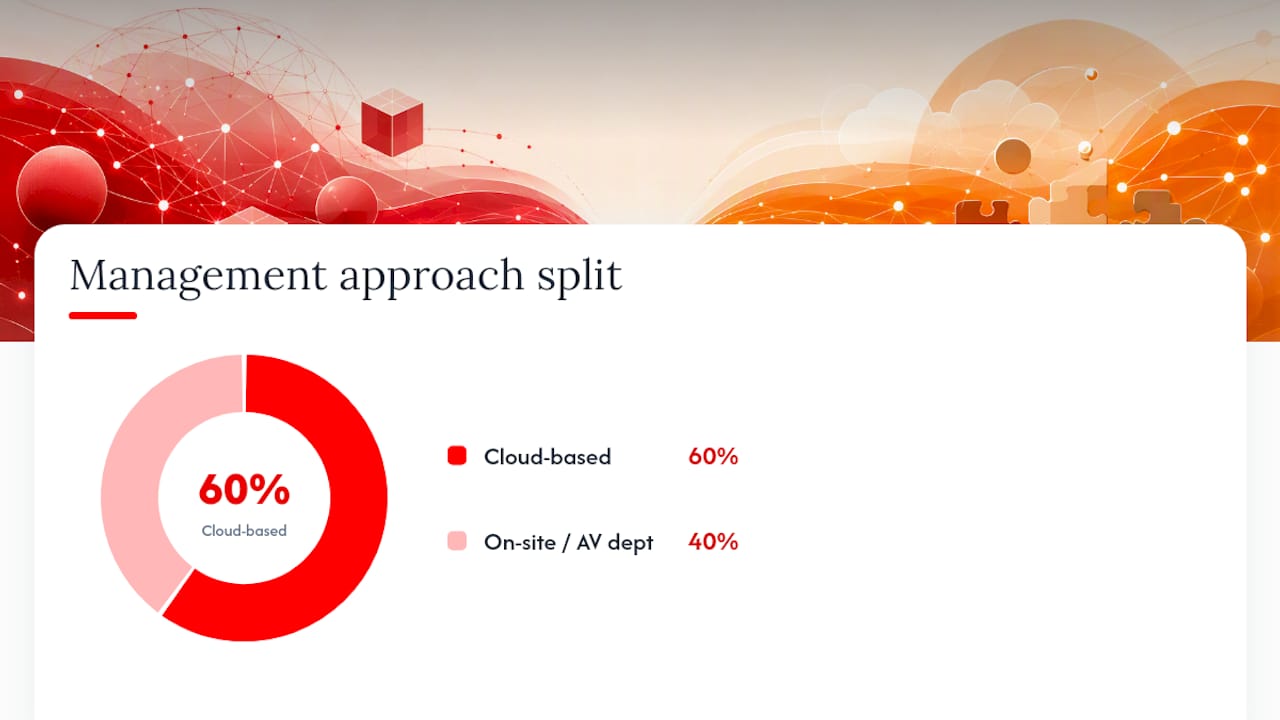
The huddle room and boardroom templates almost always require IT involvement for UC-platform integration (Microsoft Teams Rooms or Zoom Rooms certification). The lecture hall and gym templates may run independently of UC platforms but still need managed network infrastructure for reliable performance.
How Kingdomsignage brings AV integration to gyms
A gym is one of the more demanding AV environments to manage. You have multiple rooms running different classes simultaneously, music that needs to match the energy of each space, promotional content cycling on lobby screens, and class schedules updating in real time. Doing that with separate apps, a Bluetooth speaker, and a TV remote is how instructors end up frustrated and members notice the chaos.
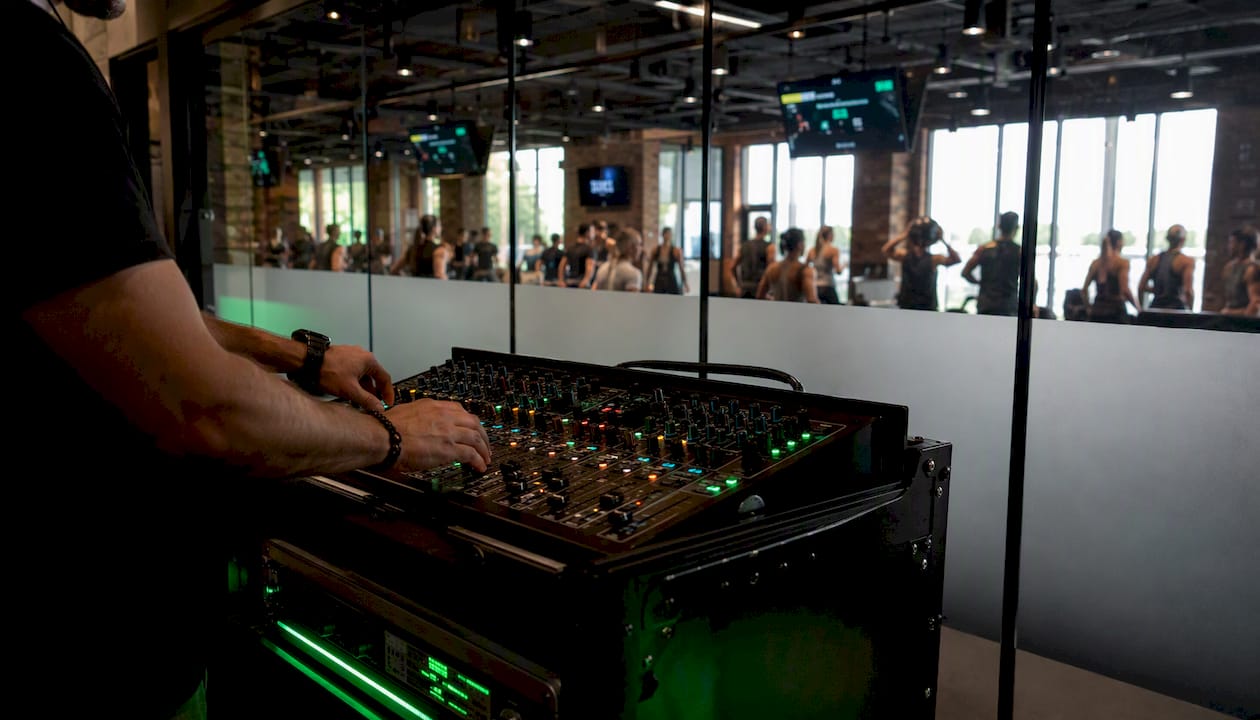
Kingdomsignage addresses this directly. The platform gives gym operators a single dashboard to control TVs, workout class timers with demo video support, music by room, real-time announcements, and promotional content across every screen in the facility. When a spin class ends and a yoga session starts, the display content, music, and timer all update together without anyone touching a device.
Specific benefits for gym operators:
- Centralized scheduling for class content, promotions, and announcements across all rooms and locations.
- Room-based music integration that lets operators set different audio for different zones from one interface.
- Multi-room content sync so every screen shows the right content at the right time.
- Faster class transitions because instructors are not managing technology between sessions.
- Multi-location management from a single account, which matters for franchise operators.
For operators evaluating their AV setup, the gym AV infrastructure design guide covers how to plan the physical layer before choosing software. The gym AV platform evaluation checklist is a practical tool to bring into vendor conversations.

If you manage a gym or fitness studio and want to see how unified AV control works in practice, Kingdomsignage offers a free trial and demo for operators ready to consolidate their tech stack.
Where is AV integration heading in the next few years?
Three trends are reshaping what integrated AV systems look like and how they are managed.
Cloud-based AV management is the most immediate shift. Industry guides published in 2026 note that integrated systems now commonly include cloud services, remote monitoring, and automated content scheduling. This means IT teams can manage firmware, monitor device health, and push content updates without visiting each room physically.
AI-driven automation is moving from novelty to practical tool. Camera systems now use AI to automatically frame speakers, adjust zoom, and switch between participants without an operator. Audio DSPs use machine learning to suppress background noise in real time. Content scheduling platforms use behavioral data to surface the right message at the right moment on a digital sign.
Deeper UC-platform integration will continue as Microsoft Teams and Zoom expand their certified hardware ecosystems. Expect tighter integration between room hardware and calendar systems, presence detection, and occupancy analytics. A room that knows it is empty can power down automatically; a room that detects a meeting starting can wake up and dial in without a user touching anything.
The direction is clear: AV systems are becoming managed IT infrastructure, not standalone hardware. Operators and decision-makers who treat AV as a network service from the start will have systems that age better and cost less to maintain.
The one thing most decision-makers get wrong about AV projects
Most nontechnical buyers focus almost entirely on the display or the camera, the visible hardware, and underestimate the programming, networking, and commissioning work that determines whether the system actually performs. A $50,000 room with a poorly configured DSP and no VLAN segmentation will underperform a $20,000 room that was engineered properly.
The single best action before any AV project: schedule a site survey with your integrator and have your IT manager in the room. That one meeting surfaces the network constraints, power limitations, and UC-platform requirements that will otherwise become expensive surprises during installation. Do it in the first week, before any equipment is specified.
Sources
- What Is Audio Visual Integration? A Business Owner's Complete Guide | Support305
- How AV Integration Works: A Step-by-Step Guide | Richmond AV
- What Are The Major Components Of Audiovisual Systems? | Data Projections