
For most gyms, the right interactive window display is a commercial-grade, high-brightness panel paired with either an IR touch frame or a bonded touch foil, managed through a cloud CMS that syncs directly with your class schedule and booking system.
- Best hardware approach: Commercial display rated for 24/7 operation + IR frame (for thicker or double-pane glass) or bonded touch foil (for a bezel-less look on standard glass)
- Best software approach: A gym-focused cloud CMS with real-time schedule and booking integration
- Recommended platform: Kingdomsignage, for studios and multi-location gyms that need unified control of window displays, interior screens, and audio from one dashboard
- Why it matters: Sunlight washes out consumer TVs; a passerby has roughly 3–8 seconds to engage, so the interaction must be instant and obvious
Table of Contents
- What should you check before launching a window display project?
- How does an interactive window display actually work?
- What content and UX rules actually convert passersby?
- Which hardware specs should you demand from a vendor?
- How do you install and maintain a window display correctly?
- Why does your CMS platform matter as much as the hardware?
- What does a window display project cost, and how do you measure ROI?
- What privacy and accessibility rules apply to U.S. gym operators?
- Key Takeaways
- What gym operators actually learn running interactive windows
- Kingdomsignage: unified control for gym window displays
What should you check before launching a window display project?
Run through these five steps before you brief an integrator or sign a purchase order:
- Measure and assess the window. Note exact dimensions, orientation (south-facing windows get brutal afternoon sun), glass thickness, and whether it is single or double pane. Double-pane glass almost always points you toward an IR frame.
- Choose your touch method. IR frames mount around the display and work reliably through thicker glass. Bonded touch foils bond directly to the glass surface for a cleaner look but require careful calibration for glass type and direct sunlight.
- Specify commercial-grade brightness. Require 2,500–3,500 nits and 24/7 operation rating. Consumer TVs top out around 300–500 nits and will wash out completely in direct sun.
- Confirm CMS integration needs. Decide which systems the display must talk to: class schedule software, a booking platform, music sync, and your network setup (Wi-Fi, LAN, or 4G fallback).
- Plan the project timeline. Lock in your installation window, SLA and warranty terms, and a staff training date before procurement starts.
Pro Tip: Ask your integrator for a noon-hour brightness test on-site before final sign-off. A display that looks great indoors can still disappoint on a south-facing window in July.
How does an interactive window display actually work?
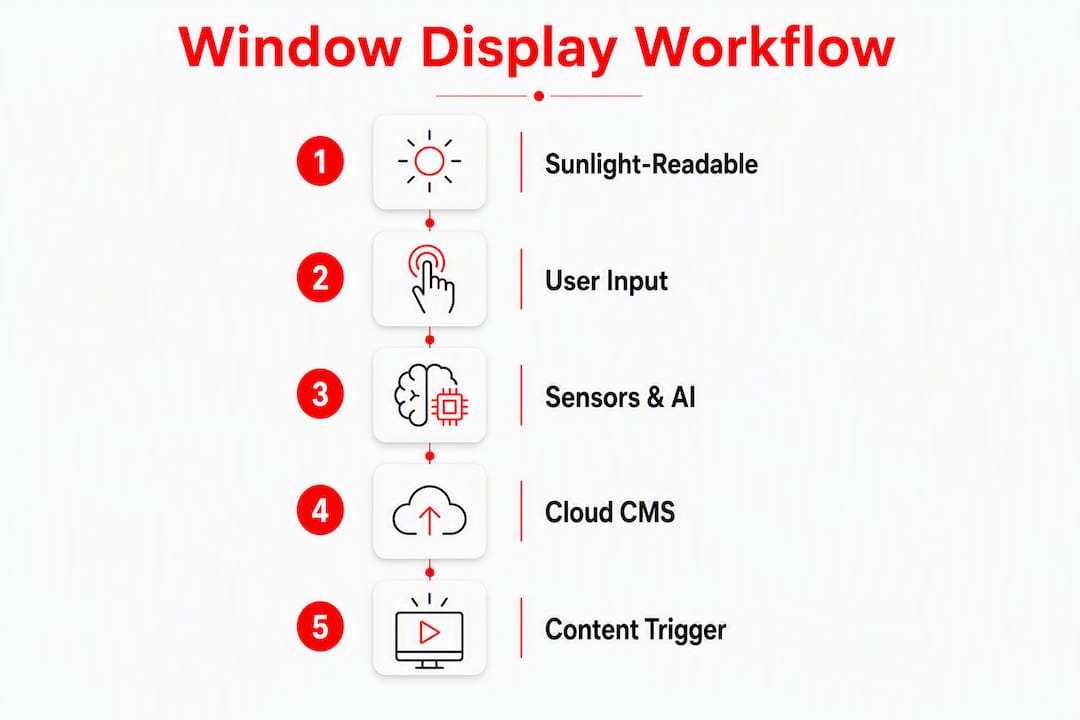
The core idea is straightforward: a sunlight-readable display combines with a user input layer and a CMS that fires content based on sensors or schedules.
Touch input options are the first decision point. IR touch frames mount around the perimeter of the display and detect finger position using infrared beams. They work through glass thickness, including double-pane windows, but add a visible bezel. Bonded touch foils laminate directly to the glass for a clean, bezel-less look. The trade-off: foils require precise calibration for glass type and can be challenged by intense direct sunlight.
Sensor and AI triggers add a layer of intelligence. Motion sensors, ambient-light sensors, and AI-based foot-traffic detection can automatically swap content based on time of day, crowd density, or light levels. A quiet Tuesday morning might show a membership offer, and a busy 6 PM rush shows the next class countdown.
The content pipeline runs from your cloud CMS outward. The CMS pushes scheduled content to the display, local triggers fire interactions, and integrations pull live class and booking data in real time. No manual updates needed when a class fills up or a time slot changes.
What content and UX rules actually convert passersby?
Design for a 3–8 second street encounter. If someone has to figure out how to interact, they are already gone.
Content types that work for gyms:
- Class start countdowns with a single "Book Now" tap or QR code
- Short instructor bio clips (15–20 seconds, no sound required to understand)
- Live occupancy or room status to create urgency ("2 spots left in 6 PM Spin")
- Timed membership promos tied to time-of-day triggers
Layout rules are non-negotiable: large tap targets (minimum 44×44 pixels per accessibility guidelines), high-contrast text, and progressive disclosure. Show the teaser first; details appear only after a tap. Treating window displays as static posters wastes the medium entirely.
For timing, auto-play a promo loop for the first 3–5 seconds, then hold on a persistent CTA. Motion triggers swap content by time of day. Gym screens that support class enrollment consistently outperform static signage when the CTA is specific and time-sensitive.
Pro Tip: Run an A/B test on CTA wording during your first 90 days. "Book your spot" versus "Join the 6 PM class" can produce meaningfully different tap rates at peak footfall hours.
Which hardware specs should you demand from a vendor?
Start with this non-negotiable: commercial displays rated for 24/7 use with proper thermal management. Consumer TVs are not built for the heat load a south-facing window generates, and a failure mid-day costs you more than the price difference.
Touch input trade-offs at a glance:
| Spec | IR Touch Frame | Bonded Touch Foil |
|---|---|---|
| Brightness compatibility | Works with high-brightness commercial displays | Works with high-brightness commercial displays |
| Glass thickness | Double-pane compatible | Single-pane preferred |
| Bezel | Visible frame | Bezel-less |
| Sunlight performance | Reliable | Requires calibration |
| Installation complexity | Moderate | Higher |
| Operating temp range | Typical commercial operating temperature range | Varies by manufacturer |
Procurement checklist:
- Minimum 2,500 nits brightness (some vendors publish 3,500 nit options specifically for window-facing installs)
- 24/7 runtime rating with built-in thermal management
- Operating temperature range suitable for your climate
- Warranty and SLA terms (on-site replacement, not just return-to-depot)
- Touch method compatibility confirmed for your glass type
- Optional 4G fallback for network redundancy
Anti-glare treatment and vandal-resistant housing are worth the added cost for street-level installs. Ask about ingress protection ratings if your storefront is exposed to rain or humidity.
How do you install and maintain a window display correctly?
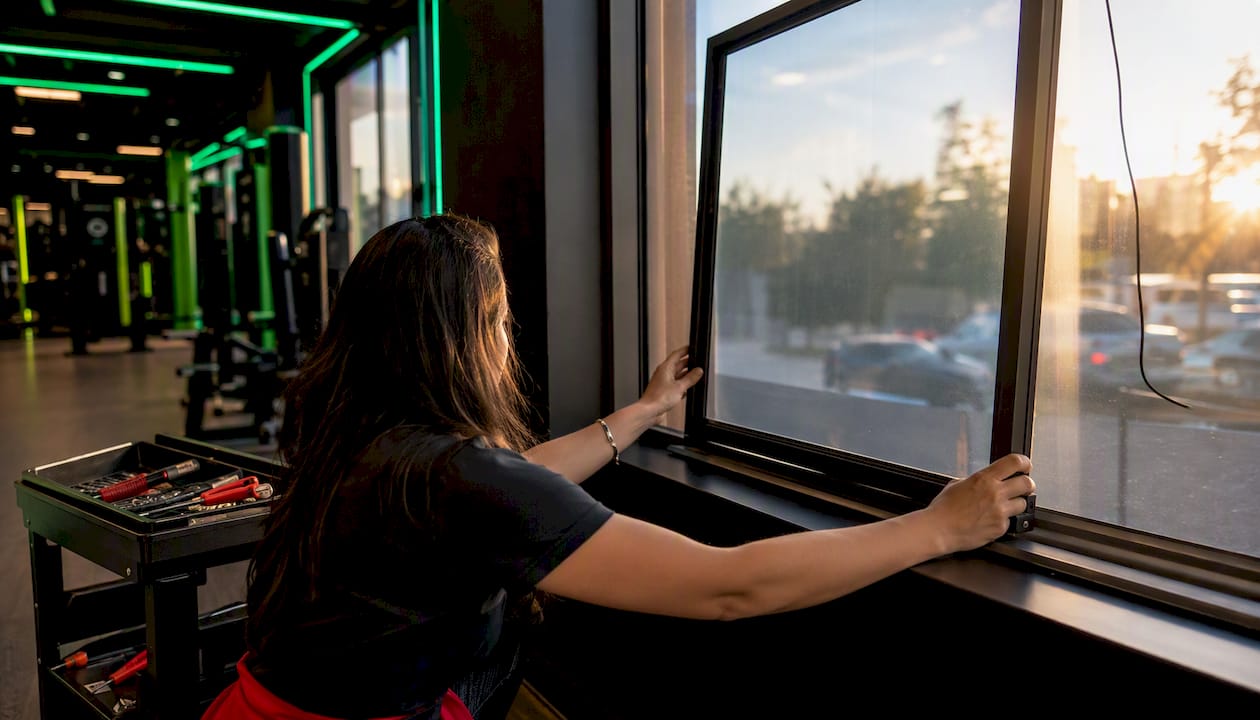
Use certified installers for bonding foils or mounting frames, and confirm thermal ventilation is in place before you power anything on.
Installation sequence:
- Site survey: confirm measurements, glass type, power access, and network drops
- Glass assessment: verify compatibility with chosen touch method
- Mount the display and install the touch layer (foil bond or IR frame)
- System integration: connect to network, configure CMS, and set up API links to booking and schedule software
- Full content and interaction testing, including a peak-sun brightness check
- Staff walkthrough: show the team how to update content, restart the system, and escalate issues
Ongoing maintenance schedule:
- Weekly: Remote status check via CMS dashboard; confirm uptime and content accuracy
- Monthly: Brightness calibration check; clean the glass surface
- Quarterly: Firmware updates for display and touch layer; review analytics
- Annually: On-site inspection by a certified technician; review SLA terms
When negotiating your warranty, push for 24/7 replacement coverage, a defined mean time to repair (MTTR), and a software support window that covers your CMS version. Multi-room gym display management follows the same maintenance logic as window installs.
Why does your CMS platform matter as much as the hardware?
A gym-focused platform cuts manual updates and keeps signage in sync with class schedules and music automatically. That is the operational difference between a display that helps and one that becomes a chore.
Feature checklist for a gym CMS:
- Centralized scheduling with time-of-day content rules
- Real-time booking integration (class fills → display updates instantly)
- Multi-screen groups for window plus interior screens
- Role-based access so instructors can update their own class content
- Remote monitoring and uptime alerts
- Analytics on interaction rates and content performance
A simple workflow in practice:
- Instructor updates the 6 PM class in the gym management system
- CMS syncs automatically and pushes updated content to the window display
- Window shows: "Next class: 6 PM Spin — 3 spots left. Book now."
- Passerby taps the screen or scans the QR code
- Booking confirms in the gym management system; display updates occupancy count
Kingdomsignage is built specifically for this workflow. It unifies window display content, interior TV scheduling, class timers, and room-based music sync from a single dashboard — so a schedule change in one place propagates everywhere, with no manual intervention required.
For multi-location operators, centralized cloud CMS is the only practical way to maintain brand consistency and keep every location's content accurate. Kingdomsignage handles multi-screen control across locations without requiring separate logins or tools per site.
What does a window display project cost, and how do you measure ROI?
A single-window commercial-grade interactive install typically breaks into three cost bands:
- Entry level: Basic high-brightness display + IR frame + standard mount + CMS subscription. Expect hardware and installation in the range of $3,000–$6,000, plus a monthly CMS fee.
- Mid-range: Higher-brightness panel + bonded touch foil + anti-glare treatment + booking integration. Hardware and install typically runs $6,000–$12,000.
- High end: Dual-sided display, full sensor suite, AI foot-traffic triggers, custom enclosure. Budget $12,000–$25,000+ for hardware and integration.
Typical project timeline:
- Site survey: 1 week
- Procurement: 2–4 weeks
- Installation: 1–3 days
- Integration and testing: 1–2 weeks
KPIs to track from day one:
- Window-driven footfall: new visitors per day attributed to window interaction
- Conversion rate: bookings per 1,000 display impressions
- Payback period: (total install cost + first-year operating costs) ÷ incremental monthly revenue from window-driven bookings
Stat to know: Dwell time on interactive displays correlates directly with conversion likelihood — a passerby who interacts for more than 5 seconds is significantly more likely to book than one who glances and walks on.
Plan your first 90 days as a measurement period. Run A/B tests on CTAs and content timing before drawing conclusions about what works.
What privacy and accessibility rules apply to U.S. gym operators?
Lead with anonymous analytics. Avoid any identifiable data capture unless you have explicit consent and a posted privacy notice.
- Facial recognition: Avoid it unless you have disclosed it clearly on-screen and in writing. Many U.S. states are moving toward stricter biometric data rules; check your state's current statute.
- Anonymous analytics: Foot-traffic counts and interaction rates collected without identifying individuals are generally low-risk, but document your data retention policy regardless.
- Booking data: Route all personal data through your existing gym management system, not through the display itself.
- ADA considerations: Provide a non-touch alternative path (QR code, visible phone number) for every interactive action. Touch targets should meet a minimum 44×44 pixel size. Audio cues for visually impaired passersby are worth adding if your window faces a high-pedestrian area.
Pro Tip: Add a single-sentence privacy notice on-screen whenever any data collection is possible: "This display uses anonymous foot-traffic analytics. No personal data is stored." One sentence covers the disclosure; a legal wall of text drives people away.
This article is general information, not legal advice. Confirm current data-privacy and accessibility requirements with a qualified attorney or your state's relevant authority for your specific situation.
Key Takeaways
A commercial-grade interactive window display for a gym requires the right brightness spec, the right touch method for your glass type, and a CMS that syncs with your class schedule from day one.
| Point | Details |
|---|---|
| Brightness is non-optional | Specify 2,500–3,500 nits for any window facing direct sunlight; consumer TVs wash out completely. |
| Match touch method to glass type | IR frames work through double-pane glass; bonded touch foils suit single-pane and deliver a cleaner look. |
| Design for 3–8 seconds | One-touch CTAs, large tap targets, and live class data (occupancy, countdown) drive the most conversions. |
| Measure from day one | Track window-driven footfall, booking conversion rate, and payback period across the first 90 days. |
| Kingdomsignage unifies the stack | One dashboard controls window content, interior screens, class schedules, and audio sync across locations. |
What gym operators actually learn running interactive windows
The conventional wisdom says the hardware is the hard part. It is not. Getting the content cadence right is where most studios stumble. A display that shows the same class promo for three weeks stops working, not because the technology failed, but because the content did.
The real operational win from a well-integrated window display is not the walk-ins on day one. It is the reduction in manual work over time. When your CMS connects to your class schedule, your staff stops updating screens by hand. When your window shows live occupancy, members self-select into classes without calling the front desk. That compounding efficiency is what makes the investment worth it, and it only happens when the software is genuinely integrated, not just displaying a static image on a bright screen.
The tactical lesson: test your CTA wording at peak footfall times, not during setup. What converts at 7 AM (a "morning class starting soon" countdown) is different from what converts at 6 PM (a "2 spots left" urgency message). Build that into your content schedule from week one, and your 90-day KPI review will actually tell you something useful.
Kingdomsignage: unified control for gym window displays
Running a gym window display well means keeping class schedules, booking CTAs, interior screens, and music in sync without a separate tool for each. Kingdomsignage does exactly that from one dashboard, purpose-built for fitness studios and multi-location gym operators.

What Kingdomsignage handles directly:
- Remote content scheduling tied to your class timetable
- Real-time booking integration so window content updates when classes fill
- Multi-location control from a single login
- Uptime monitoring with alert notifications
- Role-based access for instructors and managers
- Audio sync across rooms alongside visual content
If you are planning your first window display or expanding to multiple locations, start with a demo at Kingdomsignage to see how the platform connects your window, your interior screens, and your class schedule in one place.